
Jowi Morales is a tech enthusiast with years of experience working in the industry. He\u2019s been writing with several tech publications since 2021, where he\u2019s been interested in tech hardware and consumer electronics. ","collapsible":{"enabled":true,"maxHeight":250,"readMoreText":"Read more","readLessText":"Read less"}}), "https://slice.vanilla.futurecdn.net/13-4-19/js/authorBio.js"); } else { console.error('%c FTE ','background: #9306F9; color: #ffffff','no lazy slice hydration function available'); } Jowi Morales Social Links Navigation Contributing Writer Jowi Morales is a tech enthusiast with years of experience working in the industry. He’s been writing with several tech publications since 2021, where he’s been interested in tech hardware and consumer electronics.
usertests Has anyone used this on a laptop or phone and noticed lag time between switching from 1 Hz back to the typical 60/120 refresh rate? Otherwise, it seems like an innovation that should be spread to every laptop, and shouldn't have taken so long to arrive on the market. They could even justify using smaller batteries in cheap laptops with this. Reply
Findecanor Number of pixels on the screen matters a lot for power draw too. Mac has "Retina" resolution displays to get sharp dimensionally accurate text rendering, whereas Windows and Linux PCs depend on subpixel rendering to get text sharp. At my last workplace, I had been assigned a ThinkPad with a 3840\00d72160 display, but I had to use half the resolution because MS-Windows and Windows apps did not scale well on high-PPI displays. The apps I had to use got weird artefacts in high PPI, and moving windows between the laptop's screen and a standard-PPI external screen got ugly. Therefore, I think 1920 \00d7 1200 is quite enough on a Windows laptop, whereas it is not for a 14" Mac. Reply
Findecanor usertests said: They could even justify using smaller batteries in cheap laptops with this. I hope not. When you start taxing the CPU and GPU, those will dominate power draw. The benchmarks in the video showed this. Once upon a time, I had big hopes for a tech called Cholesteric LCDs where the screen would not draw any power when it was not updated. Unfortunately, that tech was never developed into high-quality colour displays. The biggest product that came out of the tech was the Boogie Board, which is only like a digital blackboard with an Erase button. There have however been screens available for embedded, industrial, and military applications — the latter because the screens are readable through night-vision goggles. Then there was the Pixel Qi display, which was also usable without a backlight. I think Sharp has some displays with similar tech as well. But I don't think those have any way to save power when the screen is static. Reply
Gururu Hardware Canucks loves Apple above all else. It’s pleasing that this part of their comparison, like the first 5 minutes is what every other site headlined. The rest of the review the Air kicks butt. The XPS gaming result was weird. Reply
usertests Findecanor said: I hope not. When you start taxing the CPU and GPU, those will dominate power draw. The benchmarks in the video showed this. I think the way to handle that would be to plug it in while gaming or something else intensive, but use it on battery for web browsing. Video playback falls in the middle since the SoC doesn't use a lot of power, but you need a higher than 1 Hz refresh rate. The main thing is that I want to see wide adoption of this 1 Hz VRR technology. Reply
IntelUser2000 It's partly Pantherlake that allows this kind of battery life. It does 20-25 hours as long as you don't have a powerhog of a display like OLED + 1800p. Reply
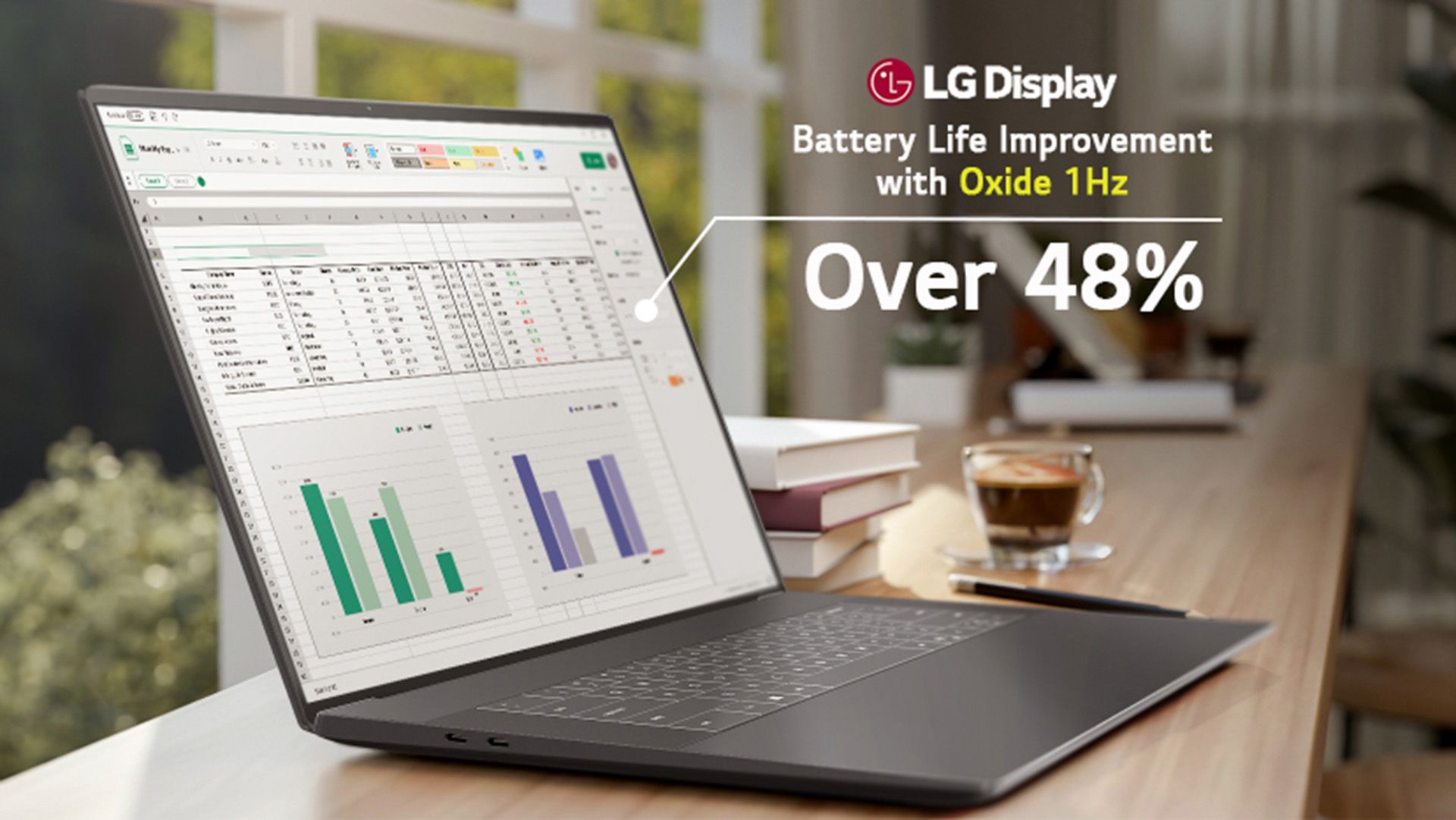
andrewdams Worth noting that the display technology itself isn't new — LTPO panels capable of dropping to 1Hz have been in smartphones since 2021 (iPhone 13 Pro, Samsung Galaxy S22 Ultra). What's notable here is how long it took to arrive on laptops in a form the OS can actually leverage properly. The efficiency stacks: at 1Hz the display controller draws almost nothing, the SoC stays in a shallow idle, and backlight refresh overhead disappears. The more interesting question is how the 43-hour figure holds up under realistic browsing rather than static page conditions. VRR savings scale inversely with on-screen motion — heavy scrolling, animations, video embeds would all push the panel back toward higher frequencies for sustained periods. The headline number is almost certainly measured under favorable conditions. Still a meaningful advance, but the real-world delta versus MacBook Air in typical mixed browsing is likely smaller than the 43-hour figure implies. IntelUser2000's point about Pantherlake also stands — the display is one variable. The SoC's idle power floor is doing significant work here too. Reply
andrewdams usertests said: Has anyone used this on a laptop or phone and noticed lag time between switching from 1 Hz back to the typical 60/120 refresh rate? Otherwise, it seems like an innovation that should be spread to every laptop, and shouldn't have taken so long to arrive on the market. They could even justify using smaller batteries in cheap laptops with this. On smartphones with LTPO the answer is no perceptible lag — the display controller ramps refresh rate in response to input events (touch detection, accelerometer), not in response to what's already rendering. So by the time a frame requires 60Hz the panel is already transitioning. Whether this laptop implementation handles it the same way depends on how tightly the display controller integrates with Windows input stack, but if the engineering is done properly the transition should be effectively transparent to the user. The early LTPO phone implementations had occasional stutter; current ones don't. Reply
JamesJones44 usertests said: Has anyone used this on a laptop or phone and noticed lag time between switching from 1 Hz back to the typical 60/120 refresh rate? Most higher end smart phones and tablets use this today (Apple and Samsung in particular), I've never noticed lag. There are rumors those devices use the accelerometer to change from low frequency (1 to 10 Hz), but there is no official information about this, so take that with a grain of salt. No Apple or Samsung laptop feature this today, so tablet is the closest comparison. Might be worth a trip to the store to play with one of the tablets that support LTPO to see if you see any lag. Reply
IntelUser2000 andrewdams said: The more interesting question is how the 43-hour figure holds up under realistic browsing rather than static page conditions. VRR savings scale inversely with on-screen motion — heavy scrolling, animations, video embeds would all push the panel back toward higher frequencies for sustained periods. The headline number is almost certainly measured under favorable conditions. Still a meaningful advance, but the real-world delta versus MacBook Air in typical mixed browsing is likely smaller than the 43-hour figure implies. The same test had 20 hours on Youtube playback, so the platform is definitely efficient. On Notebookcheck the XPS 16 with 1200p display got 26.6 hours on WiFi browsing without variable refresh rate on. Their XPS 14 uses 1800p OLED and it got only 16.8 hours using the same capacity 70WHr battery. I'm the type that goes into task manager and disables services and run less than 10 tabs most of the time so I think I'll be able to get close to those figures. And I also keep brightness relatively low(not just battery but to save my eyes). Certainly I won't have variable refresh rate on though. I like high enough refresh rate to reduce strain on my eyes. It isn't just low idle that's Pantherlake's(and Lunarlake) strong point. The LPE cores allow most light-medium workloads to be lower power than the predecessors. So you get the benefits of low idle plus a core that can run things at much lower power. Then you have the memory side cache to further keep it idle, and firmware and other tricks they have learned from way back when they were trying to get into the mobile market(which is why AMD is significantly behind here). Still 27 hours is phenomenal. Reply
Key considerations
- Investor positioning can change fast
- Volatility remains possible near catalysts
- Macro rates and liquidity can dominate flows
Reference reading
- https://www.tomshardware.com/laptops/SPONSORED_LINK_URL
- https://www.tomshardware.com/laptops/1hz-laptop-display-reportedly-helps-deliver-outstanding-43-hour-battery-life-on-the-xps-14-during-web-browser-use-beats-the-m5-macbook-air-by-more-than-28-hours-in-the-same-test#main
- https://www.tomshardware.com
- Nvidia market share in China falls to less than 60% — Chinese chip makers deliver 1.65 million AI GPUs as the government pushes data centers to use domestic chi
- Microsoft issues emergency update for Windows 11 — fixes broken March preview update rollout from last week
- Fujitsu plans dedicated 1.4nm AI chip manufactured entirely in Japan by Rapidus — AI chip to be designed and manufactured domestically
- Gigabyte X870E Aorus Xtreme AI Top Motherboard Review: Solid flagship, but the X3D version is what you want today
- Hacker charged for stealing $53 million in crypto, faces up to 30 years in prison — Uranium Finance thief spent $2 million of illicit funds on Magic: The Gather
Informational only. No financial advice. Do your own research.