
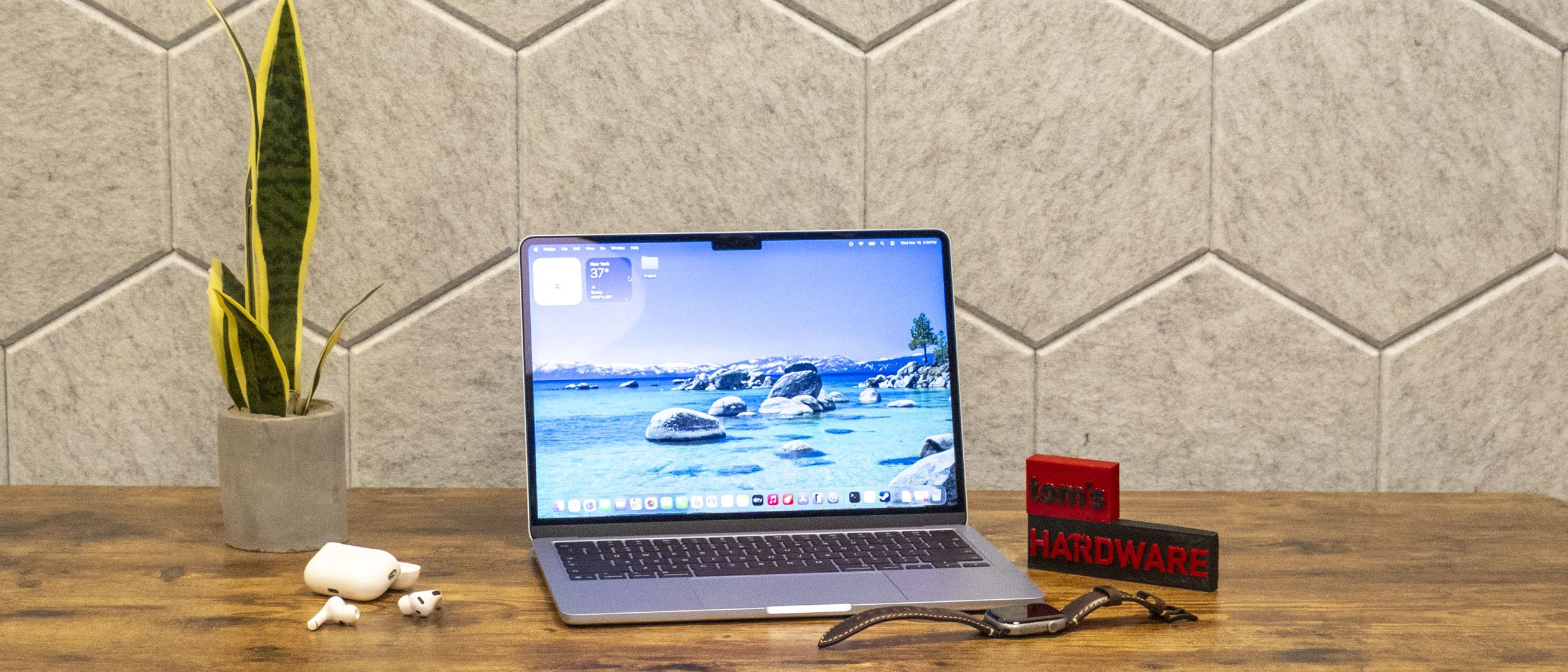
The MacBook Air puts Apple's M5 in a fanless chassis. Even without air cooling, the chip is quite powerful.
Our competitors here are the MacBook Pro with M5, which puts the M5 under air, as well as the Dell XPS 14 with a Core Ultra 7 3355 and an Asus ZenBook Duo with Core Ultra X9 388H. For an alternative ARM system, there's the Acer Swift 14 AI with the aging Snapdragon X Elite X1E-78-100). Lastly, there are some comparisons to the 15-inch MacBook Air with M4 that we reviewed last year.
(Image credit: Tom's Hardware) (Image credit: Tom's Hardware) (Image credit: Tom's Hardware) (Image credit: Tom's Hardware) On Geekbench 6, the Air notched a single-core score of 4,168 and a multi-core score of 17,067. That made the M5's biggest competition itself, but cooler. The M5 MacBook Pro hit a single-core score of 4,288 and a multi-core score of 17,926. Intel's Core Ultra X9 388H had a higher-multi-core score than the Air's M5 at 17,283, but given the Asus that houses it is almost twice the price of the MacBook Air, that's not a huge difference. Apple's M4 didn't do as well as M5, but it's single-core score still beats the Intel chips.
On our file transfer test, the MacBook Air copied 25GB of files at a rate of 1,924.84 MBps, just ahead of the M5 MacBook Pro and faster than both Intel systems tested here.
The M5 MacBook Air took 4 minutes and 41 seconds to transcode a 4K video to 1080p in Handbrake, a slight increase over M4 (4:52). The MacBook Pro did it over a minute faster with air cooling (3:31), while the Zenbook Duo also beat the Air, at 4:22. This was where the Acer Swift 14 with Snapdragon was the most competitive, coming in at 4:46.
On the Xcode Benchmark , the MacBook Air took 165 seconds to compile a large codebase using Apple's developer tools. The MacBook Pro did it in 145 seconds.
It wasn't surprising to see the M5 thermally throttle in this fanless chassis. On our Cinebench 2026 stress test, the chip started with a score of 3,415, slowly decreasing over the first few runs, until it settled in the low 2,300's. Apple doesn't allow monitoring software like TG Pro to access clock speeds, but Cinebench estimates that M5 runs single-core at 4.3 GHz and multi-core at 3.6 GHz in this laptop.
The MacBook Air's integrated 10-core GPU has access to the 16GB of unified memory in our review unit. In this fanless design, the GPU is subject to similar thermal throttling as the CPU.
I tried playing InZoi , the same life simulator game I played on the MacBook Pro with M5 Max , on the Air. In this case, though, I had it set to 1680 x 1050, used MetalFX in performance mode, and very low settings, but still had hardware ray tracing enabled. The game ran between 40 and 55 frames per second, depending on the environment the characters were in.
The Air earned a score of 1,005 on the 3DMark Steel Nomad benchmark, falling behind the cooled M5 in the MacBook Pro at 1,122 and the integrated Intel Arc B390 in the Asus Zenbook Duo's Core Ultra X9 388H (but again, that's a far more expensive laptop). The Air was far more graphically competent than the Dell XPS 14's integrated Intel graphics, which delivered just 532 points. We don't have data for this test for M4, as we've started using it on Macs recently.
The 13-inch screen on the MacBook Air is actually 13.6-inches, making it 0.6 inches larger than the MacBook Neo. The Air's display has a 2560 x 1664 "Liquid Retina" LED display with IPS and Apple's True Tone, which adjusts the screen's color temperature based on ambient lighting.
I used the MacBook Air to watch the debut trailer for Spider-Man: Brand New Day , the hero's new red and blue suit shone brightly against grayer, darker backgrounds as he dove off a building and confronted the Punisher.
At 83.1% DCI-P3 color Volume and 117.3% sRGB, the Air was on par with the MacBook Pro, despite the latter's mini LED screen. The Asus ZenBook Duo's dual OLED screens, however, were slightly more vivid, while the XPS 14 trailed the group here.
At 458.8 nits, the Air's display gets suitably bright, but the MacBook Pro got almost 100 nits brighter. The Dell XPS 14 beat the Air ever so slightly at 466 nits of brightness.
The keyboard on the MacBook Air may not have the most travel, but it's quite comfortable. I love typing on it. The layout just makes sense, with full-sized function keys and inverted-T arrow keys. The power button features Touch ID to log in easily.
(Image credit: Tom's Hardware) (Image credit: Tom's Hardware) On the Monkeytype typing test, I hit 114 words per minute with 98% accuracy, which is close to my best.
My only quibble with the MacBook Air's keys is one that is also on this year's MacBook Neo and MacBook Pro lines, as well; Apple has removed the words from the delete, enter, shift, caps lock, and tab keys and replaced them with glyphs that are familiar to those who have used the iOS keyboard. As a touch typist, it's not actually that big of a deal, but I don't think it's as clear as it could be. (For what it's worth, these glyphs have been on alternate language keyboards before. We're just seeing it now in U.S. English.) On the bright side, the modifier keys maintain their text.
Apple's haptic touchpads remain among the best in the industry. They support tons of fluid, accurate gestures, feel good against the fingertip, and have convincing feedback that feels like a real click. Very few others come close.
Apple's quad speakers on the MacBook Pro sound quite good and get loud enough to fill a room. In our photography studio, I listened to Metric's "Victim of Luck" and was pleased by clear vocals, synths, and keys, as well as some snappy drums. The bass isn't as good as the thicker MacBook Pro, but at least there is some, which you rarely get on a laptop this thin.
If you prefer to use the 3.5 mm headphone jack, Apple offers support for high-impedance headphones.
While there are four pentalobe screws on the underside of the MacBook Air, removing them won't get you very far, as the RAM and storage are soldered down. As usual, the recommendation with a Mac is to buy the best one you can at the time of purchase, because you won't be able to adjust down the line.Most people who need repairs are likely to make an appointment at a Genius Bar. For those with access to parts, Apple did drop a repair manual for the MacBook Air on launch day (as well as the Pro and Neo).
The MacBook Air lasts long enough on a charge. On our battery test, which involves web browsing, streaming video, and light OpenGL benchmarks with the screen set to 150 nits of brightness, it lasted for 15 hours and 28 minutes. That's roughly the same as the 15-inch M4 model we tested last year (15:14).
And while that's nothing to sneeze at, and is effectively all-day battery life, you can go higher. The MacBook Pro with M5, with a larger 72.4 WHr battery, ran for 18:14. The Dell XPS 14 ran for 20:41, albeit with a lower-resolution display. Another ARM-based competitor, the Snapdragon X Elite-based Swift 14, also ran longer at 17:32.
Despite the lack of a fan, the MacBook Air doesn't get uncomfortably hot. We took skin temperatures while running our Cinebench stress test, and while the system heated up, it was never uncomfortable to the point where you couldn't use it.
The center of the keyboard measured 105.1 degrees Fahrenheit, which is noticeable, but the touchpad was cooler at 96 F. The hottest point on the bottom of the laptop measured 107.9 F.
TG Pro, which measures system temperatures and can control fan speeds, measured the M5 SOC at 63.24 degrees Celsius.
The MacBook Air has a 12MP webcam in its notch. In everyday usage, I have no complaints. The webcam caught every hair on my head (fortunate!) some wrinkles under my eyes (unfortunate!), and even some detail in our office's industrial ceiling with speckled paint.
The camera, dubbed "Center Stage," is named after a macOS feature that lets the camera focus on you as you move around. I don't use it much, as I tend to sit in one place on calls.
The MacBook Air comes with the latest version of macOS 26, also known as Tahoe. We went into that more in our review of the Macbook Pro with M5 . Tahoe includes the "liquid glass" design overhaul that includes lots of icons and translucent effects, as well as a big update to Spotlight that adds many actions, a built-in clipboard history, and far more automations for shortcuts.
Built-in apps include Safari, Messages, Reminders, Maps, FaceTime, Photos, Apple TV, Music, and more. You still get free versions of Keynote, Pages, and Numbers, though newer versions come as part of Apple's Creator Studio subscription service, along with Compression, Motion, FInal Cut Pro, Logic Pro, Mainstage, and Pixelmator Pro.
Apple sells the 13-inch MacBook Air with a 1-year warranty. AppleCare+, which covers repairs, battery replacement, and priority support, is $6.99 per month or $69.99 per year (it is also available as part of AppleCare One for $19.99 per month, covering up to three products). The 15-inch Air drops up to $7.99 per month or $79.99 annually.
We tested a 13-inch MacBook Air with an Apple M5 with a 10-core CPU, 10-core GPU, 16GB of RAM, a 1TB SSD, and a blue "sky" colorway. That configuration costs $1,299.
Apple has eliminated the $999 base price. This year, the 13-inch MacBook Air starts at $1,099, albeit with 512GB of storage rather than the 256GB of storage at the previous starting price. That system also has an 8-core GPU.
If you want more than 16GB, you need the M5 chip with the 10-core GPU, a $100 upgrade on its own. From there, 24GB of RAM is $200 and 32GB is $400. That's pricey, but it's not ridiculous given the price of RAM everywhere else these days.
Apple is now selling the 13-inch Air with a 40W Dynamic Power Adapter with 60W Max. For $20 more, you can get either the 35W Dual USB-C port or a 70W USB-C charger.
The 15-inch MacBook Air now starts at $1,299 with the M5 chip and a 10-core GPU.
The MacBook Air, despite its place as Apple's new middle child in the Mac laptop lineup, is still the best option for the majority of users, if they can afford it. You get a slim design, strong performance and battery life, a comfortable keyboard, an excellent haptic touchpad, and strong base specs at 16GB of RAM and a 512GB SSD.
Much of Apple's premium competition is actually more expensive now. For example, the Dell XPS 14 starts at $1,349.99 (as of this writing, the price tends to fluctuate) with an Intel Core Ultra 5 325, 16GB of RAM, 512GB of storage, and a 1920 x 1200 screen. That's more money for a lower resolution display and a less powerful chip. (The version we tested, with a Core Ultra 7 355, is up to $1,449.99). Getting Intel's top processors only goes up from there. But if you need to use Windows, you may need to pony up or find alternatives to get a premium ultrabook in your price range.
Meanwhile, Apple's MacBook Neo may be an alternative for some, but if you're doing serious multitasking, the 16GB of memory in the MacBook Air will be a noticeable difference, and you'll also get better speakers, MagSafe charging, an excellent haptic touchpad, a larger, higher-resolution display, better webcam, keyboard backlighting, and a faster chip, to boot. You get a lot extra with the Air, if you can afford it.
That leaves the MacBook Air as a great value in the premium ultraportable space. While I would love to see Apple start bringing its fancier screens and other Pro features down to the Air, this is a laptop that most people can get by on, presuming they're not doing intensive workloads that need constant cooling and heavy graphics prowess. For just $1,100, you can get a lot of Mac. That's getting harder and harder for other companies to say about their PCs, as the RAM and storage crisis continues to drive up prices.
Andrew E. Freedman is a senior editor at Tom's Hardware focusing on laptops, desktops and gaming. He also keeps up with the latest news. A lover of all things gaming and tech, his previous work has shown up in Tom's Guide, Laptop Mag, Kotaku, PCMag and Complex, among others. Follow him on Threads @FreedmanAE and BlueSky @andrewfreedman.net . You can send him tips on Signal: andrewfreedman.01 ","collapsible":{"enabled":true,"maxHeight":250,"readMoreText":"Read more","readLessText":"Read less"}}), "https://slice.vanilla.futurecdn.net/13-4-18/js/authorBio.js"); } else { console.error('%c FTE ','background: #9306F9; color: #ffffff','no lazy slice hydration function available'); } Andrew E. Freedman Social Links Navigation Andrew E. Freedman is a senior editor at Tom's Hardware focusing on laptops, desktops and gaming. He also keeps up with the latest news. A lover of all things gaming and tech, his previous work has shown up in Tom's Guide, Laptop Mag, Kotaku, PCMag and Complex, among others. Follow him on Threads @FreedmanAE and BlueSky @andrewfreedman.net . You can send him tips on Signal: andrewfreedman.01
abufrejoval With all this hype around the Neo, I decided to let personal experience influence opinion a bit. So I had a look around and saw the M4 precedessor of this machine with 24GB of RAM and 512GB of SSD selling for €1200, which, as you mention, almost seems reasonable, given where current hardware is landing with the RAMpocaplypse. And the Neo with 0.5 TB and EU taxes starts at €750 here, so the gap is smaller, than you'd think: going from a pauper's laptop to a nearly professional tool that might last a while is perhaps the Fruity Cult's smartest move to incite the Windows and Linux unwashed, but could also commoditize the 'brand'. M$ these days certainly knows how to provide motivation… That M4 Air is extremely similar to the M5 variant you're looking at, the new APU giving it a slight generational lead for what appears almost an almost reasonable amount of money in a market that has left commodity pricing far behind. I'm now on a 14 day window to either keep or return it, as per EU consumer protection law, without which I'd have never even considered giving a Mac a chance. I'm also considering upgrading to a variant with 32GB of RAM and a TB of storage, unfortunately each step, M4->M5, 24->32GB and 512 TO 1025GB of SSD is a cool €100 or more, which tends to ruin my bottom line, filling the Fruity Cult's pockets. My main advantage is, that I really don't need a new notebook, I got plenty. It's all about extra value from the cross-grade and that's much harder than starting on a green field. I'll freely admit, that the physical hardware is a pleasure to behold . And I own quite a few rather nice notebooks, most from Lenovo/IBM, also a Vivobook from Asus. And then there is new OnePlus Pad 3, which seems very similar to the Neo in terms of hardware, while it is more similar to the Air in terms of screen size, brightness, color, black levels etc. , except that it has a vastly higher resolution, built in touch and pen support: Economically I see it as the nearest competition to the Neo, offering 16GB of RAM, 512GB of SSD at €100 less, while including a keyboard cover, pen and even a OnePlus 2R watch thrown in (quite ok for a freeby, but I already have a Garmin…) it challenges both the Neo and the Air, while it also might be a better notebook, generally. The closest notebook competition for the M4 Air in my collection is a Lenovo Thinkpad X13G4 using a Phoenix APU (AMD Ryzen 7 PRO 7840U) with a 25 Watt TDP, that I bought with 32GB of soldered RAM, the bigger battery, the better IPS panel, and a 512GB SSD for €800 perhaps 2 years ago. I immediately replaced that DRAM less NVMe with a Samsung 990 Professional 2TB drive variant, something unthinkable on a Mac. Today the ability to put an 8TB SSD in there seems mostly theoretical: how things have changed! By now it's an older machine, it uses a fan for active cooling, no real reason, actually, because as it turns out it quite brutally limits power consumption at around 25 Watts max, while it will only sustain 15 Watts, a feat the Mac improves upon at higher power, at leat as far as anyone can trust internal sensors. But ultimately a computer isn't for looking at it, it's meant for work, which in my case involves a lot of typing: there even the OnePlus Pad3 keyboard cover does better than the Mac, the Thinkbook leaves it in the dust. It's what IBM has been doing for decades and the reason I still cherish my PS/2 AT keyboard from 1990. The press has been going bonkers about the Fruit Cult's M chip performance , the rest of the industry has panicked and attempted to duplacte, but after throwing nearly everything in my arsenal of workloads at the M4 chip, I can only conclude that it is overrated in many regards. Geekbench is really the only workloads, that shows a significant advantage over that Pheonix APU, and that benchmark simply doesn't do anyone justice: using it mostly to rank and compare, is simply misleading, in far too many cases. There is a niche, but it's hard to qualify or notice. The main issue with Geekbench is its focus on running all workloads, be they single or mult-core, only for tiny bursts. That can reflect interactive usage, especially on a notebook, which few will ever use to do the job of a workstation or server, where speed needs to be sustained. So in that sense, it seems relevant, because "responsiveness" is what most users seek. For a machine like this, the numbers are magic, because they are designed to absorb nearly all heat soak for a second or two. But the danger of raising physically impossible expectations is very big. From what I've been able to observe, the main Macbook Air achievements are the following: The Air will support 30 Watts of peak power consumption, and very slowly decrease to 25 Watts long-term It will give up to 15 Watts to a single core load all of the above without a fan and without lowering the limits when running on batteryThe Phoenix isn't that far off, except 25 Watts instead of 30 for peak, 15 Watts sustained instead of 25 single core load tops out at 10 Watts instead of 15 it has a fan and it will run it on any stustained load, the ThinkBook won't lower performance when on batteryI love using Justin's WASM benchmark, because it's by far the easiest quick benchmark to run using a browser: in this case Firefox 148.0.2. Since it translates machine independent code into native binary on the fly, yet supports multi-threading and vector FP instructions if available, it is a fairly reasonable and modern enough benchmark, even if its actual workload hails from an ancient past. It also allows to control the number of threads, but not their placement. You'd need extra tooling to evaluate E vs P cores and suchlike, but it's easily doable on Linux (numactl) and Windows (Project Lasso), I'm not mature enough on MacOS to have even tried it there. It shows a multi-core performance difference which seems entirely correlated to Wattags (25 vs 30 Watts) while on single core the M4 might actually deliver less than linear performance advantages, but allows a single M4 P-core use 50% of the entire CPU's power budget, which the Phoenix cannot duplicate, no idea if a Zen 5 APU with 4P and 8C cores can do that: it's quite clear who AMD is trying to imitate… With compute performance and active power consumption very similar, the main differences boil down to the fabled endurance , RAM effiency and software. When you run Androids and Windows side-by-side it's quite obvious that Windows and or x86 suck power pretty near constantly and it matters very little if a laptop is suspended, hibernated or even officially shut off. I simply have no idea what's going on there, but I've had (school provided) iPads, lying around unused for months, yet display a full charge when turned on. Could be all lies and obfuscation, I can't actually measure battery states, but a device shut off not draining a battery is something only Apple seems to manage. Everybody else drains the batteries, even Androids. Now that is partly physics: batteries self discharge and it's actually harming them, they say. But on Windows it's got to be something much worse: machines turning themselves on, quite regardless of consequences. The most immediate way I noticed was laptops burning their batteries, while officially shut off on pan-european flights. Those are perhaps an hour in the air, easily six hours door-to-door with transit and security. And at least two machines were toast, after Windows 10 decided to wake them up mid-flight and the cooked the batteries. That's because in their infinite wisdom M$ decided that shutting down a computer isn't what users actually want, when they prepare for a trip: they might just want to talk to Cortana or receive e-mails or patches in flight, so they don't actually turn off when you tell them to: they do hybrid or the worst of both worlds, suspend to ram and suspend to disk. They sure wanted to be the better Android, but also beat the Fruity Cult and wound up with wounded laptops the users had to replace. Long story short, evidently when you close the lid on a Macbook, it won't awaken until you re-open the lid. No shennanigans and no batteries being cooked. Better yet, when you turn a Mac off, it's actually off. Batteries might still self discharge, but they use the best and it's much less noticeable than on your typical economy Wintel fare. Even on Android, some do better, than others: generally they aren't as far behind as Windows when it comes to not burning batteries. The ultra-low power cores they are introducing on x86 to match Androids capability for permanent surveillance of users, I can't see the benefit, only why I tend to deactivate all of that, including whatever NPU monstrocities vendors might enable: whoever wins there, loses with me so it's a draw at best. I'd love practically unlimted suspend to RAM, because it allows for instant on, and what we've all come to appreciate on phones. Two or three days while leaving enough for a full work day is where I draw the base line for a useful laptop: phones manage weeks! There the Lenovo Phoenix running Windows is struggling to keep charge on suspend to RAM for days, and I simply don't know why. It's hard to imagine it's the hardware, but then I've never had the impression that Linux leads the field on x86. Last fall I wanted to test the x86 vs ARM theory on this and I bought a Snapdragon X100 Elite based laptop with 32GB of RAM and 1TB of storage for around €900 and tested it until the return window expired. It was very similar to the Lenovo with AMD's Phoenix, except that it had up to 45 Watts of power to burn and thus delivered more compute power. But it also held suspend-to-RAM for days, even enabled a constant low power use (running Flightradar24 non-stop) for way beyond an extended working day, proving the end of battery fright/envy for a laptop. I still returned it, because I was afraid of its support ecosystem not existing and the lack of a working Linux as an alternative. Not a bad machine, but compared to x86 or perhaps Mx very low value retention… before the RAMpocalypse might kills its X2 successor. But is that alone enough to add a rotten Apple to my laptop family? What about the software ? It's already too long, so I'll post that separately… Reply
Key considerations
- Investor positioning can change fast
- Volatility remains possible near catalysts
- Macro rates and liquidity can dominate flows
Reference reading
- https://www.tomshardware.com/laptops/macbooks/SPONSORED_LINK_URL
- https://www.tomshardware.com/laptops/macbooks/apple-macbook-air-13-inch-m5-review#main
- https://www.tomshardware.com
- Elon Musk unveils $20 billion ‘TeraFab’ chip project to make chips, memory, and package processors all under one roof — targets a terawatt of annual compute
- Crimson Desert devs apologize for ‘confusion’ over Intel GPU FAQ — backtracks over prior dismissive language regarding Arc graphics support
- Cyberpunk 2077 runs on MacBook Neo at over 30 FPS — PC gaming is possible with A18 Pro iPhone chip
- Blacklyte Athena Pro Review: Watch out, Secretlab?
- GTC Spotlights NVIDIA RTX PCs and DGX Sparks Running Latest Open Models and AI Agents Locally
Informational only. No financial advice. Do your own research.