
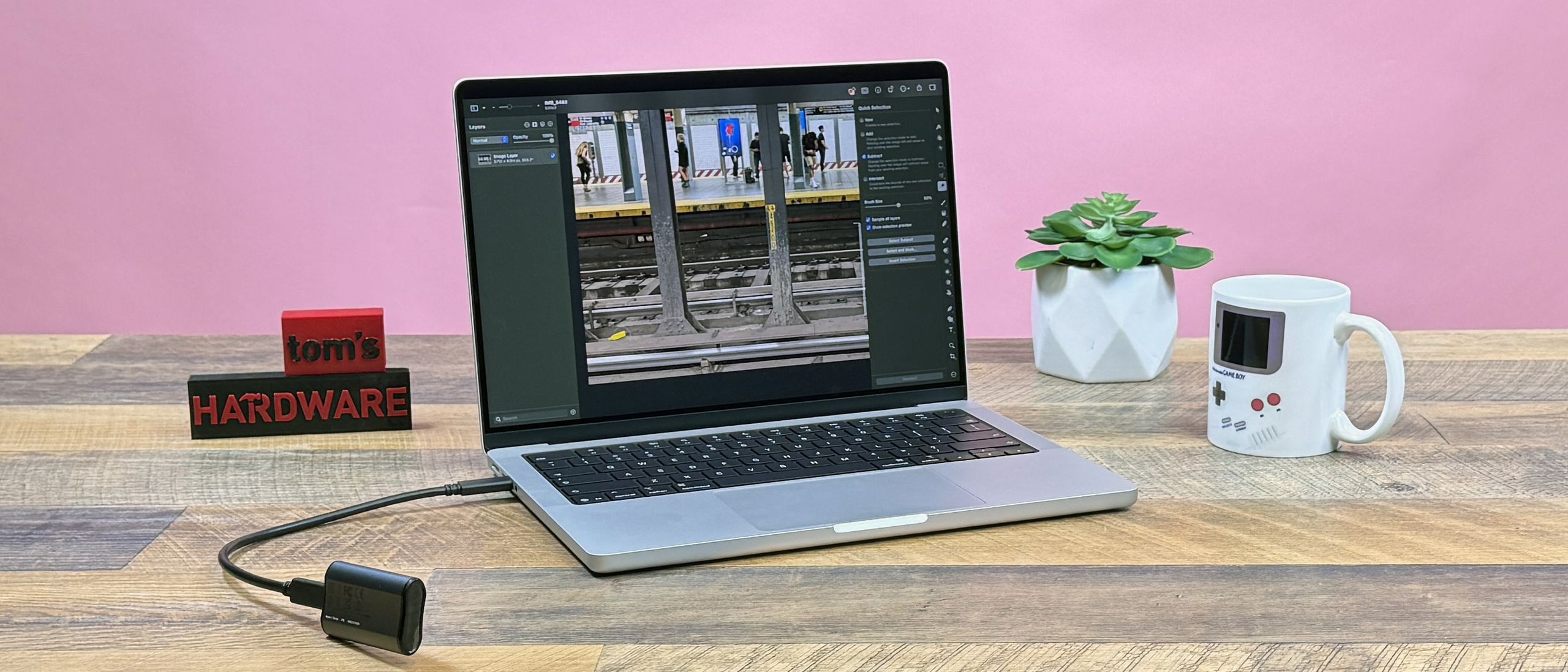
The M5 Max chip uses the Fusion Architecture, similar to what has previously been seen in Apple's M-series Ultra chips. The CPU and GPU are on separate dies, connected by a high-speed interconnect.
The 40-core GPU, paired with the 128GB of RAM, should be a powerful combo for video editing, VFX, and for local AI development. Because the M5 Max uses unified memory, most of that RAM can be directed straight to the GPU.
Both M5 Max variants have 18-core CPUs. Six of those are Apple's "super" cores, its fastest performance cores yet. The other 12 are "performance" cores, new cores (taking the old performance name – got it?) that can thread the needle between power and efficiency.
We're comparing the MacBook Pro to a suite of recent laptops. Without a ton of workstations in our database, we're comparing to recent consumer systems. The Samsung Galaxy Book6 Ultra may try to look like a Mac, but it pairs an Intel Core Ultra 7 356H with 32GB of RAM and an Nvidia GeForce RTX 5070 discrete laptop GPU. There's also the Asus ZenBook Duo (UX8407) with two screens running off of Intel's latest top laptop chip, the Core Ultra X9 388H with integrated Intel Arc B390 graphics and 32GB of memory. Lastly, the ultra-repairable Framework Laptop 16 puts AMD's Ryzen AI 7 350 and an RTX 5070 together, along with 16GB of RAM.
The M5 Max handled everything I threw at it. Photo editing workloads were a breeze. So were my experiments in Blender. Even my trials in LM Studio running open-source models like Google 's Gemma 3 27B left plenty of Apple's 128GB of RAM open, with the system producing new tokens extremely quickly.
(Image credit: Tom's Hardware) (Image credit: Tom's Hardware) (Image credit: Tom's Hardware) (Image credit: Tom's Hardware) (Image credit: Tom's Hardware) In benchmarks , the MacBook Pro with M5 Max devastated the competition.
On Geekbench 6, Apple's super cores were the fastest in single-core testing, with a score of 4,338. In multi-core, the super and performance cores reached 29,430, devastating the rest of the field. The next highest in both was the ZenBook Duo, with scores of 3,031 and 17,283, respectively.
Apple showed off in our file transfer test. It claims its SSDs are twice as fast as the previous generation, and the results speak for themselves. The MacBook Pro completed our 25GB file transfer test at a rate of 3,835.38 MBps. The next fastest, at 1,724.69 MBps, was the Framework.
In our Handbrake video encoding test, the Mac transcoded a 4K video to 1080p in 1 minute and 55 seconds. That’s nearly a minute-and-a-half faster than the next fastest, the Galaxy Book6 Ultra, at 3:18.
To compare against other historical Mac chips, we run the Xcode Benchmark , which sees how fast a system compiles a large codebase. The MacBook Pro with M5 Max took 87 seconds, putting it on par with the last Max chip we have in our database, the M3 Max (85 seconds).
Our ten-run Cinebench 2026 stress test started at a score of 8,058 before immediately diving into the mid-7,000's as the heat picked up. The fans did get the score back up to 7,990 at run 5, but otherwise, scores were largely stable.
Because macOS doesn't provide access to clock speeds, we have to rely on other measures. Cinebench 2026 estimates that the M5 Max runs up to 4.6 GHz on a single core and 4.3 GHz multi-core.
The 40-core GPU, with access to much of the 128GB of unified memory, is a powerhouse.
On 3DMark Steel Nomad, the MacBook Pro achieved a score of 3,865. The next best, the Framework Laptop 16 with a dedicated RTX 5070, notched a grade of 3,009.
On the Cyberpunk 2077 benchmark at ray tracing ultra, which we use for high-end gaming rigs, the MacBook Pro averaged 30.84 frames per second at 1920 x 1200. Using the "For this Mac" setting, it averaged 80.39 FPS at the same resolution, and 35.7 FPS at 3025 x 1890.
Another system we ran that test on at ray tracing ultra, the Framework Laptop 16 with an RTX 5070, reached 38 fps at 1920 x 1080.
I've rhapsodized before about Apple's nano-texture displays for the MacBook Pro. I'm going to do it again.
Apple's 14.2-inch screen has a "Liquid Retina" resolution of 3024 x 1964, with a variable refresh rate that climbs up to 120 Hz with ProMotion. The Mini-LED backlighting isn't quite OLED , but it looks pretty great. It also comes with TrueTone enabled, which adjusts the image on your screen to ambient lighting with a color sensor (you may want to turn this off for photo or video editing for more exact colors).
The screen also delivers with multimedia. When I watched the trailer for The Odyssey , I was impressed by deep black levels, as well as vivid colors like deep blues in an endless ocean and spots of green grass growing in dirt in a forest.
On our colorimeter and light meter, the MacBook Pro proved to be extremely bright, measuring in at 529.4 nits, significantly higher than the 455-nit Asus ZenBook Duo, an OLED screen that was the next most luminous on the list.
The Mac's screen covers 87% of DCI-P3 color volume and 122.9% of sRGB volume, largely in line with the Samsung Galaxy Book6 Ultra and the ZenBook Duo.
Apple's keyboards continue to be excellent to type on. The chiclet keys are comfortable, include a full-sized function row, and inverted-T arrow keys. It all makes sense.
Yes, some Windows laptops at this price point — especially gaming rigs — beat the MacBook Pro on travel. Some even offer mechanical keys. But I find that Apple's keyboard feels very comfortable, even after long typing sessions. Even the plastic on the keys feels good. On the monkeytype typing test, I reached 118 words per minute and 98% accuracy, which is about as good as I get.
Apple's Force Touch trackpads continue to be the best in the industry with smooth glass, comfortable haptics, and intuitive gesture support in macOS. It also helps that on the MacBook Pro, it's large and luxurious. Short of using an external mouse, I don't have any notes here.
The MacBook Pro's six-speaker sound system with force-cancelling woofers continues to amaze.
The Beaches' cover of "I Ran (So Far Away)" sounded excellent with clear vocals, energetic guitar, snappy drums, and a thumping bassline. It easily filled a photography studio in our office. The MacBook Pro line continues to offer the best speakers on a laptop, period.
If you use headphones for audio production (or just have a fancy pair), the MacBook Pro's 3.5 mm headphone jack supports high-impedance cans.
The common refrain with modern MacBooks is to think very carefully about configuring before you buy. While there are eight pentalobe screws on the bottom of the MacBook Pro's chassis, you can't actually upgrade major components yourself. The SoC and the SSD are soldered, so you can't replace them on your own. If you need a repair, your best bet is probably Apple's Genius Bar.
Upgrades are pricey (see the configurations section, below), though they don't seem as huge as they did before the RAM crisis hit.
The MacBook Pro can easily last you a day on a charge. The new Pro topped the charts on our battery test, which browses the web, streams video, and runs OpenGL tests all at 150 nits of brightness. The system ran for 17 hours and 58 minutes, surpassing the next best in the field, the Samsung Galaxy Book 6 Ultra, by more than 2 hours.The M5 Max system lasted only slightly less than the vanilla M5 version, which ran for 18:14.
During our Cinebench stress test, I took skin temperature measurements to see how hot the system gets to the touch under a rigorous workload.
The hottest point was actually the center of the keyboard, reaching 116.5 degrees Fahrenheit. While it wasn't too hot to type on, the heat was noticeable.
The touchpad stayed cool at 86 F, while the hottest point on the bottom measured 103.5 F.
We used Tunabelly Software's TG Pro, which measures internal Mac temperatures, to measure the M5 Max. The chip averaged 83.59 C during the test.
Housed in the MacBook Pro's notch, there's a 12MP webcam. You'll look great using it. It's sharp and can easily highlight every button on a shirt or hair on your head. It supports Center Stage, a feature in macOS that allows the camera to focus on you even as you move around.
The webcam also has "Desk View," which lets you show your desk or table on video calls, which is good for showing anything that might be on old-school paper. But it's always a bit distorted, and I rarely find myself using that feature, in part because of that.
But Tahoe also brings some great new features, including a huge update to Spotlight that adds tons of actions, a built-in clipboard history, and far more automations for shortcuts. That's on top of adding Live Activities from the iPhone to the Mac, as well as a phone app with call screening.
You get a bunch of pre-installed apps in the box. These include Safari, Messages, Maps, Apple TV (the app, which houses the service of the same name), Reminders, Messages, Notes, Passwords, FaceTime, Photos, and more. Some users of the MacBook Pro are prime candidates for Apple's new Creator Studio, a subscription competitor to the Adobe Suite (and, to some degree, Microsoft Office), including Final Cut Pro, Logic Pro, Pixelmator Pro, Mainstage, Compressor, Motion, Keynote, Pages, Numbers, and Freeform. The latter four still come with free versions preinstalled in macOS.
We tested the 14-inch MacBook Pro in an extremely expensive, $5,849 configuration designed for those who need the most performance and want the beautiful nano-texture display. With an M5 Max boasting 16 CPU cores and 40 GPU cores, 128GB of RAM, and 4TB of storage, along with the glare-reducing panel, this system is truly for those who are using their systems for work.
The 14-inch MacBook Pro with M5 Max starts at $3,599 with an 18-core CPU, 32-core GPU, 48GB of RAM, and 2TB of storage. Upgrading to the 40-core GPU will cost you $300, and the nano-texture screen is $150.
The base M5 Max starts at 36GB of RAM, but our 40-core GPU variant starts at 48GB. From there, a bump to 64GB is $200 more, or the jump to 128GB is a whopping $1,000 more (but really, is that whopping in today's PC industry?). Storage starts at 2TB. A bump to 4TB is $600, while 8TB will cost you $1,800.
The 14-inch MacBook Pro also comes with Apple's M5 Pro, starting at $2,199, or the standard M5 ( see our review ) beginning at $1,699. The 16-inch MacBook Pro starts at $2,699 with the M5 Pro and $3,899 with M5 Max.
Apple sells the 14-inch MacBook Pro with a 1-year warranty. Beyond that, AppleCare+, which covers repairs, battery replacement, and priority support, is $9.99 per month or $99.99 per year (or is available as part of AppleCare One for $19.99 per month, covering up to three products).
If you need power for your job or hobbies, there's very little the MacBook Pro can't do. The super cores and performance cores on the M5 Max, combined with a 40-core GPU and 128GB of RAM, can handle anything from rendering to gaming to local AI, assuming you can afford that top configuration's high price tag.
The nano-texture screen continues to be an eye-popper, even if the mini-LED screen, while great, isn't quite OLED. The keyboard and trackpad are comfortable, and it's hard to argue with battery life that runs for almost 18 hours.
If you have a top-end M3 or M4 system, you may not need to upgrade yet. But professionals with older systems may see benefits with the faster SSDs and stronger cores.
The RAM and SSD pricing are still high — very high. But it's harder to criticize Apple than it used to be, with the memory and storage industry in a crisis. Now, everyone's charging high prices for upgrades.
But the 128GB configuration isn't one for a hobbyist. It's for someone making a living with this system. It puts the Pro in, well, Pro. If you need an attractive, portable powerhouse and your workloads can be performed on macOS, the MacBook Pro with M5 Max won't disappoint.
Andrew E. Freedman is a senior editor at Tom's Hardware focusing on laptops, desktops and gaming. He also keeps up with the latest news. A lover of all things gaming and tech, his previous work has shown up in Tom's Guide, Laptop Mag, Kotaku, PCMag and Complex, among others. Follow him on Threads @FreedmanAE and BlueSky @andrewfreedman.net . You can send him tips on Signal: andrewfreedman.01 ","collapsible":{"enabled":true,"maxHeight":250,"readMoreText":"Read more","readLessText":"Read less"}}), "https://slice.vanilla.futurecdn.net/13-4-18/js/authorBio.js"); } else { console.error('%c FTE ','background: #9306F9; color: #ffffff','no lazy slice hydration function available'); } Andrew E. Freedman Social Links Navigation Andrew E. Freedman is a senior editor at Tom's Hardware focusing on laptops, desktops and gaming. He also keeps up with the latest news. A lover of all things gaming and tech, his previous work has shown up in Tom's Guide, Laptop Mag, Kotaku, PCMag and Complex, among others. Follow him on Threads @FreedmanAE and BlueSky @andrewfreedman.net . You can send him tips on Signal: andrewfreedman.01
JamesJones44 Super Cores :rolleyes: . Both benchmarks and the fact that the regular M5 P cores were renamed to "Super Cores", shows they are just renamed P cores. Next year I'm sure Apple will come up with a fancy name for efficiency cores to try to confuse everyone on what they really are. Reply
timsSOFTWARE In a "pro" device, I don't really view non-OLED as a "con". I know burn-in can be managed, but it's not something I really want to have to worry about at all on a "pro" device that's going to be regularly displaying static screen elements for long periods for work. For a gaming/media consumption device – sure, why not OLED. But when I upgraded the monitors for my desktop workstation a couple years ago, I intentionally avoided OLED and stuck with IPS. I'm curious why the benchmarks didn't compare to M4 or earlier Apple laptops? When I bought my Macbook for work, it was because you can't compile native programs for Apple targets on a non-Apple machine. So comparisons to other hardware really don't matter all that much. Likewise people who love or hate MacOS are probably not going to decide to buy/not buy a Mac because it gets a 20% higher score in a benchmark relative to devices running other OS platforms that cost half as much. Battery life might be the one thing that could influence purchasing decisions in that way. But people who want to or have to have a Mac will be interested in how it compares to other/older Macs. Were there none available to test with? Reply
lotechnz Nano texture is a must order, the few times you do need to see your screen outside its great. Reply
Paradise Pete JamesJones44 said: Super Cores :rolleyes: . Both benchmarks and the fact that the regular M5 P cores were renamed to "Super Cores", shows they are just renamed P cores. Next year I'm sure Apple will come up with a fancy name for efficiency cores to try to confuse everyone on what they really are. I'm a lot more concerned with how they perform than what they are called. What about the benchmarks didn't you like? Reply
JamesJones44 Paradise Pete said: I'm a lot more concerned with how they perform than what they are called. What about the benchmarks didn't you like? The benchmarks are fine, it's the deceptive marketing I don't like. Apple spun the "Super Cores" as something new, just about every article I've read tries to spin them as some kind of revolution, even though there is zero change compared to the base M5. Even calling the non-Super Cores "all-performance" cores is deceptive IMO. An efficiently core is one that runs less demanding tasks or adds additional help when the system is loaded. It doesn't matter if they perform like an M3 Max P core or a 2018 i9, their job is to handle task the P/Super Cores shouldn't or can't. I get Apple is trying to distinguish high performance E cores form "standard" E cores but the naming scheme is very Elon Musk Autopilot like. Reply
ejolson I don't mind the overstated super core terminology. I think it would be nice if this laptop could run Windows and Linux, because macOS–even Tahoe–seems to be like an old version of BSD with an irritating GUI to me. Reply
Notton 40-core GPU running on 614GB/s bandwidth, 128GB unified memory controller… still gets beaten by a mobile 5070 stuck with 8GB VRAM and 384GB/s memory bandwidth. :rolleyes: Does no one care with screen performance these days? I checked all the usual review sites, but none of them covered screen uniformity, ghosting, flickering, etc. Reply
Dr3ams All that on a 14" screen? No thanks. Reply
Key considerations
- Investor positioning can change fast
- Volatility remains possible near catalysts
- Macro rates and liquidity can dominate flows
Reference reading
- https://www.tomshardware.com/laptops/macbooks/SPONSORED_LINK_URL
- https://www.tomshardware.com/laptops/macbooks/apple-macbook-pro-14-inch-m5-max-2026-review#main
- https://www.tomshardware.com
- Survey Reveals AI Advances in Telecom: Networks and Automation in Driver’s Seat as Return on Investment Climbs
- NVIDIA Advances Autonomous Networks With Agentic AI Blueprints and Telco Reasoning Models
- RPCS3 Emulator boasts over 1500 FPS on the Minecraft title screen — platform hails performance landmark, one frame rendered every 0.00064 seconds
- OpenAI's massive Stargate data center canceled as firm can't reach terms with Oracle, operator struggles with reliability issues — Meta said to be interested in
- Amazon's Rufus AI shopping assistant can be easily jailbroken and tricked into answering other questions — specific prompts break the chatbot's guidelines and r
Informational only. No financial advice. Do your own research.