
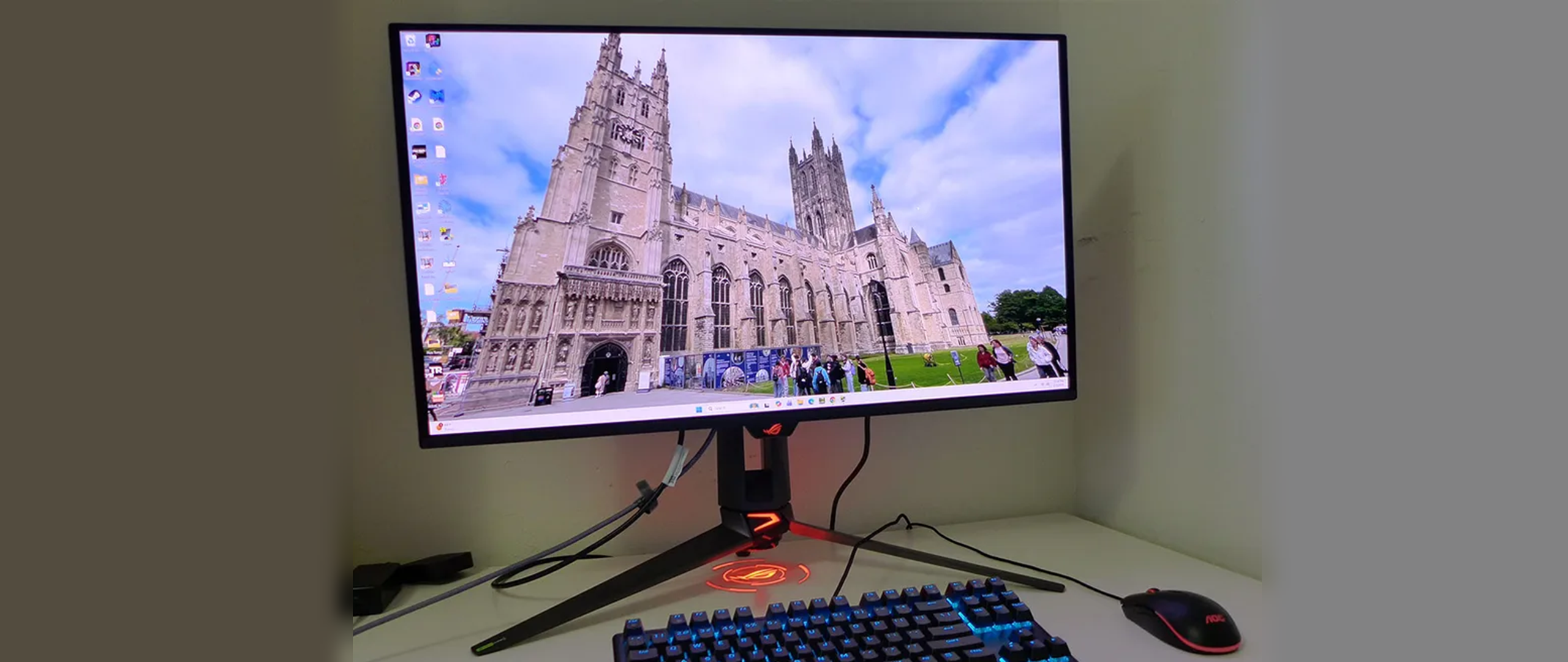
Asus provides its large suite of OLED care options, including logo and perimeter detection, pixel orbiting, and a refresh routine with reminders. A proximity sensor can blank the screen when you leave your desk. There is no concern for burn-in here. Also included is the full array of GamePlus options, including aiming points, sniper modes, timers, a stopwatch, and multiple frame counters. And you get GameVisual with its nine picture modes.
Peripheral features include LED lighting, USB ports, programmable function keys, and Asus’ DisplayWidget desktop app, which lets you control the PG32UCDM3 from a PC or Mac desktop. The only thing missing are internal speakers, but you do get a 3.5mm headphone jack.
The PG32UCDM3 carries a flagship-appropriate price of $1,299 at this writing. That isn’t low but it is better than what a monitor like this would have cost just a few years ago. For that sum, you’re getting a monitor with every available gameplay and image-enhancing technology that is suited for any task, be it work or entertainment.
The PG32UCDM3 arrived in my studio packed in molded pulp with fully recyclable packaging, kudos, Asus. The screen is well protected by a no-friction sleeve and a plastic layer that peels away. The beefy stand assembles with a captive bolt, then the panel snaps on. The ROG pouch is bursting with cables, including IEC power, DisplayPort, HDMI, and two USBs. You also get extra lenses for the ROG logo projector that shows a graphic on your desktop from the bottom of the stand. If you’d rather use a mounting arm, an adapter bracket with 100mm VESA lugs is also in the box.
(Image credit: Asus) (Image credit: Asus) (Image credit: Asus) (Image credit: Asus) The PG32UCDM3 maintains the latest ROG aesthetic with a component bulge and the OLED panel attached with its own metal backing. This helps with cooling, which is entirely passive; there are no fans in evidence. The back has multiple backlit elements, including the Lite-Brite ROG logo, the word “Swift” on the moving portion of the upright and the stand’s base, which has backlit trim and a logo projector with multiple lens options. The lens is attached with magnets, so it’s easy to make a change. All these bits can be controlled from the OSD or turned off if you like.
The front bezel is flush and thin, measuring 8 to 14 millimeters wide. With such a large screen and bright image, you barely notice the frame. A small ROG logo, backlit, of course, protrudes from underneath and indicates where the two buttons and the OSD joystick are. They control all monitor functions. Alternatively, you can use Asus’ DisplayWidget Center on the Windows or Mac desktop.
The stand is super solid, with a wide cast-aluminum base that is nearly 11 inches deep. It’s slender, though, so you can slide papers under it if you want. The upright swivels on it, just 15 degrees to either side. You also get 5/20 degrees tilt and a 3.3-inch height adjustment. There is no portrait mode.
The input panel is up and under and split between video and USB sections. For video, you get a DisplayPort 2.1a (UHBR20, 80 Gbps), two HDMI 2.1 (up to 3840×2160 @ 240 Hz), and a USB-C port that mimics DP functions and provides 90 W of power. USB 3.2 is supported with one upstream and two downstream ports. For audio , you get a 3.5mm headphone jack; there are no internal speakers.
(Image credit: Tom's Hardware) (Image credit: Tom's Hardware) (Image credit: Tom's Hardware) (Image credit: Tom's Hardware) (Image credit: Tom's Hardware) (Image credit: Tom's Hardware) (Image credit: Tom's Hardware) (Image credit: Tom's Hardware) (Image credit: Tom's Hardware) (Image credit: Tom's Hardware) (Image credit: Tom's Hardware) Gaming is up first with an Adaptive-Sync toggle, ELMB, GamePlus play aids, GameVisual picture modes and Shadow Boost, which is used to enhance dark area visibility. GamePlus includes aiming points, sniper modes, timers, a stopwatch and display alignment marks. The FPS counter can either be a numeral or a bar graph.
For color control, you get color space options, color temp presets with RGB sliders, and gamma presets. You can also tweak each color individually for saturation.
OLED Care has many options to prevent burn-in like a screen saver, pixel refresh, pixel orbiter and detection of static logos and perimeter elements. The Neo Proximity Sensor, when activated, blanks the screen if you leave your desk. The PG32UCDM3 has full PIP and PBP options for those who want to view two video sources at once. Auro RGB and Light In Motion are the LED effects for the large ROG logo in the back. It can play in any color with multiple effects, or static if you prefer.
HDR10 and Dolby Vision signals switch modes automatically. For HDR10, you get four modes and Dolby Vision has three of its own. They can’t be calibrated, but you can tweak brightness and contrast for HDR10 if you like.
While there are more immersive gaming monitors like big curved ultra-wides, there are none more useful for a wide variety of tasks than a 32-inch 16:9 flat panel like the PG32UCDM3. And it has more height than a 34-inch 21:9 screen, so that’s a factor as well. There is nothing it cannot do well.
Gaming was super enjoyable thanks not only to the jumbo image, but the gorgeous contrast and color afforded by Asus’ BlackShield tech and the Quantum Dot layer in use. It is about as colorful as you can get for both SDR and HDR. With almost 108% DCI-P3 coverage, it is among the very best. I also noted its accuracy right away. There was no hurry to calibrate, and in fact, I didn’t touch anything except the brightness until the testing phase began. I enjoyed lots of fragging before getting down to work.
The PG32UCDM3 responds quickly to control inputs. Though my gaming skills are average at best, I benefit from a high-performance screen when playing. Movements are precise and instantaneous. A 180-degree turn is effortless and consistent, occurring with just a flick of the mouse. I was able to play at a fixed 240fps thanks to a GeForce RTX 4090 . DisplayPort 1.4 with DSC provided enough bandwidth to prevent any hesitation in movement. Blur was non-existent as well. I tried out ELMB at 120 Hz and found it completely usable. Users with older video cards will be able to enjoy this monitor at 120fps with the same smoothness I saw at 240.
As for the effect of BlackShield, I had to turn on a few room lights to see its benefit. If you play in a dark or dim space, the PG32UCDM3 looks like every other premium OLED. But with a bright overhead light, its image is a little deeper than a monitor with a typical shiny front layer. I didn’t test its extra hardness, but the handling of ambient light is clearly superior to the competition. I won’t be surprised to see this tech appear elsewhere.
To check out the Dolby Vision support, I hooked up a Panasonic DP-UB9000 4K Blu-ray player and watched the demo material on Spears and Munsil 4K Benchmark suite. This allowed me to watch the same clips in HDR10 and DV. The difference was subtle but visible. Dolby Vision had more thoroughly rendered highlights which not only exposed more image detail, but it also increased the perception of contrast. Color was equally rich between the two formats, but the extra punch in Dolby Vision’s highlights was easy to see.
I appreciated the PG32UCDM3’s variable brightness feature and the fact that it would remember each brightness setting, so I only had to adjust it once. That way, the peak is equalized between modes. Turning Uniform Brightness off makes video and games look a little more impactful, while turning it on is better for productivity. Not all OLEDs have this flexibility.
Physically, the PG32UCDM3 is premium all the way. It’s an expensive monitor and it feels that way. The movements of the stand, the button feel, it’s all high-end. You are definitely getting what you’re paying for here.
Takeaway: During my time with the PG32UCDM3, I found nothing to complain about besides the lack of internal speakers. This is a nit-pick on my part, but I feel that every monitor should have some kind of audio besides the headphone jack, even if it’s just for system sounds. But I loved everything else, especially gaming. This is a superlative gaming screen if you have the graphics horsepower to drive it to 240fps in 4K resolution. I can think of no better choice for a high-end PC or Mac if you need the best possible do-it-all display.
Current page: Features and Specifications
Key considerations
- Investor positioning can change fast
- Volatility remains possible near catalysts
- Macro rates and liquidity can dominate flows
Reference reading
- https://www.tomshardware.com/monitors/gaming-monitors/SPONSORED_LINK_URL
- https://www.tomshardware.com/monitors/gaming-monitors/asus-rog-swift-pg32ucdm3-32-inch-240-hz-qd-oled-gaming-monitor-review#main
- https://www.tomshardware.com
- Save $558 on a Ryzen 7 9850X3D and X870 motherboard bundle at Newegg — $1,339 includes RAM priced at $1,129, free 2TB portable SSD, and AMD's latest gaming chip
- Data center developers building private natural gas 'Shadow Grid' power plants to sidestep strained grids — off-grid GW Ranch project in Texas will reportedly u
- Microsoft's Project Silica write-once storage could store terabytes of data for over 10,000 years — company explores two physical glass storage methods, so the
- Newegg slashes $176 off this potent AMD gaming bundle, which includes $437.99 of RAM – Ryzen 7 9800X3D CPU, 32GB of Corsair Vengeance, and X870E Aorus Elite Wif
- Zuckerberg cuts Meta employee bonuses by 5%, follows 10% reduction last year, despite AI splurge — $130 billion capex vision and eye-watering AI pay packages fo
Informational only. No financial advice. Do your own research.