
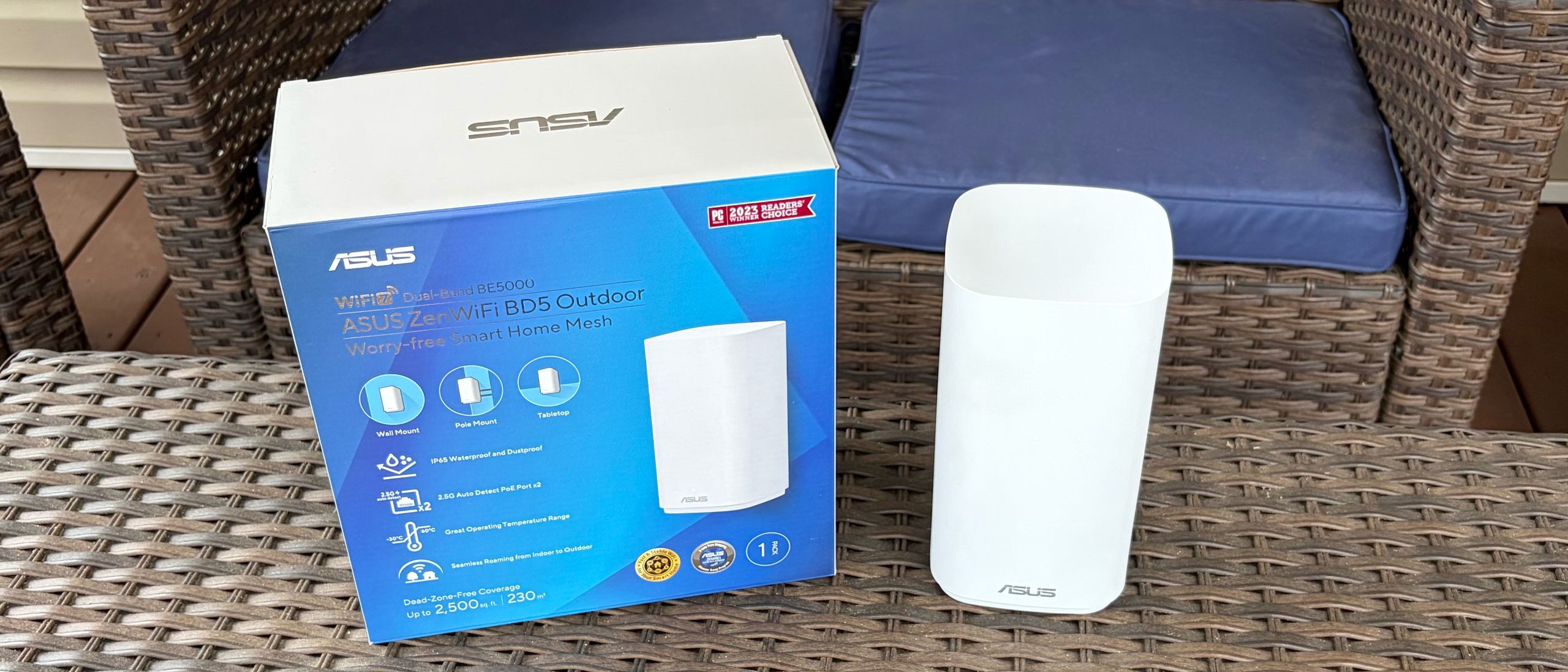
After the ZenWiFi BD5 Outdoor was found, the automatic configuration process took another 5 minutes or so to complete. Once finished, it showed that it was connecting to the main ROG Rapture GT-BE19000Ai router with a 5 GHz uplink.
Adding the ZenWiFi BD5 Outdoor to an AiMesh network with the Asus Router app (Image credit: Tom's Hardware) Ethernet Uplink (left), 5 GHz Wireless Uplink (right) (Image credit: Tom's Hardware) I also performed separate tests using a 100-foot CAT6e cable, connecting the ROG Rapture GT-BE19000Ai to the ZenWiFi BD5 Outdoor. When the two network devices are connected via a cable, the uplink automatically switches from wireless (5 GHz) to Ethernet.
There are two locations I use for our outdoor wireless satellite testing: my back porch and my fire pit, which is 20 feet farther away. I included baseline testing to measure performance when connected solely to the ROG Rapture GT-BE19000Ai. I then performed tests with a laptop, wirelessly connecting to the ZenWiFi BD5 Outdoor using wired and wireless backhauls.
Wireless testing relied on an HP OmniBook X (Qualcomm Snapdragon X Elite) laptop with a Qualcomm FastConnect 6900 Wi-Fi 6E wireless card. Our venerable iPerf3 server was connected to the ROG Rapture GT-BE19000Ai via a 10 Gbps Ethernet connection. I will note that Asus claims that the ROG Rapture GT-BE19000Ai offers 3,500 sq ft of wireless coverage, while the ZenWiFi BD5 Outdoor covers an additional 2,500 sq ft.
(Image credit: Tom's Hardware) (Image credit: Tom's Hardware) Baseline performance when connecting the OmniBook X to the ROG Rapture GT-BE19000Ai was 222 Mbps on my porch and 124 Mbps at the fire pit on the 5 GHz band, using our iPerf3 throughput test. Switching over to the 2.4 GHz band, the numbers fell to 34 Mbps and 20 Mbps, respectively.
Interestingly, 5 GHz performance on the back porch was more than cut in half with the ZenWiFi BD5 Outdoor, compared to connecting natively to the ROG Rapture GT-BE19000Ai. The only thing I can think of is that the ROG Rapture GT-BE19000Ai was already providing a good enough signal. Plus, there’s added latency involved in maintaining the 5 GHz uplink between the router and satellite, which can impact client performance. On the positive side, performance was only slightly less (118 Mbps) at my fire pit. Also in the plus column, 2.4 GHz performance was higher across the board, with 39 Mbps on my back porch and 43 Mbps at the fire pit.
Unsurprisingly, I observed the best performance when connecting the ROG Rapture GT-BE19000Ai and ZenWiFi BD5 Outdoor via a CAT6e cable. Using this setup, 5 GHz performance on the porch jumped to 470 Mbps, while I saw 196 Mbps at the fire pit. Performance on the 2.4 GHz band also spiked to an average of 84 Mbps on the back porch.
Asus’s networking portfolio is vast, and the ZenWiFi BD5 Outdoor is the latest solution to hit the Wi-Fi 7 market segment. Although your mileage may vary with setting it up as a satellite using a wireless uplink to an AiMesh router, wireless performance in my testing was subpar and, in some instances, slower than when connecting directly to the main router (an ROG Rapture GT-BE19000Ai).
However, customers with the wherewithal to install a wireless satellite in their yard and plan to run an Ethernet line using PoE will experience much higher throughput. The ZenWiFi BD5 has an MSRP of $179.99, but it’s currently selling for $139.99 at B&H Photo . With the caveat that you plan on using a wired backhaul, the ZenWiFi BD5 is a worthwhile investment for adding outdoor coverage to your AiMesh network.
Brandon Hill is a senior editor at Tom's Hardware. He has written about PC and Mac tech since the late 1990s with bylines at AnandTech, DailyTech, and Hot Hardware. When he is not consuming copious amounts of tech news, he can be found enjoying the NC mountains or the beach with his wife and two sons. ","collapsible":{"enabled":true,"maxHeight":250,"readMoreText":"Read more","readLessText":"Read less"}}), "https://slice.vanilla.futurecdn.net/13-4-19/js/authorBio.js"); } else { console.error('%c FTE ','background: #9306F9; color: #ffffff','no lazy slice hydration function available'); } Brandon Hill Social Links Navigation Brandon Hill is a senior editor at Tom's Hardware. He has written about PC and Mac tech since the late 1990s with bylines at AnandTech, DailyTech, and Hot Hardware. When he is not consuming copious amounts of tech news, he can be found enjoying the NC mountains or the beach with his wife and two sons.
cknobman Having to have a wired backhaul for decent performance is a real deal killer. My extenders are used because they are needed in places where I cant (or dont want) to run cables. Reply
Key considerations
- Investor positioning can change fast
- Volatility remains possible near catalysts
- Macro rates and liquidity can dominate flows
Reference reading
- https://www.tomshardware.com/networking/routers/SPONSORED_LINK_URL
- https://www.tomshardware.com/networking/routers/asus-zenwifi-bd5-outdoor-wi-fi-7-extender-review#main
- https://www.tomshardware.com
- DRAM prices predicted to jump 63% in Q2, NAND up to 75% — follows 95% jumps in Q1, Trendforce says AI server demand keeps supply tight
- Blowing Off Steam: How Power-Flexible AI Factories Can Stabilize the Global Energy Grid
- Gigabyte X870E Aorus Xtreme AI Top Motherboard Review: Solid flagship, but the X3D version is what you want today
- PC makers report surging prices across different components — increasing costs are going beyond memory chip and processors, now affecting PCBs, plastic material
- Crypto platform Drift suffers from hack suspected to total $270 million — firm goes into damage control mode, suspends deposits and withdrawals
Informational only. No financial advice. Do your own research.