
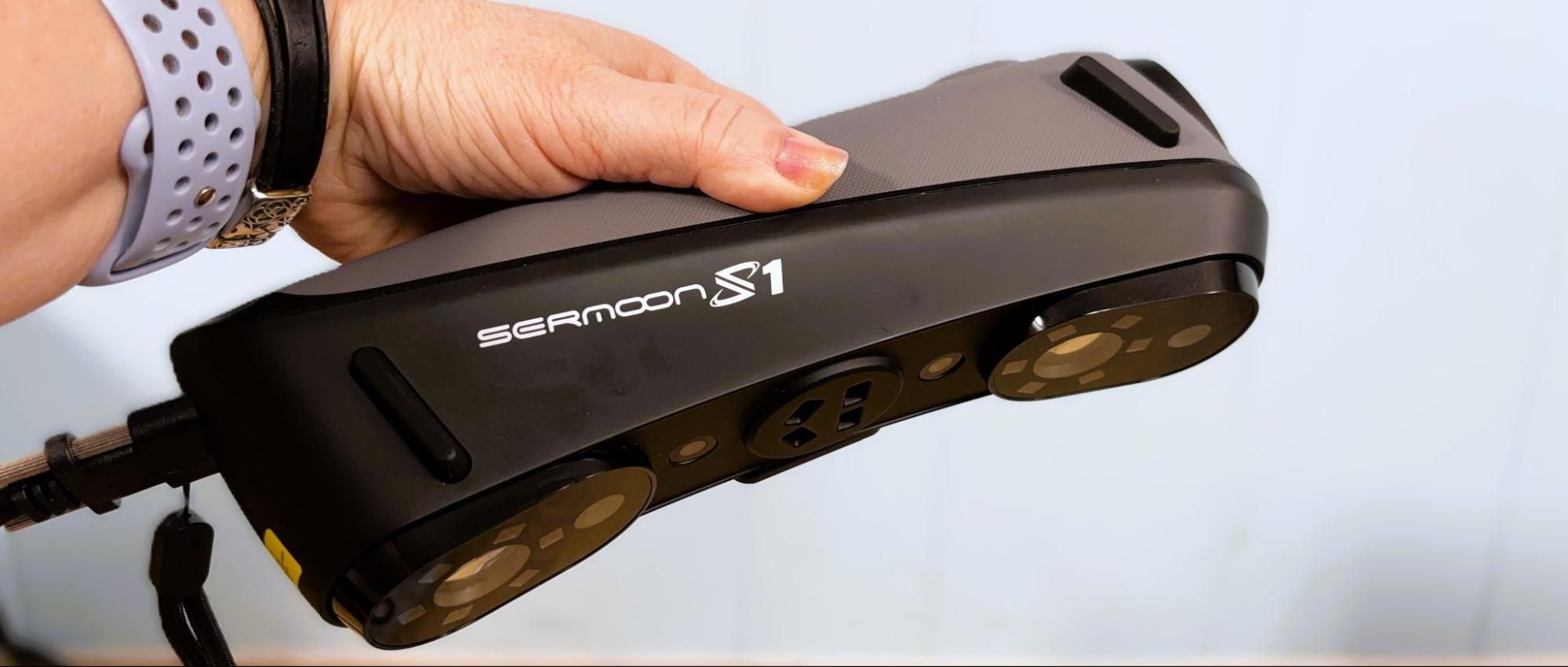
CR Studio saves files as proprietary project files, STL, and OBJ. STL and OBJ files can be imported to the modeling software of your choice for further touch-up or transformation.
The Creality Sermoon S1 uses blue laser line scanning for detailed geometry capture, and offers three different blue laser scanning modes: 34 crossed laser lines, 7 parallel laser lines, and 1 single laser line. The 34 crossed laser line mode is intended for fast scanning on large objects, the 7 laser line mode is best for capturing fine details, and the single laser line is intended for scanning deep holes that would be difficult to capture otherwise.
The Sermoon S1 can be used to scan very large objects, like cars, which could then be used to provide detailed measurements for custom parts and accessories. While I didn’t need to do any auto repair while testing the Sermoon S1, we did use it to scan a scooter motor. The scan was dropped into TinkerCad (my software of choice) to design an electric launcher for a giant fighting top I hope to take to Open Sauce this summer.
(Image credit: Tom's Hardware) (Image credit: Tom's Hardware) The scanner had no trouble with the reflective metal surface and provided extremely accurate information for placing several screws to hold the motor into the 3D printed housing. I used a small turntable that was provided with the Creality CR Lizard for this job .
I also scanned this statue of a fox, which is about 9 inches tall, using a large turntable that Yuriy Melnik ( Laser 3D CNC ) sent over. Melnik is a scanning expert and travels around the country demoing scanners for Creality. The table is 3D printed and randomly covered in the same marking dots that come with the Sermoon S1. The software made quick work of cleaning up the scan thanks to the table. The resulting scan was incredibly detailed and printed out phenomenally on my Bambu Lab H2D in Inland Grey PLA .
(Image credit: Tom's Hardware) (Image credit: Tom's Hardware) (Image credit: Tom's Hardware) (Image credit: Tom's Hardware) NIR with the Creality Sermoon P1 We attempted to scan a person – me – in NIR mode. The NIR is safe to point at people, and is the same technology used in your smartphone’s facial recognition scanner. The light is not visible, and my husband, who operated the scanner, had to rely on watching the computer monitor to see where it was pointed.
Our results were promising, but my hair refused to play nice and would not scan completely. There may be some trick to this type of scanning, and I should probably talk to Yuriy again before attempting any more human scans. Our first attempt was using the Scan Bridge and my laptop, which simply did not have enough memory (or battery life) to handle a large scan. Switching to the PC wasn’t a ton better, but again, a better PC or simply more practice might be needed. If I were more of an artist, I could probably fill in the gaps.
I will show you the color texture this scan produced against my better judgment; it's the last image in this set. It shows potential, but again, it's not perfect.
(Image credit: Tom's Hardware) (Image credit: Tom's Hardware) (Image credit: Tom's Hardware) Bottom Line
The Creality Sermoon S1 is a powerful, high-precision tool that comes with fairly decent software. You’ll still want access to CAD or other graphic design tools to make full use of the Sermoon’s capabilities. After a few days of fiddling around with the scanner, I could really see its potential, but there is a serious learning curve to getting the best results.
Creality has made huge advancements in technology since its first foray into scanning. The software leans heavily on AI to make it easier to use, but there are still limits. You also need to make sure your computer is up to the task.
The scanner was able to handle every surface area we tried, with just the human scan being a bit difficult to complete. It did well on both flat and shiny surfaces and on objects with a lot of texture.
Denise Bertacchi is a Contributing Writer for Tom\u2019s Hardware US, covering 3D printing. Denise has been crafting with PCs since she discovered Print Shop had clip art on her Apple IIe. She loves reviewing 3D printers because she can mix all her passions: printing, photography, and writing. ","collapsible":{"enabled":true,"maxHeight":250,"readMoreText":"Read more","readLessText":"Read less"}}), "https://slice.vanilla.futurecdn.net/13-4-19/js/authorBio.js"); } else { console.error('%c FTE ','background: #9306F9; color: #ffffff','no lazy slice hydration function available'); } Denise Bertacchi Social Links Navigation Freelance Reviewer Denise Bertacchi is a Contributing Writer for Tom’s Hardware US, covering 3D printing. Denise has been crafting with PCs since she discovered Print Shop had clip art on her Apple IIe. She loves reviewing 3D printers because she can mix all her passions: printing, photography, and writing.
Key considerations
- Investor positioning can change fast
- Volatility remains possible near catalysts
- Macro rates and liquidity can dominate flows
Reference reading
- https://www.tomshardware.com/3d-printing/3d-scanning/SPONSORED_LINK_URL
- https://www.tomshardware.com/3d-printing/3d-scanning/creality-sermoon-s1-3d-scanner-review#main
- https://www.tomshardware.com
- Nvidia Pascal GPUs debuted 10 years ago today, best known for the GTX 1060 and GTX 1080 Ti — architecture kicked off with the Tesla P100
- Modder uses Claude AI to rewrite BIOS so they can boot unsupported 12 P-core Bartlett Lake CPU in Windows on a Z790 motherboard
- WD Innovation Day 2026 press Q&A transcript: roadmap plans to reach 60TB with ePMR and 100TB via HAMR by 2029 — 'at some point, the laws of physics will require
- Blowing Off Steam: How Power-Flexible AI Factories Can Stabilize the Global Energy Grid
- How Autonomous AI Agents Become Secure by Design With NVIDIA OpenShell
Informational only. No financial advice. Do your own research.