
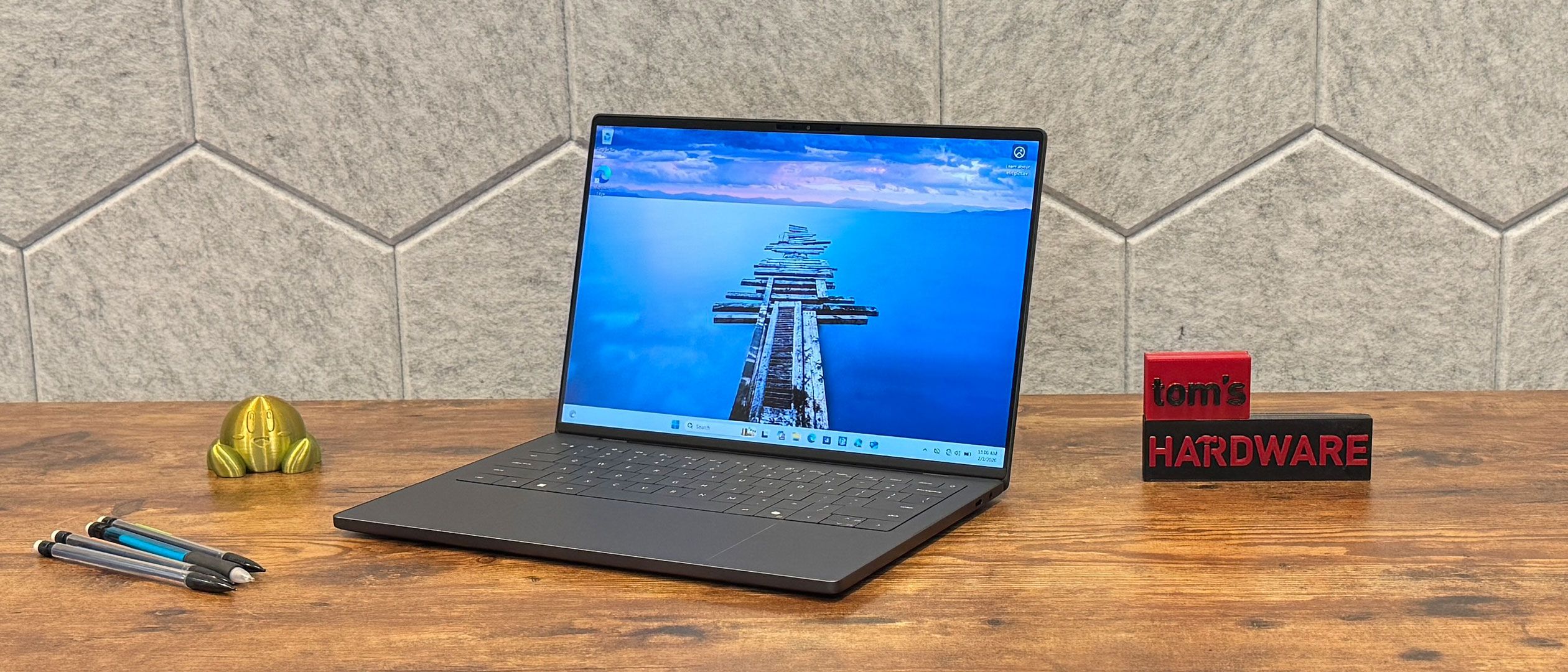
We tested the XPS 14 in two configurations, providing for two very different sets of benchmark numbers. The high-end model with an Intel Core Ultra X7 358H handily beat out the Intel Core Ultra 7 355. Despite both being "7" models, the X7 has twice as many cores. We also compared them to the Asus Zenbook Duo with the Core Ultra X9 388H and a MacBook Pro with Apple's M5 processor.
(Image credit: Tom's Hardware) (Image credit: Tom's Hardware) (Image credit: Tom's Hardware) (Image credit: Tom's Hardware) On Geekbench 6, the XPS 14 with Ultra X7 388H achieved a single-core score of 2,867 and a multi-core score of 16,927. That handily beat out the XPS 14 with an Ultra 7 355, at 2,685 and 7,964 (again, that chip has far fewer cores). The Zenbook Duo's Ultra X9 388H beat the XPS 14 laptops, but it was the MacBook Pro with M5 that came out on top (4,288 / 17,926).
The only area where the cheaper Dell came out ahead of the more expensive one was on our file transfer test. Keep in mind they're using different drives; the XPS 14 with Ultra X7 388H has a 1TB Samsung drive, while the XPS 14 with Ultra 7 355 has a 512GB SSD from Sandisk. The 1TB drive copied 25GB of files at a rate of 1,419.76 MBps, while the 512GB drive completed the same task at 1,730.36 MBps.
Video transcoding with Handbrake brought the Ultra X7 chip back to victory, transcoding a 4K video to 1080p in 4 minutes and 30 seconds, while the Ultra 7 version took 6:45.
On our Cinebench 2026 stress test, it was unsurprising to see the 16-core Ultra X7 388H model deliver far higher scores than the 8-core Ultra 7. It seems to have taken a bit of time for the XPS 14's fans to catch up and deliver peak performance on the higher-level chip, however.
The Ultra X7 388H's P-cores ran at an average of 2.12 GHz, with the E-cores at 2.23 GHz, and the low-power E-cores at 1.93 GHz. For the Ultra 7 355, those speeds were 2.77 GHz for the P-cores and 2.81 GHz on the low-power E-cores.
With two different processors to test in the XPS 14, we're getting our first direct look at comparing Intel's Core Ultra Series 3 processors with 12 Xe cores (Intel Arc B390) to just 4 Xe cores (Intel Graphics). Take a guess which one won.
On 3DMark Steel Nomad, the X7 388H earned a score of 1,446, with the Ultra 7 355 reaching just 532 points. The X9 in the Zenbook Duo hit 1,483 points.
Some will be disappointed that Dell no longer offers an option with a discrete GPU from Nvidia. Personally, I'm fine with Dell keeping the XPS thin, with the powerful Arc B390 as an option.
We tested two different display options on the Dell XPS 14. The first was the company's new tandem OLED touchscreen with a 2880 x 1800 resolution; the other was a less colorful 1920 x 1200 non-touch option that can drop down to a 1 Hz refresh rate.
It shouldn't come as much of a surprise that the OLED screen is more impressive. It has more vivid colors and deeper, darker blacks. The 1200p screen is fine for spreadsheets, but as soon as I turned to watch some videos, I couldn't tear myself away from the OLED version. When I watched a trailer for The Odyssey , the sky behind Odysseus' ships didn't have the same red and orange hue on the LCD screen, and the water wasn't as dark in the foreground. Having seen them together, the LCD version just didn't look great, and that's without any regard to resolution.
While the LCD model measured brighter than the OLED model (466 nits compared to 365 nits), it mostly seemed washed out. The MacBook Pro's mini LED screen was the brightest of the bunch at 558 nits, while the Zenbook Duo's OLED screen was tested at 456 nits.
Dell's tandem OLED panel put up the best color gamut coverage numbers of the group, reaching 89.7% of the DCI-P3 space by volume and 126.6% of the sRGB gamut. The 1200p LCD screen was on the bottom, at 71.4% DCI-P3/100.8% sRGB, making it better for emails and spreadsheets than watching videos or editing photos.
Depending on how you use the device, the 1200p screen's 1 Hz refresh rate could be a boon to battery life, as it won't refresh as often when static text or images are on the screen.
The company has still kept its lattice-free design, so there isn't any space between the keys. It's not my preferred design — I like a bit of room to help me differentiate between the keys. This also forces Dell to go with crowded arrow keys.
The lack of spacing has had an effect on my typing before, and it did with this keyboard, too. I pride myself on my touch typing, but the XPS 14 dampened it. At my fastest , I hit 105 words per minute on the monkeytype.com typing test, (I got as low as the low 90's), and my accuracy rate dropped to 95% from my usual 98-ish percent. I could feel myself missing keys.Dell is claiming just 0.8 mm of key travel, so there's not as much feedback as I’d like. It has a nice, bouncy feel, but there's not enough feedback.
The haptic touchpad, on the other hand, feels improved over prior models. It's responsive, and the addition of borders to the sides meant I never had to guess whether or not I was still in the trackpad zone. Those little raised lines in the glass deck don't take away from an otherwise clean look.
I did end up going into Windows 11 's touchpad settings to increase the click intensity to match my preferences, but that's a pretty easy change.
The new XPS 14 boasts a 10-watt quad speaker system, comprised of two 3W main speakers and two 2W tweeters. Dell calls this a "hidden" system because you can't see any speaker grilles. The tweeters fire out the top, and the main speakers fire out of the bottom.I was pleasantly surprised by how loud and clear these speakers were. They easily filled my apartment with Noah Kahan's "The Great Divide," with clear vocals and guitars and some crisp drum snaps in the background. There's very little low-end, though, which isn't shocking in a system of this size.
The good news is that despite the thin, light design, you can still open the Dell XPS 14 for select repairs and upgrades. The bad news is that it's kind of a pain, and Dell's new approach is likely partially responsible for the laptop's shallow key travel.Dell's new procedure is somewhat similar to the procedure on a Framework Laptop 13 , just far trickier. On the bottom of the XPS, there are four Torx T5H screws, which are all the same size and can be removed easily enough.
Then, you have to flip the laptop, while open, onto its side, and use a spudger to poke through the two holes nearest to the hinge to dislodge the keyboard deck. In my case, my spudger was slightly too thick to get the job done. Dell's own maintenance manual suggests using a SIM removal tool or a paperclip to push it out.
(Image credit: Tom's Hardware) (Image credit: Tom's Hardware) From there, you'll need to use a flat spudger or prying tool to displace three clips on each side of the keyboard deck. Then, you can carefully remove the palm rest assembly, but keep it close, as it's connected by a cable to both the battery and the motherboard. This is much like the Framework, except that the design is much easier to disassemble.Once you disconnect those cables carefully (again, I recommend the maintenance manual), you can remove the SSD heatsink if you want to swap that out. The system we opened — the OLED model — was using an M.2 2230 SSD and a bracket to fill the rest of the space, but there's room for a 2280 drive.
The battery is also removable, though it's held in by another seven screws. The Wi-Fi module is soldered to the board, as is the RAM.
The USB Type-C connectors are held in with screws, so if those break, you should be able to replace them. That's a nice touch.
The LCD version of the XPS 14 delivered excellent battery life. It's the longest-running laptop we've seen on an x86 chip, and the highest number we've seen since 2024. That version of the system ran for 20 hours and 41 minutes on our battery test, browsing the web, streaming video, and running OpenGL tests at 150 nits of brightness.
If you get the tandem OLED display, with a higher 2880 x 1800 resolution, expect less time away from the wall. That one ran for 12 hours and 23 minutes. There, the MacBook Pro with M5 beat it at 18:14.
One note on the testing: we tested battery life from 100% charge, as is standard. However, Dell ships the XPS 14 with a default "adaptive" charge mode that can potentially lead to the battery ceasing to charge at 80% if plugged in for more than 12 hours.
To make any changes to this feature, you have to go into the BIOS . In general, this is actually good for the longevity of your battery, and there are plenty of devices out there that do this, but Dell should probably make this an opt-in feature that is easier to change via software within Windows.
Yes, it's better for your battery, but most people who plug laptops in expect them to charge to 100%.
While we ran our Cinebench 2026 stress test on the XPS 14 laptops, we measured both surface temperatures (with a laser thermometer) and processor temperatures (via internal censors) to get an idea how toasty the systems could get.
The system with the Intel Core Ultra X7 388H hit 91.5 degrees Fahrenheit on the keyboard, a cool 83.5 F on the touchpad, and 104.5 on the hottest point on the bottom. The processor measured 63.57 degrees Celsius.
The cheaper Core Ultra 7 355 system hit 91.5 F on the keyboard, 84.5 F on the touchpad, and 103.5 F on the bottom. This processor actually got hotter, at 72.14 C.
The webcam didn't struggle at all with our office's fluorescent lighting, reproducing the exact shades of red and navy blue in my checkered shirt. I could make out the hairs on my head and even see the stitches in my office chair.
The laptop also features IR capabilities to log in with Windows Hello facial recognition.
The software preloaded on our XPS 14 review unit consisted largely of Dell's own programs. The most important is Dell Optimizer, which provides quick access to device information, thermal management, and charging options.
Dell Trusted Device gives you a security score based on firmware verification and vulnerability indicators. Dell Command checks for BIOS, driver, and firmware updates, while Dell SupportAssist duplicates those update features, and also has options for hardware scans and technical support.
Dell sells the XPS 14 (DA14260) with a one-year Dell Care Plus warranty. An upgrade to Dell Care Premium is $89 for 24/7 support and proactive software monitoring of your system.
We tested two of Dell's XPS 14 configurations. The first one is a high-end model with an Intel Core Ultra X7 358H feature Intel's Arc B390 integrated graphics, 32GB of RAM, a 1TB PCIe SSD, and a 2880 x 1800 tandem OLED display. That system retails for $2,199.99.
The second system is a more entry-level unit, with an Intel Core Ultra 7 355, standard Intel graphics, 16GB of RAM, a 512GB SSD, and a 1920 x 1200p display. That one is set to launch on February 19 for $1,699.99.
As of this writing, the cheapest XPS 14 is $1,599.99 with a Core Ultra 5 325, but is otherwise identical to our cheaper review unit. There's a clear impact from the RAM crisis on these systems, which are more expensive than they have been in similar past models.
Moving from 32GB to 64GB in our Ultra X7 review unit would cost $400 in Dell's configurator. The entry-level configuration only comes with 16GB of RAM, and trying to bump up to 32GB changes several other options as well.
The Dell XPS 14 is a minimalist, lightweight workhorse that has reversed most of Dell's worst sins on the premium PC line from the last few years (including restoring the XPS name where it belongs). By adding a function row and putting a border around the touchpad, the XPS feels like a more practical machine. It really is about the little things, which also include a solid webcam and speakers.
If you're going for a battery life champ, the 1200p option may be for you, lasting over 20 hours on our test. Dell's VRR screen that goes down to 1 Hz is impressive, and while I'm sure we'll see more of it, it certainly must have helped here.
Dell still has some refining to do: The lattice-free keyboard can use some work, with its exceptionally shallow keys that take time to get used to. And thanks at least in part to the ongoing RAM crisis, its starting price at $1,599.99 is tough to swallow.
But Dell is making so many of the right steps here, and it's back to making the XPS a Windows PC I can recommend for someone who wants something portable and lightweight. The XPS line still faces stiff competition from Apple's MacBooks and other high-end Windows notebooks, but it's headed in the correct direction.
Andrew E. Freedman is a senior editor at Tom's Hardware focusing on laptops, desktops and gaming. He also keeps up with the latest news. A lover of all things gaming and tech, his previous work has shown up in Tom's Guide, Laptop Mag, Kotaku, PCMag and Complex, among others. Follow him on Threads @FreedmanAE and BlueSky @andrewfreedman.net . You can send him tips on Signal: andrewfreedman.01 ","collapsible":{"enabled":true,"maxHeight":250,"readMoreText":"Read more","readLessText":"Read less"}}), "https://slice.vanilla.futurecdn.net/13-4-16/js/authorBio.js"); } else { console.error('%c FTE ','background: #9306F9; color: #ffffff','no lazy slice hydration function available'); } Andrew E. Freedman Social Links Navigation Andrew E. Freedman is a senior editor at Tom's Hardware focusing on laptops, desktops and gaming. He also keeps up with the latest news. A lover of all things gaming and tech, his previous work has shown up in Tom's Guide, Laptop Mag, Kotaku, PCMag and Complex, among others. Follow him on Threads @FreedmanAE and BlueSky @andrewfreedman.net . You can send him tips on Signal: andrewfreedman.01
dmylrea I'm wondering why, in a $2200 laptop, a sub-400nit OLED display isn't listed as a giant con? Almost every laptop OLED in existence is higher than this one, and Tandem OLED's are supposed to be brighter than normal OLED's, yes? If Dell is artificially limiting the brightness for extended battery life, then give an option when plugged in to have max brightness. Otherwise what kind of panel are they using that is so dim? Going by reviews I've watched, the Asus Expertbook Ultra is going to eat this Dell XPS's lunch AND dinner! It's the one to watch! Reply
BillyBuerger The article keeps mentioning 1080p and I couldn't believe that dell would go backwards to a 16:9 panel again after most every laptop seems to have finally gone to 16:10 panels. Dells website is crap and the "tech specs" only say 2k (or 2.8k for the OLED) without any exact mention of the resolution. But after digging into the Setup and Specifications document, they do list it as a 1920×1200 display, not 1080p. Reply
Notton Are you sure the tandem OLED is 356nits? The specs say it should be 500 nits notebookcheck measured it at 389nits https://www.notebookcheck.net/Dell-XPS-14-2026-review-Fully-reborn-with-Intel-Panther-Lake-X7.1218670.0.html#c15520378 Is this an issue with early review samples? Barely 400 nits, and dipping into 350 nits territory is quite far from 500 nits, let alone what I'd expect from a tandem OLED. Reply
lotechnz Thunderbolt 4? 2020 called and said its got a new standard. Also the missing HDMI port seems like a miss that even Apple realised people need more than streamlined port selection. Reply
VizzieTheViz Seems decent-ish if somewhat expensive (but a lot of hardware is these days). Hate dell for not letting you configure them yourself though. You want more RAM? Then you have to buy a faster cpu too. That kind of nonsense. Still my XPS 9560 that I got like eight years ago still works like new since I put in a new battery and installed Linux last week. Gives me a soft spot for the XPS line. Reply
Greg7579 I spent $4,500 bucks on a new Dell 16 Premium Laptop about 4 months ago. Dell had abandoned the XPS which was much to my displeasure, as I buy a new XPS every 2-3 years. I'm a travel photographer and shoot big Medium Format files, so I need the mobility and power. I fully loaded that laptop with 64 ram and a 4TB M.2 PCIe 5 SSD along with a 4080 GPU. It is a fantastic laptop, but I immediately hated not having physical top row delete and other function keys and hated that big tracking area and that flat almost touch screen-like keyboard. I longed for my XPS form and function and could not understand why Dell had decided to abandon XPS. My luck: Two weeks after I got the new high-end laptop in the mail, Dell announces that they were reversing course and going back to XPS. I'm sitting on a 5,000-dollar dead brand laptop that is 3 only months old. That said – I got in before the huge recent price hikes on DDDR 5 ram and M.2 PCIe 5 SSDs. This laptop would probably be 9 grand now with all of this high-end and big ram and SSD capacity that I have on this laptop…. Reply
cknobman 4 stars? For a laptop that is absurdly overpriced, terrible keyboard, and lower performing than competitors? Does not make sense. Reply
Key considerations
- Investor positioning can change fast
- Volatility remains possible near catalysts
- Macro rates and liquidity can dominate flows
Reference reading
- https://www.tomshardware.com/laptops/SPONSORED_LINK_URL
- https://www.tomshardware.com/laptops/dell-xps-14-2026-da14260-review#main
- https://www.tomshardware.com
- Meta will deploy standalone Nvidia Grace CPUs in production, with Vera to follow — company sees perf-per-watt improvements of up to 2X in some CPU workloads
- India Fuels Its AI Mission With NVIDIA
- Over 80% of companies report no productivity gains from AI so far despite billions in investment, survey suggests — 6,000 executives also reveal 1/3 of leaders
- Save $110 on this Asus ROG Xbox Ally handheld, back at a record-low price — just $489.99 for this entry-level Steam Deck rival with 7-inch touchscreen, AMD Ryze
- AMD denies report of MI455X delays as Nvidia VR200 systems are rumored to arrive early — company says Helios systems 'on target for 2H 2026'
Informational only. No financial advice. Do your own research.