
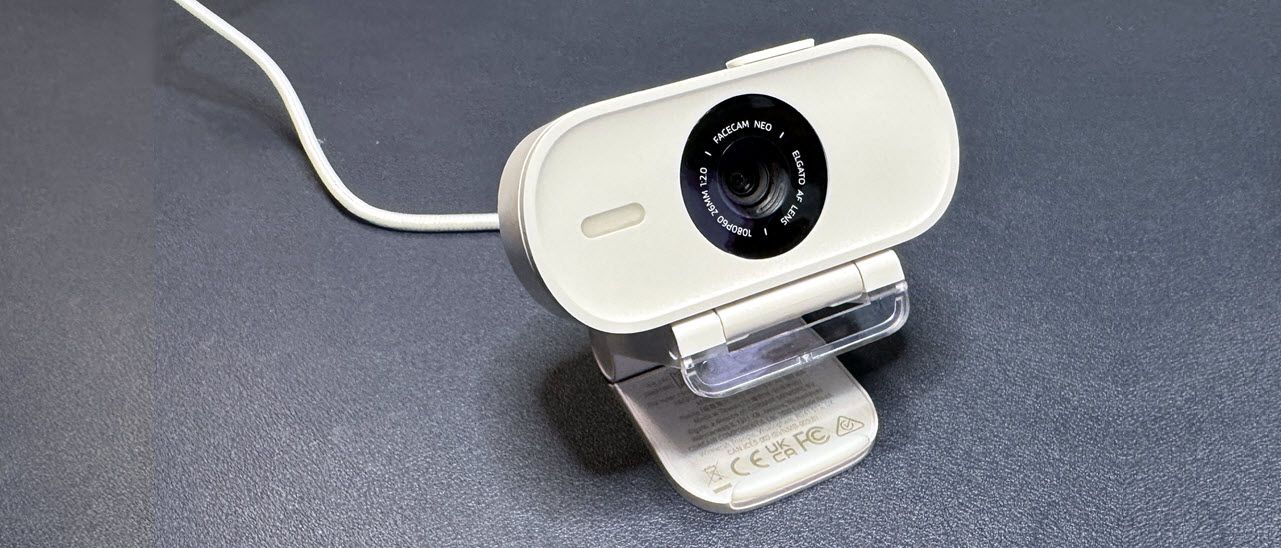
Elgato Facecam Neo, default settings, well-lit (Image credit: Tom's Hardware) Elgato Facecam MK.2, default settings, well-lit (Image credit: Tom's Hardware) Logitech Brio 500, default settings, well-lit (Image credit: Tom's Hardware) Elgato Facecam Pro, default settings, well-lit (Image credit: Tom's Hardware) Our fully-lit lighting scenario consists of lighting all around the subject — in front, behind, and overhead. It's similar to a very well-lit office with a window — there's quite a bit of light in front of me, coming from four monitors, a ring light, and a fill light. Almost every webcam performs well in this scenario, and the Facecam Neo was no different. It performed pretty well, picking up a lot of crisp detail closer to the camera (you can practically count the strands of my hair) and balancing color fairly well. It did struggle with light levels (many webcams do in this scenario, which is very bright), and some parts of the image, such as the keyboards on the desk behind me, are blown out.
The Facecam Neo does have HDR, which you can turn on using Elgato Camera Hub. That’s Elgato's free webcam companion software. It’s not required for this webcam, but does give you access to some useful settings, such as HDR, auto/fixed focus, and digital zoom.
With HDR turned on, the Facecam Neo did a better job of adjusting light levels, but it wasn't perfect. As you can see, HDR did a better job of lighting my face — though I'd argue it needs slightly more contrast. Also, the keyboards behind me are still a little blown out. But turning on HDR did improve the light and color balance, even before I started manually tweaking settings. Turning on HDR does drop the Neo's frame rate to 1080p / 30fps, but that probably won't be too much of an issue for the Neo's target audience. Nobody is really considering this webcam for semi-professional Twitch streaming, let alone fast-paced action shots.
The Facecam Neo, like the rest of Elgato's Neo lineup, is designed to be as plug-and-play as possible. (But let's be serious: most webcams are fairly plug-and-play — while all come with software for tweaking settings, none require said software for the camera to work.) The Neo's out-of-the-box performance is good enough that you don't need to download any software, but Elgato's Camera Hub is fairly robust for a webcam app.
Camera Hub is only available for Windows / Mac OS — the webcam works on other platforms, but you'll need to change any settings on a PC or Macbook. The settings do save directly to the device, though — you don't need to have the software installed or running for settings like manual white balancing or HDR to work.
The Facecam Neo does not have a built-in microphone, which is not too surprising — webcam mics rarely sound passable, let alone good, so they're mostly just a waste. The Facecam Neo does seem to be designed for portability — it's lightweight and USB-C compatible, so you can plug it into a laptop, Macbook, or iPad — and most portable devices have built-in mics anyway (not that these are great, but they're no worse than webcam mics), so even a terrible mic would probably be redundant.
The Elgato Facecam Neo originally launched with an MSRP of $99.99 — $30 cheaper than the Logitech Brio 500 , a 1080p / 30fps webcam that's similar in size — but not exactly cheap. But Elgato permanently dropped the price of the Facecam Neo by $40 — down to $59.99 — this past summer, and that price makes it much more enticing. You won't get the same picture quality in the Facecam Neo as you will in 1080p webcams with better sensors and lenses, such as the Elgato Facecam MK.2 , but you will get decent performance in both well-lit and low-light scenarios.
There are cheaper webcams out there, but the Facecam Neo is a solid performer that works on multiple platforms — you can't get much better for $59.99.
Sarah Jacobsson Purewal Social Links Navigation Senior Editor, Peripherals Sarah Jacobsson Purewal is a senior editor at Tom's Hardware covering peripherals, software, and custom builds. You can find more of her work in PCWorld, Macworld, TechHive, CNET, Gizmodo, Tom's Guide, PC Gamer, Men's Health, Men's Fitness, SHAPE, Cosmopolitan, and just about everywhere else.
Key considerations
- Investor positioning can change fast
- Volatility remains possible near catalysts
- Macro rates and liquidity can dominate flows
Reference reading
- https://www.tomshardware.com/peripherals/webcams/SPONSORED_LINK_URL
- https://www.tomshardware.com/peripherals/webcams/elgato-facecam-neo-review#main
- https://www.tomshardware.com
- The 'Phantom' claims to be world's first transparent computer monitor, touts 5,000 nits of HDR brightness — 24-inch 4K panel from Virtual Instruments launches Q
- AMD warns the Intel and Nvidia partnership is a risk to its business — quarterly report outlines risk from 'increased competition and pricing pressure'
- Only $399 for the Bambu Lab P1S 3D printer — an all-time low price in its early Black Friday sales blowout
- Samsung teases radical new modular SSD design with swappable NAND and SSD controller that can be detached independently — tiny 4TB PCIe 5.0 M.2 drive is also re
- The world's ‘tiniest GPU’ heads to production — 200,000-transistor TinyGPU v2.0 can render gamepad-manipulated 3D images with up to 1K triangles in real-time
Informational only. No financial advice. Do your own research.