
Emeet Piko+, default settings, well-lit (Image credit: Tom's Hardware) Logitech MX Brio, default settings, well-lit (Image credit: Tom's Hardware) Elgato Facecam Pro, default settings, well-lit (Image credit: Tom's Hardware) Razer Kiyo Pro Ultra, default settings, well-lit (Image credit: Tom's Hardware) Our well-lit webcam scenario is very well-lit — more well-lit than the average well-lit lighting scenario. Most webcams perform nicely in a well-lit setting, and this is usually where 4K webcams really shine — especially when it comes to all that extra detail. The Piko+'s performance was just okay in this scenario. The webcam did a decent job with color balancing, but the default settings looked a little overexposed. Also, getting good picture quality was tricky — the autofocus worked well enough for video, but couldn't keep me in focus long enough to get a good still photo.
The Piko+'s well-lit image wasn't nearly as crisply detailed as the images from other 4K webcams, such as the Logitech MX Brio , Elgato Facecam Pro , and Razer Kiyo Pro Ultra , but this seems to be partly due to the dual lenses attempting to autofocus and create artificial depth of focus. Too much light meant too much to try to focus on, and the algorithm ended up kind of just putting everything in focus — but it also uses the AI lens to apply a pseudo depth of focus effect, and it ended up also applying this effect (mildly) to the whole picture.
This also explains why the Piko+'s image looks flatter and less dynamic than the pictures from other 4K webcams. In videos, however, the AI lens did a pretty good job of keeping a moving subject in focus, though the depth-of-field effect was still a little touchy.
(I should point out that the default Windows Camera app doesn't support 4K resolution, so unless a 4K webcam comes with its own app for taking photos, it can be tricky to get good still pictures of the webcam's image quality.)
The Piko+ performed relatively well in our overexposed lighting scenario. Like just about every webcam, the Piko+ struggled to adjust the light balance between the subject and the background. The subject is fairly dark, and the background is still overexposed, but it's more balanced than the Logitech MX Brio — which lights the subject well but blows out the background. The Razer Kiyo Pro Ultra lights the background nicely, at the expense of the subject.
The Piko+ works with Emeet's combination peripheral / streaming software, Emeet Studio. You'll find the standard webcam settings in Emeet Studio — image adjustments and auto/manual exposure, white balance, and focus. The software also has some streamer-oriented features, including the ability to set up multiple linked cameras and switch between them (e.g., for switching between angles/scenes/close-ups). You will, of course, need more than one webcam to set up multiple cameras, which is why Emeet also sells a three-camera MultiCam Bundle (currently $209.99 — $69.99 each).
The Piko+ has three built-in noise-canceling microphones, which sound better than most webcam microphones — but that's not saying much. I was impressed with how well the Piko+'s mics picked up my voice: I was still pretty loud and clear even when I was a couple of feet away and facing a different direction while speaking. But don't be fooled into thinking this means the Piko+'s microphones are good — they're still webcam mics, after all. Voices are loud and clear, but sound a bit thin and hollow, a pretty common issue with webcam mics. I wouldn't recommend anyone actually use the mics in the Piko+ for anything real. But if you happen to be in an emergency that can only be solved with a webcam microphone, the mics in the Piko+ are better than most.
The Piko+ also has some other features, such as whiteboard mode — which autofocuses on the text or diagrams on the "whiteboard" behind you, and AI-powered autofocusing and light metering.
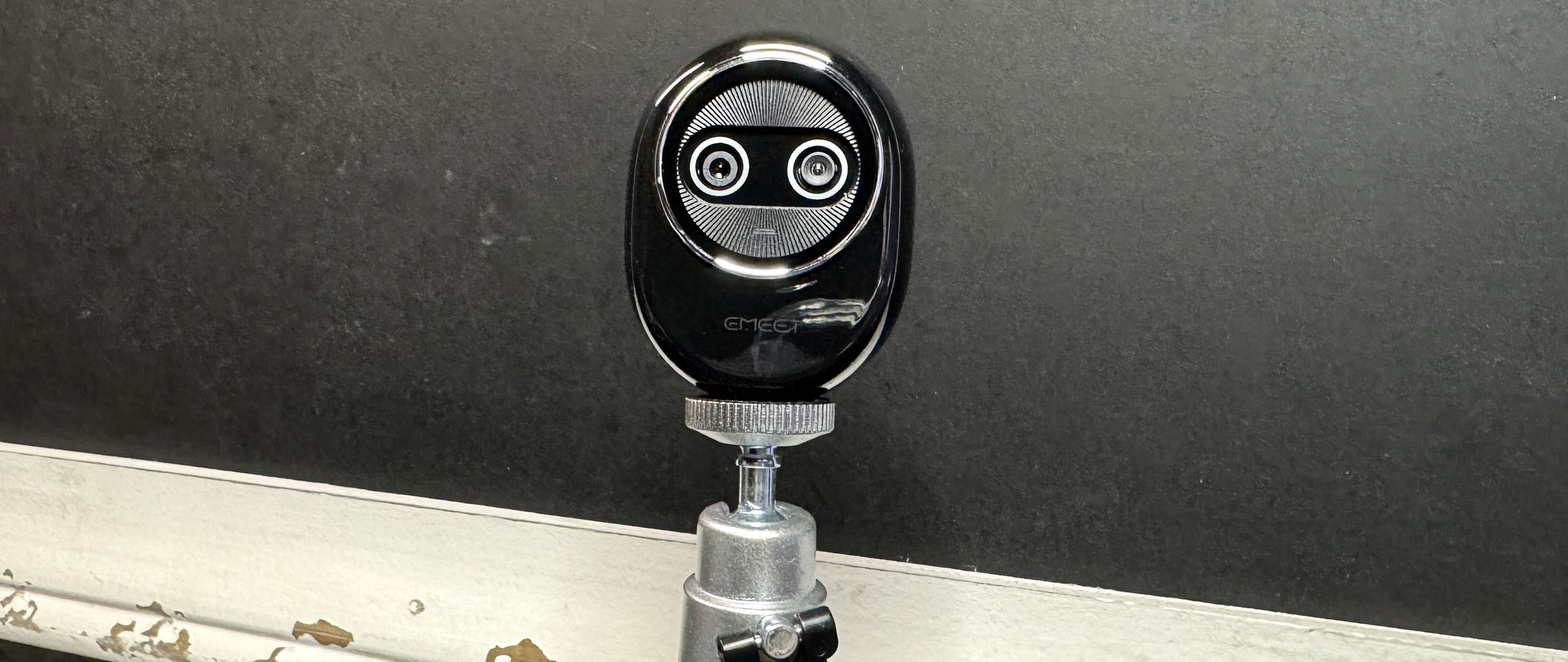
The Emeet Piko+ packs a decent amount of power in a small package. It features two 4K lenses and uses AI to improve images (or, well, at least…. try to). I'm glad to hear the company scrapped the wobbly tripod for an actual monitor mount, and the sale is tempting me a little.
While we definitely got 4K video quality from the Piko+, there's more to image quality than just resolution — from the lens and sensor size to firmware updates and software workarounds/adjustments. The Piko+'s AI lens did a decent job of keeping a moving subject in focus, but it was a bit too finicky if you weren't moving all over the place.
So don't run out and buy this webcam just because it's relatively budget-priced — it comes down to what you're going to be using it for. If you'll be presenting or lecturing or otherwise moving around, the Emeet Piko+ is a pretty good budget alternative to fancier AI-enhanced action webcams, such as the Insta360 Link . But if you'll mainly be sitting in front of your PC and streaming, and you're looking for impressive 4K image quality, I still recommend the Razer Kiyo Pro Ultra .
Sarah Jacobsson Purewal Social Links Navigation Senior Editor, Peripherals Sarah Jacobsson Purewal is a senior editor at Tom's Hardware covering peripherals, software, and custom builds. You can find more of her work in PCWorld, Macworld, TechHive, CNET, Gizmodo, Tom's Guide, PC Gamer, Men's Health, Men's Fitness, SHAPE, Cosmopolitan, and just about everywhere else.
Key considerations
- Investor positioning can change fast
- Volatility remains possible near catalysts
- Macro rates and liquidity can dominate flows
Reference reading
- https://www.tomshardware.com/peripherals/webcams/SPONSORED_LINK_URL
- https://www.tomshardware.com/peripherals/webcams/emeet-piko-plus-review#main
- https://www.tomshardware.com
- Intel admits it needs more Core Ultra 200-series wafers — 'If we had more Lunar Lake wafers, we would be selling more Lunar Lake'
- Into the Omniverse: How Smart City AI Agents Transform Urban Operations
- AMD CEO Lisa Su 'emphatically' rejects talk of an AI bubble — says claims are 'somewhat overstated'
- Chinese Navy base 3D imaged to 50cm resolution in single satellite pass — US spatial intelligence firm boasts accurate high-res 3D terrain map took just 10 hour
- NVIDIA and AWS Expand Full-Stack Partnership, Providing the Secure, High-Performance Compute Platform Vital for Future Innovation
Informational only. No financial advice. Do your own research.