
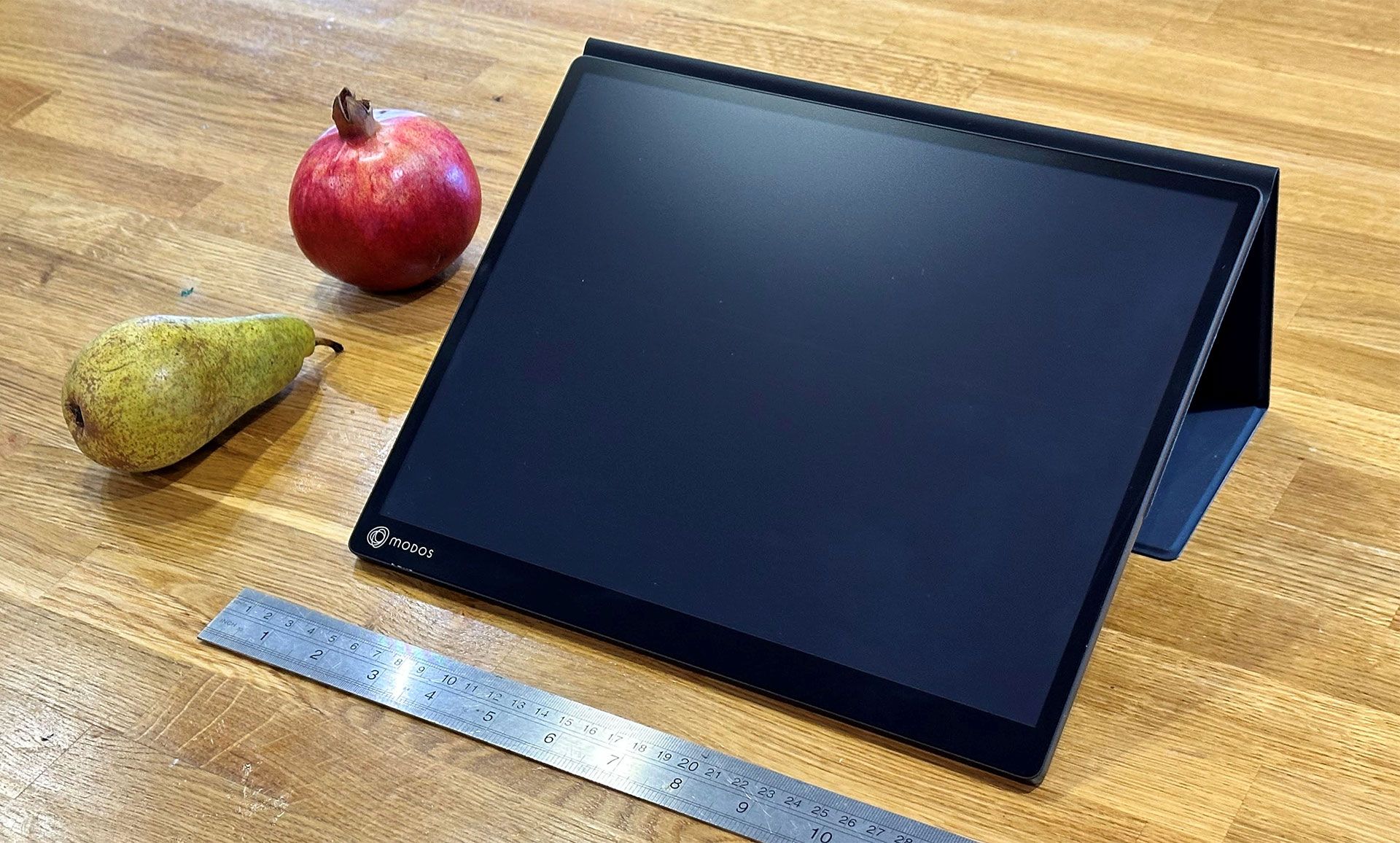
Before we get into some hands-on analysis, the Modos folks warned me that the Flow sample I received featured an “alpha version” of the new controller. This next-generation e-paper display driver board supports larger, higher-resolution, and even multiple e-paper screens. In the new Flow, it replaces Caster, which drives the Dev Kit I road-tested above.
(Image credit: Tom's Hardware) (Image credit: Tom's Hardware) (Image credit: Tom's Hardware) How I used the Modos Flow e-paper display I felt the build and finish of the Flow were markedly superior to the Dev Kit. The cool metal chassis gave it a rugged, premium feel. Sadly, though, if you intend to use this as a portable accessory, it is surprisingly dense. It is 1,188g (2.64 pounds) with the cover/stand attached. Naked, it is a more reasonable 699g (1.54 pounds). There's no internal battery to make it heavier; it must mainly be the chassis.
Getting ready to power it up, I bumped into the first alpha-test usability issue with the Flow. With the current firmware, you don’t just plug in the screen and turn on your computer. To reliably establish a connection, you must use two cables. First, plug in a USB-C power cable supporting at least 7.5W delivery. Secondly, while the device screen is ‘flashing’ (the next-gen controller is booting), you must connect the USB-C port for display.
This USB-C 'port dance' isn’t a one-off, unfortunately. I noticed I’d have to complete this double-disconnect-reconnect process if my computer screen went to sleep or I restarted the PC (Windows 11). The Modos Flow developers tell me that the ‘port dance’ is a known issue, and firmware is planned to fix it, as well as the sleep/restart wrinkles.
Another issue I faced was when trying to use the touch screen and/or stylus. In a dual-monitor setup, the touch/stylus contact point was misregistered. In other words, touch and pen interaction wasn’t accurate, sometimes wildly inaccurate. For example, interacting with the Modos Flow touch screen actually registered on my main display.
The visuals the monitor delivered were superior to the Dev Kit, though. It offers a more premium, faster, and more responsive panel with a better, more evenly lit appearance (when using the built-in adjustable front lighting). I set it up just like the Dev Kit model, between my keyboard and 32-inch main display.
In summary, the basics are good – build, matte panel, performance. However, it desperately needs bug fixes and quality-of-life updates to meet consumer expectations.
I wrote to Modos about my Flow teething troubles and was assured that the points I raised were being addressed. For one, the dual-cable shenanigans may become a thing of the past, as the power requirements of the next-gen controller/panel combo are being optimized to reduce the total to under 5W. I understand that this will allow the monitor to work with a single-cable setup. There could also be a lower-resolution option (the Flow sample used a native 3,200 x 2,400-pixel panel), which cuts energy consumption to around 3W. That would make it far more useful for road warriors.
There is also work on the firmware to fix the glitches I saw with the touch and pen inputs. It is yet another known (major) issue. Modos hinted that this is not an issue they see on macOS. But they reasoned that, as Windows, Linux, and macOS handle external monitors and touch inputs differently, further cross-platform testing was essential. Moreover, they claimed to know how to implement a Windows fix for this touch issue, but work on it has not yet been completed.
I’d like to keep up with next-gen controller updates as the Modos Flow project Crowd Supply prepares for launch, and work is completed in the background to iron out wrinkles and add finesse. If I had access to a retail-ready sample, I would provide updates on this Flow 'alpha release' report in the comments, or perhaps in another article.
For me, the hands-on sample e-paper monitors weren't the silver bullet(s) I'd hoped for in terms of viewing comfort, eye strain, and eye health concerns. For example, these e-paper products had their own issues with readability in bright environments (Modos Paper Monitor Dev Kit) and bugs (Modos Flow).
Follow Tom's Hardware on Google News , or add us as a preferred source , to get our latest news, analysis, & reviews in your feeds.
Mark Tyson is a news editor at Tom's Hardware. He enjoys covering the full breadth of PC tech; from business and semiconductor design to products approaching the edge of reason. ","collapsible":{"enabled":true,"maxHeight":250,"readMoreText":"Read more","readLessText":"Read less"}}), "https://slice.vanilla.futurecdn.net/13-4-19/js/authorBio.js"); } else { console.error('%c FTE ','background: #9306F9; color: #ffffff','no lazy slice hydration function available'); } Mark Tyson Social Links Navigation News Editor Mark Tyson is a news editor at Tom's Hardware. He enjoys covering the full breadth of PC tech; from business and semiconductor design to products approaching the edge of reason.
Key considerations
- Investor positioning can change fast
- Volatility remains possible near catalysts
- Macro rates and liquidity can dominate flows
Reference reading
- https://www.tomshardware.com/monitors/portable-monitors/SPONSORED_LINK_URL
- https://www.tomshardware.com/monitors/portable-monitors/hands-on-with-modos-tech-13-3-inch-e-paper-monitors#main
- https://www.tomshardware.com
- Half of planned US data center builds have been delayed or canceled, growth limited by shortages of power infrastructure and parts from China — the AI build-out
- Smooth Moves: 90 Frames-Per-Second Virtual Reality Arrives on GeForce NOW
- Microsoft to force updates to Windows 11 25H2 for PCs with older Windows 11 OS versions — 'intelligent' update system uses machine learning to determine when a
- Half of planned US data center builds have been delayed or canceled, growth limited by shortages of power infrastructure and parts from China — the AI build-out
- Half of planned US data center builds have been delayed or canceled, growth limited by shortages of power infrastructure and parts from China — the AI build-out
Informational only. No financial advice. Do your own research.