
With a 1080p monitor running at native resolution, the 9070 XT is already bottlenecked by the 5950X in Spider-Man 2, demonstrating just 88% GPU utilization while delivering 108 FPS. Your first instinct in this situation might be to enable FSR 4 Balanced upscaling, and that change does goose output frame rates to a 114 FPS average, but it only worsens the GPU utilization problem, lowering it to just 84.5%.
We're getting higher performance, but perceptibly worse image quality than native 1080p, and we're leaving resources idle on our $600 GPU. This isn't the way.
Going in the other direction, dialing in native 1440p Very High settings results in a 99.7 FPS average in Spider-Man 2 with 95% GPU utilization. This is better. We only lose a bit of performance versus 1080p, in exchange for a higher output resolution and better image quality, and we're using most of our GPU resources. Even so, further optimization is possible.
Stepping all the way up to 4K Very High essentially maxes out our GPU, which is now at 99% utilization, but output frame rates fall to just 62 FPS on average. Now we're losing smoothness. Dialing in FSR 4 Quality at 4K brings back an 87 FPS average and 99% utilization, which is much better, but we can do more.
The final step is to add FSR framegen, which boosts output frame rates to 164 FPS, on average, while keeping GPU utilization at 99.88%. Because the processing for framegen is occurring on the GPU, it doesn't place additional load on the CPU, as naively enabling FSR Balanced and Performance might.
With FSR 4's Quality preset and framegen enabled on our 9070 XT paired with a 4K display, we get higher frame rates and smoother perceived output than native 1080p, while avoiding CPU bottlenecks and giving FSR 4 room to deliver superior image quality. It's a win-win, and you can't tell that you're gaming on a five-year-old CPU at all.
That's a lot to digest, so in summary: If you're considering a GPU upgrade for an older system, make sure that you can keep as much of the work on the graphics card as possible. Counterintuitively, that may mean using higher resolutions, higher-quality upscaling settings, and framegen rather than performance-oriented upscaling settings alone. To enable all that tuning, you need a good high-resolution, high-refresh-rate monitor to go with your new GPU.
All that might sound snobbish, but the joy of PC gaming is that you can still be a snob and a penny pincher all at once. Upgrading to a high-refresh-rate 4K display doesn't have to be expensive at all.
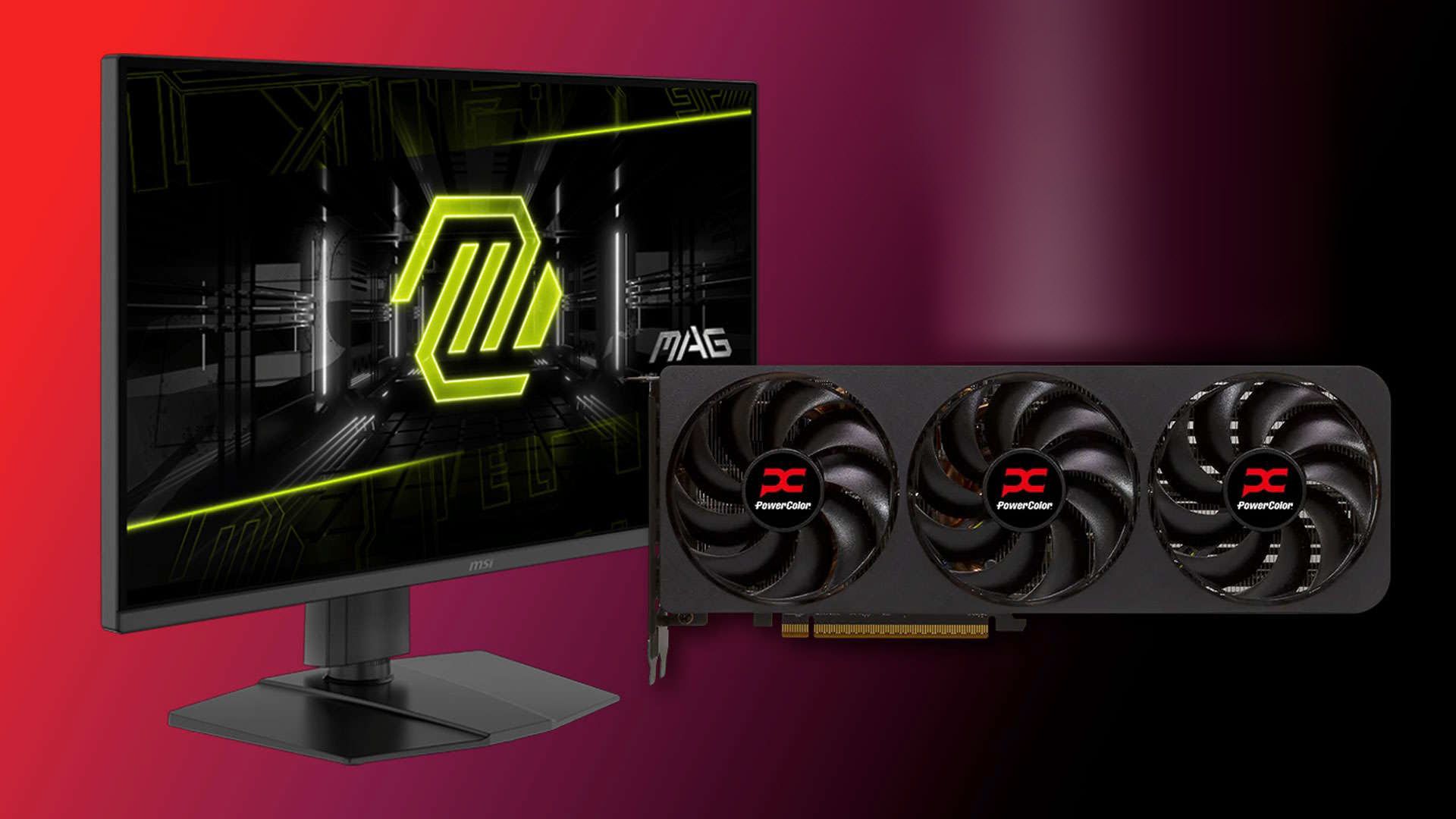
For just one example, MSI comes in clutch with the MAG 275UPD , which is just $229.99 and offers dual 4K/144Hz and 1080p/288Hz refresh rate modes. Even better, Newegg will knock another $30 off with the promo code BFEFE82.
The MSI MAG 275UPD is a 27-inch gaming monitor with a 4K IPS panel. It supports Adaptive-Sync and includes HDMI 2.1 along with DisplayPort 1.4a connectivity.
Just $200 for a display of this caliber—with wide color, variable refresh rates from 48-144Hz, and a fully adjustable stand—is crazy. And unlike many other PC components, a high-quality LCD monitor like this should last for a good long while.
Low prices on long-lasting components that might let you extend your existing PC's lifespan is the kind of Hallmark-movie Black Friday story we dream of, and here one is. Grab a new GPU and the right display to go with it, and you'll enjoy smooth, detailed gaming for many years to come.
Best gaming laptop deals | Best monitor deals | Best PC and laptop deals | Best SSD deals | Best CPU deals | Gaming Chair | Best hard drive deals | Best PC case deals | Best Dell and Alienware deals | Best 3D printer deals | Best PC peripherals deals | Best motherboard deals | Best CPU cooler deals | Best gaming chair deals
Jeffrey Kampman Senior Analyst, Graphics As the Senior Analyst, Graphics at Tom's Hardware, Jeff Kampman covers everything to do with GPUs, gaming performance, and more. From integrated graphics processors to discrete graphics cards to the hyperscale installations powering our AI future, if it's got a GPU in it, Jeff is on it.
Key considerations
- Investor positioning can change fast
- Volatility remains possible near catalysts
- Macro rates and liquidity can dominate flows
Reference reading
- https://www.tomshardware.com/pc-components/gpus/SPONSORED_LINK_URL
- https://www.tomshardware.com/pc-components/gpus/in-the-era-of-stratospheric-ram-prices-putting-a-new-gpu-in-an-old-pc-might-be-your-best-upgrade-bet-but-be-sure-to-grab-the-right-monitor-too#main
- https://www.tomshardware.com
- China claims domestically-designed 14nm logic chips can rival 4nm Nvidia silicon — architecture leverages 3D hybrid bonding techniques for claimed 120 TFLOPS of
- One-day Black Friday hard drive deal frenzy still live at B&H — 26TB and even 40TB hard drives get massive price cuts, SSDs, and more
- Grab a 360mm liquid cooler for only $49.99 — Cooler Master’s 360 Elite is the perfect upgrade for your air-cooled rig
- How to Unlock Accelerated AI Storage Performance With RDMA for S3-Compatible Storage
- AI On: 3 Ways Specialized AI Agents Are Reshaping Businesses
Informational only. No financial advice. Do your own research.