
Intel Panther Lake pre-release testing delivers over 80 fps in Cyberpunk, 100 fps in F1 — Arc B390 offers playable 1080p frame rates with XeSS quirks in our hands-on tests
Intel's new Precompiled Shader Distribution can improve game loading times by up to 3x on Arc GPUs
Regardless, the results are consistent here. That 8% uplift isn’t the result of one or two rogue games where iBOT really shines; the feature is showing improvements across the full suite of games.
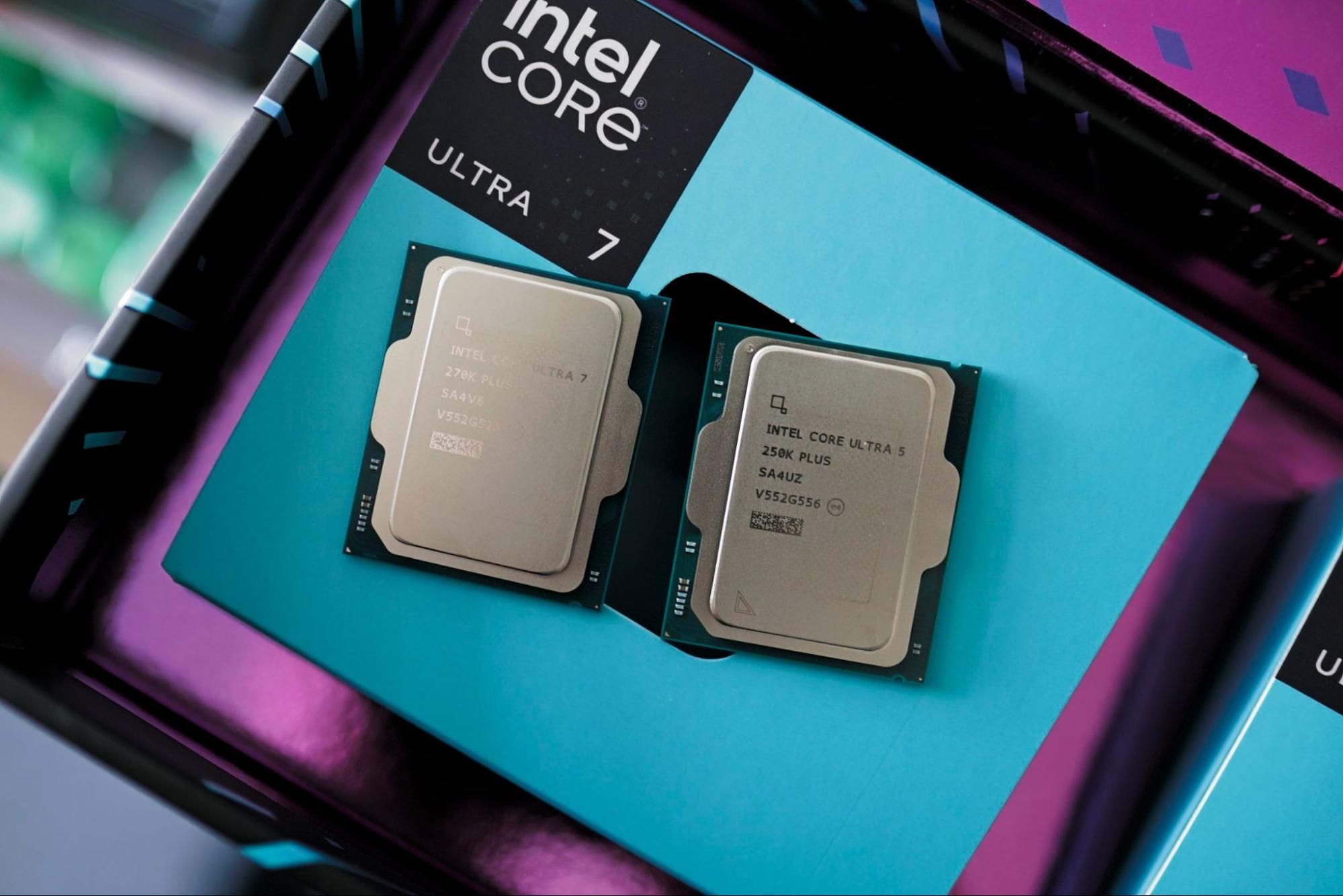
Things are more variable with the Core Ultra 7 270K Plus, for better and worse. On the plus side, I saw massive improvements in Shadow of the Tomb Raider and Hogwarts Legacy, with the former jumping by 18% with iBOT enabled and the latter climbing by over 12%. On the other hand, Final Fantasy XIV saw just a 5% improvement while the 250K Plus showed a 9% jump. In Hitman 3, the 270K Plus saw almost no benefit with iBOT enabled, while the 250K Plus showed an improvement of close to 6%. Similarly, in Wonderlands, the 270K Plus saw just a 0.5% boost from iBOT.
Otherwise, the results are consistent between the two CPUs — Cyberpunk 2077, Far Cry 6, Assassin’s Creed Mirage, Remnant 2, and Borderlands 3 all showed similar improvements across both chips with iBOT enabled.
(Image credit: Tom's Hardware) (Image credit: Tom's Hardware) (Image credit: Tom's Hardware) (Image credit: Tom's Hardware) (Image credit: Tom's Hardware) (Image credit: Tom's Hardware) (Image credit: Tom's Hardware) (Image credit: Tom's Hardware) Outside of average frame rates and 1% lows, I also charted clocks, temps, power, and efficiency, as I normally would in a CPU review. There’s not much to talk about here, though. With iBOT on, I recorded slightly higher power and temperatures, and better efficiency, but the margins are thin. We’re looking at an extra watt or two, at most, which is likely a consequence of some threads not idling due to inefficiencies.
I’m more interested in the differences between the Core Ultra 5 250K Plus and Core Ultra 7 270K Plus. As time goes on, Intel says it’ll be able to optimize older applications for newer architectures just as easily as optimizing newer applications for older architectures. It’s hard to believe there will be one universal profile for all of them. We’re already seeing some large discrepancies between two CPUs that are fairly similar. I have to imagine that will become exaggerated after iBOT has a few new microarchitectures under its belt.
It’s not clear now how Intel will handle those differences. Maybe if one or two chips see enough of a boost, the profile will be available to everyone, even if it doesn’t amount to an increase on some chips. Maybe, down the line, we’ll see individual profiles for different chips. It’s hard to say now, but it stands to reason that some CPUs and some architectures will benefit more in certain applications and not others.
iBOT is new, and because of that, it’s easy to misunderstand what the feature is doing. First, we need to start with Dynamic Tuning Technology (DTT) and Application Optimization (APO) because iBOT follows in that lineage, but in a very different way. For DTT, it’s system-level optimization, particularly concerning power. It adjusts power needs based on system conditions like thermal headroom (or lack thereof). APO is an application-level optimization layer. It’s concerned with combating overthreading, where an app spawns a thread it doesn’t actually need, and scheduling the right workloads on the right threads. iBOT is a binary-level optimization, which is different from an application-level optimization.
After a developer finishes writing their source code, it’s sent through a compiler to translate the source into binary. The compiler targets a certain ISA, so a binary for x86 won’t work on an ARM platform or vice versa. Once the compilation is done, developers can then start optimizing their code. They test performance, go back to source, recompile, and continue in that loop until they have a binary that’s optimized for their target platform.
In the case of x86, that’s a broad platform. There are hundreds of x86 CPUs in different configurations, so optimizing for one particular platform might come at the detriment of another. Developers also might be accustomed to a particular toolchain that leaves some performance on the table for more recent CPU architectures. iBOT aims to reduce those inefficiencies without rewriting the source code. It wants to create a binary optimized for Intel’s specific architecture without going back to the developer, optimizing, and recompiling a new binary. That requires two things.
The first is a way to see what’s happening while code is executing on the CPU on a very low level. That’s Hardware-based Profile Guided Optimization, or HWPGO. Inside Arrow Lake Refresh CPUs, and Intel CPUs moving forward, there are hardware performance counters that can catch things like cache misses, branch mispredictions, spinlocks, and hardware interrupts. Intel says it has a proprietary toolchain for monitoring these metrics, which it, understandably, doesn’t want to divulge in greater detail.
The second is a translation layer. If certain instructions are causing inefficiencies, Intel needs to rework those instructions to avoid the inefficiency it caused. You could fix those issues by going back to source code, but Intel would then have to court the developer, convince them to spend time and money optimizing for its specific architecture, and then release a new binary that’s optimized for one specific architecture and not another. That’s going to be a hard sell, especially considering AMD's continued rise in market share. So, Intel needs to optimize on the backend, using a production binary and translating the instructions in real-time at runtime. That’s what iBOT is doing. Then, Intel bundles up those optimizations as a profile, ships it out, and you’re on your way.
We can take a cache miss as an example. The core needs some data in cache that’s not there, and the core needs to stall for some number of cycles while that data is fetched, effectively lowering IPC. “Did the cache miss happen because that data wasn’t tagged with priority, and it just got evicted? OK, that is a place where binary optimization could certainly help,” Intel’s Robert Hallock says. “We could just tag it and say, ‘hey, stay local, don’t evict me.’ Pretty powerful capability.”
There are some performance benefits in a small number of games, but iBOT has far greater potential once you understand how it works. It is a lever, through software, to improve IPC. Every time there’s a cache miss, a branch misprediction, a spinlock, or anything else that goes awry when executing instructions, IPC goes down slightly. Every time iBOT is able to get the correct data, choose the right branch, and avoid “busy waiting” where a thread is active but not doing anything, IPC goes up. These are marginal differences on a micro level, but add them up, and you could come up with a decent improvement in performance overall.
Intel is applying iBOT to games, but it can work with any application. As a proof of concept, it has a profile for Geekbench. Geekbench is a benchmark, pure and simple. It runs some real-world workloads, but it’s trying to get a comprehensive view of performance in a test pass of about five minutes. It’s not a comprehensive view of real-world performance. For Intel, however, Geekbench is low-hanging fruit to showcase what iBOT could do in applications.
(Image credit: Tom's Hardware) (Image credit: Tom's Hardware) With iBOT, there’s about a 3% jump in multithreaded performance and about a 5% jump in single-threaded performance. Again, this doesn’t translate to any application right now, but it shows that iBOT has legs outside of games. That’s particularly true in lightly-threaded workloads. With the margins of single-threaded applications, a 5% jump is substantial.
“All we’re saying is like, look what we can do with non-gaming stuff using this standard set of modules,” Hallock told me. “I want to be super clear that if I had binary optimization working on an actual Clang compiler, that might be a different performance result than the number you see in Geekbench because it’s a different workload… but we hope that we can at least paint the picture that there is a lot of opportunity out here for stuff that is beyond gaming.”
The initial results from iBOT are solid. We’re not seeing lineup-breaking performance differences, and it’s only supported in an established list of games that are popular among the benchmarking community. If you’re upgrading your CPU and want to play the recently-released Crimson Desert , iBOT does nothing for you, and it may never if Intel can’t find optimizations using its toolchain.
Still, I’m approaching iBOT with skeptical optimism because it seems to have a lot of potential, especially when it comes to optimizing older architectures for newer applications or vice versa. It’s bridging the gap between software and hardware in an interesting way that has a lot of positive implications. The main question is if Intel will stick with it, and if there are really enough optimizations to find as time goes on.
Follow Tom's Hardware on Google News , or add us as a preferred source , to get our latest news, analysis, & reviews in your feeds.
Jake Roach is the Senior CPU Analyst at Tom\u2019s Hardware, writing reviews, news, and features about the latest consumer and workstation processors. ","collapsible":{"enabled":true,"maxHeight":250,"readMoreText":"Read more","readLessText":"Read less"}}), "https://slice.vanilla.futurecdn.net/13-4-19/js/authorBio.js"); } else { console.error('%c FTE ','background: #9306F9; color: #ffffff','no lazy slice hydration function available'); } Jake Roach Social Links Navigation Senior Analyst, CPUs Jake Roach is the Senior CPU Analyst at Tom’s Hardware, writing reviews, news, and features about the latest consumer and workstation processors.
Gururu It doesn't matter if it doesn't work on old processors. If Panther and Nova can utilize this, it will go a long way through that generation. Reply
cknobman So you only get the benefits if Intel takes the time to create the optimizations for a particular app/library? Reply
usertests Borderlands 3's 1% lows jumped from 73.67 to 120.64. That's nearly a 64% increase and you could play locked to 120 FPS forever if the GPU can keep up. A couple games had a tiny regression in 1% lows but it's not significant, probably a consequence of the CPU doing more work. Reply
TerryLaze cknobman said: So you only get the benefits if Intel takes the time to create the optimizations for a particular app/library? Making drastic changes on such a low level can have serious repercussions like crashes or corrupted data, so intel only allows it on things they tested long enough to be relatively sure that it's ok. Hopefully they integrate it into their compiler so that devs can skip the software part and compile directly for the new intel CPUs. Reply
bit_user The article said: Inside Arrow Lake Refresh CPUs, and Intel CPUs moving forward, there are hardware performance counters that can catch things like cache misses, branch mispredictions, spinlocks, and hardware interrupts. Such hardware performance counters certainly aren't new. Tools like VTune have used these for ages. It would be interesting to know which, if any, are new to Arrow Lake (Refresh). I'm skeptical it has much of anything that its immediate predecessors lacked. The article said: You could fix those issues by going back to source code, but Intel would then have to court the developer, convince them to spend time and money optimizing for its specific architecture, and then release a new binary that’s optimized for one specific architecture and not another. Yeah, you don't want to have a bunch of different code paths or builds that are specific to a bunch of slightly different microarchitectures, especially ones that basically all have the same ISA extenions. On Linux, there are some distros (like Gentoo, famously), where you compile all packages from source, at the time of installation. That way, you can specify -march=native and get a build that's optimized for your exact CPU. Languages that are Just-In-Time compiled, like Java and C#, do effectively the same thing. The article said: Then, Intel bundles up those optimizations as a profile, ships it out, and you’re on your way. Huh? Why does Intel need to create a profile? I figured iBOT would automatically profile your app, as you run it. The point of hardware PGO is that you can do this without much overhead. The article said: “Did the cache miss happen because that data wasn’t tagged with priority, and it just got evicted? OK, that is a place where binary optimization could certainly help,” Intel’s Robert Hallock says. “We could just tag it and say, ‘hey, stay local, don’t evict me.’ Pretty powerful capability.” LOL, I'm pretty sure x86 doesn't have a (non-privileged) instruction to do cache locking. Instead, he should've talked about iBOT issuing prefetch instructions. He shouldn't BS like this. It undermines the credibility of what else he says about it. Reply
bit_user cknobman said: So you only get the benefits if Intel takes the time to create the optimizations for a particular app/library? Sounds like it, but I don't really see why. TerryLaze said: Making drastic changes on such a low level can have serious repercussions like crashes or corrupted data, Only if the app has bugs like race conditions or use of uninitialized variables. I guess that's reason enough to use it with caution, but such issues could affect anyone running the same app via emulation. TerryLaze said: Hopefully they integrate it into their compiler so that devs can skip the software part and compile directly for the new intel CPUs. Compilers already have support for compiling for new CPUs or even detecting what CPU they're running on and compiling for that. What they could do is perhaps bundling the iBOT infrastructure into something you might directly link into your app. Reply
palladin9479 cknobman said: So you only get the benefits if Intel takes the time to create the optimizations for a particular app/library? It seems to be a whitelist. Messing with binary code can have unforseen consequences, so they likely whitelist what they have tested to work. Reply
bit_user palladin9479 said: It seems to be a whitelist. Messing with binary code can have unforseen consequences, so they likely whitelist what they have tested to work. Yeah, kinda. But, like I said, it's not doing stuff that JIT-based emulators aren't already doing. It's not like in the bad old days of self-modifying code – you can't do that on modern CPUs! So, the risks are pretty much just limited to exposing latent bugs that the old instruction sequencing wasn't triggering. Reply
bit_user usertests said: Borderlands 3's 1% lows jumped from 73.67 to 120.64. That's nearly a 64% increase and you could play locked to 120 FPS forever if the GPU can keep up. It's possible there's some pathologically bad case that was impacting its lows that iBOT fixed up. There are faux pas, like split locks, that will absolutely kill performance, if you do them. Or, maybe it just somehow dealt with some cache thrashing. Reply
thestryker bit_user said: Such hardware performance counters certainly aren't new. Tools like VTune have used these for ages. It would be interesting to know which, if any, are new to Arrow Lake (Refresh). I'm skeptical it has much of anything that its immediate predecessors lacked. Hallock basically intimated some were added to ARL-S R which is why the backwards compatibility for ARL-S isn't there. bit_user said: Huh? Why does Intel need to create a profile? I figured iBOT would automatically profile your app, as you run it. The point of hardware PGO is that you can do this without much overhead. It requires DTT to function and while it's been added to the APO software it doesn't support all the games. They've also specifically blocked multiplayer titles due to anti-cheat concerns (APO is fine on multiplayer titles). They're obviously worried about unexpected behavior of some sort. An interesting note: IBOT PTL support seems random. I thought it was just not supporting anything other than the base Xe3 config, but it's missing the 366H and 336H too. https://www.intel.com/content/www/us/en/support/articles/000102604/processors.html Reply
Key considerations
- Investor positioning can change fast
- Volatility remains possible near catalysts
- Macro rates and liquidity can dominate flows
Reference reading
- https://www.tomshardware.com/pc-components/cpus/SPONSORED_LINK_URL
- https://www.tomshardware.com/pc-components/cpus/intels-binary-optimization-tool-tested-and-explained-how-the-ibot-translation-delivers-up-to-18-percent-faster-gaming-performance-8-percent-on-average#main
- https://www.tomshardware.com/subscription
- CanisterWorm malware wipes Iranian machines for no apparent reason — sophisticated attack spreads through npm packages and uses ICP canister as control surface
- SK hynix places record $8 billion order for ASML EUV lithography machines — should pay for up to 30 EUV machines over two years, serving HBM and advanced DRAM p
- Unlock the ultimate PC maintenance combo with this electric screwdriver and air duster at a huge $70 saving right now — $89 Amazon bundle pairs Hoto's epic 25-b
- Geekbench 6 warns about inconsistent benchmarking performance from new Core Ultra 200S Plus chips — says Intel's IPC boosting Binary Optimization Tool modifies
- Microsoft and Nvidia launch AI partnership to speed up nuclear power plant permitting and construction — simulation tools and generative models could hasten his
Informational only. No financial advice. Do your own research.