
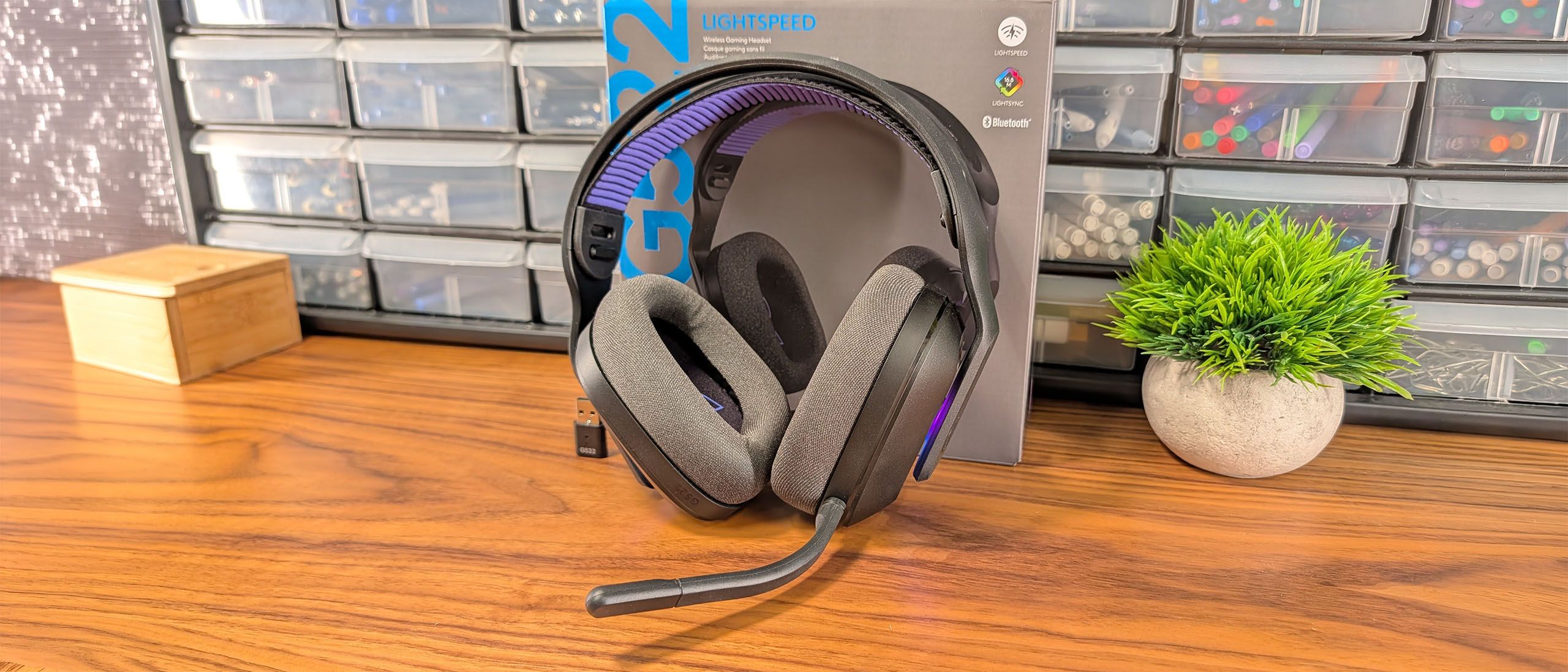
The headset delivers solid connectivity options, supporting Logitech’s 2.4GHz Lightspeed audio , Bluetooth 5.3, and USB connections. It does not support simultaneous dual wireless connectivity, so you'll need to toggle between connections. Simultaneous dual wireless connectivity usually comes at a premium, so I’m not surprised by its absence, but I still miss it every time it’s not on a wireless headset.
I'll be frank. The Logitech G522 didn't blow my socks off at first listen. It sounds tame, with neither highs nor lows jumping out in either games or music and only the footstep frequencies seeming slightly elevated. There’s enough detail to provide an enjoyable listening experience and the warmer tone essentially ensures a comfortable listening experience free of sharp edges.
But believe me when I say that this headset is capable of much more. You can hear it immediately by cycling through the included presets. The G522 is quite versatile, and its out-of-the-box sound is really best viewed as a starting place if you want to see what these drivers are capable of.
With finessing, I settled on the custom EQ above. It looks a little wonky, but the G522 sounds amazing with it. Originally designed for music, I’ve taken to using this EQ profile for everything. Acoustic guitars sparkle, sniper rifles ring with spent shots, explosions rumble, vocals are lush and nearby, and the soundstage wraps around you.
Logitech highlights that “PRO-G drivers are built to reproduce audio from multiple sound layers simultaneously so you hear each sound layer as clearly as possible” with its drivers. First, to nitpick, all headphones reproduce multiple sound layers simultaneously. If they didn’t, we would call them broken.
That aside, what Logitech is getting at is resolution . In the audio world, a headphone’s resolving ability is its ability to reproduce tiny details that make the whole recording sound higher resolution. Think of the jump between 720p and 1080p and then again from 1080p to 4k. Headphones scale the same way, but with your ears.
And the G522 does an exceptional job at pulling out and isolating those tiny details and spatial cues so you do wind up hearing each layer more clearly. Of course, a high-end pair of headphones designed for music will do an even better job, but for $130, this headset is a performer.
The detachable boom microphone that comes on the Logitech G522 Lightspeed is omnidirectional and noise canceling, offering good clarity and acceptable gain without any software tweaks. It also includes a red light around the capsule that illuminates when it's muted, which is a helpful feature to avoid mid-stream faux paux’s.
But just because you can use it straight out of the box doesn't mean you should. In fact, G Hub and its Blue Voice features are so integral to the microphone's quality that it should be a consideration for anyone thinking of adding this headset to their wishlist.
If you’re anything like me, the first thing you’ll want to do is try out some vocal presets and effects to sound more “broadcast-worthy”. Logitech includes a half dozen presets to play, learn from, and customize. Helpfully, G Hub lets you record and loop a sound sample so you can hear how each preset or setting change impacts your voice.
The other half of customizing the mic comes from the range of vocal FX built into the software. Here, you’ll find broadcast favorites, like a noise gate and compressor to block out background noise and balance levels. There’s a De-Esser to remove sharpness from S sounds and a De-Popper to get rid of plosives when your P- and B-sounds send bursts of air into your microphone. There’s also a high-pass filter to gate out low, droning sounds like HVAC units.
The final effect you’ll find is Noise Removal. This is the classic filter that gaming headsets have used for years. Turn it up too high and you’ll sound compressed and nasally. Leave it all the way down and you’ll sound your best, but so will any noise-makers around you.
If all of this sounds like Greek to you, don’t worry. Next to each effect, Logitech has included a tooltip that explains what each tool does and how your adjustments will impact the end result.
Like the headphone side of this headset, tweaks are required to get the best performance from the G522, but if you put the time in, this is a mic you could take into a stream without fear that its quality will drive viewers away.
Software and Features of the Logitech G522 Lightspeed Wireless
Key considerations
- Investor positioning can change fast
- Volatility remains possible near catalysts
- Macro rates and liquidity can dominate flows
Reference reading
- https://www.tomshardware.com/peripherals/gaming-headsets/SPONSORED_LINK_URL
- https://www.tomshardware.com/peripherals/gaming-headsets/logitech-g522-lightspeed-wireless-gaming-headset-review#main
- https://www.tomshardware.com
- Elon Musk's Terafab semiconductor project could cost $5 trillion, Bernstein claims — herculean effort would cost more than 70% of the total yearly US government
- Micron's $24 billion Singapore fab could need 500 transformers, more than double the output of any single manufacturer — heavy electrical infrastructure the lat
- Smooth Moves: 90 Frames-Per-Second Virtual Reality Arrives on GeForce NOW
- Start your AM5 build off right with an incredible deal on a Ryzen 9 9900X processor — get $185 off and walk away with the centerpiece of your new or upgraded PC
- Geekbench 6 warns about inconsistent benchmarking performance from new Core Ultra 200S Plus chips — says Intel's IPC boosting Binary Optimization Tool modifies
Informational only. No financial advice. Do your own research.