
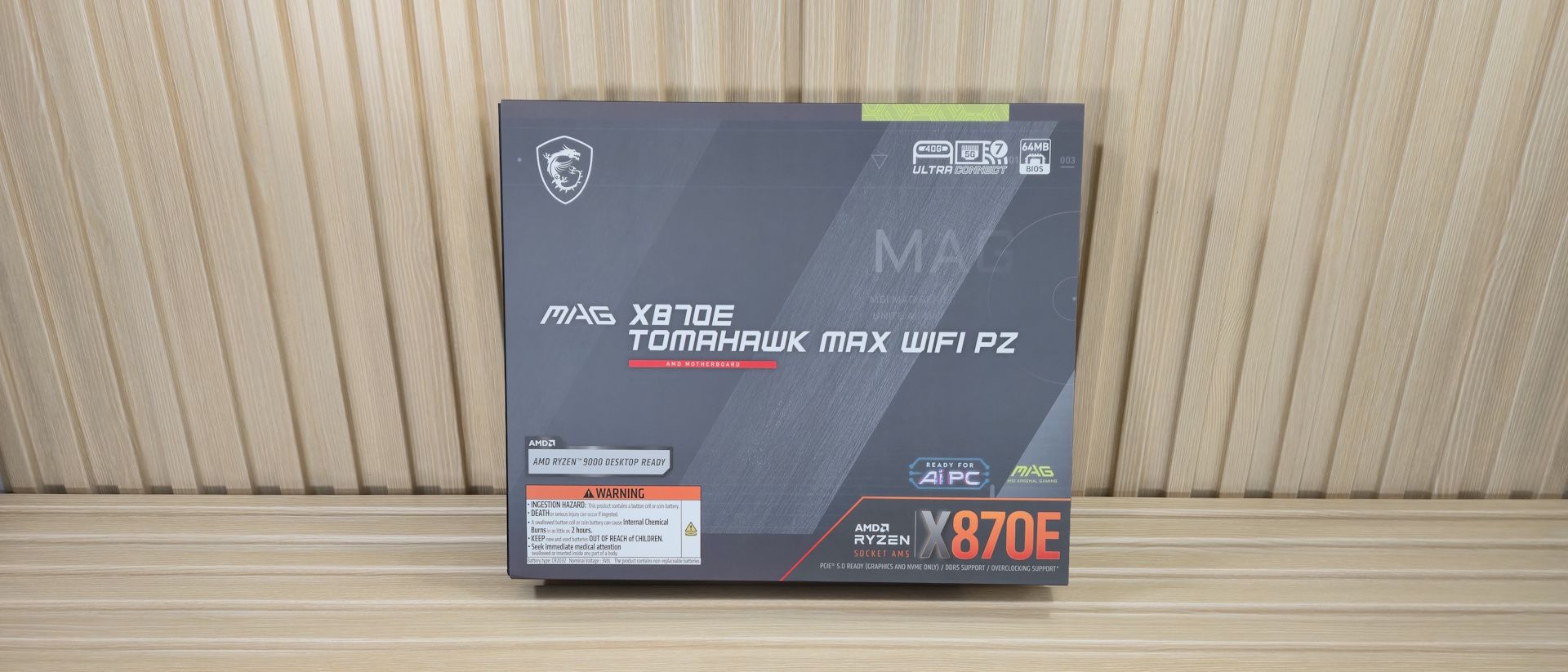
(Image credit: Future) (Image credit: Future) (Image credit: Future) (Image credit: Future) (Image credit: Future) (Image credit: Future) (Image credit: Future) Inside the Box of the MSI X870E Tomahawk MAX Wifi PZ Inside the box are a few accessories to help you get started. The only thing that stands out is that you get a USB drive for drivers, which is something you don’t typically see in mid-range class boards. Below is a list of everything that’s included.
(Image credit: Future) (Image credit: Future) (Image credit: Future) The X870E Tomahawk MAX Wifi PZ sits on a silver-and-white 8-layer server-grade PCB, with large aluminum heatsinks covering the VRM and plate-style heatsinks cooling the M.2 sockets and chipset. On the heatsinks, there is branding with the MAG symbol, and the Tomahawk/Arsenal Gaming branding appears on the rest of the heatsinks. RGB lovers will need to add their own via the headers, as none are built-in. Obviously, the most significant aesthetic change on the PZ is the lack of front connectors on the front. Shrouds and heatsinks now cover the right edge where the connectors should be, with only the essential sockets and slots visible on the front.
(Image credit: Future) (Image credit: Future) We won't cover the front of the board in too much detail, as the essential connectivity is located on the back. But that doesn’t mean there isn’t anything important on the visible side. Outside of the extended Frozr Guard heatsinks on the power delivery, the next notable feature is the four reinforced DRAM slots. MSI lists speeds up to DDR5-8400+ MT/s, with a capacity up to 256GB. AMD’s sweetspot is still somewhere in the DDR5-6000 to 6400 MT/s range, and this, like every board, covers it easily.
In the upper-right corner are the EZ Debug LEDs, which light up during the POST process. If there’s a problem, one of the LEDs remains lit, providing some insight into the source of the boot issues. Just below that is the 2-character Debug LED, which gives more detailed insight into POST issues (and displays CPU temperatures by default when in Windows).
Flipping the board around to the rear, in the upper right corner (as we’re looking at it), are the two 8-pin EPS connectors (one required) that power the processor. To the left are the first three (of eight) 4-pin fan headers. In this case, CPU_Fan1, PUMP_Fan1, and SYS_Fan1. Each header supports PWM and DC-controlled devices. Output varies depending on the header, with the system fan headers rated at 1A/12W, the CPU fan at 2A/24W, and the pump, which is capable of outputting 3A/36W. Fan Control is handled through the MSI Center software and the User Scenario applet. Down the left edge (we’re still on the back of the board) is our first (of four) 3-pin ARGB headers. If you want RGB lighting through the motherboard, you’ll have to buy and attach your own. Next is a system fan header, the 24-pin ATX power for the board, the EZ Conn header (connects ARGB strips, fans, USB 2.0 devices, and even the company’s MPG EZ120 ARGB fans on a single cable), and two SATA ports.
Power delivery on the Tomahawk MAX Wifi PZ is the same as that of the front-facing Tomahawk Wifi, consisting of 17 phases, 14 of which are dedicated to Vcore. Power is supplied by the 8-pin EPS connector(s) to a Monolithic Power Systems (MPS) MPS2412 controller. From there, it moves to the 80A MPS MPS2433 SPS MOSFETs. The 1,120A is more than enough for the flagship Ryzen 9 9950X/X3D. While the specs here aren’t the most robust we’ve seen, they do not hold you back, even if you decide to overclock.
Making our way back to the front of the board on the bottom half, and starting on the left, under the shroud is the audio solution comprised of the Realtek ALC4080 codec, a few dedicated audio capacitors, and like that isolates the audio signal to reduce EMI from the board. This is the latest gen codec from Realtek and is fitting for the price.
In the middle of the board are three full-length PCIe slots and five M.2 sockets. Starting with PCIe, the top slot (PCI_E1) connects directly to the CPU, runs at up to PCIe 5.0 x16, and serves as your primary graphics slot. It’s also reinforced and uses MSI’s EZ PCIE Release, an easy-to-access button that locks and unlocks the PCIe card with a single tap. The other full-length slots connect through the chipset, running at PCIe 3.0 x1 (PCI_E2) and PCIe 4.0 x4 (PCI_E3), which should provide sufficient bandwidth for most expansion cards.
Mixed in among the PCIe slots are four M.2 sockets. The Tomahawk MAX PZ offers two PCIe 5.0 (128 Gbps) sockets (M.2_1/2), and the bottom two (M.2_3/4) connect through the chipset and run up to PCie 4.0 x4 (64 Gbps). M.2_1 supports up to 110mm modules, while the rest support up to 80mm length. The board supports RAID 0/1/5/10 modes if you need extra speed or redundancy. Do note the second PCIe 5.0 M.2 socket (M2_2) shares bandwidth with USB 4. By default, when M2_2 is in use, it runs at PCIe 5.0 x2 (64 Gbps). You can get the full x4 width by adjusting it in the BIOS, but that disables the USB 4 ports on the rear IO.
Flipping the board around to the back one more time, we’ll start with the left edge and work our way down. The first item we run into is the front panel 3.2 Gen 2×2 (20 Gbps) header, followed by the other two vertically mounted SATA ports. Finally, below that is the 19-pin USB 3.2 Gen 1 (5 Gbps) header.
Along the bottom edge (we’re still on the back!), there is a slew of headers and connectors. From left to right, you have the following:
The rear IO on the Tomahawk Wifi PZ is the same on the non-PZ board. Starting on the left side of the rear IO are two tiny buttons: one for clearing the CMOS and the other for BIOS Flashback. Next to that is the HDMI port to use with integrated graphics. There are three USB Type-C ports, two of which support 40 Gbps (the third is 10 Gbps). You also get two 10 Gbps (red), four 5 Gbps (blue), and four USB 2.0 (black) Type-A ports, for a total of nine. Above one of the red USB ports is the Realtek 5 Gbps Ethernet. Next are the two Wi-Fi 7 connections and the audio stack, with two 3.5mm (mic in/line out) and SPDIF.
Current page: MSI X870E Tomahawk MAX Wifi PZ Features and Specifications
Key considerations
- Investor positioning can change fast
- Volatility remains possible near catalysts
- Macro rates and liquidity can dominate flows
Reference reading
- https://www.tomshardware.com/pc-components/motherboards/SPONSORED_LINK_URL
- https://www.tomshardware.com/pc-components/motherboards/msi-mag-x870e-tomahawk-max-wifi-pz-review#main
- https://www.tomshardware.com
- Get a free X870 motherboard and Corsair H115i RGB cooler with a 32GB kit of RAM — avoid high DDR5 prices with $380 worth of free gear
- Get a 9800X3D and RX 9070 XT prebuilt gaming PC for just $2,199 — Skytech's hi-spec offering also comes with 2TB of SSD storage and 32GB of DDR5
- Enthusiast adds OCuLink port to Framework 16 Laptop — offering PCIe 4.0 x8 bandwidth for big GPU performance gains
- At NeurIPS, NVIDIA Advances Open Model Development for Digital and Physical AI
- Best Cyber Monday and Black Friday hard drive deals you can still get — storage savings from WD, Seagate, and more
Informational only. No financial advice. Do your own research.