
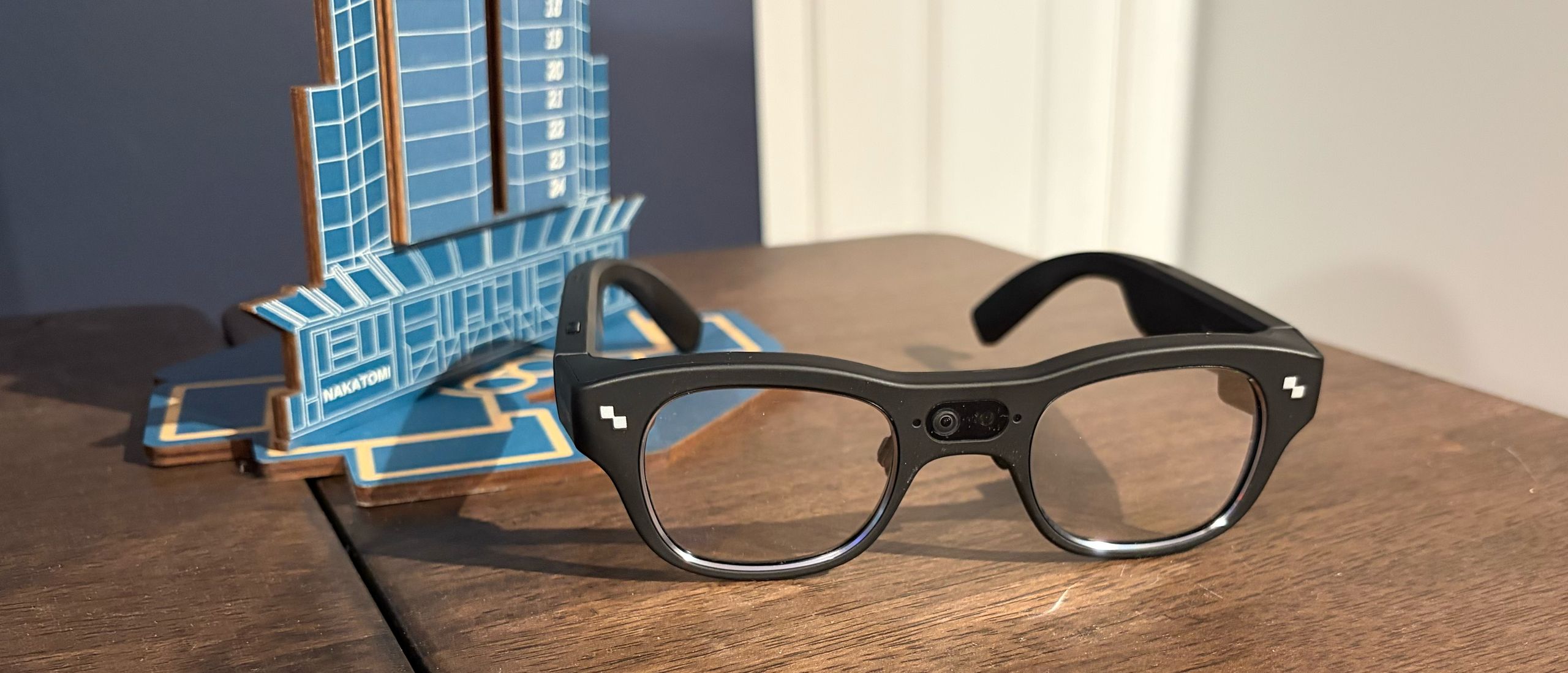
The X3 Pro is powered by a Qualcomm Snapdragon AR1 Gen 1 SoC, which has plenty of power to handle the computing required for augmented reality and artificial intelligence. It incorporates 4GB of RAM and a 32GB ROM. According to RayNeo, the glasses also feature Falcon Image technology, which facilitates spatial positioning and AR imaging (the X3 Pro supports 6 DoF). The positioning tech is used in combination with the dual front-facing cameras to ensure that what you see in the real world is properly aligned with the AR inputs you see on the displays.
Speaking of the displays, the X3 Pro uses a dual micro-LED projector system and optical waveguides embedded in the lenses. The optical engine can output 16.77 million colors, with a typical brightness of 3,500 nits and a peak brightness of 6,000 nits. The refresh rate is capped at 60 Hz, and the field of view is 30 degrees.
The glasses incorporate wear detection, so they will power off when you’re not wearing them, helping reduce battery consumption. Speaking of the battery, total capacity is a minuscule 245 mAh, which RayNeo claims is suitable for up to five hours of use.
Given that I was shipped a prerelease version of the X3 Pro, the RayNeo AR iOS app would not detect or set up the glasses, as it only supports the X2 Pro. So, I reached out to RayNeo, who directed me to Apple’s TestFlight app, where I was able to download and install a prerelease version of RayNeo AR with support for the X3 Pro.
Setting up the X3 Pro was relatively straightforward: the RayNeo AR app automatically found the glasses over Bluetooth, performed the initial setup, and installed requisite firmware updates. It also presented a thorough walkthrough that guides you through using the hardware buttons and touch panels for navigation.
Once setup was complete, I decided to test out the RayNeo AR app, which is attractive and well-organized. There’s a large image of the X3 Pro front and center, with a battery life indicator directly below. You’ll also find your currently connected Wi-Fi network, along with shortcuts for capturing AR photos and videos, and for AR navigation in Google Maps.
Next, I actually wore the glasses and spent time getting used to the waveguide displays. They are surprisingly bright and sharp with good color. The main UI for the glasses appeared in the lower third of my field of view, with the following information always present: Time, Wi-Fi, Bluetooth, and Battery. Swiping to the right reveals additional native apps you can select, along with a dedicated Settings app for managing a limited set of on-device controls.
The user interface on the X3 Pro was easily readable indoors, and the waveguide displays were bright enough for outdoor use. Once I got accustomed to the user interface, I next tried using the built-in AI assistant, which is invoked by long-pressing on the left touch panel. I was able to ask simple questions about the weather and breaking news items. It also recorded voice notes (it transcribed my grocery list quite well). Interestingly, even though the X3 Pro was connected to my smartphone, it was unable to complete my query, “How long would it take to drive to Greensboro, North Carolina,” without first asking me for my current location.
On-device translation is accomplished using Google Translate, allowing me to translate foreign text into English or even translate spoken foreign languages into English in real time (I used a YouTube video of someone speaking Spanish to test live translation).
Additional native apps include Camera, Album (for your captured photos and videos), AI Recording, To-Do, Media, Phone (taps into your phone contacts), and Notifications (mirrors notifications from your phone).
The four-speaker audio system is surprisingly potent. While I wasn’t expecting AirPods Pro 3 quality, the X3 Pro holds its own with ample bass, low distortion at high volume, and good mid-range punch.
But the biggest letdown is battery life. The battery drains incredibly fast on the X3 Pro. I was at 50% and opened the Google Maps app to test the aforementioned trip to Target. Within less than 10 minutes, I received a warning message that the battery was below 30%. Even if I wanted to make the full 12-mile walk to Target, the battery would likely be dead before I reached the half-mile mark.
Even playing music caused the battery to drop quickly. I listened to “Last Christmas” by Wham! And “Rocking Around the Christmas Tree” by Brenda Lee, and saw the battery drop from 35 percent to 32 percent in that short time (roughly six and a half minutes).
In general use, I never got more than an hour’s worth of battery life from the X3 Pro, despite RayNeo’s claim of up to 5 hours. Using Google Maps was by far the worst offender in terms of battery drain.
The X3 Pro feels more like a nifty tech demo. It shows what’s possible when you combine a fast SoC (Qualcomm Snapdragon AR1 Gen1) with a sleek and lightweight glasses frame. It can help lighten the load on your smartphone by taking pictures, translating text and speech in real time, recording voice notes, and even providing navigation directions with Google Maps.
However, the touch-sensitive controls are cumbersome to use, and I expect higher-quality materials from a device that carries an MSRP of $1,399 ($1,099 for early birds). The real nail in the coffin is battery life, which, in my experience, never lasted more than an hour, and much worse when using Google Maps.
Brandon Hill Social Links Navigation Brandon Hill is a senior editor at Tom's Hardware. He has written about PC and Mac tech since the late 1990s with bylines at AnandTech, DailyTech, and Hot Hardware. When he is not consuming copious amounts of tech news, he can be found enjoying the NC mountains or the beach with his wife and two sons.
Key considerations
- Investor positioning can change fast
- Volatility remains possible near catalysts
- Macro rates and liquidity can dominate flows
Reference reading
- https://www.tomshardware.com/peripherals/wearable-tech/SPONSORED_LINK_URL
- https://www.tomshardware.com/peripherals/wearable-tech/rayneo-x3-pro-ar-glasses-review#main
- https://www.tomshardware.com
- 12 years ago, a whiskey-fuelled rant coined the iconic term HODL with a drunken mispelling — Bitcoin investment strategy would have turned $523 into over $87,00
- Get a pre-built PC with 32GB of RAM for under $1,000 — this mid-range gaming desktop delivers decent performance for an affordable price during these trying tim
- Nvidia-led NitroGen is a generalist video gaming AI that can play any title — research also has big implications for robotics
- Score the Meta Quest 3S at its lowest-ever price before Christmas, now just £229 — save 21% on this standalone VR headset with 128GB of storage
- Samsung introduces SOCAMM2 LPDDR5X memory module for AI data centers — new standard set to offer reduced power consumption and double the bandwidth versus DDR5
Informational only. No financial advice. Do your own research.