
Ditching the cloud for local AI — how I use two mini PCs to process millions of tokens a day and save money on costly API fees
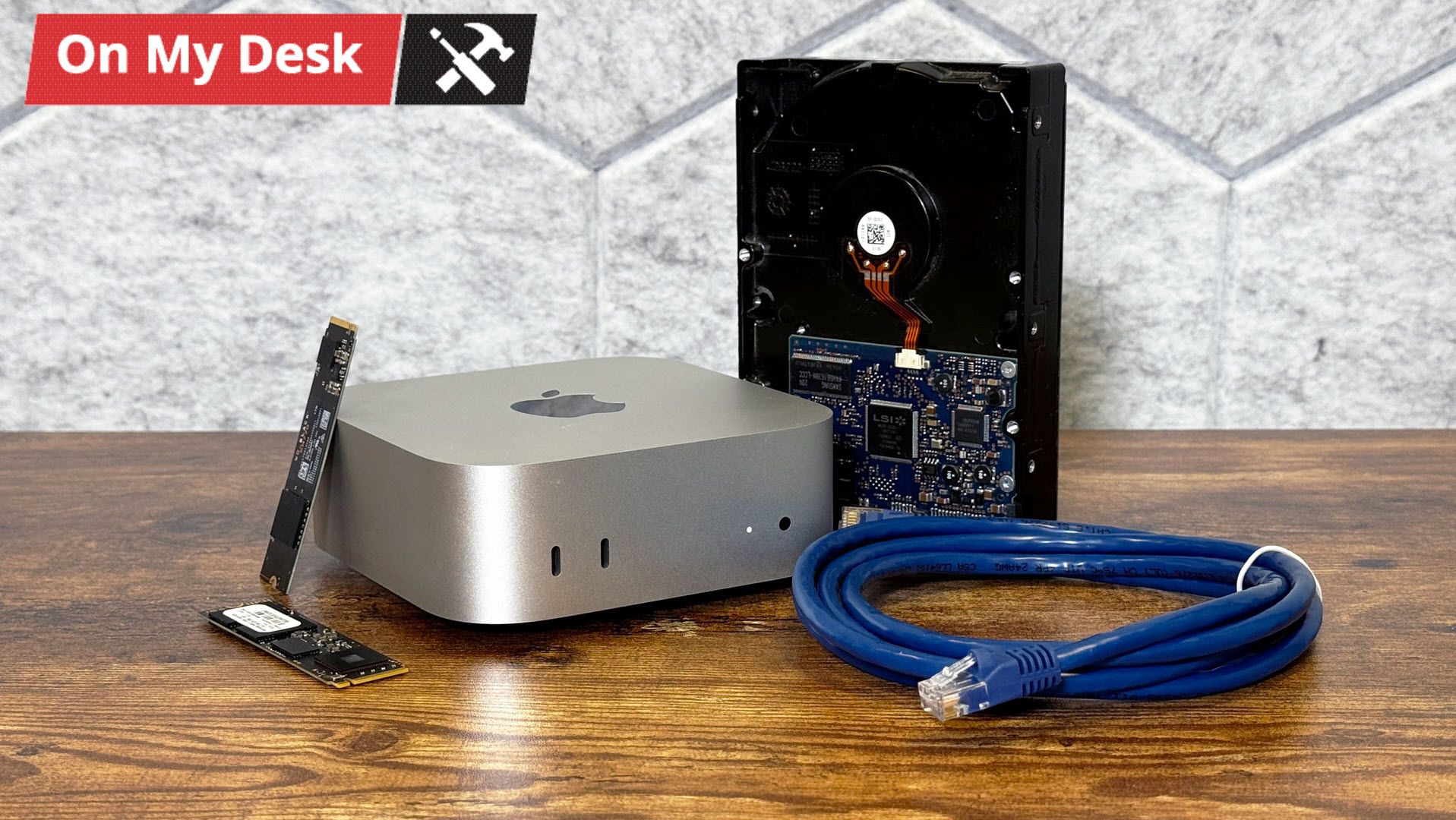
The main drive is the 4TB USB-C drive, which has two volumes on it (unlike partitions, which macOS also allows, volumes are more flexible with free space). My main volume is for extra copies of important documents, my Apple Photo library, and also for backups of photos I keep outside of Apple's library (I have a tendency to clean house every few years). If I create any files I want to back up on my Windows PC, this is where I go to back them up on site. And lastly, I have a folder just to store files that aren't critical but that I might want to access from any machine. Why keep them on my laptop when I have terabytes of storage to play with?
But the second volume, which is just a small portion of the drive, is also for excess data I don't want to keep on the internal drive. At the moment, that's largely dedicated to macOS content caching (see below).
My 2TB SSD is for Time Machine backups. I can use macOS's built-in backup tool over the network to back up my laptop without plugging anything in.
The HDD is a redundancy play. That's currently split in half — one volume as an alternate Time Machine destination (letting me switch between the SSD and HDD), and the other volume is a copy of my important documents and photo library, which is cloned each night using Carbon Copy Cloner .
I could put a monitor on the top shelf of my closet, but I've opted for a better model: running the Mac Mini headless.
Mostly, this meant setting up the Mini (with a monitor, naturally), to prepare it before booting it up. For me, this included removing a lot of the iCloud syncing it would normally do (I only want it downloading my original, full-sized photos from iCloud, but it doesn't need to get texts), preventing automatic sleeping, allowing for file and screen sharing on the network, and making security decisions that allow me to access the system and files remotely and securely while also deciding how often I want to have to take the thing down from the closet to log back in with a password.
From another Mac, it's very easy to use virtual network computing (VNC) via the built-in screen-sharing utility. From Windows, I can still use a program like RealVNC to access the desktop. I also reduced motion and graphics, set a solid color background, and made other tweaks in an attempt to reduce the amount of data or lag I might see over a remote connection.
There's also the option for SSH. I'm still working to be a bit more proficient at the command line, but you can do that either in macOS in the Terminal or Windows in the Command Prompt or PowerShell.
I've also seen that some people swear by running the Mac Mini headless by using an HDMI dummy plug to force high resolutions when remoting in. But using Mac Screen sharing, I haven't particularly had a problem.
For that, I've created a Tailscale network consisting of my laptop, the Mac Mini, and my iPhone. This gives each device a semi-permanent address I can access it through, as long as both are on the network.
That makes it easy enough from a laptop. Unfortunately, iOS doesn't have the super-easy Screen Sharing tool that macOS does. So on mobile, I have the RealVNC mobile app, which can access the Mac Mini either through the local address or Tailscale. Using a virtual desktop on a phone's touch screen isn't ideal, but it's not nearly as difficult as I thought it would be.
My favorite of these is content caching , which can keep copies of macOS or iOS updates, App Store updates, or data stored in iCloud in the cache, so that they can be sent to other devices on a local network more quickly.
For those who are using macOS, it's nice to be able to use Time Machine, and mount other drives in the Finder the way you would with a Thunderbolt or USB-C drive and just have it on the desktop.
And yes, for management, the aforementioned Screen Sharing app is pretty solid, and it’s one less piece of software you need to worry about.
Additionally, the machine is whisper-quiet, rarely uses more than 3% of the CPU (and often less), and is efficient enough that I've noticed no substantial change to my electric bill.
The only real drawback for my use case is that while the M4 SoC will keep this project future-proof for a bit, adding RAM is impossible. I opted for the 16GB RAM / 256GB SSD model for budgetary reasons, but it's possible that, depending on what else I want to do with it, that could eventually hamper me down the line. It's especially the case if I ever want to get more into local AI.
However, once I get more advanced, there are some applications that would run more easily if I had gone for a Linux device. Instead, I'll need Docker or VMs.
A project like this one is never truly finished. I have the Mac; I have it backing up my stuff (It ends up that after all this, I'm still working on getting my wife to back up her end). There's much more that I want to do down the line. Perfect, however, is the enemy of getting started at all.
One good item for this project would be a small uninterruptible power supply in the case of a power outage. Another would be a dock. A number of third-party companies make docks specifically for the Mac Mini that can fit an SSD, which might be a good way of organizing my cable mess. But if I ever switch computers, that dock will likely end up being less friendly for cable management.
I could also toy with PiHole, though again, I would have to use Docker or a Virtual Machine. That would let me block ads across my network (while whitelisting the ones I want to support, of course).
Further down my list are a Plex or Jellyfin server. I don't own that much physical media, but being able to access what I do have virtually could lead me to consider it among my subscription options. I could also use one of these to offload my MP3 collection from my laptop.
But for now, the file server and backups have given me some peace of mind. My photo library certainly isn't getting any smaller. I just hope storage prices fall before I need another drive.
Andrew E. Freedman is a senior editor at Tom's Hardware focusing on laptops, desktops and gaming. He also keeps up with the latest news. A lover of all things gaming and tech, his previous work has shown up in Tom's Guide, Laptop Mag, Kotaku, PCMag and Complex, among others. Follow him on Threads @FreedmanAE and BlueSky @andrewfreedman.net . You can send him tips on Signal: andrewfreedman.01 ","collapsible":{"enabled":true,"maxHeight":250,"readMoreText":"Read more","readLessText":"Read less"}}), "https://slice.vanilla.futurecdn.net/13-4-25/js/authorBio.js"); } else { console.error('%c FTE ','background: #9306F9; color: #ffffff','no lazy slice hydration function available'); } Andrew E. Freedman Social Links Navigation Senior Editor Andrew E. Freedman is a senior editor at Tom's Hardware focusing on laptops, desktops and gaming. He also keeps up with the latest news. A lover of all things gaming and tech, his previous work has shown up in Tom's Guide, Laptop Mag, Kotaku, PCMag and Complex, among others. Follow him on Threads @FreedmanAE and BlueSky @andrewfreedman.net . You can send him tips on Signal: andrewfreedman.01
Ralston18 Just curious: how warm or hot does it get up in that top/ceiling shelf area? Are closet and device temperatures being monitored? The temperatures are something I would keep a constant eye on. Overtime the heat may become problematic as components degrade. Reply
spence2thesmith Just get a class 125 fireproof safe. Swap out drives every other week on-site. That way you won't have to bother family. Reply
USAFRet spence2thesmith said: Just get a class 125 fireproof safe. Swap out drives every other week on-site. That way you won't have to bother family. This procedure would need some more description for the uninitiated. Reply
Key considerations
- Investor positioning can change fast
- Volatility remains possible near catalysts
- Macro rates and liquidity can dominate flows
Reference reading
- https://www.tomshardware.com/desktops/mini-pcs/SPONSORED_LINK_URL
- https://www.tomshardware.com/desktops/mini-pcs/a-mac-mini-server-is-running-headless-in-my-closet-it-manages-my-photo-library-and-handles-my-backups#main
- https://www.tomshardware.com/membership
- PS5 emulation hits new milestone in record time, multiple 3D games now playable in Kyty — Performance and support steadily improving with 30 FPS gameplay possib
- Gamers compress 80TB map of Minecraft's oldest anarchy server down to a 15TB download — custom .zvcr compression format and 28 bots map 1 million blocks on infa
- Examining the best options for PCIe SSDs during the RAMpocalypse — capacity trumps raw speed for most tasks
- Foreign-made robot vacuums caught up in FCC robot ban — covers any ground robot over 4.4 pounds with a 200 kbps connection
- Pennsylvania town lists 43 specific demands to approve new AI data center project — developer calls local demands 'too difficult' as council slams response as '
Informational only. No financial advice. Do your own research.