
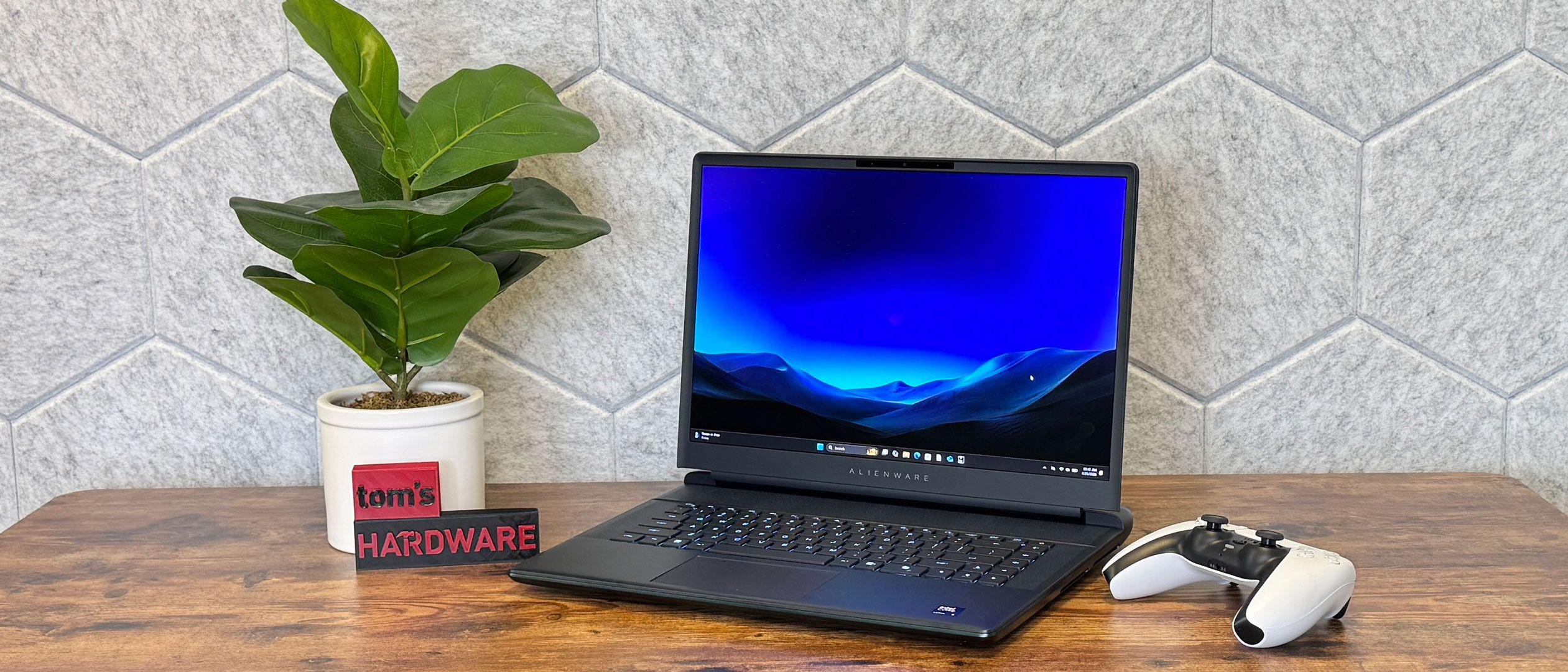
But if you just bought a top-of-the-line gaming laptop last year, slight CPU upgrades aren't going to make or break your experience. You likely won't even be able to tell the difference.
During our Metro Exodus stress test, in which we run the game at RTX settings for 15 runs, approximating half an hour or game play, the performance cores on the CPU averaged 4.11 GHz, while the efficient cores hit 2.75 GHz. The GPU ran at an average of 1,950.46 MHz.
The Alienware 16 Area-51 we tested is using an Intel Core i9-290HX Plus. This new chip is based on a refreshed version of Arrow Lake, and we didn't see any massive changes in our testing. Last year's Area-51 that we tested ran on an Intel Core Ultra 9 275HX, while the MSI Raider 16 Max HX we're comparing here is using the same 290HX Plus processor.
(Image credit: Tom's Hardware) (Image credit: Tom's Hardware) (Image credit: Tom's Hardware) On Geekbench 6, the Area-51 with 290HX Plus earned a single-core score of 3,216 and a multi-core score of 20,754. Last year's Alienware with Core Ultra 9 delivered scores of 3,126 and 20,498, so nothing eye-bulging here. The Raider achieved similar scores as the current model, at 3,231/20,656.
The SK Hynix drive in this year's system proved speedy, copying 25GB of files at a speed of 2,738.90 MBps, easily beating the MSI Raider (1,357.93 MBps) and last year's Alienware.
On Handbrake, the Alienware 16 transcoded a 4K video to 1080p in 2 minutes, which is 2 seconds behind last year's model, and enough for me to say it could go either way. The Raider was faster, at 1:51.
The major difference between the 2026 version of the Area-51 and last year's is the display. It's still a 2560 x 1600, 240 Hz screen, but this year there is an option for an anti-glare OLED panel.
In the trailer for The Odyssey , the screen appeared bright, especially in early scenes with Odysseus and his men underneath clear blue skies. There were some very deep blacks, like when Odysseus enters the cyclops' cave, where green foliage and orange flames all popped. It's not the most vivid OLED screen I've ever seen, but it's still nice.
The OLED worked to strong effect in Resident Evil 9 , with dark blacks making for increasingly haunting shadows. But it was just as good with buckets of crimson zombie blood.
The OLED screen covers 93.7% of DCI-P3 color volume, compared to 132.2% sRGB, surpassing last year's non-OLED model and the screen on the MSI Raider. Those screens, however, were brighter than the Area-51's OLED screen, which measured 368.6 nits on our light meter. Last year's model came in at 515.8 nits.
Our review unit came with a low-profile Cherry MX mechanical keyboard. We've seen these on a few gaming laptops (mostly from Dell and MSI), and they always seem worth the upgrade. In this case, it's $50. Frankly, I think that on these high-end notebooks, Alienware should just make these mechanical keyboards the default.
It feels great to type on, and I hit 121 words per minute at 98% accuracy on monkeytype.com. That being said, the keys are clicky, loud, and even have a bit of ping to them. But if you wear headphones while you type, your fingers may be happy enough that your ears don't care.
The layout is a bit weird, with a row at the end of the keyboard for the volume and mute keys. It feels out of place, as I'm used to having those on the function keys. Instead, four macro keys take up those spaces. Additionally, there's a massive Copilot key on the right side. It's about a key and a half wide.
The touchpad measures 4.4 inches wide by 2.5 inches tall, bucking the trend of large touchpads finally making their way to gaming laptops. This one feels a bit cramped, but not difficult to use, especially as people playing games typically use a mouse.
There are four speakers on the Area-51: two 2W tweeters and a pair of 2W woofers. They're fine, but nothing special.
Listening to Jade Bird's "I Get No Joy," the computer filled my apartment with sound. Bird's vocals were clear, as were the guitars and some synths. When drums played alone, like in the song's intro, they were clear, but they got lost in the mix with the rest of the instruments. Despite the bulky chassis , there's not much bass here, either.
The system came tuned with Dolby Atmos, but in the settings software, changing the equalizers didn't seem to do very much.
In Resident Evil 9 , Grace's nervous breathing was loud (and constant — tamp down, Capcom), and infected zombie growls were clear. The sound was acceptable, if not earth-shattering.
To open up the Alienware 16 Area-51, you need to loosen the four screws on the bottom of the system closest to the palm rest. These are captive. Another four screws hold the rest of the cover on, and those come out completely.
The bottom cover has glass on it, which provides a window into the system. Dell's maintenance guides stress that you shouldn't scratch it with a sharp tool, like, say, a screwdriver.
(Image credit: Tom's Hardware) (Image credit: Tom's Hardware) Dell's guides suggest that you can use your fingertip to loosen the base cover, but just like last year, I needed a plastic spudging tool to get through the plastic clips holding it on.
Once you're inside, you have access to the battery, as well as the memory slots and three SSD slots. There's a code written in an alien language on the bottom of the case, but it's identical to last year.
The 96 WHr battery in the Alienware 16 Area-51 can't power the laptop for too long. On our battery test, which includes browsing websites, streaming video, and running light OpenGL tests with the screen set to just 150 nits of brightness, the system ran for 3 hours and 33 minutes.
Last year's non-OLED model lasted for 4:10. The MSI Raider 16 Max HX ran for much longer, at 8:33. Both appear to have Nvidia's Advanced Optimus, so it's unclear why the Alienwares aren't running as long.
We measured heat on the Area-51 while running our Metro Exodus gauntlet, running the benchmark for about half an hour.
The chassis gopt a bit toasty. The center of the keyboard climbed to 105.5 degrees Fahrenheit, which you can definitely feel, while the hottest spot on the bottom was 114.5 F. The touchpad stayed cool at 83.5 F. Be sure to use this on a desk.
Inside, the CPU measured an average of 82.8 degrees Celsius, while the GPU reached 62.11 C.
There's a 1080p webcam embedded in the Area-51's top bezel. It's OK, though perhaps not befitting of a laptop that costs over $4,000.
While it caught stitching my shirt and individual hairs in my beard, images taken from the cameras had some pixelation, which also occurred in video calls. On the bright side, the camera was color accurate.
Last year, I tested a version of this system with a 4K webcam that I enjoyed more, but Alienware isn't offering it this time around. A representative for the gaming brand said in an email that this would "help pricing without compromising in other areas that are more essential for premium gaming."
Alienware has preinstalled some software. I've seen worse, but there's more than I like here. Alienware Command Center is the primary application on the machine, with control of AlienFX RGB Lighting, system performance adjustments, and a built-in game library.
Otherwise, the Alienware apps include one dedicated to downloading anything you bought at purchase, as well as Dell Support Assist for customer service.
There is bloat on here, including McAfee with a month-long trial.
Key considerations
- Investor positioning can change fast
- Volatility remains possible near catalysts
- Macro rates and liquidity can dominate flows
Reference reading
- https://www.tomshardware.com/laptops/gaming-laptops/SPONSORED_LINK_URL
- https://www.tomshardware.com/laptops/gaming-laptops/alienware-16-area-51-oled-2026-review#main
- https://www.tomshardware.com
- Tag, You’re It: GeForce NOW Levels Up Game Discovery With Xbox Game Pass and Ubisoft+ Labels
- Microsoft begins rolling out Xbox Mode to Windows 11 desktops and laptops — consolidated storefronts and console-style interface come to PC
- Chinese court rules companies can't fire workers just because AI is cheaper — ruling says automation alone doesn't justify layoffs
- Secretlab launches Mandalorian Titan Evo gaming chair in Star Wars collection for May the 4th — collab builds with a new high-end themed chair
- OpenAI’s New GPT-5.5 Powers Codex on NVIDIA Infrastructure — and NVIDIA Is Already Putting It to Work
Informational only. No financial advice. Do your own research.