
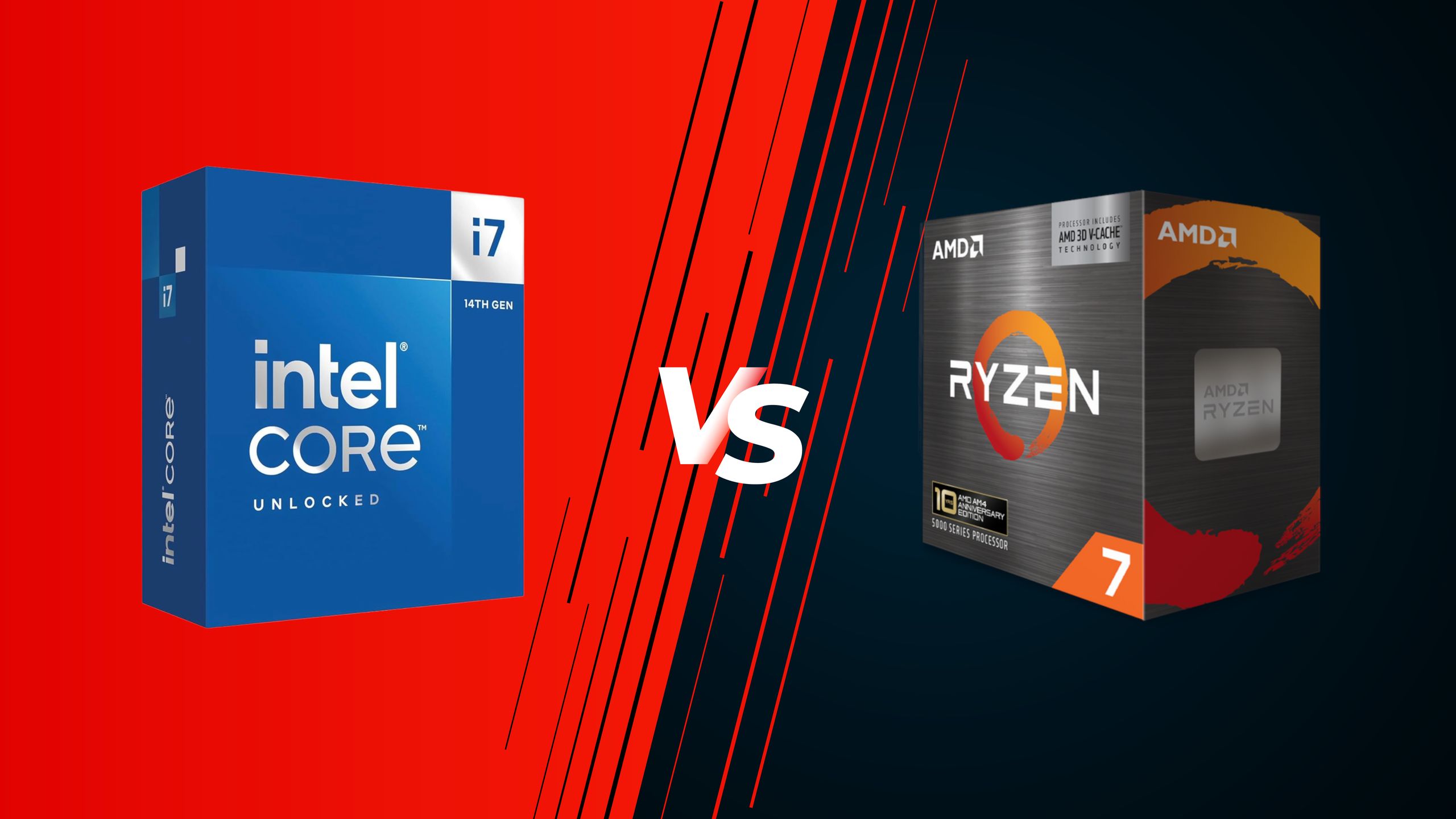
Intel Core Ultra 250K Plus vs AMD Ryzen 5 9600X faceoff — battle for the best $200 CPU
Zooming out a bit, it is clear that the Core i7-14700K is vastly superior to the Ryzen 7 5800X3D on paper. It is a newer CPU, so it has a better feature set, including PCIe Gen 5 and DDR5 support. It offers more cores, a higher boost clock, integrated graphics, and an unlocked multiplier for overclocking.
Nothing is decided on paper alone, but the Core i7-14700K offers much better specs, newer features, and even has overclocking support. It takes this round quite easily.
AMD claims to have “re-engineered” the Ryzen 7 5800X3D for its 2026 re-release, so we have tested it again, along with a whole bunch of worthy competitors, including the 14700K. We chose the 1080p resolution for our 16-game test suite in order to maximize the performance differences between the various CPUs. The graphics card used was the GeForce RTX 5090 to keep potential GPU bottlenecks to a minimum. Let’s get into the results.
(Image credit: Tom's Hardware) (Image credit: Tom's Hardware) (Image credit: Tom's Hardware) (Image credit: Tom's Hardware) (Image credit: Tom's Hardware) (Image credit: Tom's Hardware) (Image credit: Tom's Hardware) (Image credit: Tom's Hardware) (Image credit: Tom's Hardware) (Image credit: Tom's Hardware) (Image credit: Tom's Hardware) (Image credit: Tom's Hardware) (Image credit: Tom's Hardware) (Image credit: Tom's Hardware) (Image credit: Tom's Hardware) (Image credit: Tom's Hardware) (Image credit: Tom's Hardware) Starting off with our 16-game FPS geomean at 1080p, the Core i7-14700K dominates the Ryzen 7 5800X3D with an average result of 166.7 FPS across our tested games, compared to the 145.6 FPS result of the Ryzen 7 5800X3D. That is a 14.5% difference in favor of the 14700K in our performance geomean. In 1% lows, the 14700K leads the Ryzen 7 5800X3D by 20% on average, putting out 114 FPS against the Ryzen’s 95.
However, there is another side to this benchmark table. The Core i7-14700K supports both DDR4 and DDR5 memory, so we tested it in both configurations. With DDR4-3200 memory, the 14700K’s advantage vanishes, and instead the Ryzen 7 5800X3D leads by 1.04%, or just 1.5 FPS. The 1% lows are in favor of 14700K by only 3 FPS (3.15%), which is astonishingly close.
When the Intel CPU is paired with DDR5 memory, the Ryzen 7 5800X3D’s cache advantage seems to be struggling against the Core i7-14700K’s raw core count and higher boost clock (along with far faster memory speeds). Looking at individual titles, we see a similar pattern with the Core i7-14700K holding a consistent lead over the 5800X3D.
In 007 First Light , the 14700K paired with DDR5 memory has a 25.7% lead on average over the 5800X3D. That lead shrinks to 21.5% in Crimson Desert , and the difference is 13.7% in favor of the 14700K in Cyberpunk 2077. Interestingly, the Core i7-14700K leads the entire pack in Flight Simulator 24 , establishing a 26.6% lead over the 5800X3D in this title. The DDR5-equipped 14700K also leads the 5800X3D in Spider-Man 2, Starfield, The Last of Us Part One, Baldur’s Gate 3 , and Counter-Strike 2 .
However, when the Core i7-14700K is paired with DDR4-3200 memory, the picture changes completely. The Ryzen 7 5800X3D leads the i7-14700K with DDR4 memory in Baldur’s Gate 3 by 11.7%. In Crimson Desert , the lead is 3.2% for the 5800X3D, and 2.6% in Cyberpunk 2077 . The Ryzen 7 5800X3D sits between the DDR5 and DDR4 versions of the 14700K in a few other titles, including Counter-Strike 2 and DOOM: The Dark Ages .
There are also some titles in which the Ryzen 7 5800X3D leads both the DDR4 and DDR5-equipped versions of the Core i7-14700K. In F1 2024 , the Ryzen 7 5800X3D leads the DDR5 14700K by 5.6%, and the DDR4 14700K by 13.7% on average. The same pattern can be seen in Final Fantasy XIV , with a 6.6% lead over the 14700K using DDR5 memory, and in Minecraft RT , with a 18.5% lead over the 14700K using DDR4 memory.
It is certainly all over the place when you put both configurations of the 14700K into the mix, but the two behave more like separate CPUs. The long and short of it is that the 14700K with DDR5 memory provides the best gaming performance on average, followed by the Ryzen 7 5800X3D. The DDR4-equipped 14700K is ever-so-slightly slower than the 5800X3D, but it really just depends on the game you’re playing.
(Image credit: Tom's Hardware) (Image credit: Tom's Hardware) (Image credit: Tom's Hardware) (Image credit: Tom's Hardware) (Image credit: Tom's Hardware) During our testing, the Core i7-14700K averaged 4.93 GHz with DDR5 memory and 4.88 GHz with DDR4 memory. The Ryzen 7 5800X3D could only manage 4.34 GHz, but it sipped only 77.5 watts during our gaming tests. The 14700K DDR5 averaged 132.4 watts, while the DDR4-equipped 14700K averaged a whopping 155.1 watts during gaming. This is why the 14700K with DDR4 reached an average temperature of 80 °C, compared to 62 °C for the 14700K with DDR5 and 59 °C for the 5800X3D.
In addition to running the coolest, the Ryzen 7 5800X3D is also the most efficient CPU of the bunch. The 5800X3D had an FPS-per-watt output of 1.88, compared to 1.26 for the Core i7-14700K with DDR5 memory, and just 0.93 for the DDR4 version. It is amazing how much the Core i7-14700K suffers when paired with DDR4 memory.
Lower overall performance also hurts the value proposition of the DDR4-equipped 14700K, as it puts out just 0.39 FPS-per-dollar, compared to the 0.45 of the DDR5-equipped 14700K. Astonishingly, the Ryzen 7 5800X3D falls between the two 14700K versions, delivering 0.42 FPS per dollar. This makes the Core i7-14700K the value king, but only if you pair it with DDR5 memory. I suspect that will be tricky in the current market.
While the Ryzen 7 5800X3D does slightly pull away from the DDR4-equipped 14700K, both of these setups get demolished by the 14700K when it is paired with DDR5 memory. We're calling this round a tie considering the massive price disparity between DDR4 and DDR5 memory right now.
Productivity performance spans single-threaded and multi-threaded workloads, so we tested the CPUs across a range of benchmarks covering both categories. Just like in our gaming tests, we tested the 14700K with both DDR5 and DDR4 memory, since it does impact the performance significantly.
(Image credit: Tom's Hardware) (Image credit: Tom's Hardware) (Image credit: Tom's Hardware) (Image credit: Tom's Hardware) (Image credit: Tom's Hardware) (Image credit: Tom's Hardware) (Image credit: Tom's Hardware) (Image credit: Tom's Hardware) (Image credit: Tom's Hardware) (Image credit: Tom's Hardware) (Image credit: Tom's Hardware) Intel’s hybrid architecture has historically been quite strong at multi-threaded workloads due to E-cores, and that pattern appears here too. In our multi-threaded performance ranking geomean, the Core i7-14700K scores 492 points, a massive lead of 116.7% over the Ryzen 7 5800X3D that could only manage 227 points on average. Even when the Core i7-14700K is paired with DDR4 memory, it has a 105% higher average score than the Ryzen 7 5800X3D.
The superior core count of the 14700K is proving to be the difference maker in this category. In the Cinebench 2024 multi-core test, the 14700K with DDR5 memory is a whopping 126.6% faster than the Ryzen 7 5800X3D. Even the DDR4-equipped 14700K secures a 107% lead over the 5800X3D in Cinebench. The lead for the 14700K is about 137% in POV-Ray, and it shrinks to 135% when using DDR4 memory.
Blender tests were also favorable for the 14700K, but we didn’t see a big difference between DDR4 and DDR5 systems in these benchmarks. In Junkshop, the DDR5-equipped 14700K leads the 5800X3D by 116.4%; in Monster, by 116.6%; and in Classroom, by 118.3%. The DDR4 variant follows closely behind, by 1 or 2 percentage points.
The memory generation again comes into play when we look at HandBrake x265 10-bit encoding, with the DDR5-14700K leading the 5800X3D by 90.5%, while the DDR4-14700K manages a 82% lead. The gap is even larger in x264 encoding, with the DDR5 variant gaining a 105% lead over the 5800X3D, while the DDR4 variant can only manage a 63% lead.
(Image credit: Tom's Hardware) (Image credit: Tom's Hardware) (Image credit: Tom's Hardware) (Image credit: Tom's Hardware) (Image credit: Tom's Hardware) (Image credit: Tom's Hardware) That still makes the Core i7-14700K far better than the 5800X3D in productivity workloads, regardless of the memory generation. However, we still have single-threaded results to look at. Our single-threaded performance ranking geomean puts the Core i7-14700K 36.6% faster on average than the Ryzen 7 5800X3D. Interestingly, there is no difference in single-threaded performance between the DDR5 and DDR4 variants of the 14700K.
The same trend is seen in individual benchmarks as well. The 14700K is about 25% faster than the 5800X3D in Lame’s audio encoding test, and the DDR4 variant is in the same ballpark as well. Curiously, the DDR4-equipped 14700K is slightly faster than the DDR5-14700K in Cinebench 2024 and also outperforms the 5800X3D by 36.6%. Safe to say, the RAM difference doesn’t really come into play in these tests.
Overall, though, the winner is quite clear. The Ryzen 7 5800X3D is a gaming-oriented chip with only 8 cores and 16 threads, so it is no match for the 20-core 14700K in productivity workloads. Whether you go for DDR4 or DDR5 is your decision, but the productivity champion of this faceoff is the Core i7-14700K.
With an average lead of 116% over the Ryzen 7 5800X3D in multi-threaded tasks, the Core i7-14700K sweeps the productivity round quite easily.
Overclocking has never been a strong suit of AMD Ryzen processors; however, the Ryzen 7 5800X3D doesn’t support core overclocking at all. AMD cited the 3D V-Cache technology as the reason the 5800X3D can’t be overclocked, and they were right to assume so.
Due to the vertically-stacked cache, heat transfer from the CPU die to the heatspreader was a real issue. An overclocked 5800X3D would have sipped more power and produced more heat. Therefore, an efficient heat-transfer system was needed but could not be developed in time for the first-generation V-Cache product.
AMD has since reinstated overclocking support for Ryzen 9000 series X3D CPUs by flipping the cache layout, so it no longer hinders heat transfer. However, the Ryzen 7 5800X3D’s core multiplier still remains locked, but you can still tune the DRAM and Infinity Fabric clocks.
The Core i7-14700K, on the other hand, is tailor-made for overclocking. Being a K-series SKU, the 14700K comes with an unlocked multiplier and all the Intel bells and whistles for overclocking. It can reach 6.1 – 6.2 GHz on individual cores with proper cooling, and users can expect a 5.6 – 5.8 GHz all-core overclock on most setups.
Its overclocking toolkit features traditional multiplier adjustments, voltage controls, and established BIOS interfaces that most enthusiasts are already familiar with. The Core i7-14700K also has a significant amount of power headroom to play with, although temperatures become a concern as soon as the power consumption ramps up.
By all overclocking metrics, the Core i7-14700K is the superior CPU for tinkerers. The Ryzen 7 5800X3D can’t be manually tuned, at least not in the traditional sense, and therefore doesn’t really stand a chance in this round.
The 14700K is the real deal when it comes to overclocking support. The Ryzen 7 5800X3D is locked and therefore can’t be overclocked, so Intel sweeps this round.
The Ryzen 7 5800X3D has a base TDP of 105W and a PPT of 142W. Intel’s is much higher, with the 14700K clocking in at 125W TDP and a PL2 limit of 253 watts. However, TDP numbers don’t give us a good idea of real-world power consumption, so we ran our own detailed tests.
(Image credit: Tom's Hardware) (Image credit: Tom's Hardware) (Image credit: Tom's Hardware) (Image credit: Tom's Hardware) (Image credit: Tom's Hardware) (Image credit: Tom's Hardware) (Image credit: Tom's Hardware) (Image credit: Tom's Hardware) (Image credit: Tom's Hardware) (Image credit: Tom's Hardware) (Image credit: Tom's Hardware) (Image credit: Tom's Hardware) (Image credit: Tom's Hardware) (Image credit: Tom's Hardware) (Image credit: Tom's Hardware) First, at idle, the 5800X3D consumed only 5 watts, while the 14700K consumed 27 watts. In an active-idle situation, such as YouTube playback, the Core i7-14700K consumed 28 watts with DDR5 memory and a concerning 39 watts with DDR4 memory. The 5800X3D, on the other hand, sipped only 9 watts, making it anywhere from 67% – 76% more efficient than the 14700K.
Moving on to all-core workloads, in our y-cruncher multi-threaded AVX power test, the Ryzen 7 5800X3D consumes 119 watts, while the Core i7-14700K clocks in at a staggering 335 watts, a 181.5% higher figure. Even the Core i7-14700K with DDR4 memory consumed 307 watts, which is still a 158% increase over the 5800X3D’s power consumption.
In Linpack, the Ryzen 7 5800X3D is again more reserved, with the 14700K consuming 168.6% more power than the Ryzen. The DDR4 setup was not much better, with a 137.2% higher power consumption than the 5800X3D in this test. The gap widens even more in Cinebench 2024’s multi-core render and our Blender tests, which show the 14700K consuming anywhere from 250% to 285% higher power than the 5800X3D.
In our encoding tests, the situation remains pretty much the same. In Handbrake x264, the DDR5-14700K consumed 242% more power than the 5800X3D, while the DDR4-14700K consumed nearly 200% more. Similar numbers were seen in Handbrake x265 and SVT_AV1 encoding, with the 5800X3D being the clear winner.
We even looked at single-threaded workloads to determine the power consumption of those tasks. In y-cruncher’s single-threaded AVX power test, we saw the 14700K consume 157% more power when paired with DDR5 memory, and 132% more when using DDR4 memory. Safe to say, the Intel CPU does not fare any better in these workloads either.
To determine the efficiency, we calculated the watts-per-FPS number in Handbrake x265. The 5800X3D was 43.4% more efficient than the 14700K with DDR5 RAM, and about 41% more efficient in this task than the 14700K with DDR4 memory. The pattern can again be seen in Cinebench 2024’s efficiency test, where we look at points-per-watt. The 5700X3D is anywhere from 62% to 68% more efficient than the 14700K in this task.
(Image credit: Tom's Hardware) (Image credit: Tom's Hardware) We can also visualize the efficiency differences using our handy scatter plots. In the Linkpack power efficiency plot, the 5800X3D is towards the bottom left of the chart, while the 14700K is more towards the top. This means that the 14700K uses substantially more energy to deliver marginally higher performance than the 5800X3D. Ideally, you want to be towards the bottom right of this graph.
So, the Ryzen 7 5800X3D consumes much less power in both single-threaded and multi-threaded productivity workloads, and as we saw in our gaming tests, it runs cooler as well. The Core i7-14700K has a distinct performance advantage in all-core workloads, but the power consumption ramps up quickly once it gets going. Still, the Ryzen 7 5800X3D is the clear winner in this round.
The Ryzen 7 5800X3D consumes between 150% and 300% less power than the Core i7-14700K in all-core workloads, making it the definitive winner in this round.
The pricing situation is a bit of a wildcard in this comparison, since these are not exactly “new” CPUs. The Ryzen 7 5800X3D was recently re-released at $350, which is $100 lower than its 2022 price tag. The Core i7-14700K is currently priced at $370 at the time of writing, which makes the 5800X3D $20 cheaper in a direct comparison.
However, comparing the two CPUs is more than just comparing their sticker price. We must also look at the platform costs of the two CPUs. The Ryzen 7 5800X3D uses the fan-favorite AM4 socket, which has a whole heap of chipsets in all price brackets. You can pair the Ryzen 7 5800X3D with a mid-range B550 or a high-end X570 motherboard, but older 400-series motherboards are also compatible, depending on the board.
As far as the price goes, B550 motherboards can be purchased for $80 – $180, while higher-end X570 motherboards range from $150 – $300. Some premium models can even go beyond $400, but those are not really needed for our CPU since it doesn’t support overclocking. A nice mid-tier B550 or X570 motherboard will be more than enough for our needs.
Memory is where the price difference really grows. The Ryzen 7 5800X3D only supports DDR4 memory, so it is relatively safe from the ongoing DRAM crisis. A nice 32GB DDR4-3200 kit can run you about $140 – $160, which is definitely higher than DDR4 prices of the past, but nothing compared to current DDR5 rates. The Ryzen 7 5800X3D also needs an aftermarket cooler since it doesn’t come with one, and that can cost you about $100 – $150 too.
For the Core i7-14700K, you have the option of either a DDR4 or a DDR5 motherboard. Even then, you still have to choose between a 600-series or a 700-series chipset. For the sake of this comparison, let’s go with a Z790 motherboard since the 14700K is unlocked and we want those overclocking capabilities. A basic Z790 motherboard can be found around the $150 mark, but we would want to go with something that has decent VRMs. That can cost around $200-$250 at current prices.
Of course, as evidenced in our benchmarks, DDR5 memory is the best way to maximize the 14700K's performance. Due to the RAMpocalypse, DDR5 memory is ridiculously expensive, and a 32GB DDR5-6000 kit can cost between $390 – $550 at the time of writing. Going with DDR4 would require a motherboard swap, but it would save you between $300 and $350 on the system based on these two components alone.
For cooling, the 14700K requires special consideration, as we have the option to overclock. Even a stock 14700K sips more power and produces more heat than a 5800X3D, but if you plan to overclock, the thermals can get out of hand pretty quick. You’ll ideally use a solid 360mm AiO liquid cooler for the 14700K, which can add about $100 – $150 to the cost of your build.
Another factor to consider when determining the value of a CPU is the longevity of its platform. AMD’s AM4 platform has been going strong for a decade, and AMD has continued to support it through updates and releases such as the 5800X3D. However, it would be hard to see AMD releasing more CPUs for the AM4 platform going forward.
On the other hand, Intel’s LGA 1700 socket was already semi-retired, but new reports suggest that Intel will bring this platform back in early 2027. New “Raptor Lake Next” CPUs will reportedly be available on the same socket and the same motherboards, so there is certainly a better upgrade path on Intel’s side.
When we put everything together, the Core i7-14700K is a bit hard to recommend from a value perspective. The motherboards for the 14700K are more expensive on average, and if you want to maximize its performance, you will have to take a massive hit to your wallet with DDR5 memory. Moreover, it is more expensive to cool, too. Its platform looks more future-proof in light of recent rumors, but that can’t guarantee it a win in this round.
The 5800X3D is cheaper to get up and running, since you only need an affordable B550 motherboard and some DDR4 memory to get started. The 14700K can be cheap, but that requires you to leave serious performance on the table and go with a DDR4 setup.
Power Consumption, Efficiency, and Cooling
Key considerations
- Investor positioning can change fast
- Volatility remains possible near catalysts
- Macro rates and liquidity can dominate flows
Reference reading
- https://www.tomshardware.com/pc-components/cpus/SPONSORED_LINK_URL
- https://www.tomshardware.com/pc-components/cpus/amd-ryzen-7-5800x3d-vs-intel-core-i7-14700k-faceoff#main
- https://www.tomshardware.com/membership
- Steam Machines will only come with one 16GB stick of RAM — company may change this to two 8GB sticks in the future, but the first batch of consoles is limited t
- Apple will skip its high-end M6 Mac chips and fast-track an AI-focused M7 generation for 2027, report claims — may release a base M6 chip for entry-level Macs t
- At Cannes Lions, NVIDIA Partners Reshape Advertising and Marketing With AI
- Prime Day gaming mouse deals round-up — up your game with a new mouse on sale
- AMD Ryzen 7 5800X3D vs Intel Core i7-14700K faceoff — A new battle for DDR4 supremacy in 2026
Informational only. No financial advice. Do your own research.