
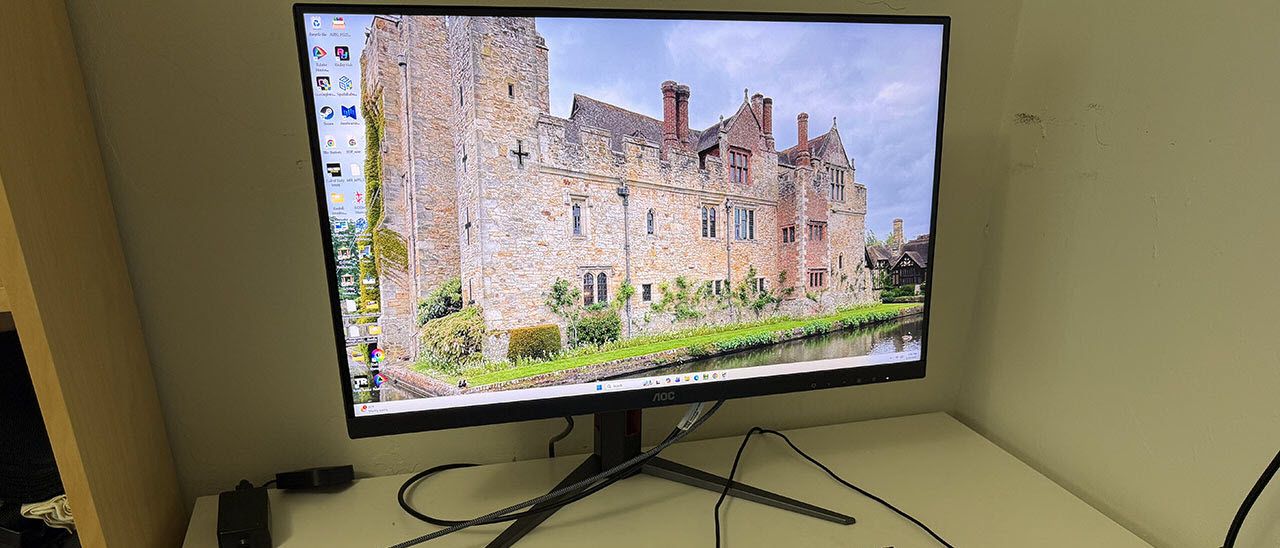
The U27G4XM comes in fully recyclable packaging, with molded pulp that protects the contents. The panel, upright, and base assemble without tools into a lightweight setup that fits easily on the average desktop. The accessory bundle includes IEC for the internal power supply, plus nice HDMI and DisplayPort cables.
(Image credit: AOC) (Image credit: AOC) (Image credit: Tom's Hardware) (Image credit: AOC) (Image credit: Tom's Hardware) The U27G4XM goes for a chiseled look with flat, angular surfaces making up the back of the panel and an all-screen configuration in the front. Bits of red trim outline the stand’s fulcrum and the offset cable hole in the upright. This is unique in that it’s turned to the side, so you don’t see through it if you’re not using it. The base is cast aluminum with a wide stance and solid construction. The panel snaps on, and though the fulcrum looks large, it’s a little wobbly. It’s perfectly secure, but there is some play when you tilt or rotate the screen. Ergonomics include a 5/23-degree tilt, 20-degree swivel, a 90-degree portrait mode, and a 5.3-inch height range. If you want to use an arm, there’s a 100mm VESA mount with fasteners included.
The front bezel is thin and flush with just a small AOC logo at the bottom. The OSD is controlled by buttons rather than a joystick, a move that probably helped drop the price a tad. A tiny LED indicates power status with a soft glow. The anti-glare layer has a 3H hardness and is free of visible grain.
The input panel is up and under and features two HDMI 2.1 ports and a DisplayPort 1.4 hookup. All ports have DSC and work at full resolution and refresh. There are two USBs here, too, an upstream and a downstream. Three more downstreams grace the right side for easy access. This is a rarity nowadays, and I’m glad to see a nod to convenience from a budget display. There are no internal speakers, but you get a 3.5mm jack for headphones.
The U27G4XM’s OSD is controlled by a row of buttons, which, by modern standards, is a little old-school. But you get one-button access to the refresh mode switch, which is nice.
The U27G4XM can be used without calibration in its Standard picture mode. You can use local dimming for SDR and HDR content if you like. The medium setting increases the contrast ratio to around 13,000:1 for HDR and 1,600:1 for SDR content. I improved grayscale tracking to reference level with a few tweaks to the RGB sliders. I also noted that the sRGB mode is spot-on out of the box if you need the smaller gamut. The native color space covers just over 109% of DCI-P3. Local dimming does not change peak brightness, only black levels, so the brightness values below work in all dimming modes.
After spending time with the U27G4XM playing games and getting through some work, I found that I only had two minor complaints. The stand, while secure, has a wobbly fulcrum where the panel attaches. This isn’t a big deal except when operating the OSD, which ties into my second nitpick. I am so spoiled by joysticks that on the rare occasion I get control buttons, I am sad. I realize that this is a budget monitor and at that vocation it excels. But pressing the arrow keys while the panel jiggles about is annoying.
These things aside, the U27G4XM is close to flawless. I’ve noticed that budget 4K screens have been getting quicker with each new model I review. This is the fastest one I’ve seen to date with extremely low input lag and smooth panel response from an excellent overdrive. Though 4K tops out at a mere 160fps, it is free of blur or phasing artifacts. In-game movement is precise with instantaneous reaction to control inputs. It seems counterintuitive to pair a $350 monitor with a $1,600 video card, but the U27G4XM qualifies as a competitor’s tool. It’s a frag master for sure.
The dual-refresh feature was seamless in operation once I set it up in the Nvidia Control Panel. I had to set the options for UHD and FHD just once, 160 and 320 Hz, respectively, then it worked every time. I noted that each mode retained its HDR status, on or off. So, if I was in HDR/160 Hz and switched to 320 Hz, it wouldn’t stay in HDR mode if I hadn’t set it that way previously; no complaint, but just to make you aware. Fortunately, I was fine with running at 160 fps in 4K, so I had no real need for 320 Hz. If you have a slower video card, though, it’s a great alternative to backlight strobing, which usually brings phasing artifacts.
The image is gorgeous in both SDR and HDR. The native color gamut covers over 109% of DCI-P3, so there were always vivid hues to enjoy. When I needed the correct color space for SDR, I could reach for the very accurate sRGB option. The U27G4XM is qualified for color-critical apps.
Work tasks were accomplished with a clear and bright picture that made small fonts and graphical details easy to see. I could sit as close as I liked thanks to the U27G4XM’s 163ppi pixel density. The local dimming worked well on its medium setting. It didn’t increase the peak output, which was nice because then there was no need to change the brightness setting. Rather, it lowered the black level, so contrast was increased with no clipping of detail.
Other things of note were the U27G4XM’s USB ports, three of which are on the right side of the panel. Many budget screens forgo USB ports entirely so to find them here at all is a bonus. I also made use of the gaming aids, aiming point, sniper mode and frame counter. The only thing missing is internal speakers. I had to use headphones to hear game sounds.
Takeaway: The U27G4XM is a superlative value. For $350, you get 4K, 160 Hz, dual-refresh flexibility and a bright, colorful picture. It’s accurate out of the box and calibrates to a high standard. Video processing is top-notch with smooth response and super low input lag. Aside from the OSD buttons and the stand wobble, I have no complaints.
Current page: Features and Specifications
Key considerations
- Investor positioning can change fast
- Volatility remains possible near catalysts
- Macro rates and liquidity can dominate flows
Reference reading
- https://www.tomshardware.com/monitors/gaming-monitors/SPONSORED_LINK_URL
- https://www.tomshardware.com/monitors/gaming-monitors/aoc-u27g4xm-27-inch-4k-160-hz-dual-refresh-gaming-monitor-review#main
- https://www.tomshardware.com
- At ISC, JUPITER Shows What Exascale Science Looks Like
- NVIDIA Brings Trusted, 24/7 AI Agents to Telecom Operations
- Chinese YMTC SSDs make their way into retail Lenovo laptops — media outlet slams YMTC PCIe 4.0 drive for 'below average for an SSD in an office laptop' in revie
- SK hynix to invest $712.5 billion in South Korean operations — Cheongju NAND expansion, Yongin Semiconductor Cluster for DRAM detailed
- How Jaiveer Singh Is Helping Robots — and Developers — Move Faster
Informational only. No financial advice. Do your own research.