
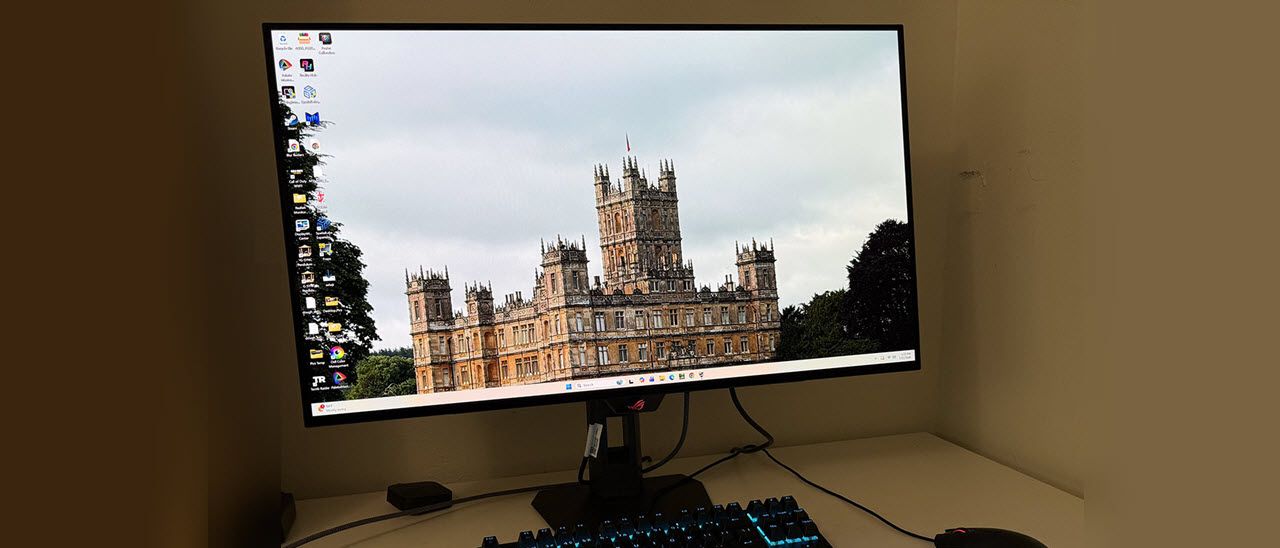
The port complement is stacked with two HDMI 2.1 and a DisplayPort 1.4 with Display Stream Compression. Peripherals can be connected to the two downstream USB ports while a single upstream port makes the XG32UQWMS a hub. There are no internal speakers, but headphones can be plugged into the provided 3.5mm jack.
I didn’t have firm pricing information at this writing, but indications are that the XG32UQWMS will cost $1,099 to start. That puts it firmly in the thick of the high bang-for-the-buck genre against competitors like Acer, Dough, HP and MSI. The great part is that all the latest OLEDs are stellar displays. How does this new ROG Strix stack up? Let’s see what the tests say.
Like all ROG Strix products, the wrapper is plain brown and devoid of the colorful graphics found on Swift cartons. However, the contents are no less capable. The XG32UQWMS is packed in crumbly foam and ships in three parts. Assembly does not require tools. You get a solid stand and a thick steel mounting bracket with 100mm VESA lugs for use with aftermarket solutions. A zippered pouch contains an IEC power cord and a DisplayPort cable. A sheet of ROG stickers is there for those who like to decorate.
(Image credit: Asus) (Image credit: Asus) (Image credit: Asus) (Image credit: Asus) Image 1 of 4 View Original
Asus styles the Swift and Strix lines similarly with a thin metal-backed OLED panel attached to a component bulge which creates a two-box design. The profile of the thin part is just five millimeters. This isn’t just for show; it improves cooling with the metal backing acting as a heat sink. More heat sinks inside take care of the control boards and processors. This means no fans are required; temperature control is fully passive.
In the back are the familiar ROG graphics but without LED backlighting. They reflect enough light to glow white without any emitters required. In the top view, you can see a quarter-inch threaded fitting at the top of the stand, which is useful for headphone hooks, webcams, and the like.
The base is small but sturdy and made from a thick metal plate. The stand has a 4.5-inch height range plus 5/20 degrees tilt and 25 degrees swivel. There is no portrait mode. Movements are smooth and firm with quality on par with any premium display I’ve reviewed.
The I/O panel is on the bottom center and faces downward. You get two HDMI 2.1 and one DisplayPort 1.4 with Display Stream Compression (DSC). There are three USB 3.2 ports, one upstream and two downstream. And a 3.5mm headphone jack provides external audio . There are no built-in speakers.
(Image credit: Tom's Hardware) (Image credit: Tom's Hardware) (Image credit: Tom's Hardware) (Image credit: Tom's Hardware) (Image credit: Tom's Hardware) (Image credit: Tom's Hardware) (Image credit: Tom's Hardware) Image 1 of 7 View Original
ELMB (Extreme Low Motion Blur) is a black frame insertion feature, similar to backlight strobing in an LCD. It’s useful at low frame rates, and indeed, it only works at 120 Hz or less, and cancels Adaptive-Sync in the process. It’s another option to keep resolution at 4K and still have decent motion resolution. If you can keep the frame rate above 200fps in 4K, the XG32UQWMS won’t need any help to look amazing.
GamePlus includes a full set of extras with a frame rate counter, aiming points, sniper modes, timer, stopwatch and display alignment marks. GameVisual offers nine picture modes, of which Racing is the default and best choice. It can be calibrated for color temp and gamma, and there are gamut selections too.
HDR signals get four additional presets which can be adjusted for brightness and contrast. In testing, the XG32UQWMS shone brightest in True Black 500 or Gaming HDR mode with Adjustable HDR turned on and brightness set to 100%.
For color adjustments, you get three color space options plus color temperature presets and a user mode with RGB sliders. You can also adjust saturation globally or for each color. And five gamma curves range from 1.8 (lighter) to 2.6 (darker).
The XG32UQWMS has flexible PIP and PBP settings when you want to view two sources at once. The PIP window can live in any corner of the screen and have independent color settings.
Initial testing of my XG32UQWMS sample showed that it did not require calibration. I tried the user color temp and found a small gain that was barely visible in actual content. This is a very accurate monitor, albeit one with a huge color gamut that covers over 108% of DCI-P3. If you’re OK with that for SDR content, it is very colorful if not strictly accurate. If you’d rather use sRGB for SDR, you can either choose the sRGB Cal mode or select sRGB from the color space options in Racing mode. I did the latter to retain access to the calibration controls. My recommended settings are below. I noted that I could use the same brightness values whether Uniform Brightness was on or off.
For HDR content, there are four additional modes, all of which can be adjusted for brightness and contrast. Gaming HDR or True Black 500 are the best choices there.
If you’re looking for the speediest possible gaming monitor, meaning smoothest and most responsive, nothing can hang with an OLED. I’ve experienced many 360 and 500 Hz LCDs, and while they are fast, they aren’t as smooth as an OLED running above 200fps. 4K resolution makes it even better by rendering an image that is super realistic and tactile.
The first time I powered on the XG32UQWMS, it prompted me to run the pixel refresh routine, which took about five minutes. I have encountered other OLED panels that benefited from an initial refresh to make the screen more uniform in tone.
Since I can keep the frame rate above 200fps with a GeForce RTX 4090, I did not need the XG32UQWMS’s frame rate boost feature, but I gave it due diligence. In my case, it only served to soften the image. It wasn’t any faster or more responsive. Indeed, in testing, the screen response and lag times are barely different. So, you won’t gain much from 480 Hz if you can already run at 240. Where it helps is with slower PCs where 4K would drag the rate down below 160fps. That’s where blur starts to show. Switching rates keeps motion smooth, but there’s no hiding the reduced pixel density, especially with a 32-inch monitor in front of you. 70ppi is visibly softer than 140. But at those lower frame rates, motion blur is enough that aiming accurately becomes more difficult.
Unlike many OLEDs, the XG32UQWMS includes ELMB in the form of black frame insertion. It’s another way to combat motion blur at low frame rates, and indeed, it is capped at 120 Hz. It also takes Adaptive-Sync out of the equation. But at those speeds, frame tears are the least of your problems. It’s nice to have options and the XG32UQWMS gives you more than anyone else. If you plan to pair it with a less stout video card, it can adapt and still deliver a good gaming experience.
Playing at the XG32UQWMS’s full capability is an impressive thing, even if you are spoiled by fast gaming screens like me. Moving and aiming is so much easier when motion is this smooth. Precision is automatic and requires no effort other than to pay attention to one’s surroundings. And that’s easy to do with such a large monitor. Though ultra-wide displays encompass more of the user’s peripheral vision, a 32-inch 16:9 panel has more height. That means you can fill your view and sit as close as you like thanks to the 4K resolution.
The picture in both SDR and HDR modes is stunning. There’s so much color available and it’s bright. You can crank the XG32UQWMS well past the point of visual fatigue, but setting it to 200 nits and turning off Uniform Brightness delivers highlights that make the image truly three-dimensional. You can see the glistening of blood and sweat on your enemies as you apply the chainsaw. It looks so good that I found myself using it more than other weapons just to get close-up views of the alien monsters in Doom Eternal. This monitor has an addictive quality.
Being a 32-inch 16:9 flat panel, the XG32UQWMS is ideal for any task, work or play. My everyday screen is the same size, so I’m used to its ability to display multiple documents and windows. This monitor size was made for multitasking and side-by-side comparisons. If you work with a lot of graphics and photos, it’s an ideal format for keeping lots of toolbars open in Photoshop.
To keep the price down, the XG32UQWMS doesn’t have quite all the bells and whistles of a Swift display. But it gives up nothing in performance. You don’t get the LED lighting or internal speakers. But you get everything else and a nice savings in cost.
Takeaway: The XG32UQWMS delivers addictive gameplay along with versatility and capability for every task or form of entertainment. It has a stunning picture that is unmatched by other panel technologies and stands out among OLEDs with high brightness and rich color. The True Black Glossy screen coating keeps ambient light from spoiling the party, and its styling and build quality will remind you why you never regret buying the best.
Current page: Features and Specifications
Key considerations
- Investor positioning can change fast
- Volatility remains possible near catalysts
- Macro rates and liquidity can dominate flows
Reference reading
- https://www.tomshardware.com/monitors/gaming-monitors/SPONSORED_LINK_URL
- https://www.tomshardware.com/monitors/gaming-monitors/asus-rog-strix-xg32uqwms-32-inch-4k-oled-gaming-monitor-review#main
- https://www.tomshardware.com/membership
- CPU-Z gets biggest update since 2001 with V3 — 100+ health checks, built-in stress testing, and XOC effective clock tracking
- Humanoid robots shatter Usain Bolt's 100m record, hits 23.8 mph before crashing into foam pads — video shows Tiangong Ultra logging 9.39-second sprint before co
- NVIDIA AI Factory Compute Is Becoming an Investable Asset Class
- Fake GTA VI ISO circulates on the internet a few days after leak, internet sleuths claim 113GB download is padded malware — testers claim file is 99.99% empty z
- Best in Class: Stream PC Games and Study on the Same Laptop With GeForce NOW
Informational only. No financial advice. Do your own research.