
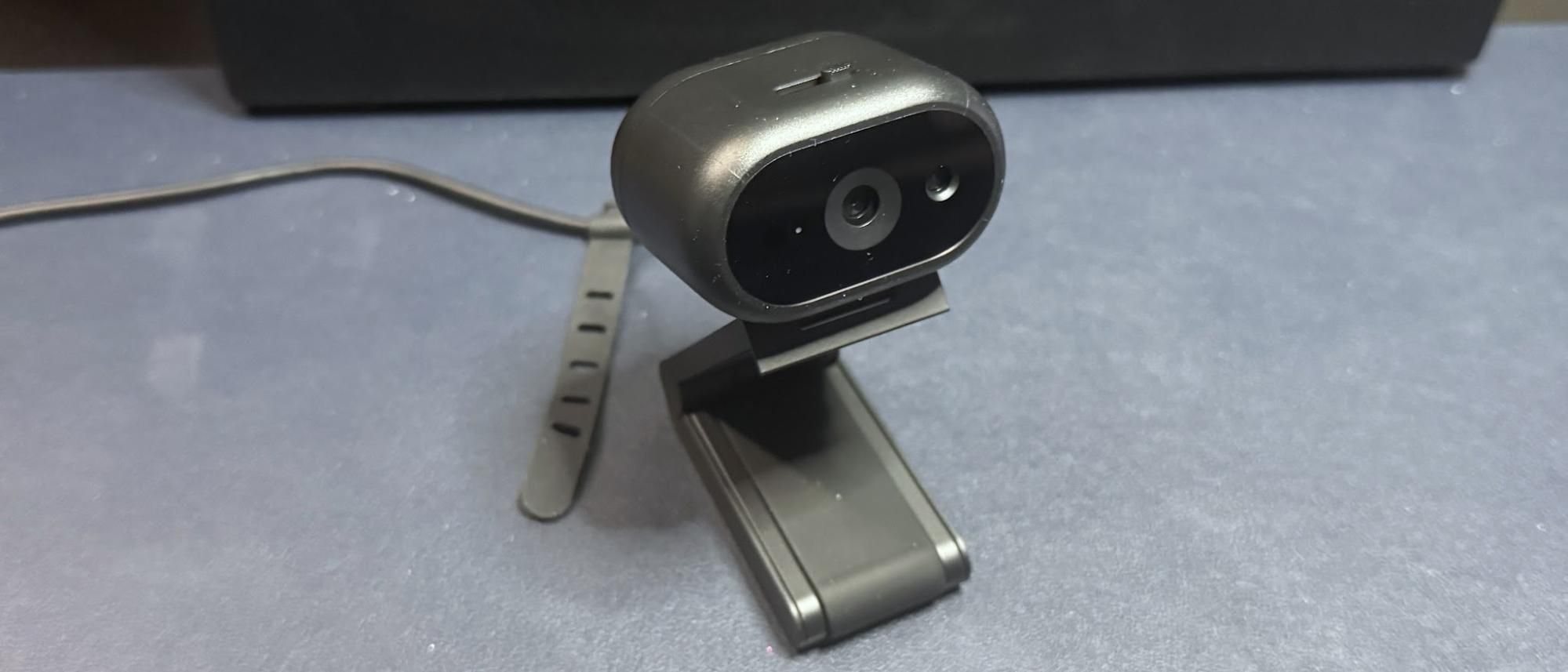
The Dell Pro 5 is a 2K webcam that outputs video in 2K UHD at 30fps — it's not 4K, but it should give you more detail and better image quality than a standard full HD 1080p webcam, even if most streaming and video conferencing services limit your outgoing stream to 1080p or lower.
Dell Pro 5 (Image credit: Tom's Hardware) Dell Pro (WB5023) (Image credit: Tom's Hardware) Elgato Neo (Image credit: Tom's Hardware) Image 1 of 3 View Original
The Dell Pro 5 performed pretty well in our well-lit scenario, though the color balancing seemed to wash me out slightly and the picture wasn't quite as crisp as I would have liked. That said, this is exactly the kind of picture I look for in an office-oriented webcam — bright and evenly-lit, if a little flat, for a more "professional" appearance (and so it can do things like read text and scan documents). It's not the most cinematic, dramatic, or flattering image from a webcam, but it should work very well in a professional setting.
Dell Pro 5 (Image credit: Tom's Hardware) Dell Pro Webcam (WB5023) (Image credit: Tom's Hardware) Elgato Neo (Image credit: Tom's Hardware) Image 1 of 3 View Original
The Dell Pro 5 performed about as well as I expected in this scenario — it was able to pick up more detail in the dark than most 1080p webcams, though its low-light performance is far from what I'd call "good." This was more noticeable in moving video, however, as the video was extremely grainy with large artifacts (this photo actually makes it look much better than it was). The Dell Pro 5 does have HDR, but this didn't seem to make a significant difference in the low-light picture quality.
By comparison, the Dell Pro (WB5023) webcam did a better job with balancing light in the low-light scenario, though it picked up the same amount of detail. The Elgato Neo, which is a budget 1080p webcam, did a much better job of balancing light in this scenario, but its picture was also extremely grainy.
For our overexposed performance test, I turned off most of the lights in front of me (save for one 27-inch monitor) and left the lights behind and above me turned on. This is actually one of the most likely scenarios for webcam users, as offices tend to be generally well-lit environments, but without dedicated camera-focused lighting aimed at the user.
Dell Pro 5 (Image credit: Tom's Hardware) Dell Pro Webcam (WB5023) (Image credit: Tom's Hardware) Elgato Neo (Image credit: Tom's Hardware) Image 1 of 3 View Original
The Dell Pro 5 performed adequately in our overexposed performance test: it managed to balance light fairly well (every webcam struggles with this), but its auto color balancing was definitely off. Both the Dell Pro (WB5023) and the Elgato Neo did a much better job with color balancing in the overexposed scenario, especially with the default settings.
The Dell Pro 5 is configurable via Dell Display and Peripheral Manager, which lets you adjust the webcam's image settings and toggle on various features such as face tracking, HDR, and auto exposure. You can also set up features such as gesture control and Windows Hello from this app, as well as Document View, which can be configured to automatically turn on when you tilt the camera down at least 60 degrees and show a rectangular document.
While the Dell Display and Peripheral Manager does have a lot of settings you can adjust, including brightness, sharpness, contrast, saturation, and vibrance, I found that adjusting the settings didn't actually seem to do much for the picture. Turning the saturation down to 0%, for example, gave me a slightly desaturated image — not a completely black-and-white one. I also found it frustrating that there was no way (at least as far as I could see) to minimize the app to your system tray.
The Dell Pro 5 has a built-in omni-directional microphone for when you have absolutely no choice other than to use your webcam's built-in mic. The mic wasn't the worst I've heard on a webcam — it managed to pick up my voice pretty clearly, and didn't make me sound like I was yelling through an underwater tunnel — but it wasn't great, either. It should work fine if you've got nothing else on hand to speak into, but it's not a microphone I'd recommend.
The Dell Pro 5 webcam is definitely designed for office use — and for an office-oriented webcam, it's not bad. But if you're looking for something easy to use and cheap enough that your coworkers aren't going to try to steal it, I'd probably recommend the Elgato Neo over the Dell Pro 5 — after all, the Elgato Neo retails for $60 and can currently be found for about half that, which means the Dell Pro 5 is more than four times as expensive.
The Dell Pro 5's 2K resolution might come in handy if you're the type of person who's constantly showing documents over video calls, but Razer's Kiyo X also has a 2K resolution and retails for $100 (and can currently be found on sale for around $75). The Dell Pro 5 isn't a bad webcam, but you don't need to pay $120 for similar quality.
Sarah Jacobsson Purewal Social Links Navigation Senior Editor, Peripherals Sarah Jacobsson Purewal is a senior editor at Tom's Hardware covering peripherals, software, and custom builds. You can find more of her work in PCWorld, Macworld, TechHive, CNET, Gizmodo, Tom's Guide, PC Gamer, Men's Health, Men's Fitness, SHAPE, Cosmopolitan, and just about everywhere else.
Key considerations
- Investor positioning can change fast
- Volatility remains possible near catalysts
- Macro rates and liquidity can dominate flows
Reference reading
- https://www.tomshardware.com/peripherals/webcams/SPONSORED_LINK_URL
- https://www.tomshardware.com/peripherals/webcams/dell-pro-5-webcam-2k-review#main
- https://www.tomshardware.com/membership
- NVIDIA and CrowdStrike Strengthen Agentic Cybersecurity Frontier
- GeForce NOW Gives Gamers More Ways to Play at Gamescom 2026
- Physical AI Takes the Wheel: How the World’s Robotaxi Leaders Are Building With NVIDIA Technologies
- Need for Speed Underground 2 now runs directly on Nintendo Switch — other Classic Windows titles playable thanks to custom firmware boot
- Build a high-end AMD gaming PC for less — Ryzen 7 9800X3D bundle includes an X870E motherboard, 32GB DDR5, AIO cooler and a game for $1,109.99
Informational only. No financial advice. Do your own research.