
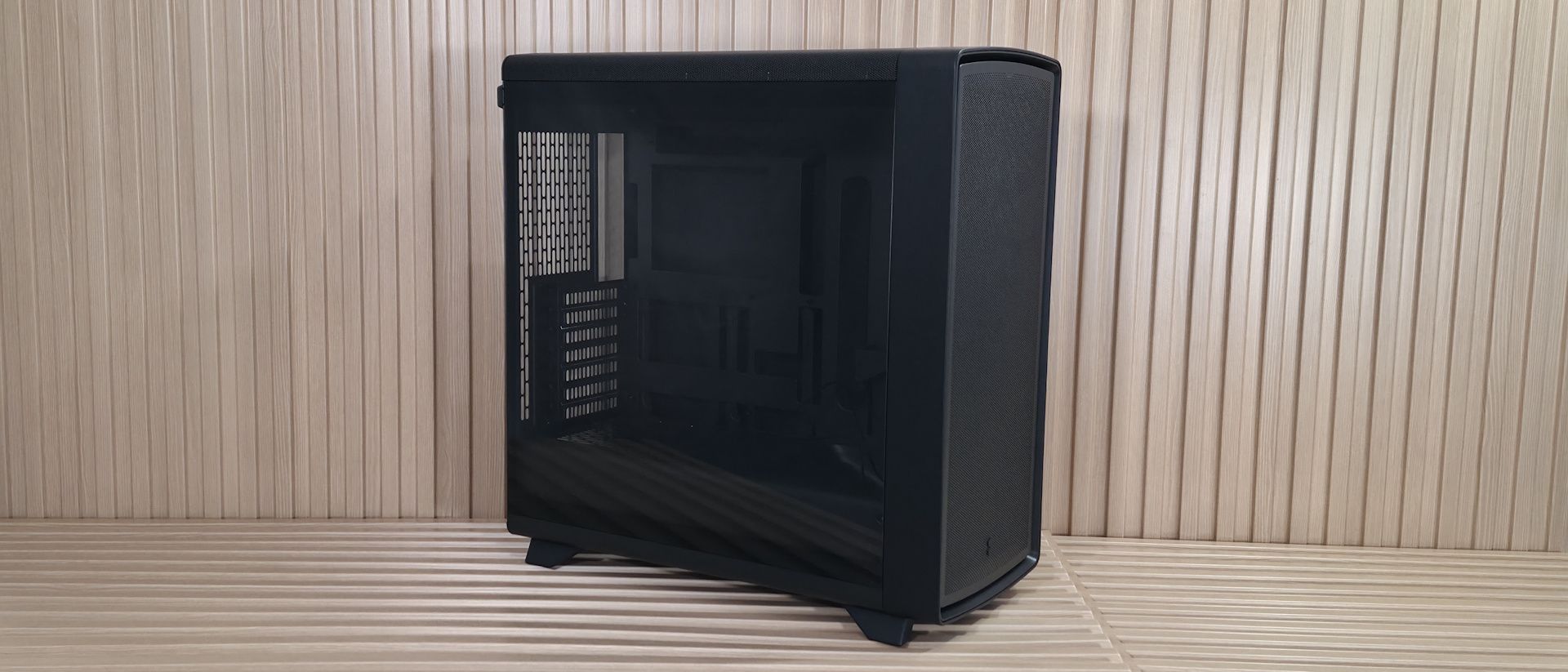
Looking at the slightly arched top of the case, we again see the same small circular perforations that let air in or out, across the entire panel. To remove it, simply pull on the small cloth tab on the back, which slides the whole panel off with ease. Again, there isn’t a cloth dust filter here, but it’s generally used for exhaust anyway, so we won’t hold that against Fractal.
Positioned along the top and front edges for easy reach, the Summit’s front panel offers a familiar but capable I/O area. It has three USB ports: a USB 3.2 Gen 2×2 (20 Gbps) Type-C port and a pair of 5 Gbps Type-A ports. Centered among them all is a black, dime-sized power button. On the left is your 3.5mm combo audio jack. I do like that it has a 20 Gbps Type-C port, but again, fairly standard front IO.
Inside the case are two separate chambers. One is for the power supply and cables; the other is for the major components. Also here is the front air guide that moves air directly towards the video card. Above that is another value-add feature: an integrated support bracket for the video card mounted to the motherboard tray. Two screws let it move a couple of inches up or down to support any installed graphics card. Unlike the Define One, the Summit’s rear wire management clips don’t get in the way of the screws for adjustments.
The motherboard tray itself has plenty of cutouts. The largest one behind the socket is great for accessing the rear of the motherboard and mounting your cooling solution while the board is in the case. The rest are there for cable management (top or bottom) and to support rear-connect motherboards like Asus BTF, Gigabyte Stealth , and MSI Project Zero boards. A large black grommet for hiding wires runs vertically to the right of the motherboard. This grommet pleasingly didn’t come out of its spot easily, as many others do.
(Image credit: Future) (Image credit: Future) (Image credit: Future) (Image credit: Future) (Image credit: Future) (Image credit: Future) Image 1 of 6 View Original
Looking at the front from the inside, we get a better view of the pre-installed Momentum 14 fans and the removable front fan brackets. You can mount a 3×120 mm radiator here, with a maximum length of 405 mm and 30 mm thick if you keep the air guide (435 mm and thicker radiators, up to 65 mm, if you remove it), or it fits 280/240/140/120mm radiators. There are plenty of options, but make sure you know your radiator size so you know what you need to remove, if anything.
Looking at the ceiling of the case from the inside, we see the removable top bracket, held in by two screws. The top holds up to two 140mm fans or a 280mm radiator. You have around 60mm or so before the radiator/fan combo covers the top of the motherboard, so you don’t have to worry too much about fitment or covering the top of your motherboard if you choose to use a radiator in this space. At the rear of the case, we spy the 120mm fan mounting location and the seven available expansion slots.
On the bottom rear, we can see the power supply chamber, along with space to route cables for any headers located along the bottom of the motherboard. The bottom chamber is vented, but won’t radiate a ton of heat, as the power supply gets cool air from the filtered intake on the bottom.
(Image credit: Future) (Image credit: Future) (Image credit: Future) (Image credit: Future) (Image credit: Future) Image 1 of 5 View Original
Looking behind the motherboard panel, here again we see the difference between cheap cases that cut corners and one that doesn’t. First, there’s 34mm between the motherboard tray and the back panel for cables – plenty of space to aimlessly pack your cables in, like me, without a bulging panel. Also here are the cable management features. On the left are two plastic clamps that extend out and click back in, along with pre-installed Velcro in the suggested channels.
On the rear of the case are more Velcro straps to route cables, like your 8-pin EPS for the CPU, cleanly up the back. A keen eye also spots the two 2.5/3.5-inch drive mounts behind the motherboard. You can fit two 3.5-inch drives, one in each mount location, or four 2.5-inch drives (two in each mounting location). The case fits six 2.5-inch drives total, with the other mounting areas hidden on the floor, under the front air guide. The Fractal Summit is a good-looking chassis. The Blackout Ambience colorway we have for review doesn’t stand out among others except for the front RGB feature, but the others that show off the wood do and really do scream premium, if only for the real wood aesthetic. From how the panels pop off to the internal layout, it’s obvious some thought went into making the Summit a build-friendly experience, not just a collection of specs to tick on a sheet.
Current page: Features and Specifications
Key considerations
- Investor positioning can change fast
- Volatility remains possible near catalysts
- Macro rates and liquidity can dominate flows
Reference reading
- https://www.tomshardware.com/pc-components/pc-cases/SPONSORED_LINK_URL
- https://www.tomshardware.com/pc-components/pc-cases/fractal-summit-case-review#main
- https://www.tomshardware.com/membership
- Universitas Gadjah Mada, Indosat and NVIDIA Open Indonesia’s First University AI Center to Develop Local AI Talent
- Acer launches seven new gaming monitors across Nitro and Predator families — tri-mode panels, QD-OLEDs, Mini LEDs, 1,000 Hz, and more
- Nvidia's RTX Spark N1X launches in October for laptops and desktops — 18 or 20 CPU cores, paired with 5,120 or6,144 CUDA cores, up to 128GB of unified memory
- GoPro to expand into AI data centers after $285 million merger with optical-photonics company — move to solve camera maker’s financial woes, move manufacturing
- Russian hacker faces up to 20 years in prison, following extradition and indictment over US phishing campaign that allegedly infected 80,000 PCs — hacker stole
Informational only. No financial advice. Do your own research.