
Gigabyte offers a bit of fanfare on the MO27Q2A’s carton with colored graphics that set it apart from the plain brown wrappers more commonly seen at the big box store. A clamshell lid opens to reveal blocks of crumbly foam containing the panel, upright, and base, which assemble without tools. The power supply is internal, so you get a selection of IEC cords plus cables for HDMI, DisplayPort, and USB. A little clip goes on the stand to tidy up the wiring.
(Image credit: Gigabyte) (Image credit: Gigabyte) (Image credit: Gigabyte) Image 1 of 3 View Original
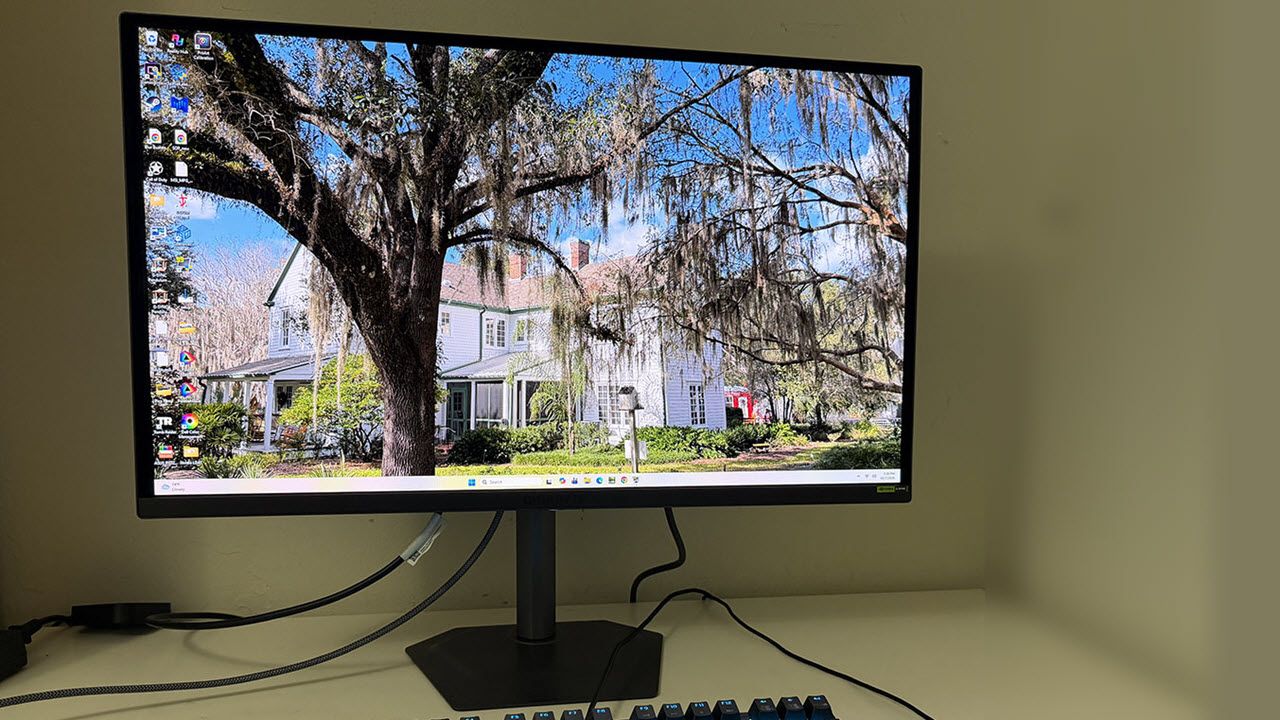
The panel is minimalist from the front with a thin flush bezel and a metal backing that wraps around the edges. A narrow trim strip crosses the bottom with a tiny Gigabyte logo in its center. The controls are under the center point and consist of a backlit joystick and two keys. One is the Tactical Switch, and it changes resolutions on the fly. More about that below.
The stand is above average in quality with all-metal construction and smooth ergonomics. It includes 5.2 inches of height range plus 5/21 degrees tilt, 15 degrees swivel, and a 90-degree portrait mode. There is no hint of wobble or play. It is one of the better stands I’ve encountered, and I’ve encountered many.
From the side, you can see the panel-on-bulge design that is shared by many OLEDs. Not only does this look cool, but it actually is cool. The MO27Q2A’s panel is backed by metal, which acts as a heat sink. The bulge is also well ventilated, enough so that no fans are needed. A graphene layer behind the OLED contributes to cooling and hence, longevity.
Underneath is a well-appointed I/O panel with two HDMI 2.1s, a DisplayPort 1.4 with DSC, a USB-C that supports video and 18 watts of power, and USB 3.2, one upstream and two down. They can be bound to different video inputs using the KVM feature in the OSD. You also get a 3.5mm headphone jack and a pair of internal speakers with five watts of amplification.
The MO27Q2A’s OSD presents complete information with signal status at the top and current settings shown at the bottom.
(Image credit: Tom's Hardware) (Image credit: Tom's Hardware) (Image credit: Tom's Hardware) (Image credit: Tom's Hardware) (Image credit: Tom's Hardware) (Image credit: Tom's Hardware) (Image credit: Tom's Hardware) (Image credit: Tom's Hardware) (Image credit: Tom's Hardware) (Image credit: Tom's Hardware) (Image credit: Tom's Hardware) Image 1 of 11 View Original
You can use the KVM Wizard to bind USB ports and video inputs. That way, one keyboard, mouse, and monitor can service multiple sources like a PC and a gaming console, for instance. You can also view two sources at once using the PIP/PBP options.
Quick Switch lets the user program the functions of the joystick directionals. It provides quick access to commonly used functions like brightness or crosshairs.
Gigabyte’s Tactical Switch is a unique feature that switches the MO27Q2A’s resolution on the fly. You can have FHD or HD in 16:9, 4:3, or 5:4 aspect ratios. The refresh rate remains at 280 Hz, but by shrinking the image, you get higher frame rates with no significant sharpness penalty.
For HDR signals, HDR is the default mode, but I found the same excellent accuracy and high brightness in the Peak 1000 mode. It delivers the promised 1,000 nits for a 3% window, which in my tests equated to 445 nits for a 25% window pattern. You get a number of sliders for brightness and contrast, but they are not needed unless you want a different look for HDR content.
This gives gameplay a heightened sense of realism, especially in textures like stone, metal, and dirt. The MO27Q2A let me almost reach out and touch them. I had to remind myself that its resolution was QHD and Ultra HD because it rendered so finely. I also saw rich color that was perfectly balanced. You’ll see in the SDR and HDR tests that this is a seriously precise monitor.
Gameplay was up to the premium OLED standard with smooth motion that was completely free of blur. I had no trouble maintaining a constant 280fps. If you can’t hit that speed, Gigabyte includes Ultra Clear, which is a black frame insertion feature. It will remove motion blur at lower rates like 120 Hz. I noted that it was available at 280 Hz as well, which is unusual. It cuts brightness by around 40%, but you can partially compensate for that with the brightness slider. It operated artifact-free.
Another way to increase frame rates is with the Tactical Switch, which changes resolution and picture size on the fly. It doesn’t increase the refresh rate, but by shrinking the image, it maintains a favorable pixel map so that sharpness doesn’t take a huge hit.
Gameplay was addictive during my numerous frag fests. Input lag and response are super quick, which helped make my aim more precise. The MO27Q2A was so fast that it made me overconfident. I rushed into the melee rather than picking off enemies one by one. It was truly difficult to stop playing.
The MO27Q2A excels as an everyday screen with 109ppi pixel density in its 27-inch form factor. It’s significantly less expensive than an Ultra HD monitor if you can accept a small reduction in clarity. And that resolution is a sweet spot for frame rates. You won’t need a giga-hauler video card to achieve its full potential.
Accurate color out of the box meant I could rely on the MO27Q2A as a reference for graphics and photos. I found excellent results in my initial tests, and I could not improve upon them with adjustments. This monitor is pro-level for sure.
It’s impressive ergonomically too, with a solid all-metal stand and rugged panel construction. There are no missing features except for flashy LEDs. The internal speakers play loud and clear in the upper midrange, or you can plug in headphones. Users with a PC and console will appreciate the USB ports and KVM functions.
Takeaway: The MO27Q2A is a truly full-featured gaming monitor that can double as an everyday screen or a professional display. It games on par with the very best screens I’ve reviewed and delivers performance equal to more expensive OLEDs with higher refresh rates. It also matches those products in build quality with a solid stand and metal construction. For $399, you’ll be hard-pressed to find better.
Current page: Features and Specifications
Key considerations
- Investor positioning can change fast
- Volatility remains possible near catalysts
- Macro rates and liquidity can dominate flows
Reference reading
- https://www.tomshardware.com/monitors/gaming-monitors/SPONSORED_LINK_URL
- https://www.tomshardware.com/monitors/gaming-monitors/gigabyte-mo27q2a-27-inch-qhd-280-hz-qd-oled-gaming-monitor-review#main
- https://futureplc.com/terms-conditions/
- Homelabber’s second-gen Optane build uses two RTX 3090s to run 2.8-trillion-parameter Kimi AI model at 3.11 tokens per second
- Score TP-Link Archer with full Wi-Fi 7 support and 10 Gbps wired networking for incredible 55% off its regular price
- Get 32GB of DDR5 RAM for $111 in this premium AM5 gaming bundle from Newegg
- Season’s Streamings and Savings: Black Friday Deals Come to GeForce NOW
- Jensen Huang question gets reporter ejected from Trump-Xi-Putin summit
Informational only. No financial advice. Do your own research.