
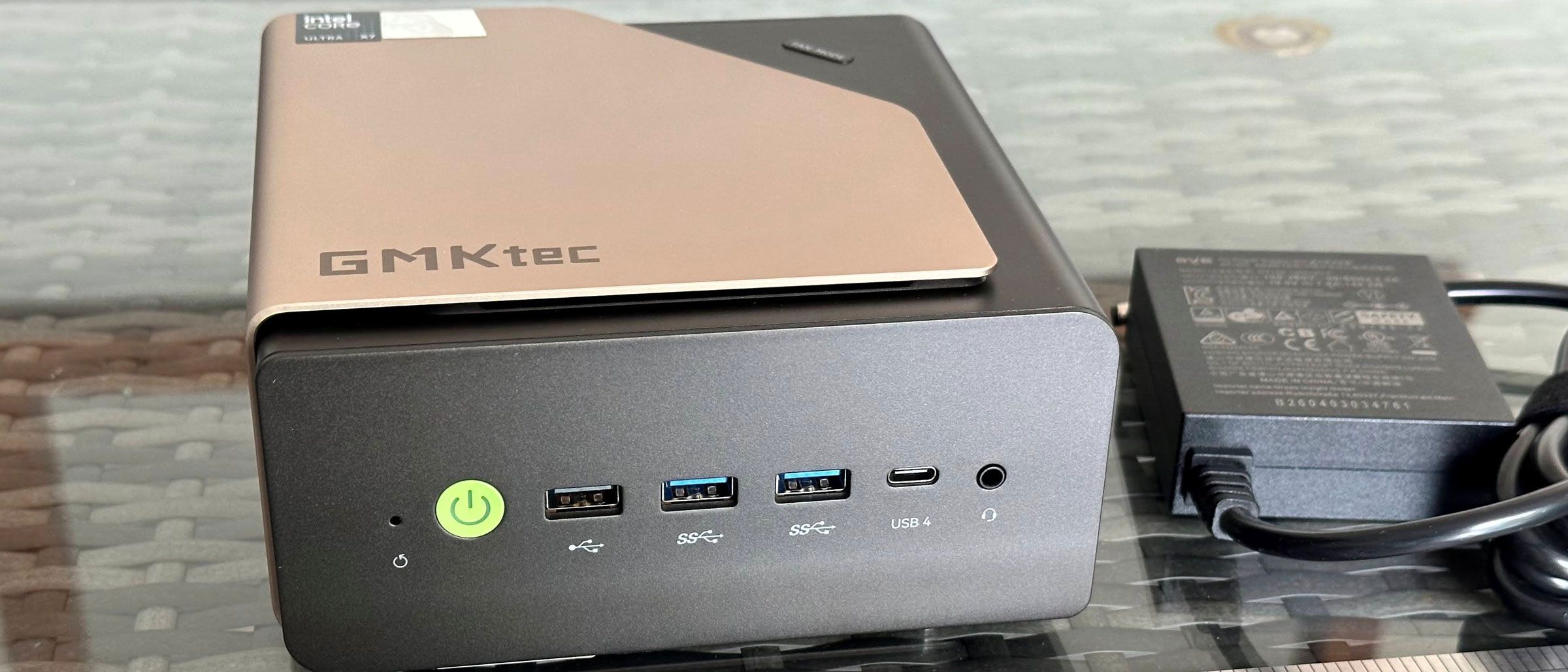
The GMKtec Evo-T2's Core Ultra X7 358H processor includes an integrated GPU, the Intel B390, with 12 Xe cores. We've seen similar graphics arrangements in handhelds like the MSI Claw 8 EX AI+ , so we had high hopes.
Before moving onto our standard synthetic and iconic PC gaming tests, I decided to run around in Far Cry 5 using the Normal preset, 1440p, and no resolution scaling. The game ran smoothly at the native QHD resolution of my primary monitor at a consistent 60 frames per second with the settings mentioned. I enjoyed a half-hour rampage in this open-world first person doomsday cult-combating adventure set in rural Montana.
(Image credit: Tom's Hardware) (Image credit: Tom's Hardware) Image 1 of 2 View Original
GMKtec’s mini PC achieves great scores for an iGPU. For example, its Steel Nomad score of 1,624 is almost 1,000 points better than the Arctic Senza AI 370 we reviewed recently, which packs AMD’s Radeon 890M iGPU supported by a fast LPDDR5X‑8000 dual-channel memory pool.
Moving on to more real games, let’s check the data provided by the multi-scene benchmarks built into Shadow of the Tomb Raider and Cyberpunk 2077 . The former scales well with processor resources and can still often look and run great on a humble iGPU. As for Cyberpunk 2077 , it can really put the squeeze on even the strongest modern GPUs, so here we've used two settings to show how the GMKtec Evo-T2 can perform.
(Image credit: Tom's Hardware) (Image credit: Tom's Hardware) (Image credit: Tom's Hardware) (Image credit: Tom's Hardware) (Image credit: Tom's Hardware) (Image credit: Tom's Hardware) Image 1 of 6 View Original
The Shadow of the Tomb Raider High 1080p test score shows a comfortably smooth 90 FPS on average, with the low of 72 FPS, also pleasantly above the magic 60 FPS zone. Gamers might be able to squeeze a higher quality setting or move up and enjoy this title in 1440p High. This is a pretty good effort for integrated graphics.
As for Cyberpunk 2077 , the Steam Deck + 1080p preset looked very fluid with only minor drops, comfortably remaining above the 60 FPS zone. Adjusting some of the graphics settings, and even applying some level of upscaling technology, using the High 1080p preset should also easily push the GMKtec Evo-T2’s average FPS from the mid-50s to over 60 but with a clear visual advantage over using the Steam Deck preset.
(Image credit: Tom's Hardware) (Image credit: Tom's Hardware) (Image credit: Tom's Hardware) Image 1 of 3 View Original
When I left the GMKtec Evo-T2 to idle, my meter measured wattages around 13W from the wall for the whole system. In the middle of active productivity work, mixing desktop Word and having several browser tabs open, consumption increased to about 20-25W. When the system was pushed with simultaneous CPU and GPU benchmarks running, power draw seemed to peak at around 72W, measured at the wall.
System tools showed that during light activities like browsing the web and writing, the CPU temperature stayed around 44 degrees Celsius (in a 28 C room). Playing Far Cry 5 for 30 or 40 minutes, the reported CPU temperature seemed to oscillate between 80 C and 88 C. However, running a workload like Cinebench R23 multicore, the temperatures seemed to creep a smidgen higher over time, with the highest measurement I saw at 90 C.
GMKtec’s powerful Panther Lake mini PC was a quiet operator in general. My measurements from about a foot in front of the device show it runs idle at 32 dBA. Putting as much strain on the system as possible, with multiple heavy CPU and GPU tasks, the loudest volume the fans reached was 38 dBA. I didn't find the fans to be irritating. Even at the loudest levels, the sound produced is a kind of low-frequency hum.
(Image credit: Tom's Hardware) (Image credit: Tom's Hardware) (Image credit: Tom's Hardware) (Image credit: Tom's Hardware) (Image credit: Tom's Hardware) Image 1 of 5 View Original
The GMKtec Evo-T2 ships with Windows 11 Pro installed. Customers are warned by GMKtec’s stickers over the Ethernet ports not to connect to the internet on first boot. This may help in avoiding some long update times and let you get straight to using your new device.
GMKtec includes AI and LLM software preinstalled. A PDF on the desktop alongside several utilities guides you through selecting some local LLMs, downloading, and installing them.
The first step was to run a pre-installed utility called Herdsman , which is where you pick some LLMs based on the software recommendations for different tasks. It also offered summaries of the chosen model’s response speed, capabilities, and memory use. Straight away I hit a slight roadblock with certain pages / dialogs popping up in Chinese. With Google Translate on mobile, I managed to navigate this, but it isn’t ideal.
With the model downloads complete, I could now test out the pre-installed AIPC and GMKtec Claw software. My initial test queries were run using the Alibaba-developed Qwen3.6-35B-A3B / Balanced model. This hogged a little over 27GB of my memory, according to Windows, so the 64GB system total seemed well chosen for this LLM. Responses from queries were not slow, with metrics reporting an average Prefil speed of 500+ t/s, and Decode of 30 t/s. When asking it to “write a 500-word essay on the history of computing," it finished in 26 seconds. Watching the Windows system monitor when Qwen was busy showed that it solely relied on the GPU (using 90-95% utilization) for acceleration. The NPU was completely untaxed, and the CPU’s low ~10% utilization was probably mostly due to background tasks and housekeeping.
Other prompts I tried demonstrated that local AI was just as capable as online models at being totally wrong about a subject. Then, the agentic AI app also underwhelmed by failing in a pretty simple task I asked it to complete – checking an airline booking given the reference number.
Using Zimage Turbo (10.86GB) to generate 1,024 x 1,024 pixel images from prompts resulted in a wait of just over 20 seconds for each result. Again, this used the GPU.
These GMKtec-supplied tools may have potential, but the supplied software suite suffers from partial translations and fewer chat, reasoning, and coding models available than if you just went and downloaded the well-known LM Studio. (However, LM Studio users would also need something like ComfyUI to set up image generation models they wanted to use.)
GMKtec sells the Evo-T2 with a one-year warranty.
Key considerations
- Investor positioning can change fast
- Volatility remains possible near catalysts
- Macro rates and liquidity can dominate flows
Reference reading
- https://www.tomshardware.com/desktops/mini-pcs/SPONSORED_LINK_URL
- https://www.tomshardware.com/desktops/mini-pcs/gmktec-evo-t2-review#main
- https://www.tomshardware.com/membership
- Save $106 on this 4TB Team Group SSD with Gen 4 speeds, now 10.2 cents per GB — Newegg coupon deal makes this T-Force G50 one of the cheapest PCIe 4.0 drives on
- Xbox PC and Game Pass titles are coming to Linux through 'Xodus' — Heroic Launcher devs embark on new open-source reverse-engineering project
- NVIDIA Harnesses Vera CPU to Speed Up Design of Next-Generation CPUs and GPUs
- Powerful Compute So Compact, It’s Clutch — Build AI Anywhere With NVIDIA Jetson
- HoverAir unveils the Versa modular pocket gimbal camera that transforms into a self-flying drone — Modular camera transforms into an auto-tracking drone by magn
Informational only. No financial advice. Do your own research.