
When you purchase through links on our site, we may earn an affiliate commission. Here’s how it works .
(Image credit: Tom's Hardware) Share Share by: Copy link Facebook X Whatsapp Reddit Pinterest Flipboard Email Share this article 3 Join the conversation Follow us Add us as a preferred source on Google Laptops are convenient. You don't have to build them – unless you want to . They can travel with you everywhere, you turn them on, and they generally just work. Most people use them until the day they die and throw them away or recycle them. But just like complex PC builds , laptops can still benefit from a bit of maintenance and cleaning, to help keep them running at their best for as long as possible. While you can't typically replace the CPU or GPU to make a laptop run like new again, there's plenty of cleaning and upgrading you can do that will make your laptop feel like a better machine. One of those things you should consider is just spending some time uninstalling software that you no longer regularly use. Freeing up space and having fewer apps load at launch can go a long way toward making a sluggish laptop feel fresh again. But we’re going to primarily focus on the hardware here.
Whether you're simply cleaning the machine to get rid of dust and grime or considering making component upgrades, here are the tools you need to take the best care of your laptop. And thankfully, outside of components, most of them are relatively inexpensive.
Lots of laptops get covered in fingerprints. Aluminum or plastic chassis, while typically durable, tend to attract oils and just look gross after a while. And even if you don't have a touchscreen, displays have a way of collecting fingerprints or other grime from being carried around.
Here are the tools I use as Tom’s Hardware resident CPU reviewer — a cheap aluminum open bench, thermal paste wipes, platform-labeled external power buttons, and more
Don't go using a damp paper towel on your laptop. Your best friend here is a microfiber cloth. These aren't abrasive, so you won't scratch your screen or your shiny system. But you’ll typically want to use a new one or one that’s been thoroughly cleaned, to avoid bits stuck in your cloth from damaging surfaces or leaving debris on your device after a wipe down.
You can get eight microfiber cloths in a single pack. These are non-abrasive, so they won't scratch your system up.
For basic smudges, the cloth alone might do the trick. But for harder-to-remove oils and fingerprints, a dab of isopropyl alcohol on the cloth may help, while evaporating quickly so you don’t have to worry about it seeping below the surface.
You can get a bunch of microfiber towels in a pack for cheap, so you can have a few extra for your TV, monitor, phone, as well as your laptop.
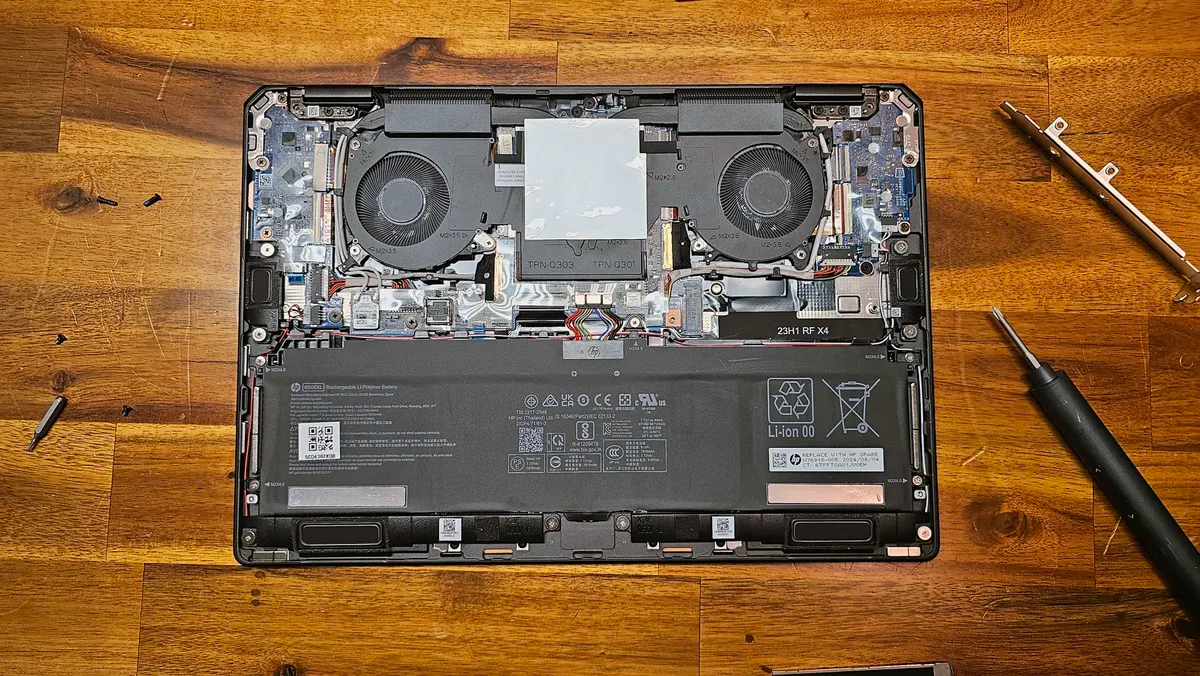
If you want to get into your system, you're going to need some tools. Most laptops can be opened by removing screws on the bottom and then prying it open.
Get Tom's Hardware's best news and in-depth reviews, straight to your inbox.
Key considerations
- Investor positioning can change fast
- Volatility remains possible near catalysts
- Macro rates and liquidity can dominate flows
Reference reading
- https://www.tomshardware.com/laptops/SPONSORED_LINK_URL
- https://www.tomshardware.com/laptops/here-are-the-tools-you-need-to-clean-up-and-upgrade-your-laptop-does-your-laptop-need-a-refresh#main
- https://www.tomshardware.com
- Duke Nukem 3D turns 30 years old, brought swaggering FPS action to real-world environments — 1996 release broke the Doom clone mold while adding humor and perso
- Biwin Black Opal NV7400 2TB SSD Review: Another Arrow in Biwin’s Quiver
- Apple chasing memory supply to meet high customer demand — CEO Tim Cook says shortage will have a greater impact on its Q2 earnings
- Botnet smashes DDoS traffic record, equivalent to streaming 2.2 million Netflix 4K movies at once — 31.4 Tb/s attack was large enough to take entire countries o
- Nvidia says Chinese military dependence on American tech would be 'nonsensical,' following US govt agency's claims it assisted Deepseek with training AI models
Informational only. No financial advice. Do your own research.