
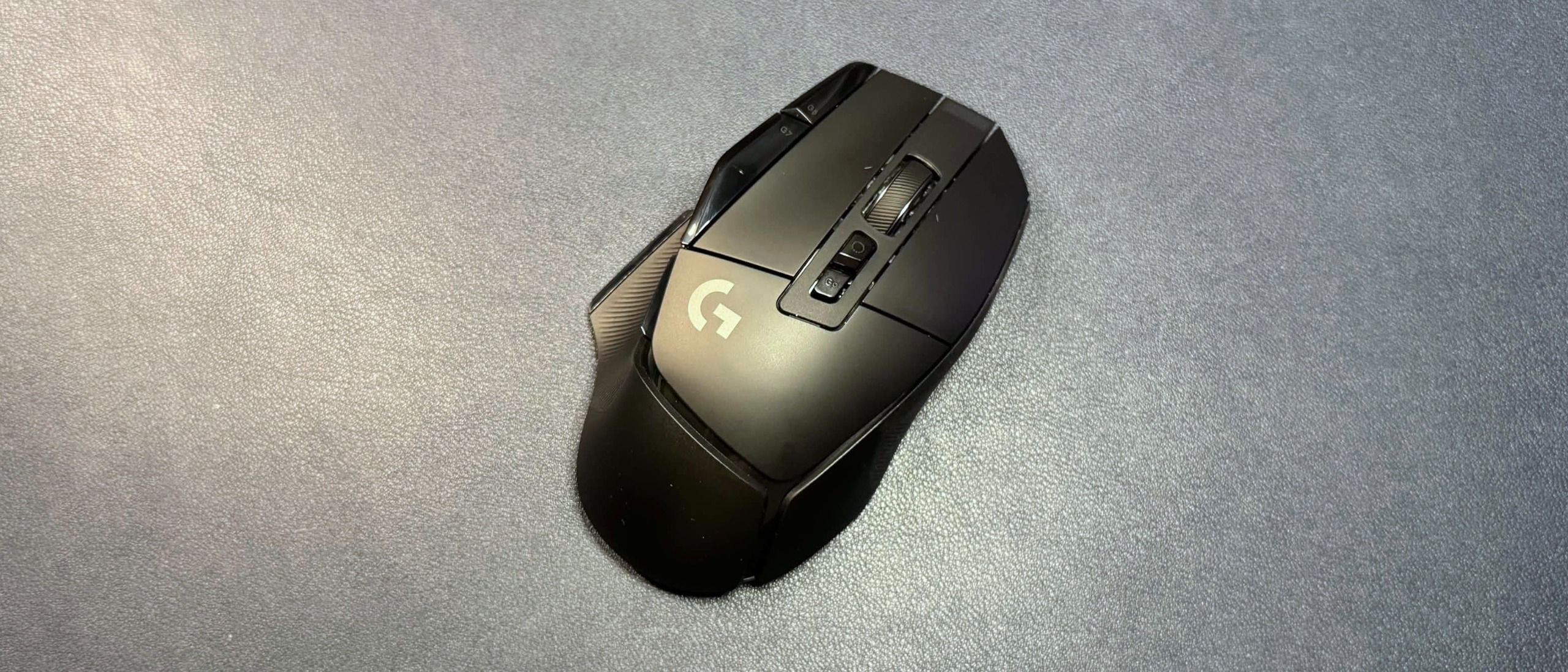
The Logitech G502 X Lightspeed ships with Logitech's Hero 25K optical sensor, which has a max resolution of 25,600 DPI and a maximum speed of 400 IPS, and can handle up to 40 G's of force. However, both the G502X Lightspeed and the G502 X Plus are receiving a firmware update that will upgrade the Hero 25K optical sensor to a Hero 44K optical sensor, with a maximum resolution of 44,000 DPI and a maximum speed of up to 678 IPS. It's not clear when this upgrade will roll out, however, and I wasn't able to upgrade my review unit in G Hub as of this writing.
Upgrades aside, the G502 X Lightspeed's sensor is very good. It tracks on just about every surface you might possibly use while gaming, and is speedy, sensitive, and very accurate. The mouse supports a polling rate of up to 1,000 Hz, which is still pretty standard for most gamers — however, if you're someone who's convinced that the extra 0.125 milliseconds of lag is the reason for your losses, this is not a mouse with an 8,000 Hz or even a 4,000 Hz polling rate.
The G502 X Lightspeed features Logitech's Lightforce hybrid optical-mechanical switches in its primary mouse buttons, which combine the feel of mechanical switches with the speed and reliability of optical ones. The G502 X Lightspeed's switches do have a nice, tactile click with a crisp sound that's definitely on the louder side. The side buttons also feel and sound good — not quite as tactile as the primary buttons, but with a very crisp click sound.
The mouse features a dual-mode tilt wheel with a mechanical switch that lets you move between a notched, tactile scroll and a smooth, speedy free-scroll. Logitech's implementation of this is different from Razer's — Logitech's is mechanical, while Razer's is software-based. This means the modes are more distinct, but I'm not really sure if that's a good thing. While I liked the free-scroll mode of the G502 X Lightspeed better than I liked the free-scroll mode on Razer's mice (such as the Basilisk V4 Pro and the Naga V3 Pro), the tactile scroll was stiff, clunky, and very loud — with a lot of rattling. The scroll wheel only has two modes, so there's no middle ground — and while I'm fine to use free-scroll for most things, there are definitely games where I need a notched scroll wheel.
The G502 X Lightspeed is configurable via Logitech's universal peripheral software, G Hub. You can use G Hub to change the mouse's DPI settings (DPI steps and DPI shift speed — the DPI switch that occurs when you hit the DPI shift button) and remap keys. You can also use G Hub to update the mouse's firmware, so this is presumably where the Hero 44K sensor upgrade will come through.
(Image credit: Tom's Hardware) (Image credit: Tom's Hardware) Image 1 of 2 View Original
Wireless Experience & Battery Life of the G502 X Lightspeed The G502 X Lightspeed connects to your PC via 2.4GHz wireless; it can also utilize a wired connection, though the included USB-C cable is rubber and won't get you that smooth, drag-free wired mouse movement you can get with flexible paracord-covered mouse cables. The mouse does not include Bluetooth.
Logitech rates the G502 X Lightspeed at 140 hours of battery life, which is about 10 hours longer than the G502 X Plus (with no lighting). This is pretty impressive, even if there are similar wireless mice that last longer (the recently-launched Razer Basilisk V4 Pro gets up to 200 hours, for example). This should give you at least two weeks before you need to recharge, even with intense use. The G502X Lightspeed is also compatible with the PowerPlay 2, Logitech's wireless charging mousepad (sold separately).
The G502 X Lightspeed is a solid gaming mouse for most gamers — its contoured, ergonomic shape is comfortable, though it does feel bigger than similarly shaped mice, such as the Razer Basilisk V4 Pro. It has enough extra well-placed buttons for the average gamer (though, not enough for the average MMO player), and its 140-hour battery life is higher than average. Plus, assuming it actually gets this firmware update, it will have a competitive sensor — though it's not going to be quite as good as the actual Hero 2 sensor. But this mouse is currently priced at $159.99, which is the same price as the fancier Logitech G502 X Plus — and it's definitely supposed to be the more budget version of the two. Unless you find it at a great sale price, I'd pick up the G502 X Plus or even Razer's Basilisk V3 Pro 35K at a similar price.
Sarah Jacobsson Purewal Social Links Navigation Senior Editor, Peripherals Sarah Jacobsson Purewal is a senior editor at Tom's Hardware covering peripherals, software, and custom builds. You can find more of her work in PCWorld, Macworld, TechHive, CNET, Gizmodo, Tom's Guide, PC Gamer, Men's Health, Men's Fitness, SHAPE, Cosmopolitan, and just about everywhere else.
Key considerations
- Investor positioning can change fast
- Volatility remains possible near catalysts
- Macro rates and liquidity can dominate flows
Reference reading
- https://www.tomshardware.com/peripherals/gaming-mice/SPONSORED_LINK_URL
- https://www.tomshardware.com/peripherals/gaming-mice/logitech-g502-x-lightspeed-review#main
- https://futureplc.com/privacy-policy/
- More Performance From Every Byte: How Full-Stack Codesign Solves AI’s Memory Challenge
- Spoof program monitors and emails your RAM usage to Sam Altman if under 90% utilization
- Tesla unveils AI accelerator roadmap, adopts new 'SI' branding in 'Super Intelligence' push
- Nvidia released its 8800 GTX GPU 20 years ago today, celebrates with Steam game homage
- Kazakhstan Expands Compute for Its AI Future
Informational only. No financial advice. Do your own research.