
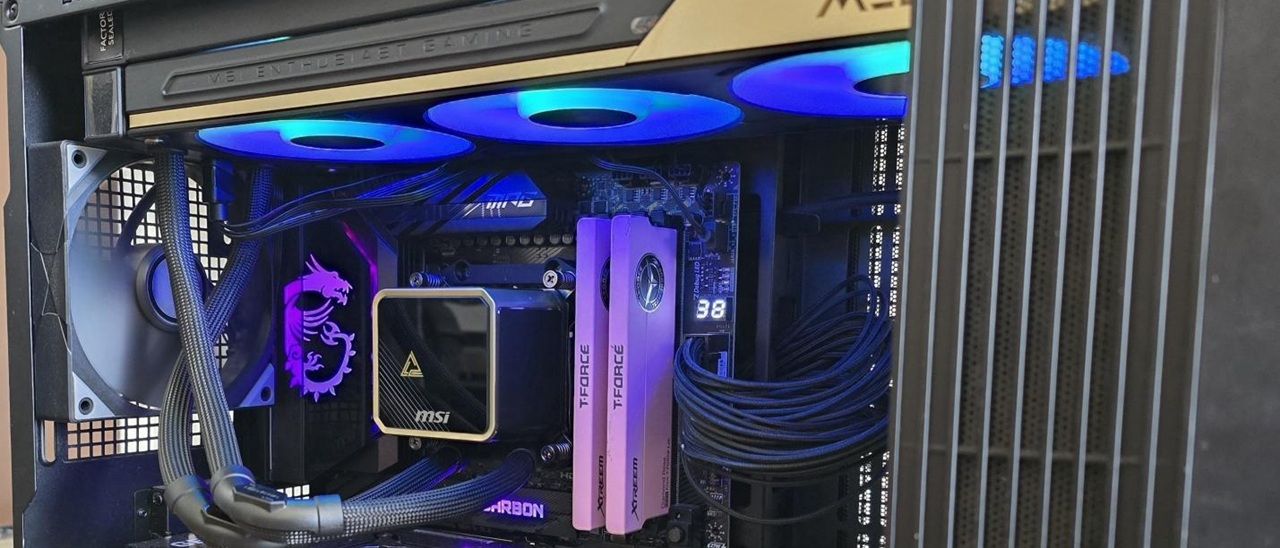
Strictly speaking, you don’t actually need to install MSI’s EZ Display software to enjoy the functionality of the included screen. The E15’s default animation shows a Penrose triangle against a background strongly reminiscent of the brutalist Isu ruins from The Fate of Atlantis DLC in Ubisoft’s Assassin’s Creed: Odyssey .
If you’re happy with this default animation, no software installation is necessary. It’s only if you want to customize the screen that software installation is necessary.
Once the MSI EZ Display software has been installed, there are three primary configuration styles. The first is a “full screen” mode that has several stunning animations, each unique but in the same style as the others.
In addition to the visual theme, you can choose to enable several metrics on the screen. In the image above, I’ve enabled the date and time, but you can opt for other things, like CPU and GPU temperatures, processor frequencies, etc.
These are nice features and certainly look good, but that’s where the customization ends for metrics. The EZ Display doesn’t currently let you change the position or size of the metrics displayed. If MSI wants this AIO to appeal to tech enthusiasts, that’s a feature they’ll need to implement – especially when you consider the E15’s luxury price tag. This lack of proper customization is especially annoying when trying to display metrics with a custom image, as shown below.
Another aspect I would like to see improved is the ability to deselect themes in the “playlist.” Currently, if you let the animations shuffle or loop, every single animation (preset and custom) that you have included in your library is played.
(Image credit: Tom's Hardware) (Image credit: Tom's Hardware) Image 1 of 2 View Original
The second configuration mode available for this screen is a “split-screen” option, which currently has only two presets. As the mode’s name implies, this splits the display into two parts, allowing for one animation or image on each side of the display.
The last mode available for this screen is extended mode, which allows you to use the display as a secondary monitor with Windows.
This allows you to use your own software and show off themes and images entirely of your own creation, play movies of any length, etc. There is one downside though: when I tested this mode, HDCP would not work on either the MSI display or my primary LG ultrawide monitor when streaming video from Amazon Prime on my primary monitor, resulting in degraded video quality.
The outer packaging loudly advertises the product, with a stunning black-and-gold theme and the AIO’s image on the front. The individual parts in the package are protected with cardboard, with mini boxes for the radiator, pump, accessories, and etc.
Mounting hardware for AMD and Intel platforms
Key considerations
- Investor positioning can change fast
- Volatility remains possible near catalysts
- Macro rates and liquidity can dominate flows
Reference reading
- https://www.tomshardware.com/pc-components/liquid-cooling/SPONSORED_LINK_URL
- https://www.tomshardware.com/pc-components/liquid-cooling/msi-meg-coreliquid-e15-360-aio-review-bold-and-stunning-with-market-leading-performance#main
- https://www.tomshardware.com/membership
- Taiwan cracks down on tech businesses with illegal Chinese ownership — 166 investigations and at least 36 convictions since 2020
- Sparks Fly: NVIDIA Accelerates Local AI at IFA 2026
- AMD unveils Threadripper Halo Station, an AI workstation packing 96 cores and dual liquid-cooled MI350P accelerators — 'the most powerful workstation in the wor
- Dodge the RAMpocalypse with 20% discounts on Corsair RAM — hundreds off on 32GB and 64GB DDR5-6400 kits
- Sales of CD and vinyl music sees strong resurgence amid physical media backlash — US sales of ‘retro media’ were up 59% and 18%, respectively, in H1 2026
Informational only. No financial advice. Do your own research.