
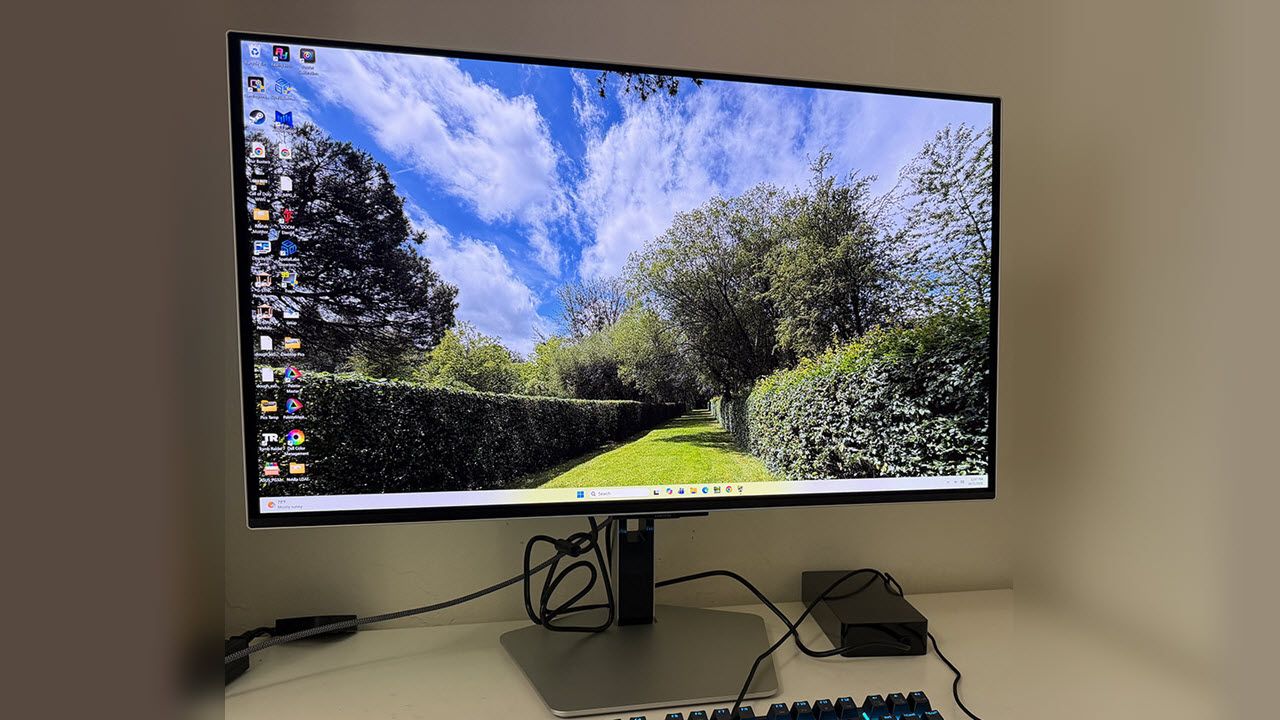
So, just to recap before we jump into the tests, this is the Odyssey G8 G80SH, a 4K 240 Hz OLED that sells for $900. If you’re interested in learning more about the 6K model, my review from a few months ago is here.
Samsung still uses crumbly foam to ship its monitors, and my G80SH sample arrived safe and sound. The base, upright, and stand assemble with a captive bolt and a snap-on to create a solid package. To keep the panel thin, the power supply is external. It’s quite large, so consider that when fitting it into your space. The accessory bundle includes right-angle power cables plus one each of DisplayPort, HDMI, and USB-C.
(Image credit: Samsung) (Image credit: Samsung) (Image credit: Samsung) (Image credit: Samsung) Image 1 of 4 View Original
The G80SH’s silver trim is visible from the front in the base and a thin border around the screen that wraps around from the back. The actual bezel is very narrow and flush, so you can’t see it when the power’s off. A small protrusion in the bottom center says Samsung in tiny letters and houses an equally tiny power LED that can’t be seen from the front. Samsung is one of the few manufacturers to offer matte-screened OLEDs, and this implementation is excellent. Even a bright flashlight can’t throw a reflection onto the screen. Sunny office dwellers, this is your monitor.
In the back, it’s all silver all the time with a smooth finish and minimalist styling. There’s a thin ventilation grill on top, a small logo on one side, and hooray, inputs that face backward. You get two HDMI 2.1, a DisplayPort 2.1, USB-C with 98 watts, and two USB-A downstream ports. There are no internal speakers, but there is a 3.5mm headphone jack. On one side of the I/O panel is a joystick, the G80SH’s sole control key. Around the stand’s attachment point is an LED ring with colors and effects available in the OSD. If you remove the stand, a 100mm VESA mount is revealed should you prefer an aftermarket solution. Fasteners are not included.
That large external power supply keeps the panel thin at just under two inches. The stand is solid and wobble-free and offers 2/25 degrees tilt, 30 degrees swivel, a 90-degree portrait mode and a 4.7-inch height range. Movements are firm and smooth, in keeping with the G80SH’s premium status.
The G80SH’s OSD keeps Samsung’s traditional gaming monitor styling with its control panel appearance. Up top are portholes that deliver information about game-related settings. No refresh rate info, though. It would be nice to have that.
(Image credit: Tom's Hardware) (Image credit: Tom's Hardware) (Image credit: Tom's Hardware) (Image credit: Tom's Hardware) (Image credit: Tom's Hardware) (Image credit: Tom's Hardware) Image 1 of 6 View Original
You won’t find an sRGB mode among the color space choices, but if you pick Auto, the G80SH will render sRGB for SDR content. This is an approach that I like, and almost no other manufacturers do it that way. If you’d rather see the full gamut for all content, just leave it on Native. Peak Brightness does just what it says for HDR content; it raises the peak output. In my HDR tests, I saw 530 nits from a 25% window pattern.
The G80SH includes a factory calibration with a report saved in the monitor’s firmware. I found visually perfect color and grayscale tracking, but gamma was a little light. Two clicks of the gamma slider made that much better. I noted that though the default picture mode is called Eco, it is just as bright as the other presets, so that you can use it for all content. In HDR mode, you get Display HDR, which has excellent tone mapping and color accuracy. Suppose you want sRGB; just set Color Space to Auto. Then the G80SH will automatically render sRGB for SDR and the full gamut for HDR, which covers 106% of DCI-P3. If you want full color for SDR, set it to Native. My recommended settings are below.
The G80SH’s color quality and accuracy make it well suited for duty as a post-production monitor or perhaps an on-site display for location shoots. Only a slight gamma anomaly separates it from perfection. It nails grayscale and gamut tracking, which you can read about on pages four and five. And it’s bright enough for any indoor space. I noted that there was no variable brightness option for SDR, but you can turn on a dynamic contrast option, which equates to field dimming. In HDR mode, dimming occurs at the pixel level, and you can choose between Active and Static tone mapping. The former delivers more punch to HDR10 content.
I also noted the G80SH’s excellent color balance. SDR lets you choose between Native and Auto. Native shows the full gamut, which covers 106% of DCI-P3 and is very colorful. It will be the likely choice for most users. If you prefer sRGB for SDR, set the color space to Auto. Then, it will switch automatically. This is something very few monitors offer. I also noted that the HDR mode allows calibration of grayscale and gamma, another thing I rarely see.
With the image dialed in, I turned to a few afternoons of gaming where the G80SH provided the addictive quality that all premium OLEDs have. It doesn’t have a frame counter, so I had to use FRAPS to monitor the refresh rate, which stayed around 200fps at the max detail settings in Doom Eternal . This was fast enough to provide blur-free motion and input lag low enough to keep up with my most frenetic movements. You’ll see on the next page that it offers response typical of other 4K 240 Hz OLEDs. That means you’ll be able to aim and shoot with speed and precision. I got extra credit in hoard mode for jump shots where I was able to land grenades on target while flying through the air. Turn and shoot became second nature as I mowed through my opponents.
Detail in close encounters made me stop and admire the picture more than a few times. Tiny highlights like sweat and other bodily fluids popped right out, making the characters look three-dimensional. Other textures like stone and metal looked better thanks to strong reflections. These highlights moved smoothly over objects like the player’s weapon, which further enhanced realism. The G80SH has some of the best-looking HDR I’ve seen of late.
It makes a great workday monitor too, with understated styling that stands out but doesn’t scream for attention. The LED lighting is just a ring in the back with smoothly playing effects or static colors available, or you can shut it off. The stand is rock solid with comfortable and usable ergonomics. The joystick navigates the OSD intuitively and efficiently. I really appreciated the rear-facing ports, which were easy to see and access. You get two USB-A downstream ports, which can accommodate peripherals once you make a connection to the USB-C input, which doubles as a charger with 98 watts of power. There are no internal speakers, but headphones plug into the 3.5mm jack.
Takeaway: If Samsung keeps the G80SH’s price below $1,000, it will sell a lot of them. It’s a super versatile display for any form of productivity or entertainment. It’s addictive for gaming, with smooth operation and quick response. The image looks stunning in every respect, whether moving or static. Color accuracy is good enough that calibration isn’t required. It has unique but understated styling and excellent ergonomics with a solid stand and rear-facing ports. Aside from a lack of internal speakers, there is nothing missing here.
Current page: Features and Specifications
Key considerations
- Investor positioning can change fast
- Volatility remains possible near catalysts
- Macro rates and liquidity can dominate flows
Reference reading
- https://www.tomshardware.com/monitors/gaming-monitors/SPONSORED_LINK_URL
- https://www.tomshardware.com/monitors/gaming-monitors/samsung-odyssey-g8-g80sh-32-inch-4k-oled-gaming-monitor-review#main
- https://futureplc.com/terms-conditions/
- NVIDIA Sweeps MLPerf Training and Endpoints as Vera Rubin Debuts With Leading Performance
- KFC offers disc-shaped fried chicken to sad disc-less GTA VI fans
- Nvidia reinstates Jensen Huang as CEO following unanimous vote by company board
- Stock up on storage with 4TB T-Force G50 SSD at just $0.10 per GB
- Dev squeezes an AI language model onto a floppy for 486DX and Pentium PC stalwarts
Informational only. No financial advice. Do your own research.