
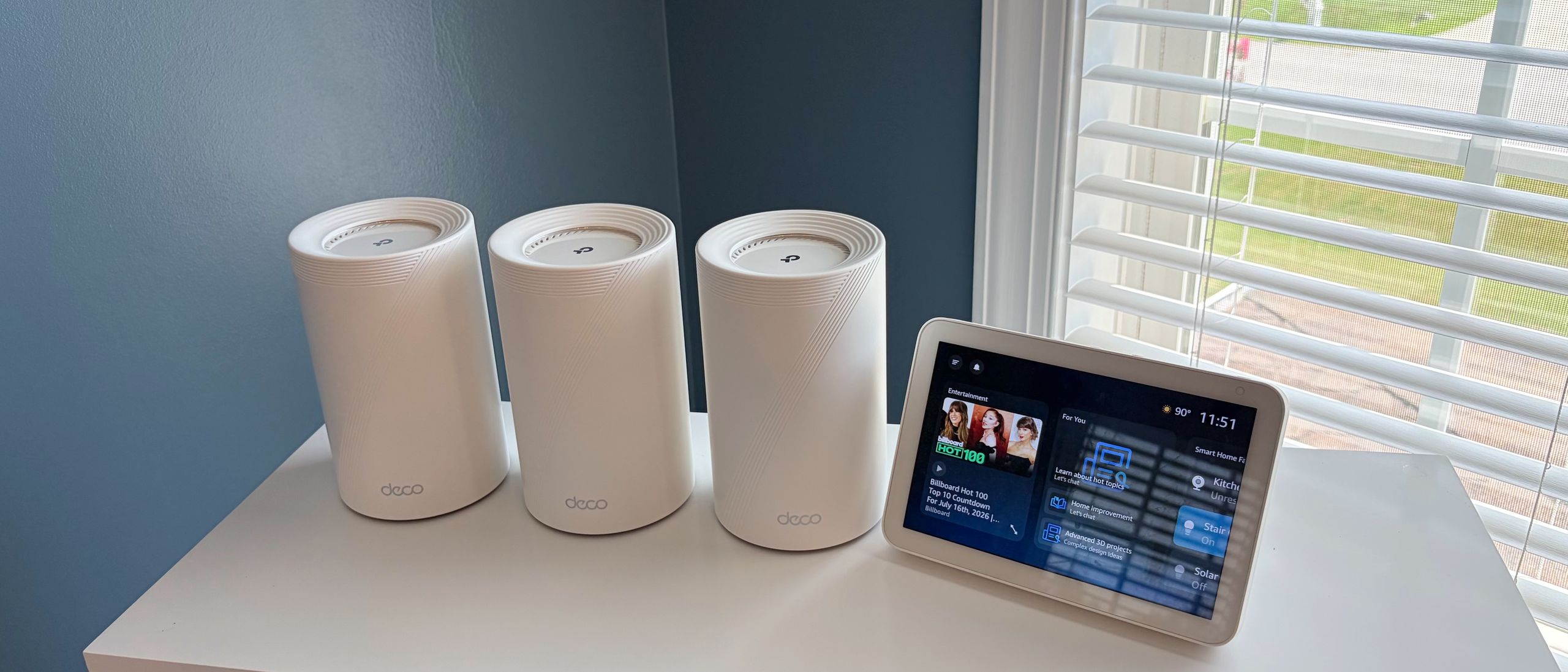
For simplicity, I created a single network, using Deco 7 Pro as the SSID. This single SSID encompasses 2.4 GHz, 5 GHz, and 6 GHz bands. You can also enable MLO, Guest, and IoT networks with further granular controls for the bands that you want to make available. For example, you can limit the Guest network to just 2.4 GHz and 5 GHz traffic (or, only one of the two) at any time. If you want to give guests access to the 6 GHz band, you can do that as well.
After completing the setup (which took under 5 minutes), the network was fully operational. I then went into the advanced settings to check for any firmware updates. One was available, so I downloaded it and installed it across the three wireless nodes.
TP-Link’s Deco and Tether apps continue to be among the best thought-out and well-rounded apps for wireless routers. And that’s a good thing, because the Deco 7 Pro BE13000 cannot be configured using a traditional desktop web browser – it’s exclusively controlled via the app.
The Security tab offers some basic features without requiring the paid Security+ subscription. However, these are simply quick links to features that are buried in the Advanced settings tab. For example, you can control network access on a per-device basis with Network Access Control and Device Isolation. Camera Security lets you limit internet access to your smart cameras.
Upgrading to the Security+ subscription services gives you more features, including Web Protection, Intrusion Protection, Antivirus, VPN access, and password management (among other security-related features). Security+ costs $35.99/year, while the Total Security Package is $129.99/year. As I've mentioned ad nauseam, I have to applaud Asus for providing most of the features (minus the VPN) for free with its AsusWRT platform.
TP-Link offers parental controls that let you create individual profiles for your children's devices. For $17.99/year, you can enable Advanced Parental Controls, including SafeSearch, YouTube restrictions, bedtime controls, offline control, and more. However, all of these subscriptions seem a bit much for a consumer router. We should note that the Total Security Package includes Advanced Parental Controls. The More tab opens access to the full complement of network settings, from Wi-Fi settings to WPS control, firmware updates, VPN access, and Network Optimization (for optimizing your mesh network to avoid household radio interference).
The iPerf3 tests are conducted at six feet and 25 feet (from the main router), with and without traffic across the network. In the congested traffic tests, we add six wireless clients streaming 4K YouTube videos evenly across all bands.
(Image credit: Tom's Hardware) (Image credit: Tom's Hardware) (Image credit: Tom's Hardware) (Image credit: Tom's Hardware) (Image credit: Tom's Hardware) (Image credit: Tom's Hardware) Image 1 of 6 View Original
The Deco 7 Pro BE13000 proved to be the best performer on the 6 GHz band in both uncongested and congested testing. The router reached 2,200 Mbps at 6 feet and pulled roughly half that at 25 feet, with no additional traffic on the network. This put it comfortably ahead of the MSI Roamii BE Pro and just ahead of the Deco BE63. It was a similar situation with congested traffic, as the Deco 7 Pro BE13000 was still able to maintain over 2,100 Mbps at close range and nearly 1,100 Mbps at 25 feet.
During testing on the 5 GHz band, the Deco 7 Pro BE13000 couldn't quite keep up with its two rivals. We saw 1,113 Mbps at six feet and 701 Mbps at 25 feet during the uncongested test. That put it in third place at close range and second place at long range. Those rankings held firm with congested traffic, with the Deco 7 Pro BE13000 still pulling over 1,000 Mbps at six feet.
The Deco 7 Pro BE13000 once again found itself in last place during the 2.4 GHz band testing, falling roughly 15 Mbps shy of the Roamii BE Pro and Deco BE63 at close range with uncongested traffic. Things were a bit closer when we moved out to 25 feet, with the Deco 7 Pro BE13000 nearly matching its Deco BE63 sibling (53 Mbps versus 54 Mbps). With increased network traffic, the performance differential between the routers narrowed, although the Deco 7 Pro BE13000 still lagged slightly.
The Deco 7 Pro BE13000 is a bit of an odd duck in the TP-Link mesh router family. While its 6 GHz performance is commendable and superior to that of the cheaper Deco BE63, it couldn’t quite reach its more affordable rivals on the 5 GHz and 2.4 GHz bands. With that said, the Deco 7 Pro BE13000 is by no means a poor performer – it just isn’t a standout across the board.
A bit more confounding is its port layout. Although it’s higher-positioned than the Deco BE63, it comes with one fewer LAN/WAN port. And while you do gain a 5 GbE LAN/WAN port, what you’re left with is a GbE LAN/WAN and a 2.5 GbE LAN/WAN. At this price point, TP-Link shouldn’t be putting GbE LAN/WAN ports on its mesh routers.
Finally, we come to the subscription services required to enable features such as web protection, intrusion protection, and antivirus. You’re looking at upwards of $129.99/year for the Total Security Package. Other router manufacturers like Asus give you those tools for free, which should definitely factor into the pricing equation for the Deco 7 Pro BE13000.
If the extra security protection isn’t appealing to you (or if the built-in tools are sufficient for your needs), the $399 price tag for three nodes is a good value, especially given the 8,100-square-foot coverage.
Brandon Hill is a senior editor at Tom's Hardware. He has written about PC and Mac tech since the late 1990s with bylines at AnandTech, DailyTech, and Hot Hardware. When he is not consuming copious amounts of tech news, he can be found enjoying the NC mountains or the beach with his wife and two sons. ","collapsible":{"enabled":true,"maxHeight":250,"readMoreText":"Read more","readLessText":"Read less"}}), "https://slice.vanilla.futurecdn.net/13-4-25/js/authorBio.js"); } else { console.error('%c FTE ','background: #9306F9; color: #ffffff','no lazy slice hydration function available'); } Brandon Hill Social Links Navigation Senior Editor Brandon Hill is a senior editor at Tom's Hardware. He has written about PC and Mac tech since the late 1990s with bylines at AnandTech, DailyTech, and Hot Hardware. When he is not consuming copious amounts of tech news, he can be found enjoying the NC mountains or the beach with his wife and two sons.
Key considerations
- Investor positioning can change fast
- Volatility remains possible near catalysts
- Macro rates and liquidity can dominate flows
Reference reading
- https://www.tomshardware.com/networking/routers/SPONSORED_LINK_URL
- https://www.tomshardware.com/networking/routers/tp-link-deco-7-pro-be13000-wi-fi-7-mesh-router-review#main
- https://www.tomshardware.com/membership
- Slovakia discovers Russian backdoors in 279 new traffic cameras — SMS-triggered shell access and passwordless live feeds found in EU-funded rollout
- Microsoft blames RGB peripherals for crashing Windows 11 — RGB software is causing blue screens, crashes, and game freezes
- Supermicro fires several employees following investigation into $2.5 billion China AI chip smuggling — claims that senior management had no knowledge of illicit
- GeForce NOW Shakes Up August With 26 New Games
- Securing the Infrastructure of Intelligence
Informational only. No financial advice. Do your own research.