
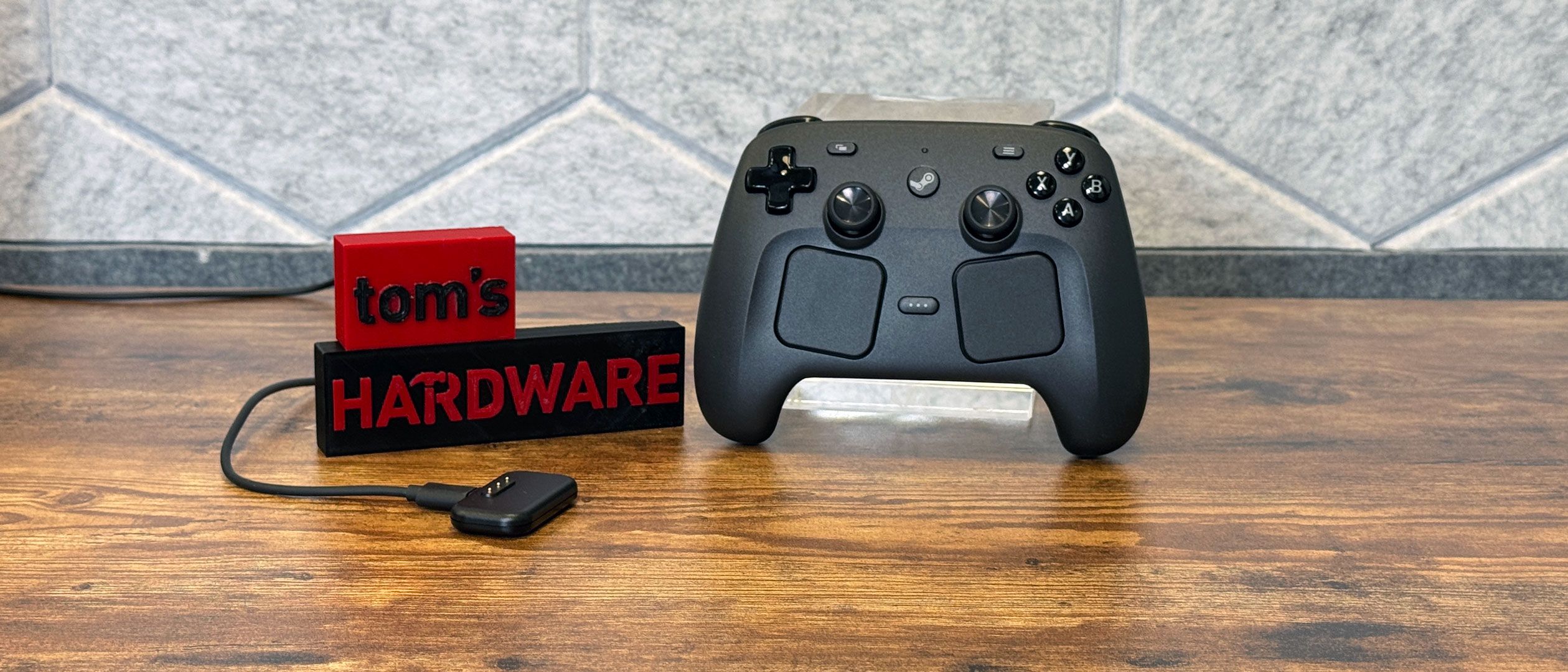
Setting up has surprisingly little hand-holding, which I guess fits in with Valve's whole PC gaming ethos. When turning it on (and a few times through the pre-release review process), I was instructed to plug in my controller and/or puck for firmware updates. Other than being told on screen that holding the Steam button could enable Big Picture mode, there's very little training to instruct first-time users on how to use features such as Grip Sense or gyro, which have to be turned on per game.
(Image credit: Tom's Hardware) (Image credit: Tom's Hardware) There's an assumption that if you buy this controller, you're a Steam die-hard and know how to use a controller with the platform.
Steam has a massively detailed controller configurator that can be set up on a per-game basis. Every button, joystick, and even the trackpads are remappable.
But these aren't features unique to the Steam Controller. For instance, a PlayStation 5 DualSense controller on my desk has many of the same features, including changing how the gyrometer works, remapping buttons, calibrating buttons and joysticks, and adjusting rumble.
Still, the controller largely "just works," at least in Steam. Most of the games I tried either had their own profiles ready to go (thanks to Valve's work on the Steam Deck), or were able to use one of Steam Input's standard controller profiles to get there without me doing any further work.
The Steam Controller works with systems running Steam, including Windows PCs, Macs, and the Steam Deck. Valve told the press that it "is not compatible with consoles." And indeed, the controller just didn't work on Windows and macOS without going through Valve's launcher. Both just saw the Steam Controller as a mouse, where you could scroll or move the cursors with the touchpads and click with the triggers. For what it's worth, I tried the Steam Controller on a PlayStation 5, and, similar to the Mac and PC, the console saw the Steam Controller as a USB mouse. I could launch a game, but the controller wouldn't work in it afterwards.
You can play non-Steam games on the Steam Controller — you just need to run them through Steam's "Add a Non-Steam Game to My Library…" option.
I played a variety of games with the Steam Controller to get a good feel for it and its myriad functions.
Resident Evil 9 , my current game of the moment, felt great. I happened to have been playing a lot of that on the Steam Deck when I can squeeze in some spare time, so it made sense to play it here. And other than the game looking significantly more detailed on my desktop with a discrete GPU, the game felt largely the same to play, a testament to the fact that I find Valve's layouts to be quite comfortable.
I don't love using gyro for shooters, but I actually found it to be quite useful kicking back with some Marvel Snap , which I usually play on a touchscreen. I had to make gyro a bit more sensitive than the defaults, but with that tuned and the escape key mapped to L4, I could use the controller like a remote. In fact, Grip Sense made it so I can have gyro active while holding the controller in two hands, but turn it off between turns by removing a hand. People who use motion controllers for shooting games could probably come up with some extremely creative uses for this.
In SoulCalibur 6 , I mapped throws and stances to back buttons to devastate enemies in arcade mode. I tried similar combinations with tricks in Tony Hawk's Pro Skater 3 + 4, but couldn’t get the timing right for a single-button 900.
I didn't use the touchpads a ton. For me, the best use for it is for the on-screen keyboard. But if you play a game like Civilization , it's a great way to move the cursor. They're just not for me when it comes to aiming.
In an interview conducted while I was testing out the controller, I asked why Valve doesn't let its controller work more like a standard Xbox controller with launchers other than Steam. I was told that Valve finds it easier to keep control in Steam, rather than working on operating system-level adjustments.
"I think we'd rather just make it as easy as possible to get it added to Steam so you can, you know, benefit from that functionality without needing any sort of kernel driver that would potentially, down the line, cause system instability or things like that," said Valve programmer Pierre-Loup Griffais. "Like, we're really happy with not having a kernel driver, because it comes with the onus of not messing it up, right? And so right now, the current method of supporting the controller is pretty safe."
For the vast majority of games that run through Steam, it worked much better.
Key considerations
- Investor positioning can change fast
- Volatility remains possible near catalysts
- Macro rates and liquidity can dominate flows
Reference reading
- https://www.tomshardware.com/peripherals/controllers-gamepads/SPONSORED_LINK_URL
- https://www.tomshardware.com/peripherals/controllers-gamepads/valve-steam-controller-review#main
- https://www.tomshardware.com
- Microsoft and OpenAI end exclusivity agreement, opening up potential partnerships with Amazon and Google — Microsoft will continue to receive revenue share thro
- Claude-powered AI coding agent deletes entire company database in 9 seconds — backups zapped, after Cursor tool powered by Anthropic's Claude goes rogue
- New metal 3D printer shrinks industrial tech down to workbench size with laser powder bed fusion system — aims to bring laser metal printing to workshops and la
- National Robotics Week — Latest Physical AI Research, Breakthroughs and Resources
- OpenAI and Microsoft's alliance fractures as cloud exclusivity deal ends — Azure's single-provider monopoly for ChatGPT is officially over
Informational only. No financial advice. Do your own research.