
Overcharging, short-circuit, Over-discharge, temp control, safe charge/low current mode
Overcharging, short-circuit, over-discharge, temperature control, safe charge/low current mode
Overcharging, short-circuit, over-discharge, temp control, safe charge/low current mode
What surprised me most was how long a couple of these devices took to completely charge from empty. Cuktech’s CP12 and CP24 models and the Baseus PicoGo AC22 took over 2.5, 4, and 6 hours, respectively, to reach 100%. This is partly due to lower input wattage and/or how the device accepts power over time. Whether it's the voltage used, temperatures and potential throttling, or battery health and safety features, each handles the activity a bit differently. Others, like the Anker Prime or Shargegeek 170, offer much higher output and charge even higher-capacity devices much faster. In fact, the Shargegeek took under an hour to fill its 24K mAh coffers, accepting the most power (almost 140W peak) from our charger. Again, charging may not be a major concern for many people, but it’s good to know how long to expect your bank to reach full, since some are notably faster than others at the same capacity.
Temperatures didn’t play as obvious a role as they did in our charger testing . Lithium batteries perform best between 20 and 30 degrees Celsius, and the hottest device we covered was the Baseus PicoGo, which reached a peak chassis temperature of 43 degrees. The coolest of the bunch were the Anker Prime and Anker Laptop chargers, peaking at 37 degrees externally. These are all warm to the touch, but not hot — not something I would be particularly concerned about leaving out on a desk or table, in your purse or backpack, or even just sitting on the couch or a bed while charging your device(s).
But of course, it’s always good to keep charging devices somewhere you can see them regularly. Because batteries can, of course, be dangerous when things go very wrong, and there are at least two batteries cycling when you’re using a power bank.
(Image credit: Future) (Image credit: Future) (Image credit: Future) (Image credit: Future) (Image credit: Future) (Image credit: Future) (Image credit: Future) (Image credit: Future) (Image credit: Future) (Image credit: Future) (Image credit: Future) (Image credit: Future) (Image credit: Future) (Image credit: Future) (Image credit: Future) Image 1 of 15 View Original
Discharging didn’t bring too many surprises. A rare couple, like the Shargegeek 170 and Cuktech P23, maintained output throughout the entire discharge tests, while most others dropped voltage, amperage/wattage, or both. This matches how many devices charge: they use a lot of power/voltage initially, then drop to lower values to protect battery health (or due to thermal throttling).
We see a lot of ads about charging X device to Y% in Z minutes, and the higher the sustained output (assuming your device can take it), the faster it charges. For those that did drop, the differences were somewhere between 33% and 50% of the peak output.
(Image credit: Future) (Image credit: Future) (Image credit: Future) (Image credit: Future) Image 1 of 4 View Original
The one thing I found surprising here was how quickly some power banks stopped outputting at their maximum. For instance, the Baseus PicoGo dropped from its peak just four minutes into testing, while the Shargegeek 170 pumped a constant 90+ Watts until it was empty – no subtle voltage changes, just 20V/90W full tilt until the very end. Belkin’s Ultracharge also maintained its full output over time.
(Image credit: Future) (Image credit: Future) (Image credit: Future) (Image credit: Future) (Image credit: Future) (Image credit: Future) (Image credit: Future) (Image credit: Future) (Image credit: Future) (Image credit: Future) (Image credit: Future) (Image credit: Future) (Image credit: Future) (Image credit: Future) (Image credit: Future) (Image credit: Future) Image 1 of 16 View Original
Below are the results covering capacity, output, and the actual capacity from our testing. The Anker Nano (A1638) had the least capacity when charging a laptop, at 1,600 mAh out of 10K. It spit out over 40W of output for a short time and stepped down to 20W, about 20 minutes in. The Baseus Picogo Air and its slim design managed the highest actual capacity, but this is more a function of its limited 9V output and a quick drop from 19 to 11W. This tiny little device is great for a phone, but not ideal for larger items like our laptop. The large 24K Shargeek 170 sits in the middle of the pack, since it can output the full 20V and 90+W constantly.
(Image credit: Future) (Image credit: Future) (Image credit: Future) Image 1 of 3 View Original
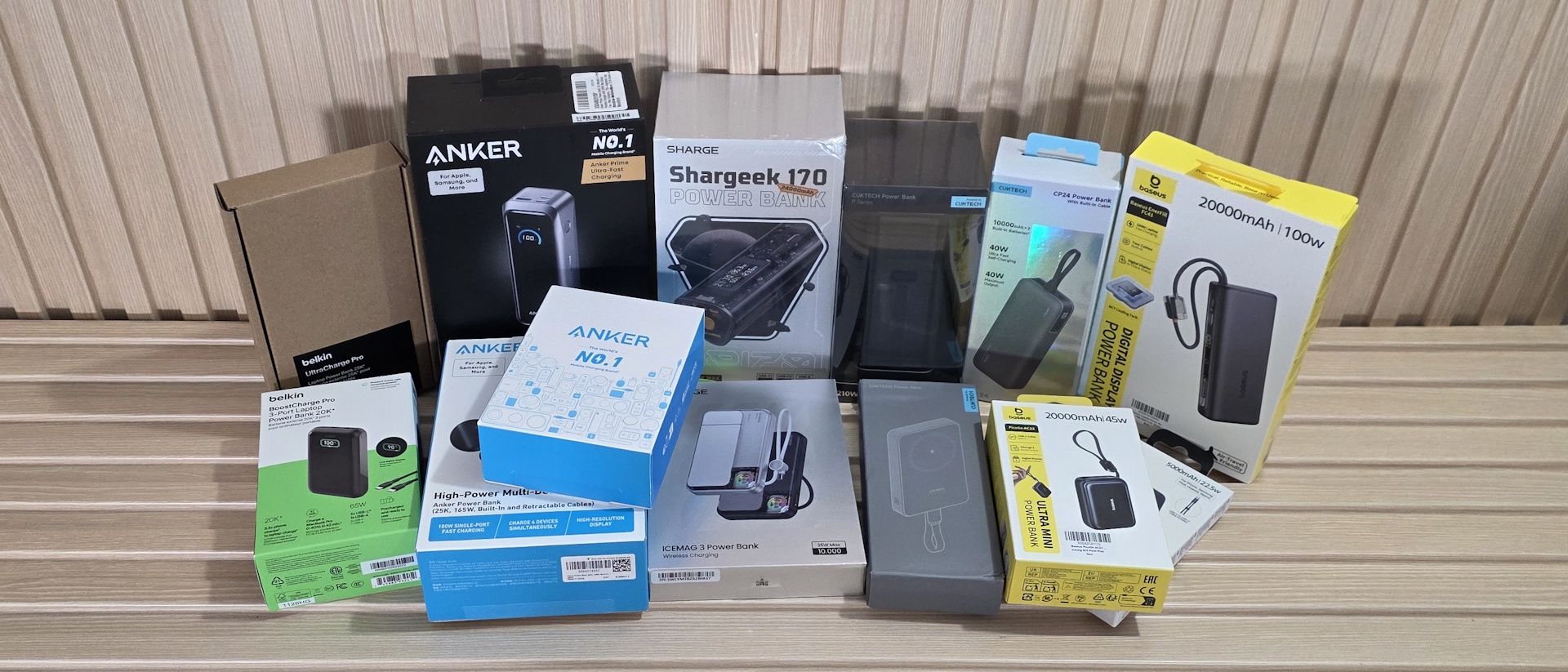
Conclusion Conclusion After testing all 13 power banks, there really isn’t a single ‘best’ bank. It comes down to what you’re charging and how patient you are. If you’re mainly topping off a phone or small tablet, capacity efficiency matters more than raw output. The Baseus PicoGo Air (currently $49.99 on sale) , with its tiny footprint, shines here, squeezing out the highest actual-versus-listed capacity because of its lower 9V charging output. It’s small, light, and fits easily into a bag or purse; just don’t expect it to do much for a laptop, but it will easily charge a modern smartphone.
For laptop charging, the Shargeek 170 (currently on sale for $79.90) and Cuktech P23 $109.99 stood out by maintaining peak output (90+W @ 20V) through discharge instead of stepping down like most other power banks. At under $80, the Shargeek is a steal compared to the Cuktech.
Although others will charge laptops fine, that consistency could mean the difference between a predictable fast charge and a slower charge over time due to pre-programmed behavior or thermal throttling. The Anker Prime at $129.99 deserves a mention for charging laptops, too, as it pairs high output, fast charging, and the coolest chassis temps. However, it is the most expensive power bank we’ve tested. While it and others do come with informative displays, it’s up to you if that’s worth the premium. If you’re concerned about the speed of charging the power bank, stay away from the Baseus PicoGo (AC22), Cuktech CP24, and CP12 – they took anywhere from 2.5 to 6 hours to reach full, which is a long time to wait if you need your battery back in rotation quickly. The good news is that these also have pass-through charging and will charge and discharge at the same time. The bottom line is, for phones, go small and efficient like the Baseus PicoGo Air; for laptops, prioritize sustained high wattage and sheer capacity (Shargeek 170, Cuktech P23, or Anker Prime), and if you want a bit of everything, the Anker Prime is hard to beat given its balance of speed, output, and temps, but it is expensive.
Joe Shields Staff Writer, Components Joe Shields is a staff writer at Tom’s Hardware. He reviews motherboards and PC components.
Key considerations
- Investor positioning can change fast
- Volatility remains possible near catalysts
- Macro rates and liquidity can dominate flows
Reference reading
- https://www.tomshardware.com/peripherals/usb/SPONSORED_LINK_URL
- https://www.tomshardware.com/peripherals/usb/we-tested-13-power-banks-to-help-you-choose-the-best-one-from-10-25k-mah-and-20-220w#main
- https://www.tomshardware.com/membership
- Silicon is starting to design silicon — how AI is being used in chipmaking, from EDA tools to OpenAI's Jalapeño and beyond
- PS5 emulator successfully runs six titles at a playable 60 FPS
- NVIDIA Vera Rubin NVL72 Delivers Leading Performance in MLPerf Inference v6.1 Debut
- Intel's next-gen Nova Lake platforms pass compliance at USB and PCIe standards bodies as launch looms
- Flock seeks to have security researchers' map of Flock cameras taken down
Informational only. No financial advice. Do your own research.