
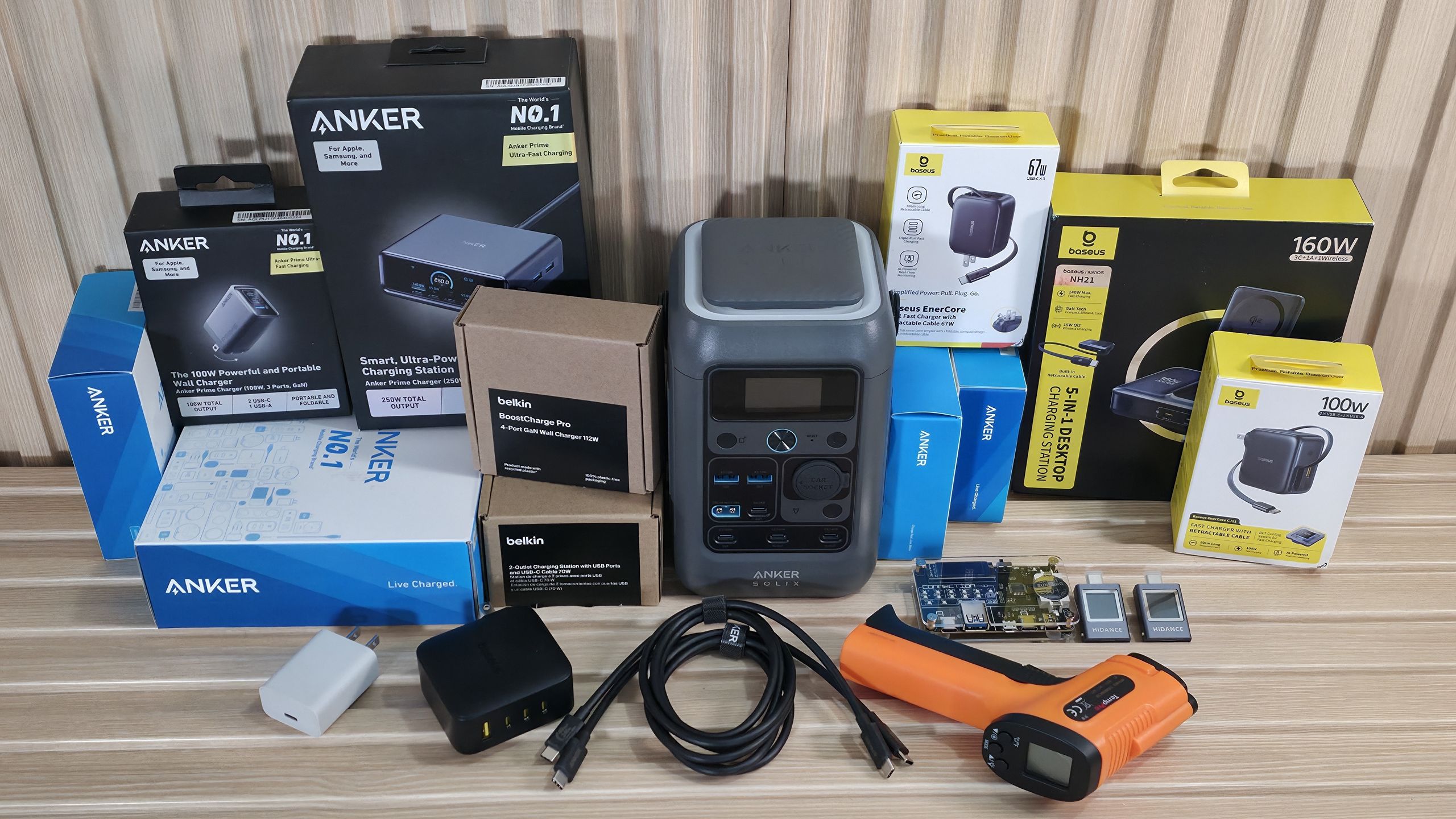
After testing all 20 chargers, I walked away a bit surprised at some of the results. I was surprised to see that some chargers without screens actually have a slightly higher power draw. That said, when idle, the chargers sip power, barely reaching 0.3W, while those with screens are closer to 1W. As we touched on earlier, this isn’t remotely a big deal considering the extremely low wattage. To put it in perspective, at the US average of ~17 cents per kWh (kilowatt-hour), a constant 1W load for 30 days would run just over 12 cents.
Another tidbit I didn’t expect to see was that an overwhelming majority of these are, what I would consider, quite efficient, most within a few percentage points of each other. We did have a couple of outliers, like the older Samsung charger, which was several points below the others at 85% efficiency. The Belkin BoostCharge 20W was also lower than most, with 86% efficiency, and close to the Samsung. The rest sit between 89 and 93 efficiency, which is to be expected for any charger that isn’t the cheapest charger you can find.
Thermal throttling was also something I never considered, as I rarely had to output more than what a smartphone or smartwatch needed, but it did show up in our testing. As you can see from the first two charts, at 5 and 15 minutes into testing, wattage remained constant across all of our test subjects. However, after that, a few got too hot and throttled their output.
Of our 140W chargers, all three throttled during our test. The Anker Prime produced the most output at 118W after 30 minutes, with a reading of 67.2 degrees Celsius (measured at the hottest point on the charger with an IR thermometer). The Baseus Enerfil was the hottest 140W, peaking just under the Anker at 76.4C, but its output dropped the most to 88W. The Sharge Pixel was still pumping out 99W and ran 10 degrees cooler, reading 68.8C.
Of our ~100W chargers, a couple of those also throttled during testing. The Anker Prime (100W) and Belkin BoostCharge Pro (112W) also throttled after 15 minutes, with the Anker dropping to 89W (from 99W), and the Belkin dropping to 71W (from 101W). The 100W Anker also has the dubious distinction of running the hottest of all the tested items (and wasn’t even the highest-wattage item). The Baseus Encore (100W) and the Cuktech 10 Ultra charged with full output during our 30-minute test, keeping temperatures between a reasonable 63C and 65C, which was the lowest of any 100W< devices we tested.
As we look at lower-power chargers in the 45-68W range, none of them throttled their output. The off-brand Iniu 65W charge ran the hottest, peaking at over 70C, and was the hottest of this wattage grouping. Baseus’ Encore 67W and the Anker Nano 45W ran the coolest at around 55C and 58C, respectively—nothing to worry about here.
Last are the lower output chargers. Of these, we don’t expect to run hot, and most don’t, but there are some outliers here as well. The Wegear PA5 (30W) ran to a toasty 70C and was the hottest, by far, of our 15-30W chargers. Anker’s Series 5 charger sat at 65C, also running warm for the wattage. Belkin’s BoostCharge 20W charger ran the coolest, peaking at almost 52Cs, while the Ugreen 30W charger was just above that. In short, here, you’ll be able to run these chargers indefinitely without worrying about throttling output due to temperature. But most of these devices can only charge a single device. So if you have multiple devices or higher-wattage items like laptops or tablets, you’ll need to step up to a higher-wattage charger to charge them all quickly.
So far, we have tested 20 different chargers in this article, from all walks of life. From low-output single-device charging to high-output multiple-device charging, we covered quite a bit in this, our first article. We learned that, within this group, we saw full output from even the cheapest chargers, so long as we were under 67W. Beyond that, we saw some in this group start to fade due to higher temperatures, especially the high-power 140W chargers, which all throttled.
There’s little you can do to avoid that if you’re trying to charge multiple items. Even the newest generation chargers with the latest technologies still throttle output. That said, they still charged, but did so more slowly when their output was limited.
Of the high-power devices, our favorite is the Cuktech 10 Ultra ($59.99 – 110W) . For under $60, it delivers plenty of power to charge laptops and multiple devices while still maintaining its output. It also has an excellent front screen that displays detailed charging information for each port (including temperature status), among other details. For the 100-140W group, Cuktech 10 Ultra offers the best balance between price, features, output, temperatures, and efficiency. In our middle group (45-68W), the Anker Nano ($29.99 – 45W) did a great job maintaining its output while also maintaining cool temperatures, and was the most efficient of all the chargers we tested so far. It also has a display to show charging status, which is a plus. Finally, if you’re just looking for something to charge lower-power devices quickly, the UGreen 30W Fast charger (under $14) does that efficiently too. You don’t have a fancy screen, but it does manage full output over time and runs the coolest among 30W devices.
In the end, all of these chargers will fast-charge your device if the output is appropriate, and in a pinch, the cheapest will do. Picking the ‘right’ charger isn’t nearly as complicated as it may seem at first glance. Across the board, even cheaper options handled simple charging duties without issue, especially at lower wattages. Higher wattages introduced tradeoffs of heat and throttling when pushed hard over time. Modern standards (think PDS, QC, GaN) have improved efficiency, size, and performance, but don’t eliminate the physical limits of delivering, say, 140W from a pocket-sized device.
To me, the takeaway is simple: match your charger's output to your actual needs. For example, if you're charging low-power devices (think a phone or two), don’t overthink it. But for high-power devices like laptops or multi-device needs, spending a bit more gets you better sustained performance, more ports, and added peace of mind for your wall/travel charger. Regardless of your needs, today’s chargers are smarter, safer, and more efficient than ever, so long as the wattage lines up, it’s hard to go too wrong. But that said, some are clearly better than others. Keep an eye out for a desktop charger article (covers even higher wattage) and a best chargers page, both available soon.
Joe Shields is a staff writer at Tom\u2019s Hardware. He reviews motherboards and PC components. ","collapsible":{"enabled":true,"maxHeight":250,"readMoreText":"Read more","readLessText":"Read less"}}), "https://slice.vanilla.futurecdn.net/13-4-24/js/authorBio.js"); } else { console.error('%c FTE ','background: #9306F9; color: #ffffff','no lazy slice hydration function available'); } Joe Shields Staff Writer, Components Joe Shields is a staff writer at Tom’s Hardware. He reviews motherboards and PC components.
kanewolf Admin said: We tested 20 wall chargers, from cheap to expensive, to see what we would find – from 15-140W, with screens and without, to arm you with the knowledge to pick a good one out of a sea of mediocrity We tested 20 wall chargers, from cheap to expensive, to see what we would find – from 15-140W, with screens and without, to arm you with the knowle… : Read more The link above is not valid. Reply
bit_user Thanks for the testing! I'd just mention that it might be useful to indicate the power limits for each voltage, at least for chargers that don't use PPS. Last year, I bought a GaN charger to power my Raspberry Pi 5. I specifically wanted a GaN charger instead of their official power supply, due to their high efficiency. The Pi wants 5A at 5V (25W). I found a 30W GaN charger, so I assumed it'd work. Unfortunately, it only provided 3W at 5V, and nowhere in the Amazon product listing page did it specify that. Reply
bit_user Also, what output current & voltage was used for efficiency testing? We've seen where the efficiency of desktop power supplies varies as a function of both load and input voltage. Even if an input voltage of 115V is assumed, I'd expect the efficiency of these to vary with load and output voltage. Example: Source: https://www.tomshardware.com/pc-components/power-supplies/enermax-platimax-ii-1200df-power-supply-review On the subject of temperature, I've read that part of how GaN achieves higher efficiency is precisely by its ability to handle higher operating temperatures. So, I found it interesting that the two lowest-efficiency units are also down near the bottom of the temperature chart. Reply
Notton Does your IR thermometer give a image map, or is it only spot temp number? Because if it's spot temp, you might miss the true hot spot. If the charger has legit certifications, it'll usually stay within 65c external, but some fake ones will hit 80c. Some as high as 120c external. Otherwise well written and covers all the bases. Reply
magbarn The only 140 watt charger I've found that doesn't throttle is Apple's bulky 140w USB C charger. Not sure if anyone has found a compact one that can put out 140 watt continuously without overheating. Reply
Notton magbarn said: The only 140 watt charger I've found that doesn't throttle is Apple's bulky 140w USB C charger. Not sure if anyone has found a compact one that can put out 140 watt continuously without overheating. Doesn't exist. Compact, high output, doesn't overheat, pick up to two. Having tested many of these high output USB chargers myself, my suggestion is buy a 200W. They (Anker, UGreen, etc.) are typically smaller than the Apple 140W, but have enough extra mass to not overheat (as quickly) at 140W output. Reply
S58_is_the_goat bit_user said: Thanks for the testing! I'd just mention that it might be useful to indicate the power limits for each voltage, at least for chargers that don't use PPS. Last year, I bought a GaN charger to power my Raspberry Pi 5. I specifically wanted a GaN charger instead of their official power supply, due to their high efficiency. The Pi wants 5A at 5V (25W). I found a 30W GaN charger, so I assumed it'd work. Unfortunately, it only provided 3W at 5V, and nowhere in the Amazon product listing page did it specify that. Usb c chargers are a bit of a mess here, I can't charge my usb c earbuds case because the charger doesn't output wattage that low, have to use a usb a to c cable with a USB a charger 🙄 Reply
bit_user Notton said: Doesn't exist. Compact, high output, doesn't overheat, pick up to two. This calls for a heatsink mod. On a multi-output power supply, you could even use one of them for a USB-powered fan! Reply
razor512 One area that I wish reviews would focus on, is how chargers with multiple outputs balance their output. One issue that I encounter, is that these charger makers tend to have fixed distributions for example, my anker 65 watt charger will deliver 65 watts to a laptop, but if you place even a 0.5 watt load on any other port, then it instantly drops the first USB-C port to 45 watts. They at least list how the power is split, but many brands do not, and user unaware of this may view the charger like how they view a traditional power supply, without realizing that many multiport USB chargers will make it difficult to use their max output, especially in typical use cases. E.g. Getting a 100 watt charger, and then on the 2nd port, connecting a 10 watt Qi charger for your smartphone, and then thinking your laptop will get 90 watts, but in reality the charger decides that the laptop now gets 65 watts so that the 2nd port can output 10 watts. The end result is you often need to significantly overprovision. For example, if you want to replace your laptop charger and phone charger while traveling, and your goal is to replace a 90 watt Laptop charger, and a 20 watt phone charger. Realistically speaking, you would often need to go with 160 watts or higher for the USB charger, as often those will have the power split at 100 watts going to the primary USB-C port while the 60 watts is shared with the rest. Reply
Notton bit_user said: This calls for a heatsink mod. On a multi-output power supply, you could even use one of them for a USB-powered fan! I've tried that before. Not practical. You trade compactness, and it doesn't improve time all that much. A 99Whr battery will charge to full at 50min with with a 140W input, but the overheating only starts at around the 25~30min mark, after which the charger's output is anywhere from 60W to 100W. So it's like 90mins tops, even with overheating. but if you want to, buy a charger that has its own extension cord and place it on top of a non-sticky/greasy thermal pad attached to a metal plate and point a small fan at it. GaN chargers, at least the good ones, are >90% efficient, so a 140W will only dump about 15W of heat. Reply
Key considerations
- Investor positioning can change fast
- Volatility remains possible near catalysts
- Macro rates and liquidity can dominate flows
Reference reading
- https://www.tomshardware.com/peripherals/usb/SPONSORED_LINK_URL
- https://www.tomshardware.com/peripherals/usb/we-tested-20-wall-chargers-from-cheap-to-expensive-to-see-what-we-would-find-from-15-140w-with-screens-and-without#main
- https://www.tomshardware.com/subscription
- SpaceX unveils 11-million-square-foot Gigasat factory, a new manufacturing facility for space-based data centers — aims for 1 GW/year of space AI compute by lat
- 3D-printed nozzles could revolutionize drug and self-healing material manufacturing — MIT-developed triaxial electrospray design makes cleanroom fabrication opt
- Levelplay shows off magnetically attached fans that are reversible, connect via pogo pins and USB-C – plus an AIO that trades a screen for a big knob
- AMD fires back at Nvidia, claiming 256-core Zen 6 'Venice' CPU beats Vera by 3.3x in rack-level performance — company shares first estimated EPYC Venice benchma
- Taiwan weighs criminal ban on AI chip exports to all of China — stricter measures beyond blacklisted firms would make smuggling servers a crime
Informational only. No financial advice. Do your own research.