
For comparison, the MacBook Air, which has long been one of the reigning champs of battery life, could only muster 15 hours and 28 minutes of runtime. And the Zenbook A16, which was a performance monster in our productivity tests, couldn’t quite hit 10 hours and 30 minutes.
While running our Cinebench 2026 stress test on the 14S, we measured external surface temperatures and processor temperatures via its internal sensors.
(Image credit: Tom's Hardware) (Image credit: Tom's Hardware) Image 1 of 2 View Original
The Core 7 Ultra 355 hit 106 degrees Fahrenheit on the keyboard between the G and H keys, around 82 F on the touchpad, and 108 F on the hottest point on the bottom. The processor measured 88 degrees Celsius.
One thing to note is that while the XPS 14 has two system fans, the 14S has just one.
Dell's 14S uses an entry-level acceptable 2MP camera. It is by no means as clear or crisp as the 8MP unit in the more expensive XPS 14, but we weren't expecting that given its positioning. Color was quite good on the webcam, but the images were neither sharp nor grain-free. There was a lot of noise in the images, and details were quickly lost, as my facial hair looked a bit "muddy."
Like many laptops, the 14S also incorporates an IR sensor for Windows Hello facial recognition.
The 14S is relatively light on included bloatware. Dell Optimizer and Dell Support Assist are installed by default. The former lets you optimize settings for the display, battery, and thermal management. The latter allows you to scan your system for issues, update software/firmware, optimize your network connection, and obtain assistance from customer service.
There are also the usual Intel utilities for graphics and security ; however, I didn’t see the app shortcuts typically featured in a fresh Windows 11 installation (e.g., Dropbox, LinkedIn).
The 14S comes with one year of what Dell calls Basic Onsite Service. You can optionally add Accidental Damage Service (covering drops, spills, and power surges) for $59/year (currently on promotion for $29/year).
The 14S is available with four processors (Core Ultra 5 322, Core Ultra 7 355, Core Ultra X7 358H, and Core Ultra 9 386H), Intel Graphics or Arc Graphics, 16GB or 32GB of memory, 512GB or 1TB SSD, and a 14-inch 1200p IPS or OLED display (in touch or non-touch options). You can also choose between Celestial Blue and Frost Blue for the chassis color when ordering directly from Dell.com .
The base configuration with a Core Ultra 5 322 processor, 16GB of RAM, a 512GB SSD, and a 14-inch non-touch IPS display costs $1,269.99. That is a very attractive entry point for the 14S, but options can quickly ratchet up the price. For example, a config with a Core Ultra 9 386H, Intel Graphics, 32GB of memory, a 512GB SSD, and a 14-inch touch OLED display retails for $2,019.99, while a Core Ultra X7 358H with Arc Graphics, 32GB of RAM, a 1TB SSD, and a 14-inch touch OLED display sells for $1,869.99. In the $1,800 to $2,000+ price range, you’d probably be better off going with an XPS 14.
Our review unit, featuring the Core Ultra 7 355, Intel Graphics, 16GB of RAM, 512GB SSD, and a 14-inch touch OLED display, landed about in the middle at $1,469.99.
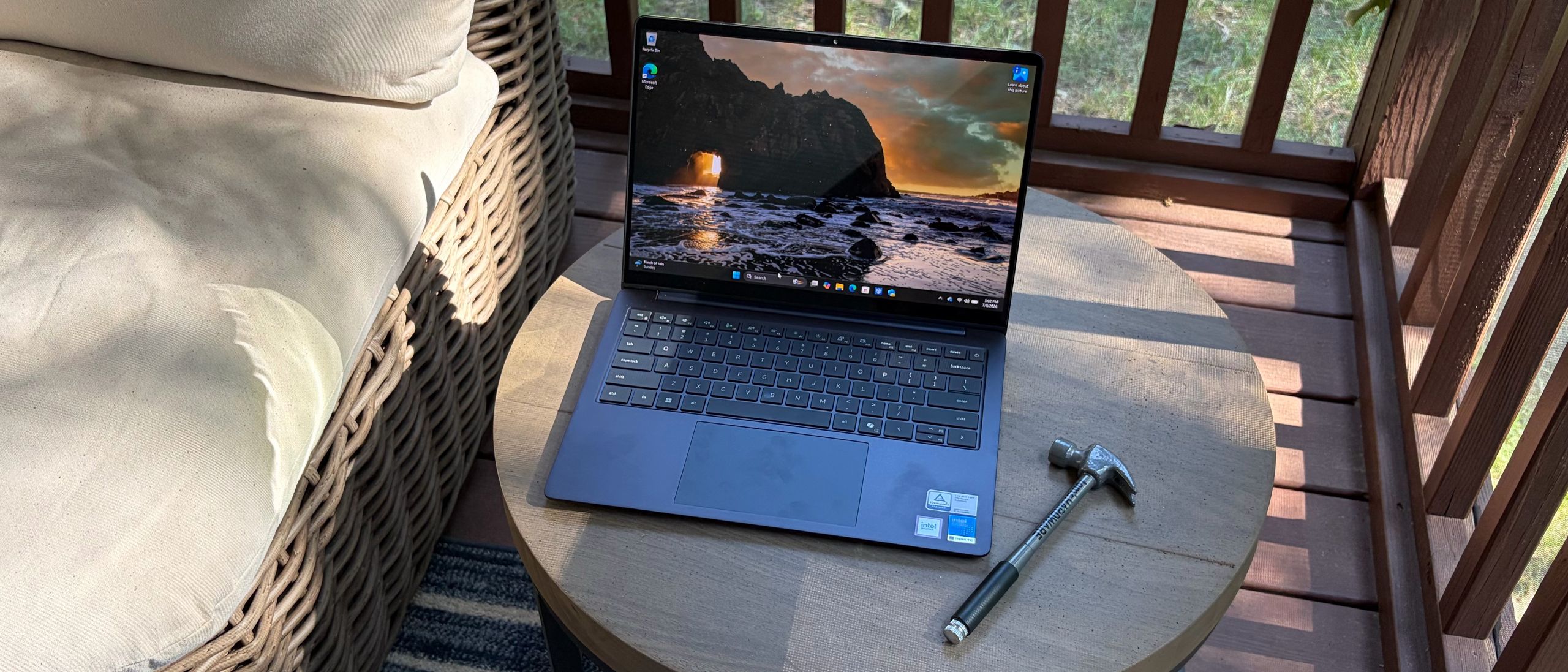
The Dell 14S attempts to mimic some of the perks of its flashier relative, the XPS 14, with a high-quality aluminum chassis, OLED display options, and stellar battery life (over 20 hours in our testing). It also adds in features you don’t get on the XPS 14, like an HDMI 2.1 port and USB-A ports.
However, you also give up a bit. You don’t get the quad speakers, 8MP webcam, Gorilla Glass screen cover, or the option for a 2.8K 120 Hz OLED touch screen.
If those features aren’t important to you, consider this: our 14S review unit retails for $1,469.99. An XPS 14 with the same processor, memory allotment, storage size, and a 14-inch 2.8K 120 Hz OLED display costs $2,249.99. That’s a nearly $800 upcharge. In the grand scheme of things, the 14S is definitely living up to its “mainstream” positioning in the Dell laptop family.
Brandon Hill is a senior editor at Tom's Hardware. He has written about PC and Mac tech since the late 1990s with bylines at AnandTech, DailyTech, and Hot Hardware. When he is not consuming copious amounts of tech news, he can be found enjoying the NC mountains or the beach with his wife and two sons. ","collapsible":{"enabled":true,"maxHeight":250,"readMoreText":"Read more","readLessText":"Read less"}}), "https://slice.vanilla.futurecdn.net/13-4-25/js/authorBio.js"); } else { console.error('%c FTE ','background: #9306F9; color: #ffffff','no lazy slice hydration function available'); } Brandon Hill Social Links Navigation Senior Editor Brandon Hill is a senior editor at Tom's Hardware. He has written about PC and Mac tech since the late 1990s with bylines at AnandTech, DailyTech, and Hot Hardware. When he is not consuming copious amounts of tech news, he can be found enjoying the NC mountains or the beach with his wife and two sons.
naryfa I'll repeat myself again here, but… The left and right arrows need to be the same size as up and down. This is slop and messes up the brain. Reply
Syntaximus Nearly $1500 and you only get 16GB of RAM and a 512GB drive? That's just sad. Reply
lemongrassgarlic Stereo speakers with Cirrus Logic SmartAmps, 2 W x 2 = 4 W total didn’t find any third-party software to fine-tune the speakers So they finally dropped the awful Realtek audio chips with the unremovabel junkware known as MaxxAudio/waves ? Maybe there is hope for Dell. To me it seems the 14S is better than the XPS. Dell does keep the awful forced changing of hardware just because you want a different color or screen. From the picture , clear to see the finger/palm smudges just like on my xps, at least it is not the carbon top that you can't clean well. Reply
Key considerations
- Investor positioning can change fast
- Volatility remains possible near catalysts
- Macro rates and liquidity can dominate flows
Reference reading
- https://www.tomshardware.com/laptops/SPONSORED_LINK_URL
- https://www.tomshardware.com/laptops/dell-14s-review#main
- https://futureplc.com/privacy-policy/
- Jensen Huang argues American companies should be allowed to use Chinese AI models — Nvidia CEO says backdoors connected to China are misconceptions
- Why Performance per Watt Is the Ultimate Metric for AI Infrastructure Efficiency
- Apple reportedly working on Mac leasing program in partnership with Klarna to fight RAM price increases — 'Apple Upgrade' would let users finance hardware over
- Save $460 on this AMD 9800X3D gaming PC with RTX 5080 — get blistering 4K performance for less
- Bristol Myers Squibb Building Life Science Industry’s Most Advanced AI Factory on NVIDIA Vera Rubin
Informational only. No financial advice. Do your own research.