
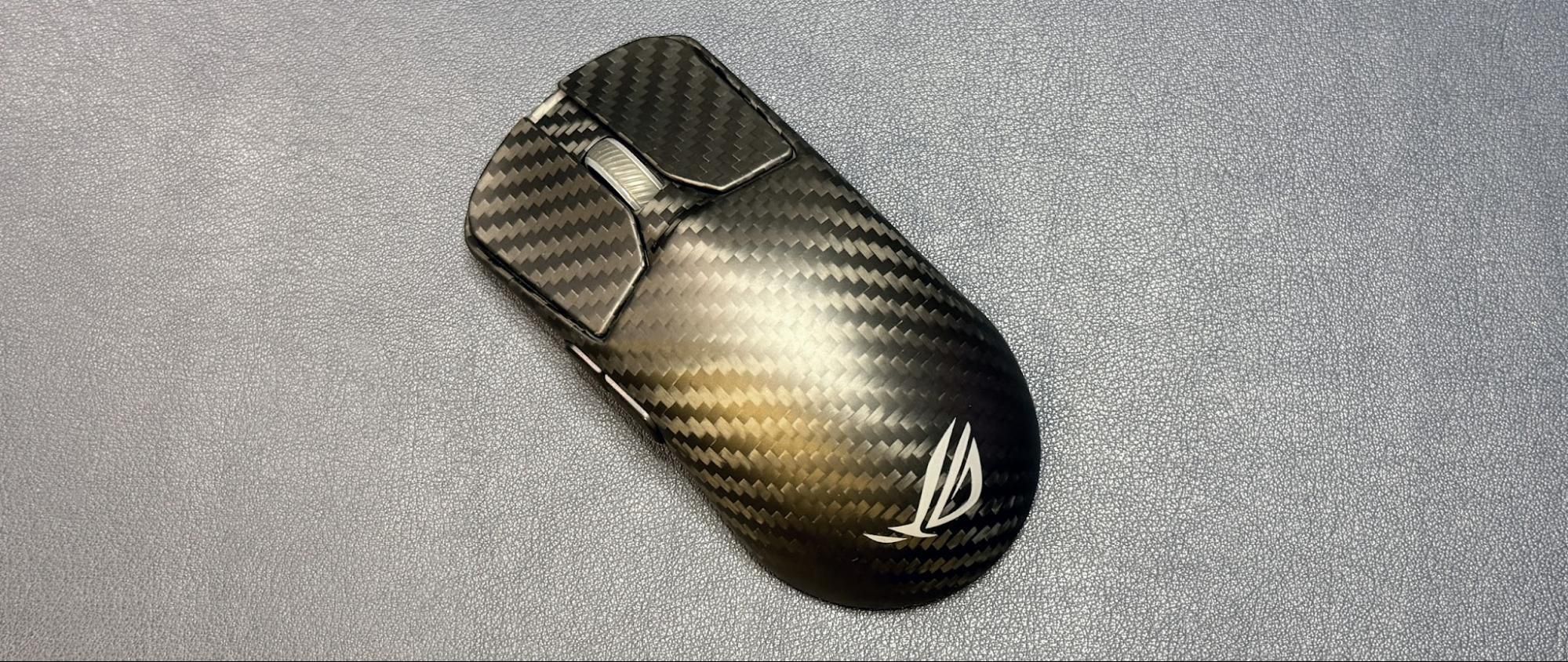
Well, inability to distinguish whether your mouse is lagging by 0.875 milliseconds aside, there are some potential downsides to ultra-high polling rates. The main one being that your system may not be able to handle it. A higher polling rate means that the mouse is communicating with your PC more frequently, so this can affect CPU performance — if you don't have a pretty solid gaming CPU , you may see more of a performance hit than is worth the infinitesimal lower latency (which may not even end up being lower if performance issues cause latency). And if you don't have a gaming monitor with a high refresh rate (at least 240 Hz, if not higher), any perceived smoother mouse movement will be just that — perceived. (Of course, with a higher refresh rate you'll need an even better system to keep up with that and the 8,000 Hz polling rate, and… well, you get the point).
Another downside to an 8,000 Hz polling rate is battery life, because it drops significantly on wireless gaming mice. The battery life of the Corsair Sabre v2 Pro Wireless is a pretty impressive 120 hours at 1,000 Hz, but this drops to just 21 hours at 8,000 Hz. The Razer Basilisk V3 Pro 35K gets up to 150 hours at 1,000 Hz, and just 28 hours at 8,000 Hz. The Turtle Beach Burst II Pro does a little better, going from 150 hours at 1,000 Hz to 40 hours at 8,000 Hz, but it's still a significant drop.
And while you can cheat the system with select Razer and Logitech gaming mice by pairing them with either the Razer HyperFlux V2 or the Logitech PowerPlay 2 wireless charging mouse pads, you will need to pair the mice to your PC using their included (or, in some cases, sold separately) 8,000 Hz dongles — neither the HyperFlux V2 nor the PowerPlay 2 offer 8,000 Hz polling rates if you connect through the built-in receivers.
You may not need an 8,000 Hz polling rate, but maybe it will make you feel better.
If any category of gaming mouse is going to benefit from lower latency, it's the esports category — where mice need to be lightweight so they can fly across surfaces, relatively small so they can be picked up when sliding them is too time-consuming, and hyper speedy and accurate so competitors can shoot people in the head without missing a beat. And so it's not surprising that flagship gaming mice like the Razer DeathAdder V4 Pro or the Asus ROG Harpe Ace Extreme (or the Asus ROG Harpe II Extreme Edition 20 ) tout 8,000 Hz polling rates.
But you don't have to spend a ton on an extreme edition flagship gaming mouse to max out your polling rate — several of Razer's older mice work with the company's Mouse Dock Pro and/or HyperPolling Wireless Dongle to get up to 8,000 Hz wireless polling rates, including the Razer Basilisk V3 Pro , and many of its newer mice come with 8,000 Hz polling out of the box (e.g. the Razer Viper V3 Pro , which is currently on sale for $110 at Amazon — 31% off its retail price of $160).
If you don't need a wireless mouse, Razer's DeathAdder V3 wired gaming mouse gets up to an 8,000 Hz wired polling rate (and is currently on sale for $45 at Amazon — 36% off its retail price of $70). Even Redragon, one of our favorite budget-friendly peripherals companies, has a mouse with an 8,000 Hz polling rate: the Redragon M916 ULT , which is wireless and ultra-lightweight (49g) and retails for just $50.
Ultra-high polling rates are creeping in everywhere, not just in the competitive esports market. Even Razer's recently launched V3 Naga Pro , which isn't even an ultra-lightweight, esports-oriented gaming mouse (it's a relatively hefty 23-button mouse for games that definitely do not need to worry about ultra-smooth, accurate mouse movement or click latency), can get up to an 8,000 Hz polling rate if you pair it with either the company's Mouse Dock Pro or HyperPolling Wireless Dongle (both are sold separately, naturally, because — again — you don't need this).
Corsair recently showed off its Nightsword v2 Wireless SD , a mouse with a built-in Stream Deck (sort of), which also has up to an 8,000 Hz polling rate (170 hours of battery life at 1,000 Hz, which drops to 47 hours with the lighting turned off and 25.5 hours with the lighting turned on at 8,000 Hz). And if you think that you can tell the difference between half a millisecond but not that extra quarter, there are also mice with up to 4,000 Hz polling rates, such as the HyperX Pulsefire Saga Pro and the SteelSeries Aerox 3 Wireless Gen 2 .
And as for whether you need a keyboard with an 8,000 Hz polling rate, the answer is: absolutely not.
Sarah Jacobsson Purewal Social Links Navigation Senior Editor, Peripherals Sarah Jacobsson Purewal is a senior editor at Tom's Hardware covering peripherals, software, and custom builds. You can find more of her work in PCWorld, Macworld, TechHive, CNET, Gizmodo, Tom's Guide, PC Gamer, Men's Health, Men's Fitness, SHAPE, Cosmopolitan, and just about everywhere else.
Xajel Nah, my GPU can't even handle 4K… You know I'm joking? Reply
Key considerations
- Investor positioning can change fast
- Volatility remains possible near catalysts
- Macro rates and liquidity can dominate flows
Reference reading
- https://www.tomshardware.com/peripherals/gaming-mice/SPONSORED_LINK_URL
- https://www.tomshardware.com/peripherals/gaming-mice/do-you-need-a-mouse-with-an-8k-polling-rate#main
- https://www.tomshardware.com/membership
- Kioxia unveils E1.L SSDs for hyperscalers with up to 122.88TB capacity
- Why Deploying Physical AI at Scale Demands Safety at Every Layer
- Make the jump to an OLED gaming monitor and save 48%
- Sneak a great deal on the original MSI Claw during Best Buy clearance sale
- China allegedly intercepted UPS-shipped F-35 parts after employee missed email warning
Informational only. No financial advice. Do your own research.