
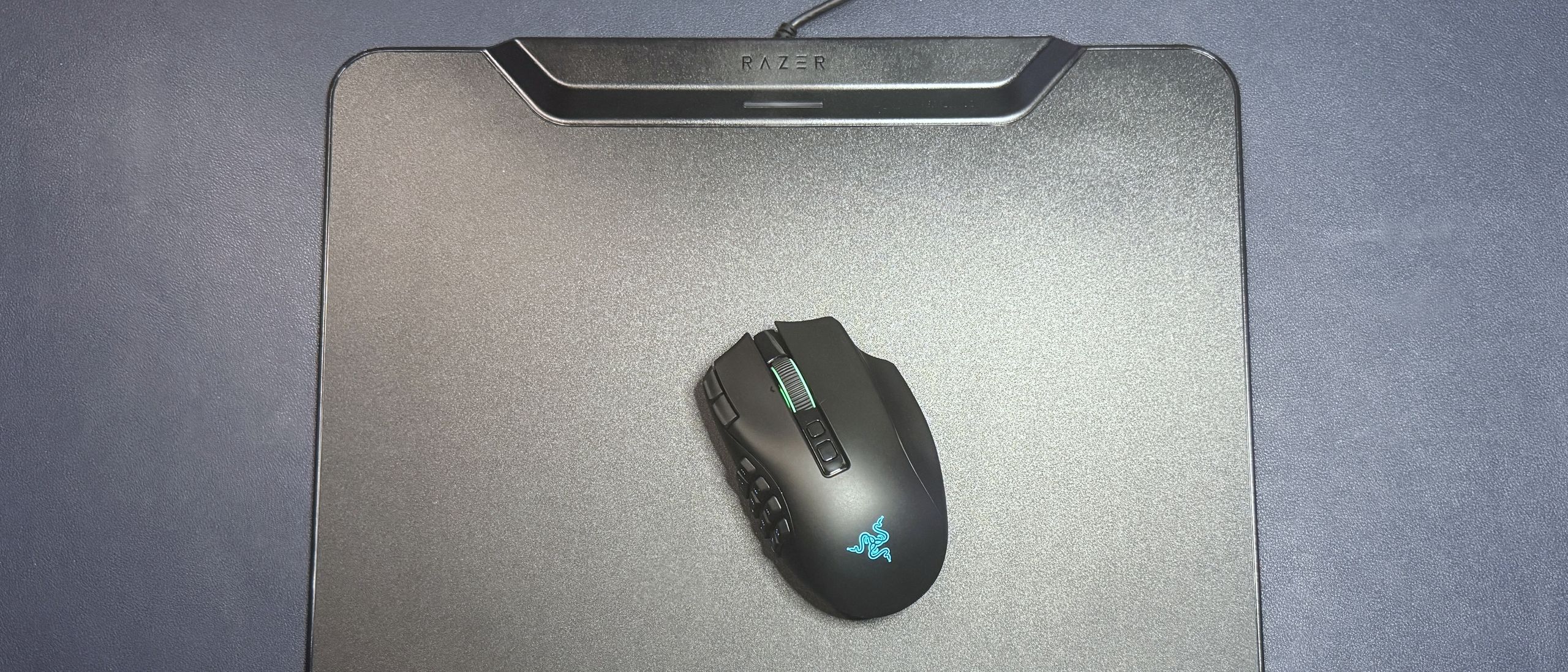
The point of the HyperFlux V2 is to eliminate the need for you to manually charge your wireless Razer mouse, and it executes this… exactly as expected. All you need to do is replace the puck on the bottom of your compatible wireless Razer mouse. I'm using the recently-launched Razer Naga V3 Pro , but other compatible mice include the Naga V2 Pro , the Basilisk V3 Pro , the Basilisk V3 Pro 35K , the Cobra HyperSpeed, and the Cobra Pro with the included wireless charging puck that comes with the HyperFlux V2. Then, place the mouse on the mouse pad and, assuming the mouse pad is plugged in, it will automatically detect the mouse and pair with it wirelessly. (I did have a minor hiccup with this process, but we'll talk about that later.)
I will point out that the HyperFlux V2 has a polling rate that tops out at the standard 1,000 Hz. If you want to get a higher polling rate, such as 4,000 or 8,000 Hz, with your mouse, you'll need to connect via Razer's HyperPolling Wireless Dongle ($40) or Razer's Mouse Dock Pro ($70), both of which are sold separately. You can still use the HyperFlux V2 as a wireless charging mat, even if you aren't connected through it.
As for the mouse pad's surface, I didn't have any complaints, but I also wasn't particularly impressed. The hard surface version of the HyperFlux V2 is hard, micro-textured polycarbonate with a slight sheen. It's designed for speed, and while it seemed fast enough, it wasn't anywhere near the smooth, speedy glide of a glass mouse pad such as Razer's Atlas . The mice I tested with it — the Naga V3 Pro and the Basilisk V3 Pro 35K — had no issues with tracking and accuracy, but that's not particularly surprising as the sensors in modern-day premium gaming mice are all pretty consistently great at tracking on any sort of traditional mouse pad surface. The surface is textured enough that precision wasn't an issue, though the mouse pad also comes in a cloth surface version for those who need just a little more control. And the full rubber backing ensured that the surface remained perfectly level at all times.
If you ignore the wireless charging part, the HyperFlux V2 is a decent mouse pad. It's not particularly impressive, exciting, or attractive to look at if you don't have a wireless mouse in need of charging. I do like the size. There's plenty of room for big mouse swipes, and the mouse pad still fits very easily next to a full-size keyboard setup. It's a few inches larger than the PowerPlay 2, and the difference in surface area is noticeable.
But let's be serious — you're buying this mouse pad for the wireless charging and connection. And it does do both of these things pretty seamlessly; it's definitely a "set it and forget it" type of product. But without the wireless charging/connection, you definitely wouldn't give it a second glance.
The HyperFlux V2 does connect to Razer's universal peripheral app, Synapse 4, even though it doesn't have a ton of customization options (it doesn't have any RGB lighting, for example). Still, it's useful for managing what devices are or aren't paired to the HyperFlux V2. The mouse pad features "seamless auto-pairing," which means all you have to do is put the charging puck in a compatible wireless mouse and place it on the mouse pad, and it should pair automatically.
This wasn't perfectly seamless for me, however, as I already had the Razer Naga V2 Pro with a wireless charging puck from the Razer Mouse Dock Pro inside it — and when I set it down on the HyperFlux V2 to put the charging puck in the Razer Naga V3 Pro, the mouse pad recognized and paired with the Naga V2 Pro. While the mouse pad is apparently compatible with other Razer charging pucks, it can only pair with one mouse at a time, so I had to unpair the Naga V2 Pro before I could pair the Naga V3 Pro (the Mouse Dock Pro puck also only appears to work for connecting, not charging).
(Image credit: Tom's Hardware) (Image credit: Tom's Hardware) (Image credit: Tom's Hardware) Image 1 of 3 View Original
The HyperFlux V2 does support multi-device pairing, just not multi-mouse pairing. It can pair with a mouse (via the charging puck) and a compatible wireless Razer keyboard simultaneously, which lets you free up a USB slot.
There's also a battery health optimizer option in Synapse 4, which automatically turns off wireless charging when the mouse reaches a certain battery level percentage (adjustable, from 50% to 80%).
The Razer HyperFlux V2 works as intended — it charges compatible wireless Razer gaming mice as you use them, so you'll never have to worry about docking your mouse or plugging it in to keep the juice up. There's not a lot of competition on the market, aside from Logitech's PowerPlay 2, and there's basically no competition if you already own a Razer mouse.
The HyperFlux V2 shares some of the issues we didn't love on the PowerPlay 2; specifically, it feels a little cheaper, overall, than its $120 price tag would suggest. Like the PowerPlay 2, it has a non-detachable rubber USB-C cable and comes with a wireless charging puck that plugs into the bottom of your mouse. It's larger than the PowerPlay 2, though its charging module takes up more of the actual mouse pad real estate. Like the PowerPlay 2, it acts as both a wireless charging pad and a wireless receiver, and you can free up a couple of USB ports on your PC by connecting via this receiver. It can also simultaneously connect to a compatible wireless Razer keyboard, if you happen to be fully inundated in the Razer ecosystem.
Also like the PowerPlay 2, the HyperFlux V2 works best for those who are fully inundated in (or plan to be) the brand's ecosystem. At the end of the day, the best wireless charging mouse pad for you really comes down to which company made your wireless mouse of choice. Don't get me wrong, the HyperFlux V2 will remain on my desk for the foreseeable future, but only because my main mouse is the Razer Naga V3 Pro .
Sarah Jacobsson Purewal is a senior editor at Tom's Hardware covering peripherals, software, and custom builds. You can find more of her work in PCWorld, Macworld, TechHive, CNET, Gizmodo, Tom's Guide, PC Gamer, Men's Health, Men's Fitness, SHAPE, Cosmopolitan, and just about everywhere else. ","collapsible":{"enabled":true,"maxHeight":250,"readMoreText":"Read more","readLessText":"Read less"}}), "https://slice.vanilla.futurecdn.net/13-4-25/js/authorBio.js"); } else { console.error('%c FTE ','background: #9306F9; color: #ffffff','no lazy slice hydration function available'); } Sarah Jacobsson Purewal Social Links Navigation Senior Editor, Peripherals Sarah Jacobsson Purewal is a senior editor at Tom's Hardware covering peripherals, software, and custom builds. You can find more of her work in PCWorld, Macworld, TechHive, CNET, Gizmodo, Tom's Guide, PC Gamer, Men's Health, Men's Fitness, SHAPE, Cosmopolitan, and just about everywhere else.
Key considerations
- Investor positioning can change fast
- Volatility remains possible near catalysts
- Macro rates and liquidity can dominate flows
Reference reading
- https://www.tomshardware.com/peripherals/gaming-mice/SPONSORED_LINK_URL
- https://www.tomshardware.com/peripherals/gaming-mice/razer-hyperflux-v2-review-the-best-wireless-charging-mat-for-razer-mice#main
- https://www.tomshardware.com/membership
- Microsoft blames RGB peripherals for crashing Windows 11 — RGB software is causing blue screens, crashes, and game freezes
- As AI Increases Demands on Memory, Storage Steps Up
- CPU-Z gets biggest update since 2001 with V3 — 100+ health checks, built-in stress testing, and XOC effective clock tracking
- World's largest open library calls for volunteers to scan and preserve physical books as AI companies buy, scan, and destroy them — Anna's Archive says ‘time is
- Synopsys validates a PCIe 6.0 PHY inside a face-to-face 3D stack at 64 GT/s — says it got there by pulling apart an existing 2D test chip
Informational only. No financial advice. Do your own research.