
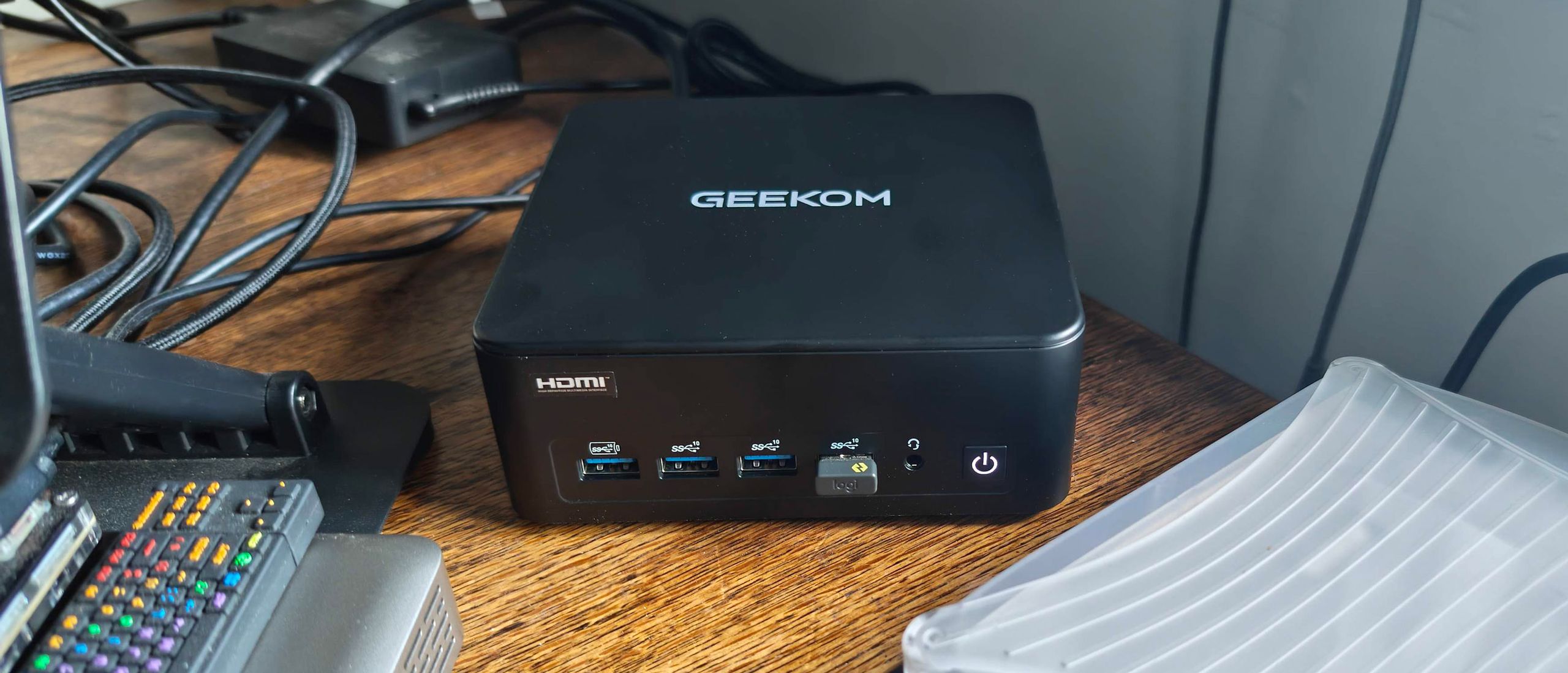
Geekom boasts of all-round flagship performance from this new mini PC and thankfully skips any outlandish AI-related claims. Now we are getting down to testing, we shall see if there are any glaring weaknesses that come from choosing Intel’s previous-previous-gen silicon.
Geekom has opted for older silicon in the IT13 Max 2026, utilizing Intel’s Core Ultra 9 185H (16C/22T), which boosts up to 5.1 GHz, and shares die space with an Arc iGPU featuring eight Xe cores. This is quite a lot of compute and GPU resources in a little SoC, and that’s why the Ultra 9 185H was one of the top mobile processors a couple of years ago. There’s an NPU on board, too, but it can only muster 11 TOPS according to Intel’s data sheets. The question is if that chip, alongside 24GB of RAM and a 500GB, still stands up.
(Image credit: Tom's Hardware) (Image credit: Tom's Hardware) (Image credit: Tom's Hardware) (Image credit: Tom's Hardware) (Image credit: Tom's Hardware) (Image credit: Tom's Hardware) (Image credit: Tom's Hardware) (Image credit: Tom's Hardware) Image 1 of 8 View Original
Image 1 of 11 (Image credit: Tom's Hardware) (Image credit: Tom's Hardware) (Image credit: Tom's Hardware) (Image credit: Tom's Hardware) (Image credit: Tom's Hardware) (Image credit: Tom's Hardware) (Image credit: Tom's Hardware) (Image credit: Tom's Hardware) (Image credit: Tom's Hardware) (Image credit: Tom's Hardware) (Image credit: Tom's Hardware) Image 1 of 11 View Original
In the comparison charts above, you can see how the IT13 Max squared up to more modern rivals. In Cinebench 2026, Maxon’s current-gen CPU rendering benchmark, the single-thread result of ~450 points does mean that the Meteor Lake machine does trail the pack, but it isn’t a disaster. Turning to the multicore result in the same test, the latest Geekom mini PC with its older “Meteor Lake” chip basically matches the MSI Cubi NUC AI+ 3MG based on Intel “Panther Lake” silicon. Admittedly, the former’s 16C/22T core/thread count and higher power limits lift it against the Intel Core Ultra 9 386H with 16C/16T in the MSI.
In HandBrake, the Geekom managed 13 frames per second on our standard video transcoding test. That’s neck and neck with the MSI, again, but only with very long videos would you likely notice how it lags behind.
The Geekom IT13 Max isn't hopeless in gaming, but it sits in the lower portion of our mini PC game benchmark comparison tables. It mostly performs better than the MSI Panther Lake mini PC, again. Not bad for something from two generations prior.
For my traditional spell of gaming fun before serious benchmarking , I decided to go on a quick adventure in Borderlands GOTY Enhanced (2019). The game ran at an average of about 80 frames per second when using the High preset at 1080p. I didn’t have any problem with frame rates mostly in the 80s, periodic dips in the frame chart looked worse than they actually felt during the game. It is definitely an older game now, and while the iGPU ran at close to its max utilization on my uncapped frame rate run, the CPU was barely burdened.
(Image credit: Tom's Hardware) (Image credit: Tom's Hardware) Image 1 of 2 View Original
I also ran a few synthetic gaming benchmarks, a trio of 3DMark tests. One of those was the cross-platform 3DMark Solar Bay, which is well-weighted for iGPU performance comparisons, delivering playable frame rates on this type of graphics hardware.
The Geekom IT13 Max 2026 earned a score of 13,430 in this test. The Meteor Lake mini PC’s score (with eight Xe-LPG) cores is about 18% faster than the newer Panther Lake rival (with four Xe3-LPG cores). Both of them, and the AMD Ryzen AI mini PCs we have tested crumble in comparison with the GMKtec Evo-T2 with the best Panther Lake iGPU, the 12 Xe3-LPG core B390.
Moving onto some popular AAA gaming titles, I next checked how Shadow of the Tomb Raider performed on the Geekom. Its average of 37 and minimum of 29 frames per second put it once more very squarely in the same territory as the MSI Cubi NUC AI+ 3MG mini PC.
Cyberpunk 2077 was technically playable using the Steam Deck 1080p preset that we have been using for mini PC comparisons. Its average and 1% low results were 36 and 30 frames per second, respectively. Very slightly behind the Cubi NUC AI+ 3MG this time by both those metrics. Running Cyberpunk 2077 at 1080p using the high preset (no upscaling tech) is not recommended, as the IT13 Max achieved an average of 21 frames per second.
The overall picture that emerged was that the Geekom IT13 Max 2026 isn’t bad at modern gaming with low-ish settings, with upscaling if available, but is more suited to lighter and older titles.
I tested the IT13 Max 2026 with the default power profile Geekom shipped it with, which is a Processor Base Power (PBP, PL1) of 45W, a Maximum Turbo Power (MTP, PL2) of 70W, and a PL4 of 120W, according to system information tools. During testing, I measured total system power consumption with a plug-in power meter, as well as reading the CPU temperatures using a Windows utility.
(Image credit: Tom's Hardware) (Image credit: Tom's Hardware) Image 1 of 2 View Original
At low load, with Google Docs open for typing among a few other browser tabs, the system consistently pulled around 14W. At the same time, the CPU temperature would stick around 43 degrees Celsius.
During prolonged stress testing of the IT13 Max 2026, the highest wattage consumed by the whole system momentarily spiked to around 85W, but a stable sustained level of ~70W was generally observed. It also seemed to stabilize at approximately the 70 degrees Celsius level after initially climbing higher.
The Geekom is a quiet mini PC, but you can hear the small cooling fan blowing clearly if it is put through any demanding CPU or GPU task. My meter showed 29.8 dB when idling, which is good, but the noise level ramped to a more than noticeable 52.3 dB when the system was under a sustained load.
This mini PC came with Windows 11 Pro preinstalled and activated. As usual, before testing, we ensured Windows and drivers were fully up to date.
There were no utilities added by Geekom. Checking the Installed Apps list on Windows revealed both Realtek Audio Console and Realtek Card Reader as the only non-standard components in a typical Windows install.
Linux is also fully supported, according to the official spec sheets.
Key considerations
- Investor positioning can change fast
- Volatility remains possible near catalysts
- Macro rates and liquidity can dominate flows
Reference reading
- https://www.tomshardware.com/desktops/mini-pcs/SPONSORED_LINK_URL
- https://www.tomshardware.com/desktops/mini-pcs/geekom-it13-max-2026-review-meteor-lake-rides-again-in-a-usd799-mini-pc#main
- https://www.tomshardware.com/membership
- $580 million undersea cable rerouted to avoid the grave of Dobby the House Elf — company caves to fan demands to safeguard Harry Potter filming location, will i
- Qualcomm details Snapdragon C specs for $300 laptops for the first time — claims 67% faster performance on battery than Intel N250, AC performance remains a mys
- CoreWeave proves Nvidia's aging AI GPUs from 2020 can generate profit nine years after deployment, signs A100 contracts into 2029 — power constraints and legacy
- Two undersea cables reportedly damaged off the coast of Perth following suspicious vessel activity — company CEO says faults happened ‘straight after each other
- Razer Naga V3 Pro Review: My new 23-button mouse
Informational only. No financial advice. Do your own research.