
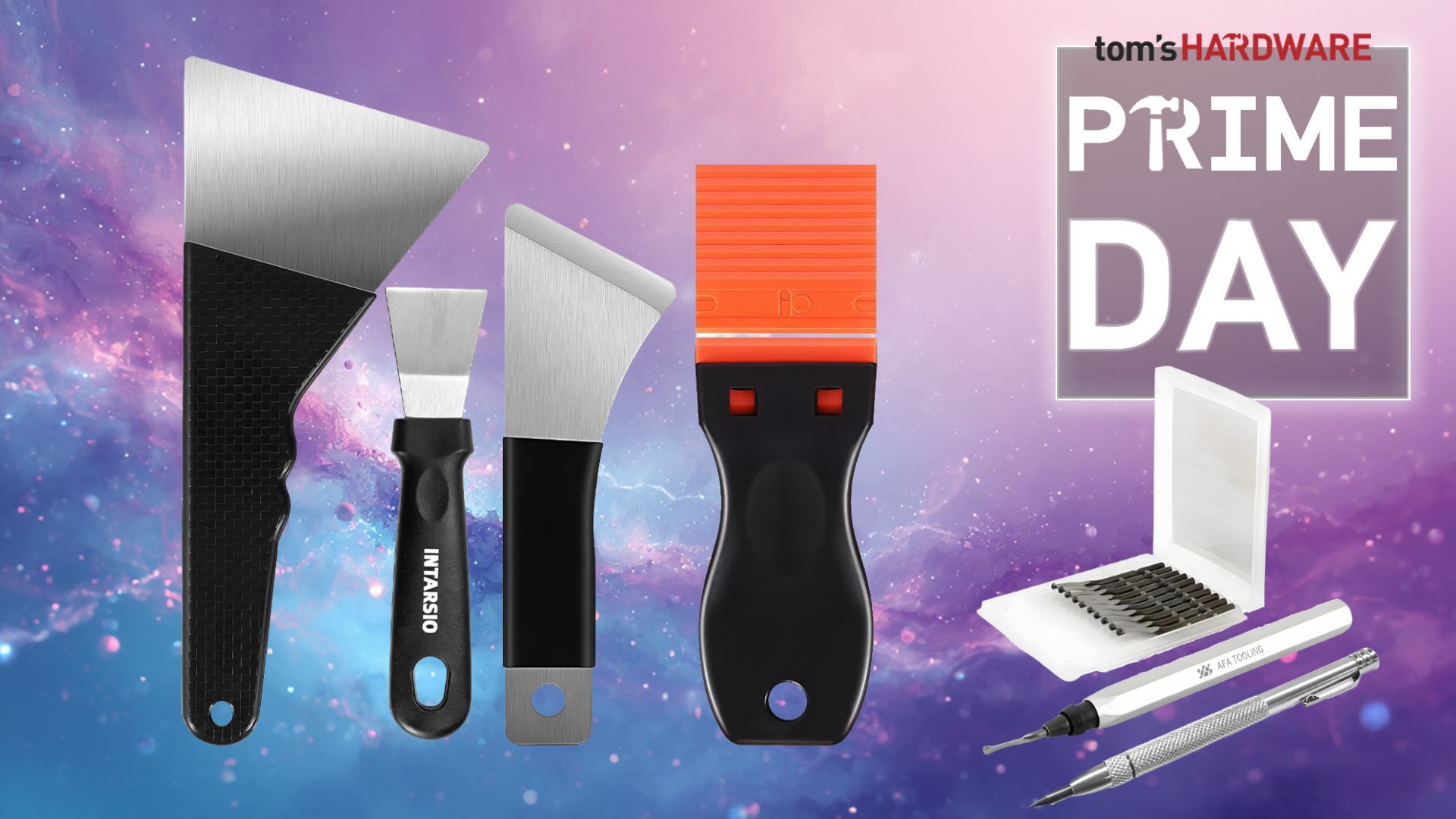
All feature precision-cut edges that grip, and a ball-end for those hex screws in hard-to-reach places.
A 3D printer's print bed can often be super grippy, and you may often need to use a scraper to gently remove the print from the bed. In the case of PLA, it cools down and lifts from the print bed in a few minutes, but for PETG, it can take much longer to cool and can be challenging to remove.
Scrapers are great tools, and your 3D printer will usually come with a plastic scraper or the STL files to print your own. But what if you need something a little stronger? You may want to consider some metal scrapers.
The thin metal blades are designed to get under the print or, if the print is stuck, gently lift the brim to break the adhesion. Just make sure that you use it carefully; don’t go cutting into your build plate!
We've got angled scrapers in various sizes, and two smaller scrapers, one with a metal blade, the other with plastic to protect your print bed.
We’ve all got some form of screwdriver lurking in a toolbox or drawer. We use them to open PC cases, tins of paint, and to fix our spectacles, and then we throw them back in the drawer. A few months later, we’re hunting for that one screwdriver to do one specific task, only to get frustrated because we can’t find it. This is when you need a dedicated screwdriver set for your maker box.
A good general-purpose precision screwdriver set is a necessity. This 49-in-1 set has all the bits that you need to repair electronics and keep your kit ticking over.
All the bits that you will ever need to keep your 3D printer running smoothly, and you get a great case to keep them all in.
Fancy splurging on some brand-name tools? Go for it, pick up a deal in the Prime Day sales. Grab these iFixit kits and be the envy of your peers.
The iFixit range of tools are excellent, and this 53-piece precision driver kit is well worth the splurge!
In the kit, you get 4mm bits for common screw types (Phillips, Slot, Pozidrive) and some uncommon ones, such as Petalobe and security Torx. There are even bits to take apart old consoles, which often used exotic screws to keep us out!
All of the kit is contained inside a magnetically sealed case, with the lid acting as a magnetic screw sorter, enabling us to keep track of which screw goes where!
All the bits that you need to take a PC apart, build IKEA furniture or fix that cabinet door that you promised to fix in 2018!
A great mix of precision 4mm bits for general electronics and small projects, and 1/4 inch bits for the larger jobs. You get drivers for both sizes and the same magnetic case as the Make, to prevent losing screws as you take things apart!
What about a general-purpose screwdriver to throw in your toolkit? The Hoto 24-in-1 offers a great driver handle with a swivel to aid precise movement. Bits connect magnetically to the handle, and the driver takes 4mm bits, but it comes with 12 double-ended bits.
Sleek, compact and with 24 double-ended bits crammed inside, the Hoto 24-in-1 precision screwdriver should be in your 3D printer toolkit.
Screwing/unscrewing a bunch of screws can get tiring, which is why electric screwdrivers are ideal for building furniture and PCs, and for taking apart electronics for repair.
You can get good USB-charged electric screwdrivers for very little money, or pay a little extra for something a little higher quality. Hoto’s precision driver is an excellent tool you won't regret buying. Especially when it's on sale.
A go-to screwdriver set for the office, workshop and your go-bag. With all the bits you will need to fix a multitude of problems.
The S2 bits are made from hardened steel, which means they won’t chew up and lose their edge. The bits are standard 4mm size, so you can use bits from your other precision screwdriver. The Hoto precision driver only has one speed, and the battery capacity is only 350mAh, which provides around 500 operations, but those two things are its only downside. When charging, the unit will show a white light next to the USB-C port. When it goes out, you are fully charged.
The driver is made from metal, and the ridges help grip the driver as you work. Button operation is easy; just press and hold to screw/unscrew. The included case is lovely, if a little bulky. All in all, a great electric screwdriver for makers, tinkerers, and those eager to service their 3D printers.
3D printers will get clogged. No matter how much money you spend, hot plastic being pushed through a 0.4mm hole is going to cause a clog someday. Dealing with a clog is fairly simple, but you need the right tools as you will be poking around the hot end while it is well and truly hot, around 200 °C.
Poking a clog with a thin needle works most times, but when you absolutely, positively need to blast that clog out, the Creality Clog Poke (yes, that is its name) is there to help. Instead of inserting it into the nozzle, we insert the poke into the filament path, specifically the path from the top of the extruder to the nozzle. The 1.5mm needle won’t reach the nozzle, but it will push any plastic trapped inside the extruder. Molten plastic should then pour down onto the build plate.
Using this should reduce the need to completely disassemble the extruder and make quick work of a blockage. Of course, there will be times when you need to disassemble the extruder.
Tackle a blocked nozzle from another angle with the Creality Clog Poke. Instead of pushing into the nozzle, remove the PTFE tube and push this clog poke into the throat of the extruder, forcing molten plastic out of the nozzle.
The nozzle on your 3D printer is user-replaceable, and you can swap it out for a different-sized aperture for finer detail prints (0.2mm) or for when you need to print large functional parts (0.6 to 0.8mm). But to remove the nozzle, you will need a wrench, so here is what I suggest.
Here you have all the gear to maintain the business end of your 3D printer. Nozzle wrenches, needles, tweezers and two handy brass bristled brushes to keep your prints running smoothly.
For less than $10, you get needles to clean the nozzle, brass brushes to remove grime and plastic from the hot part of the nozzle, and tweezers to remove detritus without burning your finger. But the best part is the two nozzle wrenches. Designed with an L-shape, they keep your fingers away from the hot bit and give you a little more torque to persuade the nozzle to come loose.
Even after heating the nozzle, it can become stuck, so a little extra force is needed to remove it. The problem is that the heat makes the nozzle too hot to touch. The nozzle is cupped by the wrench, so you just need to concentrate on removing it. Then drop it onto the build plate to cool.
The extra tools are useful. In fact, the brass brushes are extremely useful for cleaning burnt plastic from the hot end.
Some 3D prints need a little post-processing. The edges may need to be cleaned up, which is common when using a brim for bed adhesion, or if your print squeezed down on the print bed a little too hard. A deburring tool uses a curved blade with a ball-end. The ball traces the contours of the object, while the blade shaves off a little plastic to neaten up your work.
This is the deburring tool that I personally use, and it has been stellar since day one. A sharp, but safe blade trims unwanted plastic from prints, leaving a clean edge without risking my fingers.
Isopropyl Alcohol (IPA) is a key part of 3D printing, because whenever we touch the buildplate, even with clean hands, we leave oils that can impact bed adhesion and turn your prints into spaghetti. So get some IPA and clean up your act!
Buying in bulk and decanting into dollar store spray bottles is the smart way to get all the IPA that you need.
When you are working in tight spaces, you need as much light as you can get, and a flashlight is really handy for pointing exactly where you need it. You don’t need to spend big bucks on a flashlight, but there are some excellent choices out there.
With 1800 Lumens of light, USB Type-C charging, an IP68 rating, a baseball cap clip, and a magnetic base, this is a great flashlight for multiple reasons. The magnetic base means it can be connected to a metal part of your PC case or 3D printer, leaving you with both hands free.
With USB Type-C charging, six brightness modes, and a magnetic base, the Wuben E7 is a useful flashlight for makers and tinkerers who want extra light for their work, without compromising on quality.
This compact and easy-to-use flashlight provides 50 Lumens of light, without the need to fiddle around for a button. Just unclip, and your flashlight is ready to light your way.
Join the Tom's Hardware deals Discord for up-to-the-minute hardware deals.
Key considerations
- Investor positioning can change fast
- Volatility remains possible near catalysts
- Macro rates and liquidity can dominate flows
Reference reading
- https://www.tomshardware.com/3d-printing/SPONSORED_LINK_URL
- https://www.tomshardware.com/3d-printing/grab-these-vital-3d-printer-maintenance-tools-at-a-discount-with-these-prime-day-2026-deals-up-to-30-percent-off-hoto-creality-wera-and-ifixit-kits#main
- https://www.tomshardware.com/membership
- Best Prime Day SSD deals 2026 — savings on Samsung, WD, Crucial, and other SSDs at Amazon, Newegg, and others
- LG's large OLED panels get world's first Intertek certification for "perfect" color and brightness — displays apparently look good under bright ambient light
- Anycubic Kobra 4 Combo 3D printer review: Evolution, not revolution
- Prime Day gaming monitor deals live 2026 — hot sales on monitors from Amazon, Newegg, Dell, Best Buy, and more
- Get up to $900 off a new Dell PC — instant savings on everyday systems to powerful gaming rigs
Informational only. No financial advice. Do your own research.