
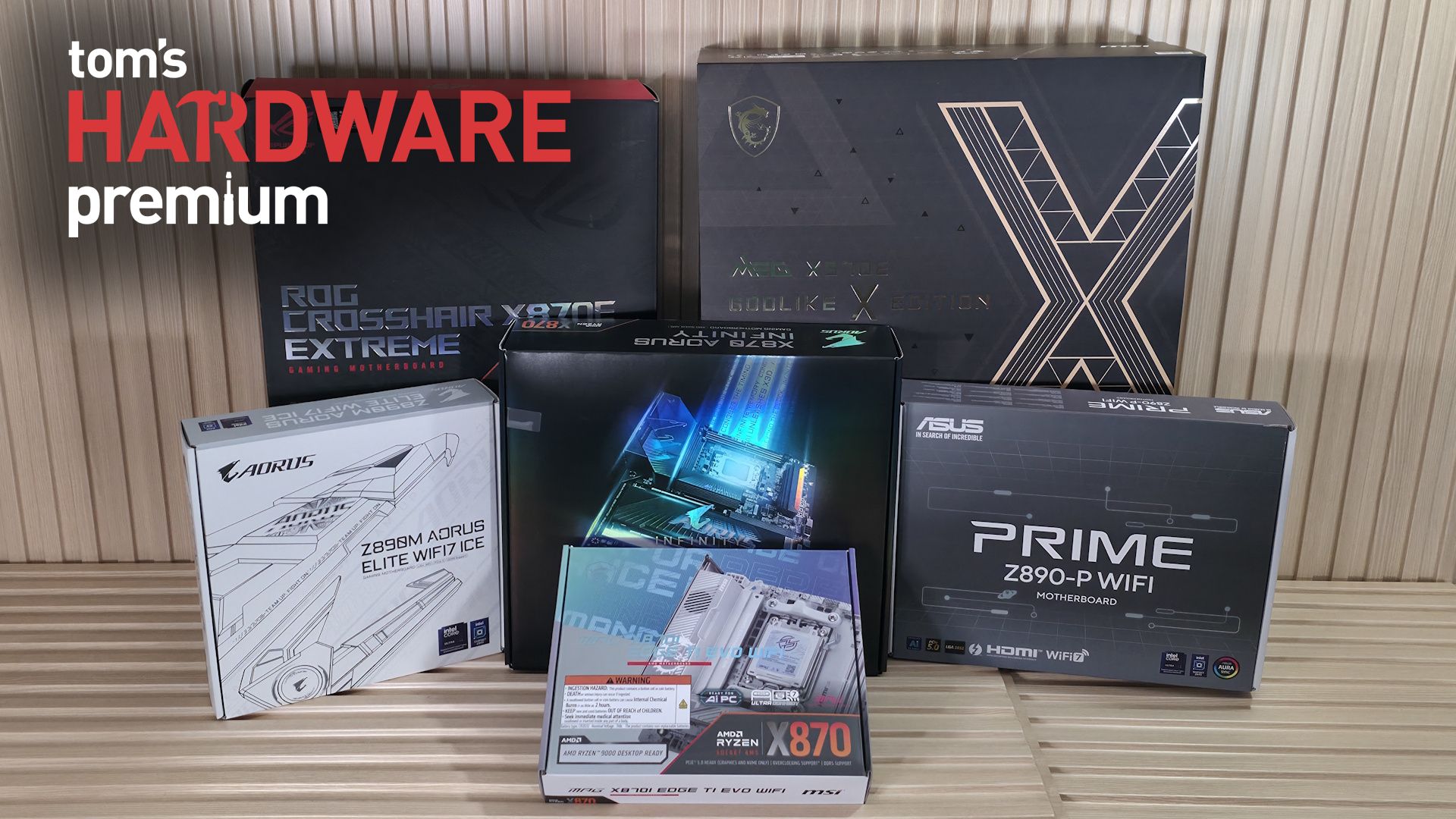
$250-400: even more connectivity, storage, and premium features, a sweet spot for enthusiasts
$400+: enthusiast-class features, extreme VRMs, aesthetics, and diminishing returns
$1,000+: Halo products where you pay for everything, not necessarily for better performance
Basics aside, how many and what speed you need for each feature varies depending on the person and how they plan to use the PC. Currently, I have seven USB devices, three M.2 drives, and one SATA-based HDD, along with a 9900X3D. By day, my workflows are generally light, with a dozen or two Chrome tabs up at one time along with Google Docs and a messaging application. By night, when my work is done, the kids are taken care of, and my wife goes to sleep, it’s a gaming PC.
A gamer’s needs are different than someone who uses the PC for content creation, for example, or a workstation user (powerful multi-core processors and a lot of RAM), or even a competitive overclocker. You don’t need a ton of or the fastest of anything to get the most out of your CPU, graphics card, and RAM. In other words, each type of user/functionality moves different features up and down on the priority list.
For example, as a budget-conscious gamer planning to use an X3D chip, I’d look at AMD and the B650E or B850 chipset-based motherboards, as they offer the best balance of price and features for a high-end gaming CPU without the tax of unnecessary enthusiast features. If you need advanced connectivity like USB and multiple PCIe 5.0 connections, that’s fine. The same goes for Intel; the B860 boards will do most users just fine.
Content creators often need a well-balanced system with high-speed connectivity such as Thunderbolt 4/5 or USB4, multiple M.2 storage slots, and fast networking to handle large media files and heavy workflows. You tend to see those features in X870/Z890 motherboards, specifically those with “Creator” in the title.
Extreme overclockers should look for boards with robust power delivery and overclocking features, such as integrated buttons on the motherboard or 2-DIMM slots that benefit memory overclocking. Boards like the ASRock X870E Taichi OCF ( $499.99 ) or the Asus ROG Crosshair X870E Apex ( $726.50 ) are good examples with features dedicated to overclocking and getting every last MHz out of your system. They are also overkill for just about everyone who doesn’t have a Dewar full of liquid nitrogen.
So how much is actually too much? The takeaway is that it depends on the situation. Most of us don’t require overkill power delivery and massive VRM heatsinks. Nor do we need 4-5 M.2 sockets or a dozen USB ports, and we can easily get away with less. Most motherboards in the $250-$400 range in the mainstream and enthusiast segment offer enough of everything to be a ‘good enough’ solution for most users. That said, they can also be overkill. It’s when you get into the budget chipsets (think A620 for AMD and Q870/H810 for Intel) that you may run into problems with VRM capability when using high-end processors, as well as connectivity shortcomings.
It seems counterintuitive, and you do get more features on higher-tier motherboards, but buying a more expensive motherboard doesn’t let you bypass the platform's hard limits. It often adds more lane/bandwidth sharing. For the most part, this isn’t a bad thing. You just have to know what hardware you plan to use and what you need from it. Drawing on the examples above, do you need the USB4 port(s) and that bandwidth for external devices (like storage), or the second PCIe 5.0 M.2 socket and its 128 Gbps of bandwidth? Or do you need the last PCIe expansion slot for an add-in card?
If you can answer these questions, you’re most of the way to avoiding overbuying on your motherboard and can then put that extra cash toward something you can actually benefit from. The best motherboard isn’t the one with the most features: it’s the one with the features you actually need. If you still need some assistance buying a new motherboard, check out our best motherboard list, which covers a wide variety of platforms, form factors, and price points. You can also check out our curated best motherboard deals to stretch your dollar even further.
Joe Shields is a staff writer at Tom\u2019s Hardware. He reviews motherboards and PC components. ","collapsible":{"enabled":true,"maxHeight":250,"readMoreText":"Read more","readLessText":"Read less"}}), "https://slice.vanilla.futurecdn.net/13-4-25/js/authorBio.js"); } else { console.error('%c FTE ','background: #9306F9; color: #ffffff','no lazy slice hydration function available'); } Joe Shields Staff Writer, Components Joe Shields is a staff writer at Tom’s Hardware. He reviews motherboards and PC components.
Key considerations
- Investor positioning can change fast
- Volatility remains possible near catalysts
- Macro rates and liquidity can dominate flows
Reference reading
- https://www.tomshardware.com/pc-components/motherboards/SPONSORED_LINK_URL
- https://www.tomshardware.com/pc-components/motherboards/how-to-choose-a-new-motherboard-without-overpaying-scoping-out-the-features-you-need-and-what-you-might-never-use-as-component-costs-soar#main
- https://www.tomshardware.com/my-account
- Dell CEO unveils new 'Dude, you’re getting a Dell (AI server rack)' video — PC maker recycles famous PC ad campaign to tout its new AI data center products
- China's homegrown AI accelerators to supply 90% of the country's domestic market, analysts suggest — Cambricon and Huawei expected to be the biggest winners in
- GeForce NOW Shakes Up August With 26 New Games
- Alibaba is selling its gaming studio for at least $1.5 billion to help fund AI buildout, mirroring Micron's exit from consumer business — dumps entire stake in
- AMD claims its 2026 rack-scale AI solution is 4X more energy efficient than its 2024 AI platform — company says it's pacing ahead of 20X efficiency by 2030
Informational only. No financial advice. Do your own research.