
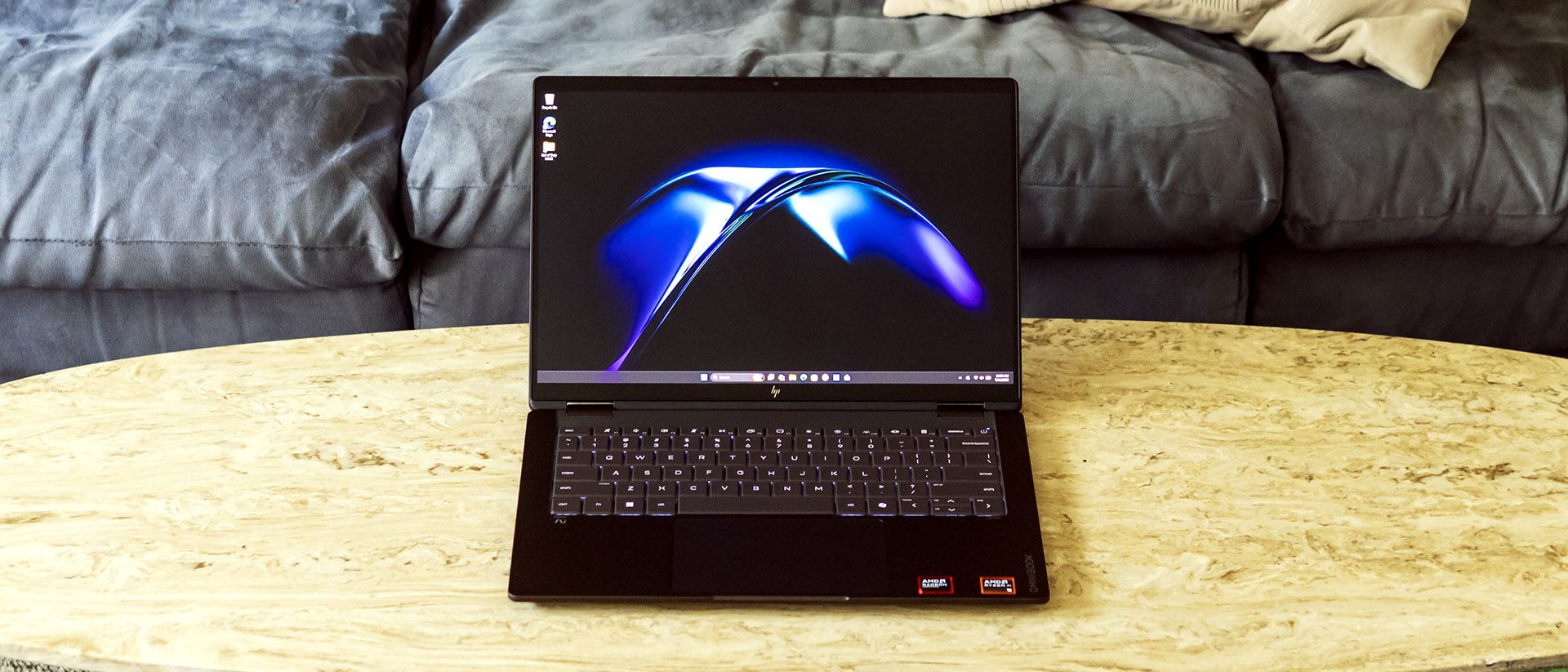
The OmniBook's average speed in our 25GB file transfer test was 1,477.3 MBps, essentially tying the XPS 14 (1,419.76 MBps) but trailing the Yoga Slim 7i (1,659.21 MBps). The MacBook Pro (1,917.35 MBps) and Yoga Slim 7x (1,934.78 MBps) led.
Though it didn't top our charts, the OmniBook still offers performance a step above what many thin-and-light laptops offer and decent multitasking capability, with its 10-core/20-thread design.
To stress test productivity laptops, we run 10 loops of Cinebench 2026. The OmniBook started at 3,465 points and slowly descended to 3,070 points by the fifth iteration, then steadily recovered and completed the last run with 3,306 points. During the test, the Ryzen AI 9 465 CPU ran at an average frequency of 2.79 GHz.
In 3DMark Steel Nomad, the OmniBook's Radeon 880M integrated graphics offered basic performance at best, outpacing the Intel Graphics in the Yoga Slim 7i (513 points), but coming nowhere near close to Adreno X2-90 GPU in the Yoga Slim 7x (1,115 points), MacBook Pro (1,122 points) or the Arc solution in Dell's XPS 14 (1,446 points), powered by the Core Ultra X7 358H.
The HP OmniBook X Flip 14 is available with three touch display options: a 1920 x 1200 IPS, a 1920 x 1200 OLED, or a sharper 2880 x 1800 OLED. Our unit came with the middle option, the 1920 x 1200 OLED. It’s unquestionably colorful – watching Star Wars: Return of the Jedi , Endor’s green forests looked lush, and OLED’s excellent contrast provided inky blackness in space scenes.
Brightness, however, is the weak point. Stormtrooper armor didn’t have the crisp white pop that it should, and blaster bolts and lightsabers looked a bit muted. HP rates this panel for just 300 nits, which is low even by OLED standards and feels out of place given the rest of the laptop’s excellent execution.
That said, the 2880 x 1800 OLED panel should solve that problem. HP rates it for 500 nits in SDR and 1,100 nits in HDR, and it also increases the refresh rate to 120 Hz – all the other panels are limited to 60 Hz. Since the 2880 x 1800 panel is only $80 more than the 1920 x 1200 version through HP’s online configurator, it looks like the display upgrade to get.
The OmniBook is also compatible with a digital MPP 2.0 pen, which we didn’t test, but HP offers as a $30 option.
Our charts confirm the OmniBook’s limited brightness, registering just 266 nits. The OLED-equipped XPS 14 and Yoga Slim 7x are considerably brighter, but none of them come close to the Yoga Slim 7i. The MacBook Pro proved the brightest, though it’s not an exact comparison since it uses a mini LED panel. Color-wise, however, the OmniBook topped the charts, with sRGB and DCI-P3 coverage just as high as the Yoga Slim 7x.
The OmniBook has a keyboard that I can type on for long sessions without feeling fatigued. The keys offer just enough travel to feel engaging, with good cushioning at the bottom of the keystroke and a flex-free deck. Though key spacing is minimal, the angled edges of the keys provide a sense of separation.
The touchpad is mechanical rather than haptic. Its nicely sized, matte surface offers seamless finger swiping – my fingers didn’t stutter or drag – and predictable clicking action.
The OmniBook’s dual speakers provide decent audio for a laptop. While not loud – there’s just enough volume for movie watching in a quiet room – the setup sounds balanced and has audible bass. In Phil Collins’ “Don’t Lose My Number”, the drum hits had a satisfying sharpness and some punch at the low end. Vocal and instrument separation is good, with no hint of strain. The Chainsmokers’ “Summertime Friends” also sounded pleasant: crisp vocals, enough bass to satisfy, and an airy soundstage.
HP includes a DTS Headphone:X license (useful if you have supported headphones, which I don’t) and DTS:X decoder license via the DTS Sound Unbound app, though it doesn’t provide any equalizer controls. Confusingly, to get software EQ, you need to use the HP app, which provides music, movie, and voice presets and a graphic EQ. I found the Music preset sounded best and didn’t hear improvements while tweaking the EQ.
Four small Philips-head screws secure the OmniBook’s bottom panel, which are not all the same size – the fronts are shorter than the rears. I used a plastic trim tool to pop the clips securing the panel, starting along the rear edge and working my way around the edges.
Upgradeable components include the M.2 2280 SSD, M.2 2230 wireless card, and the battery. The memory is not upgradeable.
(Image credit: Tom's Hardware) (Image credit: Tom's Hardware) Image 1 of 2 View Original
Battery Life on the HP OmniBook X Flip 14 The OmniBook X Flip 14 lasted a respectable 14 hours and 53 minutes in our battery test, which consists of web browsing, running OpenGL tests, and streaming videos with the screen at 150 nits while connected to Wi-Fi. It outlasted Dell’s XPS 14 (12:23) but it was almost two hours shy of the Yoga Slim 7i (16:38) and couldn’t catch the MacBook Pro (18:14) or Yoga Slim 7x (19:25). That said, the OmniBook’s numbers still make it perfectly practical for a full workday without a charger.
It’s notable that configurable models come equipped with a more powerful 70 Wh battery if they are also equipped with the 2880 x 1800 OLED panel. It's possible the higher-resolution display requires more power.
During our 10-loop Cinebench 2026 stress test, the OmniBook's surface temperatures peaked at 79 degrees Fahrenheit on the touchpad, 109 F between the G and H keys, and 113 F on the underside. Internally, the Ryzen AI 9 465's average temperature was 69 degrees Celsius across all cores. The laptop felt borderline hot to the touch in certain places. Without the stress of a benchmarking run, the laptop felt lukewarm at most. Its cooling fans sound unnoticeable for general use and are quiet enough to be ignored under load.
The main app included on the OmniBook is the HP app, which provides software updates, battery smart charge settings, touchpad gesture control, diagnostics, a virtual support assistant, and support access. Audio equalizers are also available, though spatial settings are in the tandem DTS Sound Unbound app.
HP also includes its Omni+ app for secure password management, HP Smart for connecting printers, and HP TV+ to centralize streaming apps. A McAfee trial was also installed. These apps are not unique to the OmniBook, though, and don’t directly add value.
HP covers the OmniBook X 14 Flip with a one-year warranty.
Key considerations
- Investor positioning can change fast
- Volatility remains possible near catalysts
- Macro rates and liquidity can dominate flows
Reference reading
- https://www.tomshardware.com/laptops/SPONSORED_LINK_URL
- https://www.tomshardware.com/laptops/hp-omnibook-x-flip-14-review#main
- https://futureplc.com/privacy-policy/
- Bristol Myers Squibb Building Life Science Industry’s Most Advanced AI Factory on NVIDIA Vera Rubin
- AMD’s 256-core Epyc 9996 ‘Venice’ claims up to a 3.4x jump over Intel Xeon competition, 20% over Nvidia Vera – Zen 6 comes with up to 1024MB of L3, 16-channel m
- Open-source 3D-printed portable MRI machine built for under $70,000 — DIY medical equipment costs less than 7% of a full-sized MRI machine’s $1.1 million starti
- Security flaw in Vatican’s ‘Click to Pray’ app leaves over 700,000 global users exposed — app has been leaking user data for over six months and still does
- 45% off: Slashed to just $1,099, this bargain RTX 5060-powered gaming laptop is discounted by $900 at HP — near half-price HyperX Omen 16 is the perfect gaming
Informational only. No financial advice. Do your own research.