
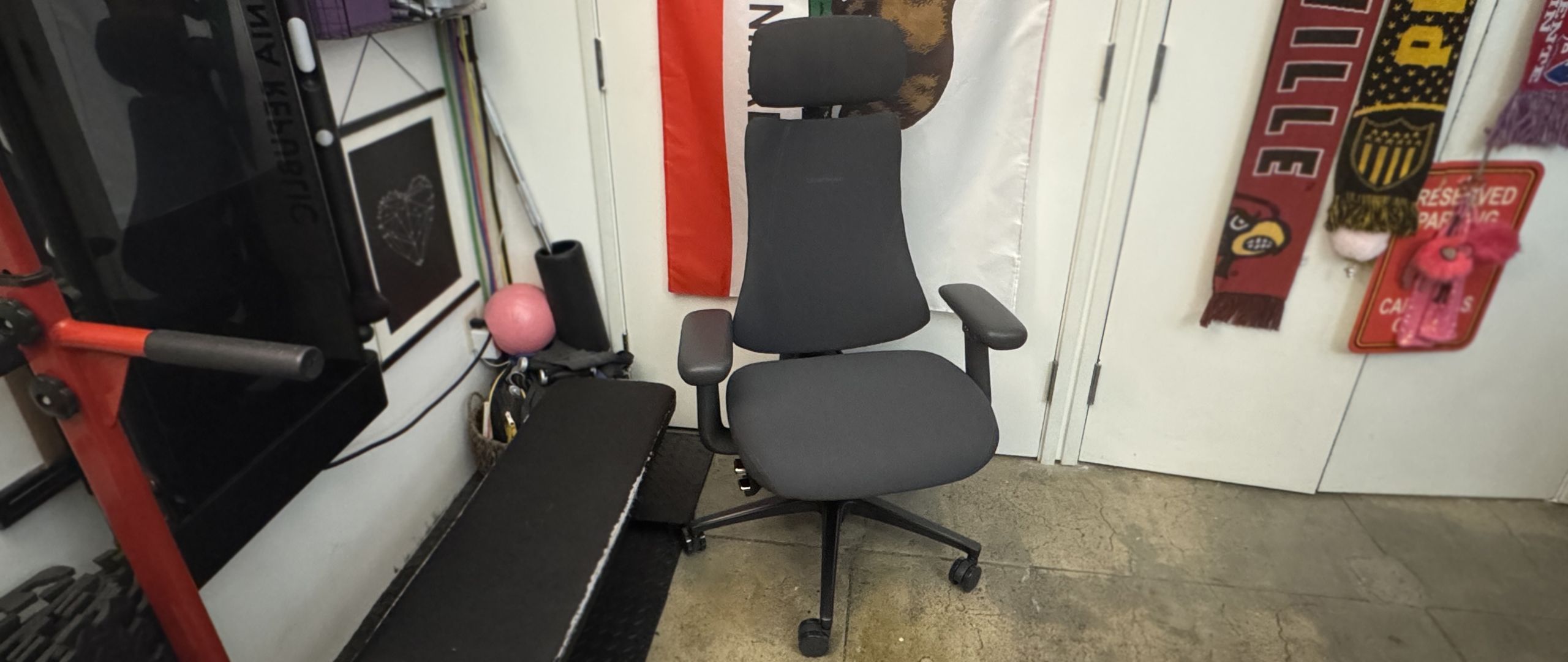
The Libernovo Omni Pro is a surprisingly comfortable chair — just like the original Omni — thanks to its dynamic, ergonomic articulated backrest and various adjustments. It's more of an office chair than it is a gaming chair, but it does offer a full 160-degree recline — though it's an active recline, meaning you need to be sitting in the chair for it to happen (as opposed to many gaming chairs, which are similar to car seats).
(Image credit: Tom's Hardware) (Image credit: Tom's Hardware) Image 1 of 2 View Original
The Omni Pro's adjustment levers are mainly located under the seat on the right side. There's a dual lever / switch that controls chair height and recline position — pulling up on the front side of the lever lets you adjust height, while pulling up on the back side of the lever locks the maximum recline. While the original Omni had four recline positions, the Omni Pro has five — and believe it or not, this makes a big difference. Whatever fifth position they added is the position I wanted on the original Omni, I guess (the recline positions lock at 105, 115, 125, 135, and 160 degrees).
Under the dual lever / switch, there's a knob that controls tilt tension, which is how much tension you'll feel when you recline. Turning the knob clockwise increases tension and turning it counter-clockwise decreases it. There seems to be a pretty wide range of tilt for this chair, so you may need to turn it several times to get the tension to your liking.
There's also dynamic, adjustable motorized lumbar support, which is controlled via the buttons on the inside of the left armrest. There are two arrow buttons for making the lumbar support firmer (forward) or… less firm (backward), and there's also a spinal massage button that triggers a five-minute spinal massage / stretch (using the chair's lumbar support) when pressed. While I like the Omni Pro's lumbar support, and found it very comfortable, it's worth noting that it's not vertically adjustable — so while it worked well for me, it may not work quite as well for someone with different body proportions.
Speaking of which, I'm about 5 feet 7 inches and 130 pounds, and the Omni Pro seemed perfect for me — not too big or heavy, and easy to adjust and move around in. The chair is rated for up to 300 pounds (136kg), and it seems sturdy enough — though I'm not sure how well the electronics will hold up if someone who weighs closer to that is using the spinal stretch feature regularly. My husband, who's 5 feet 11 inches and around 180 pounds definitely seemed a little too big for the chair (he has very long legs, though, and the chair's maximum depth of 18.9 inches (48cm) was still a little short for him).
In addition to the lumbar support, the Omni Pro has a ventilation fan under the seat. Unlike the other chairs we've seen with built-in fans, such as DXRacer's Martian Pro Red Triangle or Cougar's NxSys Aero Chair , this fan doesn't blow toward you to cool you off — instead, it removes hot air (I guess?) from around you by blowing away from you. I was skeptical, too, but it actually seems to work… pretty well. I guess there's a lot of heat trapped in the seat, because it instantly felt cooler even on the lower setting.
(Image credit: Tom's Hardware) (Image credit: Tom's Hardware) Image 1 of 2 View Original
The fan runs on the same battery pack as the motorized lumbar support, and Libernovo says you'll get up to 9 hours of continuous fan usage on the higher setting, and up to 36 hours on the lower setting, and there's also a built-in sensor in the seat that automatically switches the fan off if you stand up (and switches it back on again when you sit back down). I could definitely hear the fan on both the high and low settings, but it faded pretty quickly to background noise on the lower setting. Also, the fan definitely seems to take up some space, because the seat on the Omni Pro is less padded than the seat on the Omni. I could feel the chair's frame through the seat, which wasn't a problem for me but may not be quite as comfortable for someone who's heavier.
Like the original Omni, the Omni Pro has 4D armrests that adjust four directions: up/down, forward/back, left/right, and angle in/out. There's a lever under the outside of each armrest that you can press to adjust the armrests up/down. To adjust the armrests forward or backward, you just slide the tops (no button/lever necessary); same with adjusting the angle. Bringing the armrests closer to you involves pulling them inward, tilting them toward you. I don't love the way the armrests end up angled toward your body as a result of this, but I also don't ever find it necessary to adjust the width of my armrests so it wasn't an issue.
(Image credit: Tom's Hardware) (Image credit: Tom's Hardware) Image 1 of 2 View Original
The Omni Pro also has an adjustable head/neck rest, which is curved to fit the curve of your neck/spine. The neck rest is height-adjustable and can be moved forward/back to suit your needs (or removed entirely).
Libernovo also sent us the corresponding StepSync Footrest, which is a dual height footrest with both a bottom shelf for resting your feet on when you're sitting upright and a padded upper shelf for when you want to recline. It's not a particularly high-tech footrest, but it's sturdy enough and it matches the chair, and it's a nice addition to the entire setup if you snag it in the bundle.
Libernovo's Omni Pro managed to surprise me — I already liked the original Omni, and the Omni Pro's seemingly gimmicky seat ventilation fan worked better than I expected it to. The Omni Pro is a comfortable ergonomic chair that will fit pretty easily into most gaming setups (especially if you don't have the space for a giant racing-style behemoth), but the issue of longevity that we had with the original Omni carries over.
The Omni Pro has even more potentially breakable technology inside it, and the warranty on electronics is a mere two years — and remember, if the electronics in this chair stop working then you can no longer adjust the lumbar support. The chair itself has a six-year warranty (up from the original Omni's five years), which is on par with other gaming chair companies, but is still only half that of Herman Miller's 12-year warranty.
And while the Herman Miller x Logitech G Vantum has been fluctuating in price, it's still less than the Omni Pro.
Sarah Jacobsson Purewal Social Links Navigation Senior Editor, Peripherals Sarah Jacobsson Purewal is a senior editor at Tom's Hardware covering peripherals, software, and custom builds. You can find more of her work in PCWorld, Macworld, TechHive, CNET, Gizmodo, Tom's Guide, PC Gamer, Men's Health, Men's Fitness, SHAPE, Cosmopolitan, and just about everywhere else.
Key considerations
- Investor positioning can change fast
- Volatility remains possible near catalysts
- Macro rates and liquidity can dominate flows
Reference reading
- https://www.tomshardware.com/peripherals/gaming-chairs/SPONSORED_LINK_URL
- https://www.tomshardware.com/peripherals/gaming-chairs/libernovo-omni-pro-review#main
- https://www.tomshardware.com/membership
- OpenAI's rogue AI agents accessed more websites to communicate than originally believed — defiant LLMs accessed old wikis and abandoned websites to co-ordinate
- Super Smash Bros Melee gets fully decompiled after over six years of effort — ambitious and technically impressive project delivers GameCube classic as C code
- Sony threatens to cut off customer support and pursue legal action over harassment as backlash to PlayStation’s physical-disc phaseout intensifies — company to
- Developer uses Claude to vibe code a Windows 3.1 shell in an hour — reanimated 12MB retro launcher runs on both Windows 11 and Apple Silicon
- Big Tech eyes glacier-strewn Patagonia for building mega AI data centers — region offers 17,300 glaciers, coldness, and cheap energy, but fiber lines are scarce
Informational only. No financial advice. Do your own research.