
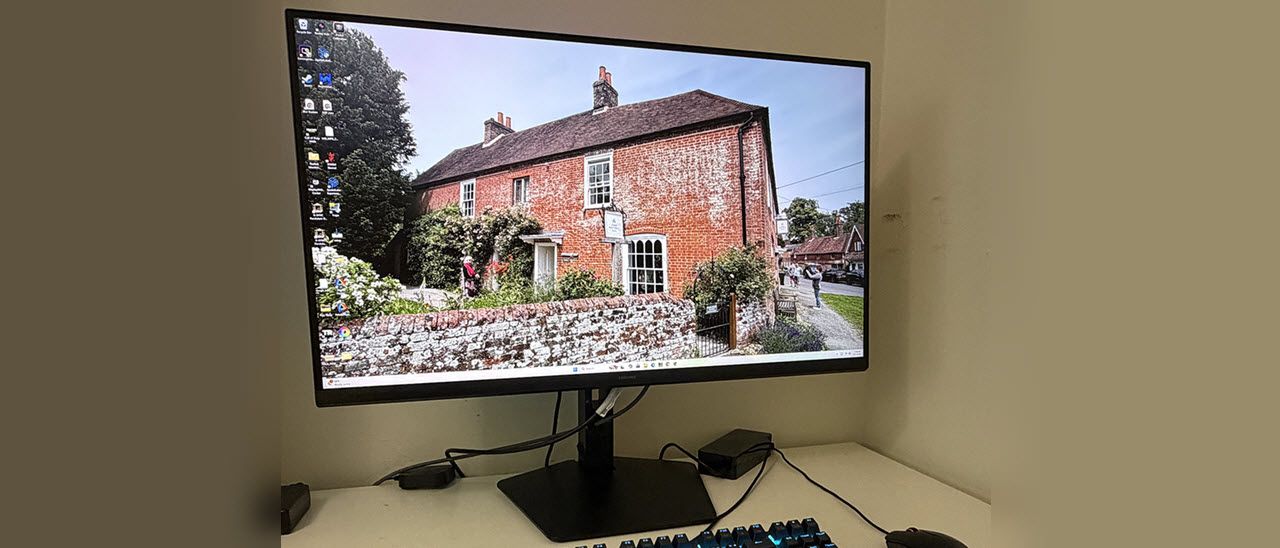
Bleeding-edge resolution doesn’t come cheap, but the G80HS isn’t super pricey either at $1,599 to start. Let’s see how it performs.
The G80HS arrives packed in crumbly foam with a base, upright, and panel that assembles easily, no tools needed. A medium-sized power brick with right-angled cords provides the alternating current, and you get very thick HDMI and DisplayPort cables which are rated for 48 and 80 Gbps respectively.
(Image credit: Samsung) (Image credit: Samsung) (Image credit: Samsung) (Image credit: Samsung) (Image credit: Samsung) (Image credit: Samsung) Image 1 of 6 View Original
The G80HS has a minimalist aesthetic with only a tiny Samsung logo on the front bezel. The rest of the frame is flush and thin. Coupled with a very slim side profile, one might think they’re looking at an OLED. Internal bits are packed into a central bulge which has generous ventilation. The stand’s fulcrum is ringed by an LED that can play a variety of effects and colors.
The stand is substantial with firm movements and generous adjustments. You get a five-inch height range plus 2/25 degrees tilt and 30 degrees swivel. There’s a 90-degree portrait mode as well. The base has a medium footprint and brings plenty of stability. I noted that the fulcrum had a little wobble when adjusting tilt and rotation.
The screen has an effective anti-glare coating with a matte finish. It is grain-free and provides excellent clarity for the extreme 224ppi pixel density. You’ll need a magnifying glass to see any dot structure from any distance. Sharp and smooth is almost an understatement.
The I/O panel includes a DisplayPort 2.1 and two HDMI 2.1 ports. All of them can manage 6K resolution at 165 Hz if your video card has DisplayPort 2.1 or HDMI 2.1 outputs. USB 3.2 ports are also included, one upstream and two downstream.
(Image credit: Tom's Hardware) (Image credit: Tom's Hardware) (Image credit: Tom's Hardware) (Image credit: Tom's Hardware) Image 1 of 4 View Original
The Dual Mode option switches between 6K at 165 Hz and 3K at 330 Hz. Given my experience, users will be using the 3K mode more often for twitchy shooters and the 6K mode for less frenetic titles. For aiming help, you get two different reticles. And the lighting, called Infinity Core, can play different colors and effects through the LED ring in the back. CoreSync lets you sync the light show with what’s happening on the screen.
To enhance contrast, there are three different options: Local Dimming, Contrast Enhancer, and Dynamic Brightness. Local Dimming is a bit misleading because the G80HS is not a full-array panel. And tests showed me that it doesn’t do zone-edge dimming either. The best of the three for expanding dynamic range is Dynamic Brightness. That will deliver almost 15,000:1 contrast versus the panel’s native ratio of around 1,700:1. In HDR mode, you can opt for dynamic tone mapping, which improves the image in most cases. I noted that in testing, the Static mode produced reference-level accuracy. You can read more about that on page five.
Gaming on the G80HS was a unique experience. On the positive side, it’s the first dual-refresh monitor that I can call truly useful because its resolution only reduces to 3072×1728, which equates to 112 ppi, a tad more than a 27-inch QHD screen. And my GeForce RTX 4090 ran it at around 250 fps, which eliminated any need for Adaptive-Sync or overdrive.
This was fortunate because, as I discovered, playing in HDR mode grays out both options. In essence, you get no video processing with dual mode engaged, but don’t be dismayed. Motion resolution was superb, and the G80HS was super responsive to control inputs. You’ll see why when you read the input lag test results on the next page.
Playing in 6K was not as fun with my setup. An RTX 4090 is fine for 4K where I can get speeds over 200fps. But at full resolution, I could barely crack 100 fps. And with Adaptive-Sync and overdrive out of the picture, motion was just too blurry. There was no hit to input lag; control response was instantaneous. But it was hard to aim precisely at distant targets because unless I stopped moving, enemies were too difficult to make out.
Gameplay experiences aside, the G80HS is gorgeous to look at. With 224 ppi, the picture is uncannily smooth. I could not see the pixels even with my nose next to the screen. Though 4K looks very film-like and realistic, 6K is even more so. It amps up my anticipation and desire for 8K, which will inevitably be a thing within my lifetime.
Working on documents and graphics is such a pleasure when detail and clarity are this high. Though I usually crow more about contrast… Oh wait, the G80HS has a good deal of that. True that it’s IPS, but it delivers around 1,700:1 natively and almost 15,000:1 with Dynamic Brightness engaged. Though it isn’t quite in OLED territory, it is visibly superior to the average LCD panel, and that includes Mini LED monitors with their full-array backlights. The G80HS’s HDR is particularly excellent with balanced color, perfect luminance tracking, and peak highlights around 480 nits.
Takeaway: Though the G80HS’s resolution is somewhat of an “in-between” proposition, there’s no denying its appeal. 224ppi is serious pixel density, and it manifests itself as a super smooth and lifelike picture. Coupled with excellent contrast and pro-level color accuracy, it delivers a truly useful dual-refresh feature where you can play at 330fps at 3K resolution, which equates to 112ppi. So, if you can’t drive it at 6K/165 Hz yet, you can still enjoy it until the next generation of premium video cards comes to market.
Current page: Features and Specifications
Key considerations
- Investor positioning can change fast
- Volatility remains possible near catalysts
- Macro rates and liquidity can dominate flows
Reference reading
- https://www.tomshardware.com/monitors/gaming-monitors/SPONSORED_LINK_URL
- https://www.tomshardware.com/monitors/gaming-monitors/samsung-odyssey-g80hs-6k-gaming-monitor-review#main
- https://www.tomshardware.com/membership
- QIDI Plus5 3D printer review: The best one yet
- Gigabyte resurrects 8-year-old B450 chipset with new motherboards — AM4 budget king returns as another DDR4 solution to exorbitant RAM prices
- Industry Leaders Unite in Open Secure AI Alliance for AI Safety and Security
- Memory maker CXMT overtakes Tencent to become China's most valuable company 17 days after its IPO — now worth $524 billion
- Cargo thieves ram security escorts to hijack AI hardware shipments in California — brazen thieves employ PIT maneuver, rear-ending tactics to secure goods for t
Informational only. No financial advice. Do your own research.