
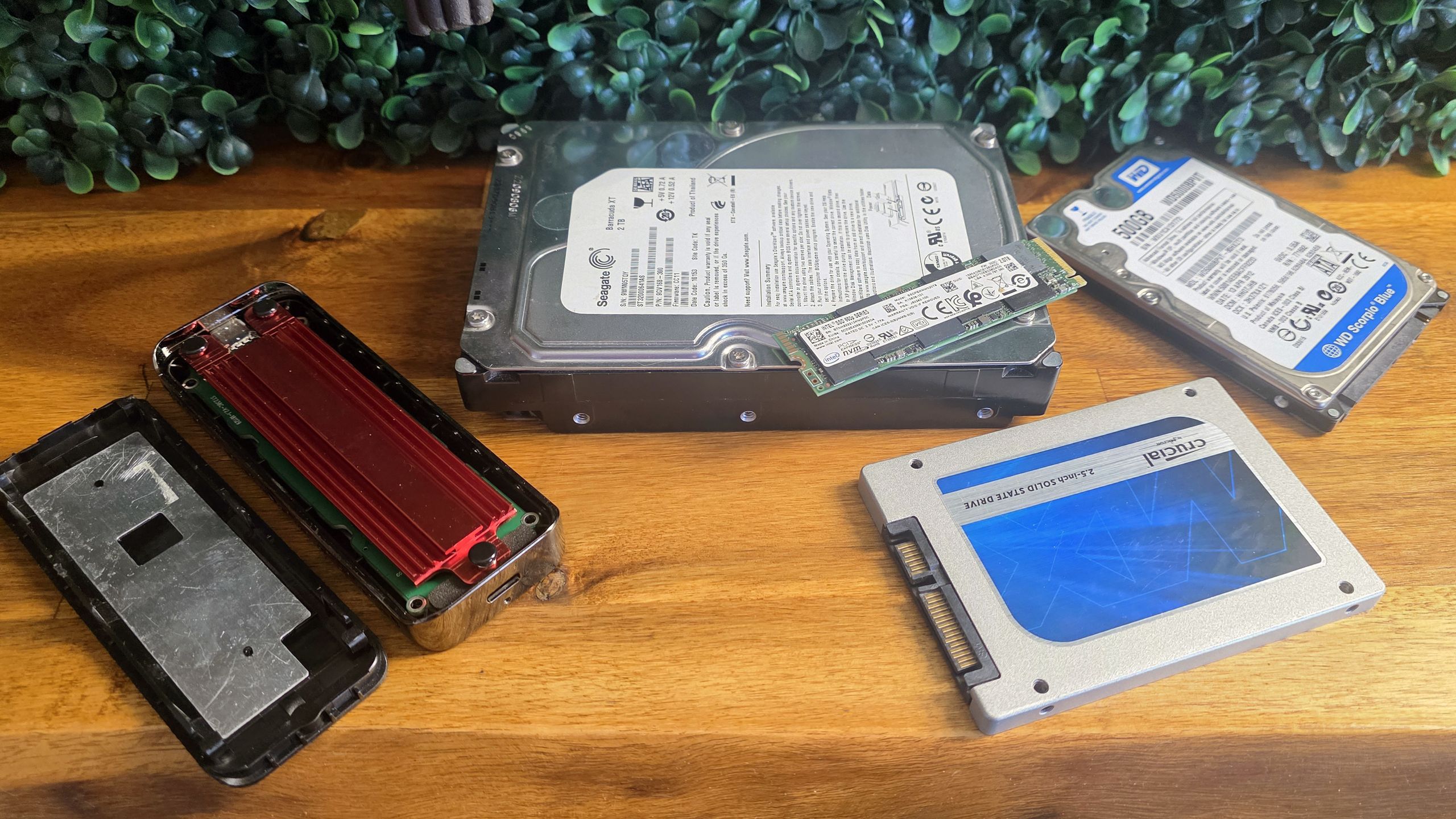
Good storage deals are sadly dead, but an affordable enclosure can bring an old drive back to useful life.
When you purchase through links on our site, we may earn an affiliate commission. Here’s how it works .
There are cheaper 2.5-inch SATA SSD / HDD options, but this option from Orico uses a modern USB-C cable, rather than the more common (for some reason) Micro USB-B connection. This is important, both because Micro-B is rare these days, so you might misplace the cable. But also, should you want to use a USB-C connector on your PC, rather than the USB-A cable that this enclosure ships with, you probably already have a suitable USB-C to USB-C cable. With other enclosures, you'd almost certainly have to order a Micro-B to USB-C cable. And no one wants one of those if they can avoid it.
This USB-C-to-USB-A enclosure is transparent, which some will like and some won’t. But I find it helpful to know at a glance which old drive I have installed. It supports UASP for faster transfers, and drives up to 9.5mm thick and up to 6TB.
Unless you're digging some SATA drives out of storage, the most likely (and speediest) option for putting an old drive to use as external storage is an M.2 drive. Older models might be SATA, but newer, faster options use the NVMe protocol. The tool-free option below supports both, as well as all the common physical M.2 form factors.
This tool-free 10Gbps enclosure from Orico supports both NVMe and SATA drives (the latter at 5Gbps, plenty for SATA drives), as well as 2280, 2260, 2242, and 2230 drive lengths. Drives up to 4TB are supported, and while this is a passively cooled enclosure, a thermal pad and metal heatsink are included, which should be fine for most drives of this class.
This enclosure supports speeds up to 10Gbps, which is fine for most mainstream uses. And it's unlikely most have a faster spare PCIe 4 or PCIe 5 drive to take full advantage of faster interfaces anyway. If you do, keep scrolling for a faster option, below.
If you’ve got a spacious 3.5-inch hard drive you want to make use of and don’t have the space for it inside your PC case, there are, of course, enclosures available for old-school desktop hard drives. And our favorite tested pick, from UGreen, is also on sale.
Ugreen’s 3.5-inch enclosure for desktop hard drives supports UASP for faster transfers, and USB 3.0 speeds, which is more than double the bandwidth of most hard drives. It’s also smaller than some competing enclosures, and supports drives up to 20TB.
Despite its svelte size for the category, there's no denying the bulkiness here compared to 2.5-inch enclosures, not to mention the requirement of a power brick. But hey, it supports drives up to 20TB, and you can’t cram all those bits in a 2.5-inch drive. The only real benefit of 3.5-inch external storage at this point is capacity and price. 2.5-inch hard drives top at 5-6TB, and 8TB SSDs these days usually cost $900 or more. But this enclosure from Ugreen supports up to 20TB drives. Just remember: backing up terabytes of essential data to a single hard drive, without another off-site backup, is a good way to ensure a future catastrophe. Always follow the 3-2-1 backup rule if your data is irreplaceable.
If you’re digging in a drawer for an older drive, there’s a fairly good chance it’s not up to delivering 40 Gbps speeds, so there’s no use in overpaying for a pricier enclosure with speeds your drive can’t deliver. But for those who do have a spare SSD that’s capable of speeds of 3,100 MB/s or more and want a fast enclosure, this model from Orico, if you clip the coupon, is one of the cheapest we’ve seen from a known brand.
Speedy external storage deals these days are nearly non-existent, thanks to AI-driven storage price hikes. But you can turn an older M.2 NVMe drive from a previous upgrade into a speedy 40Gbps external SSD with this premium aluminum enclosure from Orico.
This is a fanless enclosure, and not as large as some other passively cooled options. So don't expect the fastest possible sustained performance, but Orico's enclosure supports speeds up to 3100 MB/s, as well as USB4, Thunderbolt, and older / slower USB protocols.
Get Tom's Hardware's best news and in-depth reviews, straight to your inbox.
Key considerations
- Investor positioning can change fast
- Volatility remains possible near catalysts
- Macro rates and liquidity can dominate flows
Reference reading
- https://www.tomshardware.com/pc-components/storage/SPONSORED_LINK_URL
- https://www.tomshardware.com/pc-components/storage/save-hundreds-during-this-storage-pricing-hellscape-by-turning-an-ssd-or-hard-drive-you-arent-using-into-a-useful-external-drive-for-as-little-as-usd8-put-an-old-drive-to-good-use-as-external-storage#main
- https://www.tomshardware.com/membership
- Anycubic Kobra 4 Combo 3D printer review: Evolution, not revolution
- AMD will reinstate memory encryption on Ryzen 9000 CPUs through a BIOS update in July — TSME is coming back after 'valuable community feedback'
- WD's 2TB Black SSD price drops by nearly 20% ahead of Prime Day sale — grab the 2TB SN7100 for $242.96
- CEO of Chinese Anthropic rival tells Elon Musk that China will have a Fable 5-class AI model before next year — it ‘won’t take that long’ says Jie Tang in respo
- Post-silicon era gets closer as industry giants crack the 2D transistor scaling bottleneck with breakthrough tech — imec, ASML, and TSMC fab complementary 2D-ma
Informational only. No financial advice. Do your own research.