
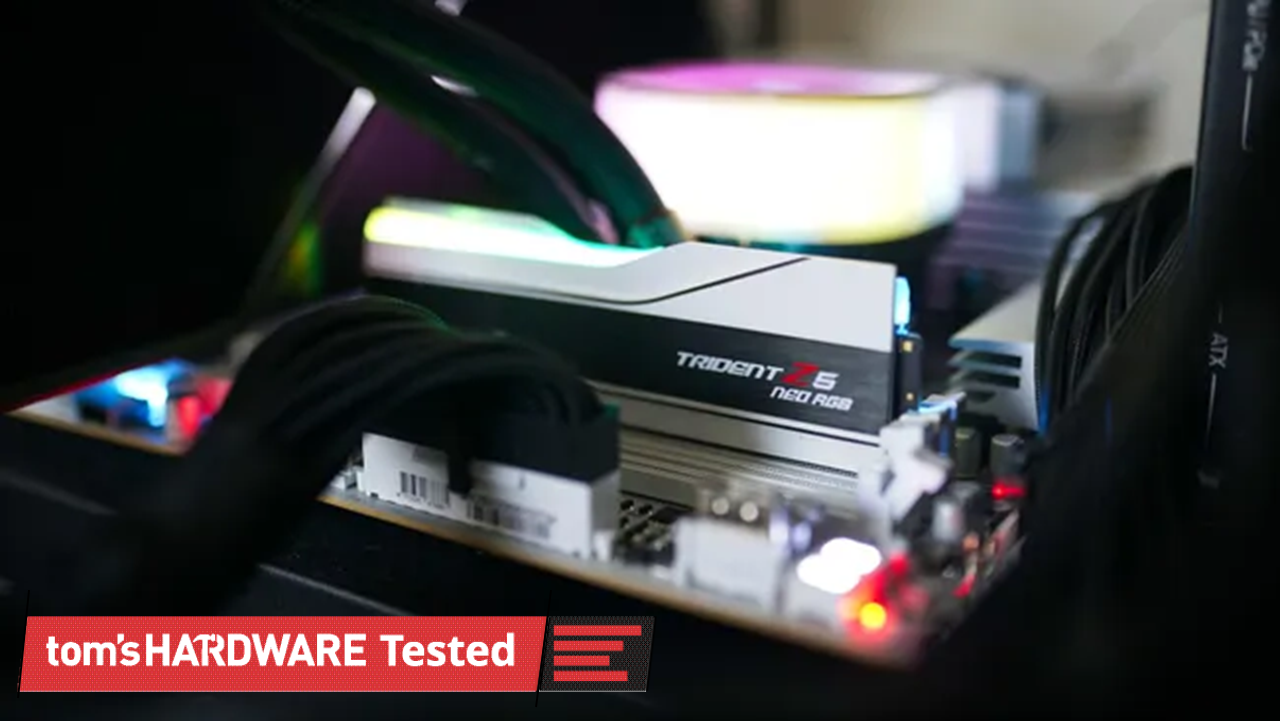
DDR5 has much higher data rates compared to DDR4 (2x or more), and that’s the result of significantly more complexity on DDR5 DIMMs compared to DDR4. Notably for this testing are the two 32-bit subchannels of DDR5, as well as enlarged prefetch and bank groups. You are getting half the total bandwidth with a single DDR5 DIMM, absolutely, but it’s a little more nuanced than simply running your memory in a single-channel configuration.
DDR4 uses a single 72-bit channel, and 64 of those bits transfer data (the additional 8 are for ECC). With DDR5, you get two 40-bit subchannels, 32 of which are used for data transfer. Critically, these subchannels have their own Command/Address (CA) interface, allowing them to operate independently of each other.
In addition, DDR5 doubles the prefetch size to 16N, doubles the number of banks and bank groups, and increases burst length from 8 bytes to 16 bytes. The math here is straightforward enough. With DDR4, you can transfer 64 bits of data over the interface at a burst of 8 bytes, giving you 64 bytes of data and aligning with cache line sizes. Each of the subchannels in DDR5 can transfer 64 bytes of data, as well, with a 32-bit width and burst length of 16 bytes.
It’s pseudo-dual-channel memory on a single DIMM. There are two independent memory operations that can happen each cycle, both of which transfer 64 bytes of data. That is a big reason why even a single DDR5 DIMM (particularly one with a higher data rate) can outpace even a proper dual-channel DDR4 configuration.
The common wisdom about using a single DIMM comes mainly from previous DDR generations, where you can only get that single 64-byte transfer each cycle, necessitating a second DIMM to have two independent operations.
Let me be clear: two DDR5 DIMMs are still better. Instead of two operations per cycle, you can perform four. The main difference is that, for modern CPUs and games, just those two operations give you the vast majority of your performance, and you don’t run into a massive performance bottleneck as you do with just a single operation via DDR4. After all, there are still a lot of DDR4 systems out there.
The elephant in the room with upgrading to a DDR5 platform with a single DIMM is compatibility. If you get a single DDR5 DIMM now, you should plan to add another in the future. Unfortunately, there aren’t a lot of easy answers when it comes to combining two DIMMs that aren’t in a kit together. It should work, but mixing and matching can lead to stability issues and/or lowered performance.
Generally, combining two DIMMs of the same spec should work. For instance, if you bought this Patriot Viper Venom DDR5-6000 CL30 DIMM to start your new build, and then bought a second one later, it should work. “Should” carries a lot of weight on its shoulders, however. Maybe Patriot sources DRAM from multiple places, or your second DIMM’s timings don’t completely align with your first. That could cause stability or performance issues.
There have been some attempts to get past this hurdle, such as the ROG Certified program with select Asus motherboards, but it’s impossible to know for sure if two separate DIMMs will work together or not without testing. The best you can do is to make sure you buy the same brand of memory, with the same spec, if you add a second DIMM. Make sure to keep your receipt handy in the event you need to return it, as well.
Once you have your second DIMM, make sure to test it first at stock JEDEC speeds/timings (no XMP/EXPO). Run games or applications you normally run, and then use a utility like MemTest64 to check for stability. I’d recommend keeping your PC running in this state for a few days to see if any BSODs, application crashes, or poor performance issues pop up. After that’s done, repeat the process with XMP/EXPO enabled, assuming you’re using matching DIMMs (incompatible XMP/EXPO profiles won’t work together).
Assuming DRAM prices continue at an elevated rate before you upgrade, you may want to consider investing in a dual-channel kit down the line and selling your single DIMM. Even kits can run into compatibility issues, though the likelihood is far, far lower.
Jake Roach is the Senior CPU Analyst at Tom\u2019s Hardware, writing reviews, news, and features about the latest consumer and workstation processors. ","collapsible":{"enabled":true,"maxHeight":250,"readMoreText":"Read more","readLessText":"Read less"}}), "https://slice.vanilla.futurecdn.net/13-4-25/js/authorBio.js"); } else { console.error('%c FTE ','background: #9306F9; color: #ffffff','no lazy slice hydration function available'); } Jake Roach Social Links Navigation Senior Analyst, CPUs Jake Roach is the Senior CPU Analyst at Tom’s Hardware, writing reviews, news, and features about the latest consumer and workstation processors.
Gururu I guess it is better to have 1x16GB than 2x8GB for upgrading purposes, even if 2x8GB may be faster. I guess what is interesting to me is that the 1x16GB DDR5 can outperform 2x16GB DDR4 15+% with the same CPU for the same price. Reply
PEnns Let me fix the title for you: Single-DIMM DDR5 gaming works better than you probably think,( if you're using a Ryzen 7 9800X3D and not a 7600X) Very reassuring. But hey, it's RAMocalypse, so we'll take it. Reply
philged It would be interesting to see a test with a 5800X3D or a 7600X3D/7700X3D. It's nice that the 9800X3D shows very little variation, but chances are if you can afford a 9800X3D, you can also afford to buy more than a single stick of RAM. So the X3D advantage and "budget build" aren't otherwise really two things that otherwise go together. It would also be helpful to see this test with a larger pool of software. Techspot ran a similar article in 2025 and had somewhat similar results, but there were a number of titles that showed anywhere from a 20-50% loss in performance for games like Marvel Rivals or Horizon Zero Dawn that were more RAM sensitive. And 3rd idea, since 1×16 and 2×8 kits are fairly similar in price, maybe a comparison between what it looks like to upgrade from 1×16 to 2×16 vs 2×8 to 4×8. Choosing between getting dual channel up front but performance loss due to memory controllers down the line, vs. single channel up front and optimized dual channel down the line. Reply
tommo1982 Hmm, compatability shouldn't be a problem unless one decides on higher frequencies than CPU supports. This made me remember my first PC with Pentium 233MHz MMX and FIC motherboard, which had both DIMM and SIMM memory slots. I had one 32MB DIMM and added 8MB SIMM. Now, this is what I call compatibility concerns. Surprisingly it worked fine. My friend had a much better PC a few years later, alas with 32MB only and my 40MB system loaded the game faster. He was not amused. Reply
Key considerations
- Investor positioning can change fast
- Volatility remains possible near catalysts
- Macro rates and liquidity can dominate flows
Reference reading
- https://www.tomshardware.com/pc-components/ddr5/SPONSORED_LINK_URL
- https://www.tomshardware.com/pc-components/ddr5/single-dimm-ddr5-gaming-works-better-than-you-probably-think-amds-3d-v-cache-chips-drop-less-than-3-percent-one-ddr5-dimm-beats-dual-channel-ddr4-ram#main
- https://www.tomshardware.com/membership
- Pennsylvania town lists 43 specific demands to approve new AI data center project — developer calls local demands 'too difficult' as council slams response as '
- Industry Leaders Unite in Open Secure AI Alliance for AI Safety and Security
- Why you need a macro pad, even if you have a mouse with 19 buttons — from $10 mechanical numpads to multi-screen window management
- Best in Class: Stream PC Games and Study on the Same Laptop With GeForce NOW
- Setting up OpenClaw isn’t as straightforward as the internet wants you to think – running local AI on humble hardware
Informational only. No financial advice. Do your own research.