
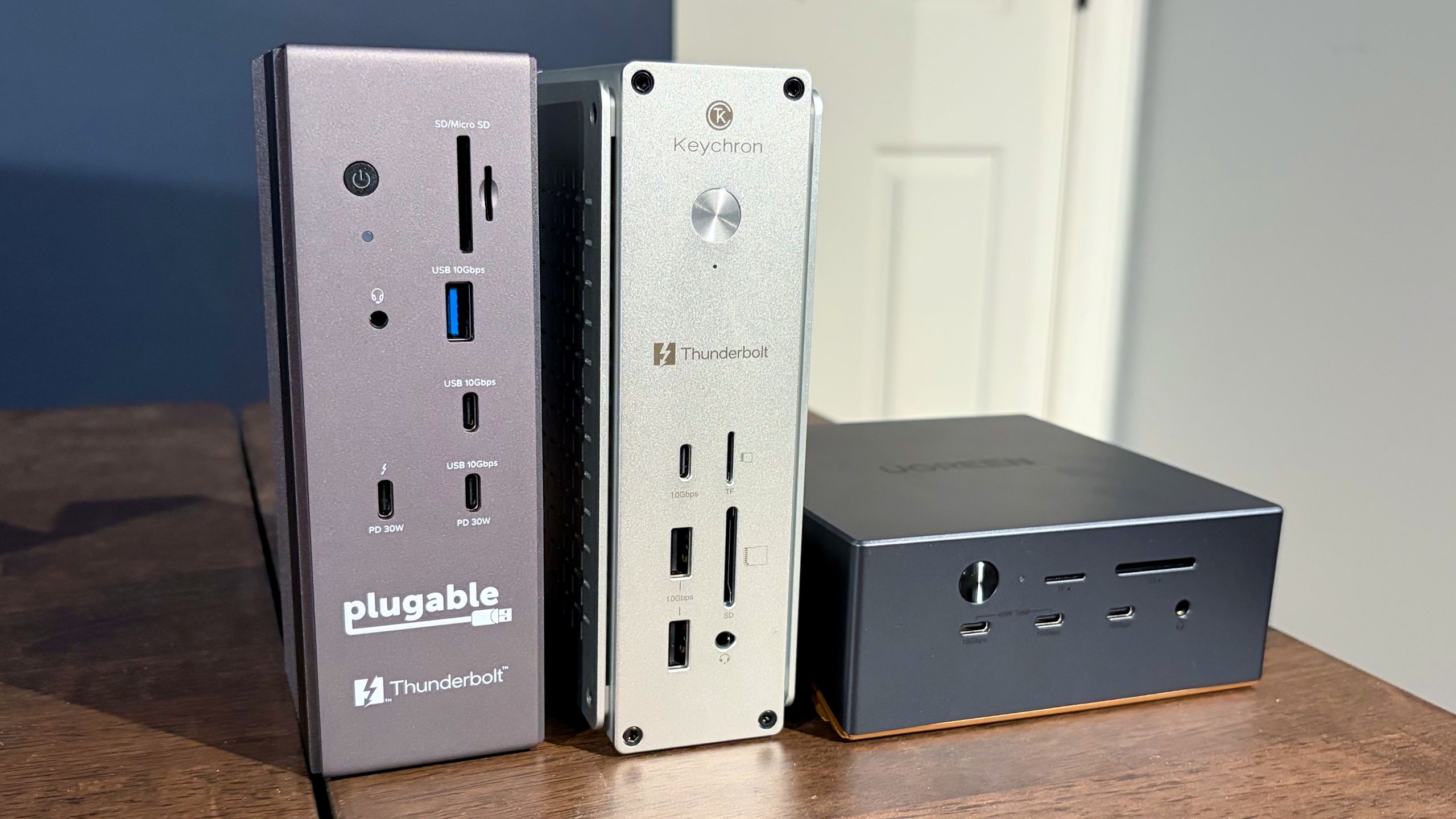
We tested SSD performance of the three docks using a 1TB Micron 2500 Series PCIe 4.0 SSD (MTFDKBA1T0QGN-1BN1AABYY). The SSD is rated for sequential read speeds up to 7,100 MBps and sequential writes up to 5,800 MBps.
For baseline performance numbers, I tested the Micron 2500 using the onboard PCIe 5.0 M.2 slot on an Asus Z890 Creator WiFi motherboard. For testing with the Keychron TB5D-1 and the Plugable TBT-UDH2, I used an Orico Thunderbolt80G enclosure with the Micron 2500 – it supports up to M.2 (PCIe Gen4x4) SSDs. The enclosure was plugged into one of the Z890 Creator WiFi’s two Thunderbolt 5 ports. For the UGREEN Revodok Maxidok, I used the native M.2 PCIe 4.0 slot with the Micron 2400.
Using the Micron 2500 SSD and Asus Z890 Creator WiFi motherboard as a baseline, we saw 6,674.53 MBps reads and 5,628.61 MBps writes. Of the three docks we tested with the Micron 2500, the Revodok Maxidok was the fastest with its native M.2 PCIe 4.0 slot. It achieved 5,780.54 MBps reads, roughly 300 MBps ahead of the other two.
The Keychron TB5D-1 and the Plugable TBT-UDH2 put up nearly identical numbers using the Orico Thunderbolt80G enclosure, with around 5,400 MBps reads and 4,200 MBps writes.
All three docks had no trouble maxing out the 2.5 GbE port using iPerf3, and I didn't run into any compatibility problems running my 49-inch 240 Hz DQHD monitor using the docks via HDMI or DisplayPort connections.
While all of the docks were warm to the touch, the Revodok Maxidok was noticeably cooler thanks to its internal cooling fan.
Of the three docks that we tested, the one that I felt was the most versatile and worthy of a place on my desk is the UGREEN Revodok Maxidok. It’s the only one of the docks with a native DisplayPort 2.1 connector and the only one with an internal M.2 SSD slot. In addition, it offered ever so slightly faster storage performance than using an SSD with a Thunderbolt 5 enclosure. And with a street price of $390, you’re only paying a $40 premium over the other two docks.
If you prefer having two additional HDMI 2.1 ports at your disposal, the Keychron TB5D-1 is a good option as well. All of the Keychron’s USB-A and USB-C ports are 10 Gbps, while the Plugable TBT-UDH2 gives you a mix of 10 Gbps and 5 Gbps USB ports. In addition, the Keychron dock features two downstream Thunderbolt 5 ports, while the Plugable only has one.
Although we plan to keep this guide updated as we test additional Thunderbolt 5 docks, here are some additional units to consider:
Anker Prime Thunderbolt 5 Dock – $319.99
Key considerations
- Investor positioning can change fast
- Volatility remains possible near catalysts
- Macro rates and liquidity can dominate flows
Reference reading
- https://www.tomshardware.com/peripherals/docking-stations-hubs/SPONSORED_LINK_URL
- https://www.tomshardware.com/peripherals/docking-stations-hubs/testing-three-sub-usd400-thunderbolt-5-docking-stations#main
- https://www.tomshardware.com/membership
- At AI Summit, South Korea Outlines Its AI Future With NVIDIA and Partners
- Ambitious gamer turns fanless Subway menu PCs into gaming rigs — passive Intel Core i3 units manage just 15 fps in GTA V and 25 fps in Minecraft
- Built for Vera Rubin, NVIDIA Spectrum-6 Arrives in Gigascale AI Factories
- Microsoft says physical discs should not have stopped working during the Xbox outage — clarifies issue with entitlement checks that failed to read licenses corr
- Firm that uses AI to locate ancient lost shipwrecks is hiring a literal pirate to salvage sunken treasure, paying up to $500,000 a year — AI mines 500 years of
Informational only. No financial advice. Do your own research.