
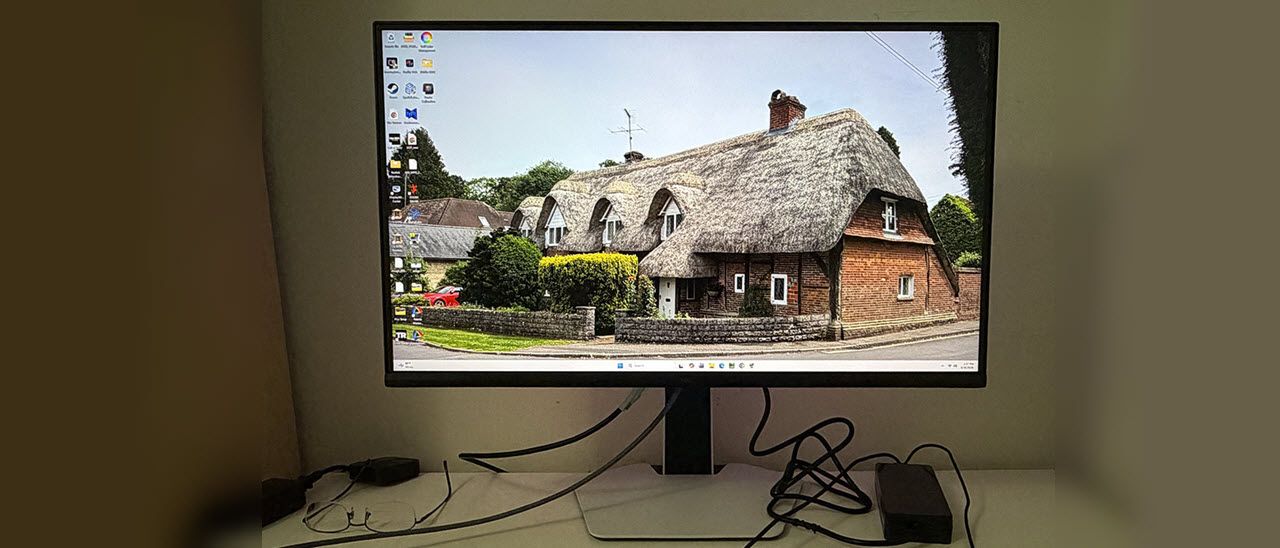
The 27C2A Pro ships in blocks of crumbly foam in its three main parts: base, upright, and panel. They assemble without tools. Under the snap-on fulcrum is a 100mm VESA mount with fasteners included if you'd rather use an arm, and you might want to after you read the next section of this review. The power supply is an external brick, and you get cables for DisplayPort, HDMI, USB-A/B, and USB-C.
(Image credit: TCL) (Image credit: TCL) (Image credit: TCL) (Image credit: TCL) Image 1 of 4 View Original
I said the 27C2A Pro is a white monitor, but from the front, everything is black except the base. This is good for distraction-free use, especially in low-light situations where you want to stay focused on the image. There’s plenty of white plastic in the back, though, on the stand and on the panel.
The back features ventilation across the top and two large LED banks shaped like reversed parentheses. The shapes are angular with soft corners and no sharp edges. The screen has a flush bezel 9mm thick on the top and sides with a 15mm strip across the bottom. All you see there is a tiny TCL logo. The control joystick is underneath the center and is backlit.
The stand offers full ergonomics with 5/15 degrees tilt, 20 degrees swivel, and a 90-degree portrait mode. The height range is 4.8 inches. This was my only complaint about the 27C2A Pro. Though the base and upright are solid together, the panel’s fulcrum point is very small and wobbly, which makes positioning it difficult. If you game intensely and have your keyboard on the desk, it will jiggle a bit.
Up and under the center is a well-stocked I/O panel with one DisplayPort 1.4, two HDMI 2.1, and a USB-C with 90 watts of power. You also get one upstream and two downstream USB 3.0 ports. There is a pair of five-watt internal speakers, and you get a 3.5mm headphone jack.
In 4K resolution, the 27C2A Pro’s OSD is very small. It was hard to read the tiny text unless I got up close. The FHD version is larger, of course. Press the joystick and click left to summon it.
(Image credit: Tom's Hardware) (Image credit: Tom's Hardware) (Image credit: Tom's Hardware) (Image credit: Tom's Hardware) (Image credit: Tom's Hardware) (Image credit: Tom's Hardware) (Image credit: Tom's Hardware) Image 1 of 7 View Original
Player mode refers to the nine picture modes you see in the first photo above. All you need is the default one, Standard, and I’ll tell you why in a moment.
I was initially disappointed with the 27C2A Pro during my first round of tests. It comes set to Standard mode, Original color space, warm color temp, and gamma 1. Gamma and grayscale measured well, but color tracking was a bit wonky. Luckily, you can select any of the available gamuts, sRGB, Rec.709, DCI-P3, or Adobe RGB, and get much better accuracy with near-perfect gamma and grayscale. I made small tweaks to the RGB sliders, and that was it. My settings are below.
In HDR mode, you get two presets, Display and Cinema. Their color is the same, but the EOTF curves are slightly different. My pick was Display, and with that, you get RGB sliders and a brightness control. You can also change the local dimming, though I recommend High for the deepest blacks and best contrast.
Gaming on the 27C2A Pro was a treat. I’m spoiled by premium OLEDs, but TCL has found a great combination of brightness, color, speed, and smoothness that mostly replicates that experience with an LCD panel. The only thing you won’t get is those infinite blacks, but the 27C2A Pro comes close with its 2,304 dimming zones and extremely bright highlights.
You’ll see later in the test notes just how bright it can get, and that capability is used to full effect. I always set up review displays to 200 nits, and that was only a third of the 27C2A Pro’s SDR brightness range. I found that I could use its local dimming for both SDR and HDR content, which was nice. Often, there is only dimming for HDR.
My GeForce RTX 4090 -equipped PC had no problem maintaining 160fps in 4K. I tried the FHD/320 Hz option and found that it worked fine and delivered that frame rate. Since the downscale is an exact multiple, the picture wasn’t as soft as you might expect. The dual-mode feature is a viable option for users with consoles or less stout video cards.
I also noted that I could use overdrive and MPRT backlight strobing in concert with Adaptive-Sync. That’s something only a few high-end monitors offer, so it was nice to see from a $600 display. If you’re relegated to frame rates below 144 Hz, MPRT is a good option for eliminating motion blur. The overdrive on its own is also very effective at its middle setting, Fast.
Lag was low enough that I didn’t perceive any delay in control response. Backgrounds and moving objects stayed sharp, and my inputs were instantly translated to action. The 27C2A Pro has that addictive quality that all fast and smooth monitors have.
For productivity, the 27C2A Pro shines as a photo and graphics display. Its color modes include sRGB, Rec.709, DCI-P3, and Adobe RGB. That last one is a rarity outside the professional realm. They are spot-on, as you’ll see in my test results; no calibration needed. If you need a print reference monitor, this one qualifies.
I also noted that the 27C2A Pro is a complete package with LED lighting, internal speakers, USB ports with KVM, and a slick white aesthetic. My only complaint is that the stand is too wobbly. The base and upright are solid, but the panel’s attachment point has some jiggle. I would probably spend some of the money I saved over an OLED on an arm.
Takeaway: The 27C2A Pro is a complete package for gaming and productivity. It’s fast and smooth with excellent video processing and the ability to run Adaptive-Sync along with overdrive and backlight strobing. It’s colorful and sharp and has deep contrast thanks to 2,304 local dimming zones. It’s also much brighter than any OLED. It delivers tremendous bang for the buck.
Current page: Features and Specifications
Key considerations
- Investor positioning can change fast
- Volatility remains possible near catalysts
- Macro rates and liquidity can dominate flows
Reference reading
- https://www.tomshardware.com/monitors/gaming-monitors/SPONSORED_LINK_URL
- https://www.tomshardware.com/monitors/gaming-monitors/tcl-27c2a-pro-27-inch-qd-mini-led-4k-gaming-monitor-review#main
- https://futureplc.com/privacy-policy/
- PsiQuantum turns its photonics know-how into an optical switch for supercharging AI data center GPU networks
- Deadly Intel Fab 28 explosion causes two-week shutdown, to cost $600 million and severely disrupt server chip manufacturing for six months
- AI demand triggers massive PCB shortage for PC makers as order books full until 2030
- SK hynix-owned Solidigm is plotting a new $45 billion flash memory factory for the US, report claims
- Thin, Light and Built for Everything: NVIDIA RTX Spark Windows Laptops Gain New Models, Agent Tools and Games
Informational only. No financial advice. Do your own research.