
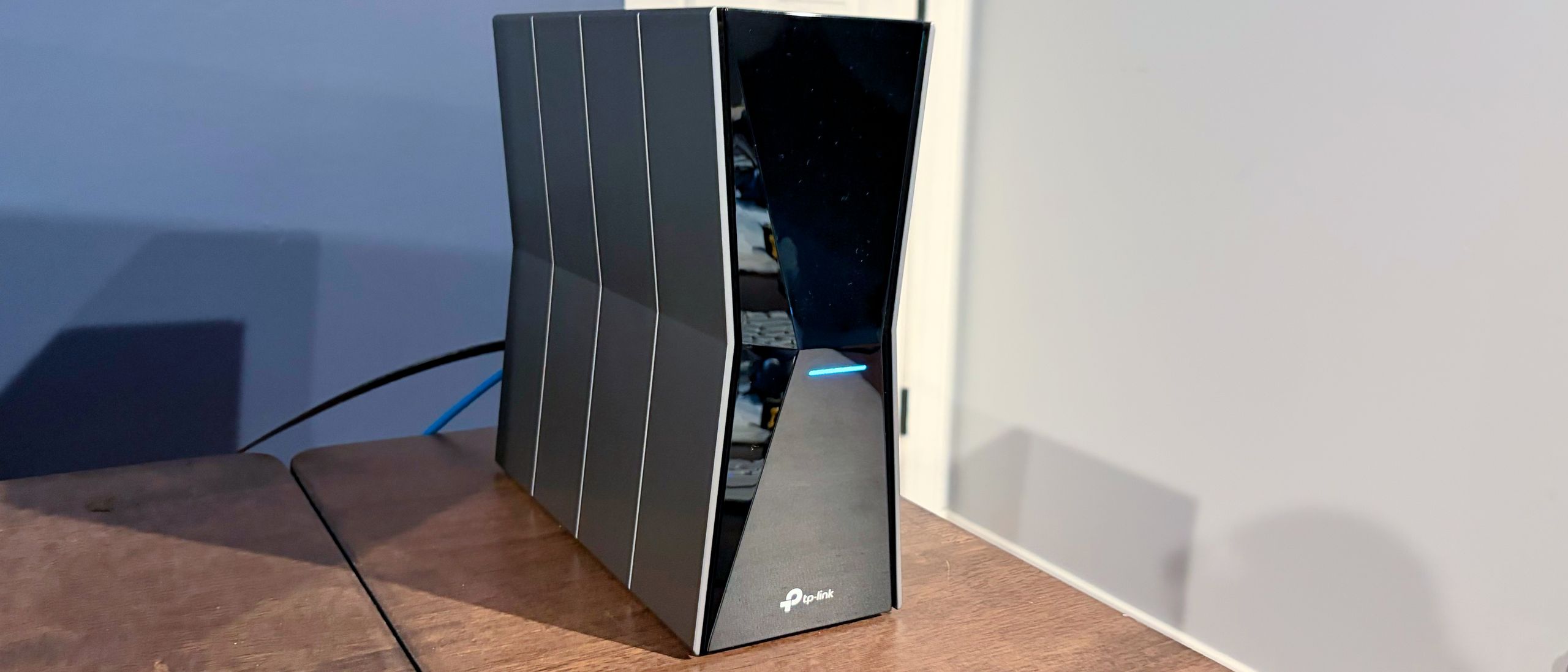
I was asked to create an administrator password to log in to the router, and then to provide an SSID for the 6 GHz band and a separate SSID for the combined 2.4 GHz and 5 GHz bands.
Towards the end of the setup process, a firmware update was available for the router, which I applied. The router then rebooted, and the network was fully operational in roughly 6 minutes from start to finish.
After setting up the Archer BE770 on my smartphone, I switched to my desktop to check out the router's GUI. The Archer BE770 uses a no-frills desktop GUI with a turquoise, gray, and white color scheme. This is the default look for Archer routers, while the TP-Link’s gaming router uses the same interface with a black theme.
(Image credit: Tom's Hardware) (Image credit: Tom's Hardware) (Image credit: Tom's Hardware) (Image credit: Tom's Hardware) (Image credit: Tom's Hardware) (Image credit: Tom's Hardware) (Image credit: Tom's Hardware) The Internet tab shows your current internet connection type (Dynamic IP in my case) and allows you to clone a MAC address for the router. The Wireless tab provides settings for enabling or disabling Smart Connect. Enabling this feature combines the 2.4 GHz and 5 GHz bands under a single SSID, while disabling it gives each band a unique SSID. You can also enable MLO, Guest, and IoT networks here. You can enable 2.4 GHz, 5 GHz, and 6 GHz bands with a Guest network, while the IoT network only supports the 2.4 GHz and 5 GHz bands.
As always, iPerf3 throughput tests are conducted at 6-foot and 25-foot distances, with and without network traffic. In the congested traffic tests, we include six additional wireless clients streaming 4K YouTube videos across 2.4 GHz, 5 GHz, and 6 GHz wireless bands.
Overall, the Archer BE770 performed quite well, especially on the 6 GHz and 5 GHz bands. When testing iPerf3 on the 6 GHz band with no additional traffic, the Archer BE770 Hit over 2,700 Mbps at close range (6 feet), putting it just behind the first-place Archer GE800 (a gaming-centric router). When the testing distance was pushed out to 25 feet, throughput fell to 1,813 Mbps. While this was significantly behind the Archer GE800's performance, it easily eclipses the Asus ROG Strix GS-BE18000 (1,467 Mbps) and the Netgear Nighthawk RS600 (956 Mbps).
(Image credit: Tom's Hardware) (Image credit: Tom's Hardware) (Image credit: Tom's Hardware) (Image credit: Tom's Hardware) (Image credit: Tom's Hardware) (Image credit: Tom's Hardware) With congested traffic on the 6 GHz band, we saw similar results: the Archer BE770 nearly matched the Archer GE800 at close range (2,533 Mbps versus 2,566 Mbps) but fell short at 25 feet (1,520 Mbps versus 2,060 Mbps).
Moving to 5 GHz testing, the Archer BE770 again finished in second place, behind the Archer GE800; however, the gap was smaller at 25 feet.
After adding six additional clients to the network for congested tests, the Nighthawk RS600 shot to the top of the charts, reaching 1,610 Mbps at 6 feet, while the Archer BE770 was close behind at 1,520 Mbps. However, the Archer BE770 more than doubled the Nighthawk RS600's performance at 25 feet (991 Mbps versus 483 Mbps).
2.4 GHz performance without added traffic was the Archer BE770's strong suit, as we saw 84 Mbps at 6 feet and 73 Mbps at 25 feet. Both the Archer GE800 and Nighthawk RS600 vastly overperformed in these tests.
However, when additional traffic came online, the Archer BE770 posted more competitive numbers, hitting 82 Mbps at 6 feet and 58 Mbps at 25 feet. However, those numbers were no match for the Archer GE800, which delivered 166 Mbps and 100 Mbps, respectively.
The TP-Link Archer BE770 is a good all-around tri-band Wi-Fi 7 router, offering strong performance on the 6 GHz and 5 GHz wireless bands that matter most to client devices like desktops, laptops, and smartphones. Its 2.4 GHz performance could be better, but the clients that connect on the band are likely either older or low-speed IoT devices that aren’t starving for insane network bandwidth.
However, I do have a bone to pick with the port layout. With a street price of $400, there’s no reason that we should be stuck with four GbE LAN ports instead of 2.5 GbE.
For equal money, you’d be better served going with TP-Link’s Archer BE800 (which gives you two 10 GbE ports and four 2.5 GbE ports).
Brandon Hill is a senior editor at Tom's Hardware. He has written about PC and Mac tech since the late 1990s with bylines at AnandTech, DailyTech, and Hot Hardware. When he is not consuming copious amounts of tech news, he can be found enjoying the NC mountains or the beach with his wife and two sons. ","collapsible":{"enabled":true,"maxHeight":250,"readMoreText":"Read more","readLessText":"Read less"}}), "https://slice.vanilla.futurecdn.net/13-4-23/js/authorBio.js"); } else { console.error('%c FTE ','background: #9306F9; color: #ffffff','no lazy slice hydration function available'); } Brandon Hill Social Links Navigation Senior Editor Brandon Hill is a senior editor at Tom's Hardware. He has written about PC and Mac tech since the late 1990s with bylines at AnandTech, DailyTech, and Hot Hardware. When he is not consuming copious amounts of tech news, he can be found enjoying the NC mountains or the beach with his wife and two sons.
Dr3ams It looks like a department store shopping bag. Reply
Key considerations
- Investor positioning can change fast
- Volatility remains possible near catalysts
- Macro rates and liquidity can dominate flows
Reference reading
- https://www.tomshardware.com/networking/routers/SPONSORED_LINK_URL
- https://www.tomshardware.com/networking/routers/tp-link-archer-be770-wi-fi-7-router-review#main
- https://www.tomshardware.com
- M5 Max MacBook Pro paired with RTX 5090 in an eGPU dock — runs Cyberpunk 2077 at over 100 FPS at max settings with frame generation
- Linus Torvalds says flood of duplicate AI-generated vulnerability reports have made Linux security mailing list 'almost entirely unmanageable' — private list 'a
- NVIDIA and SAP Bring Trust to Specialized Agents
- AMD GPU owners take to Reddit to report fan problem with driver update — Zero RPM feature could cause GPU temperatures to rise unexpectedly
- Musk's Colossus 1 AI supercomputer's inefficient mixed-architecture design couldn't be used to train Grok, so Anthropic's using it for inference instead — Musk
Informational only. No financial advice. Do your own research.