
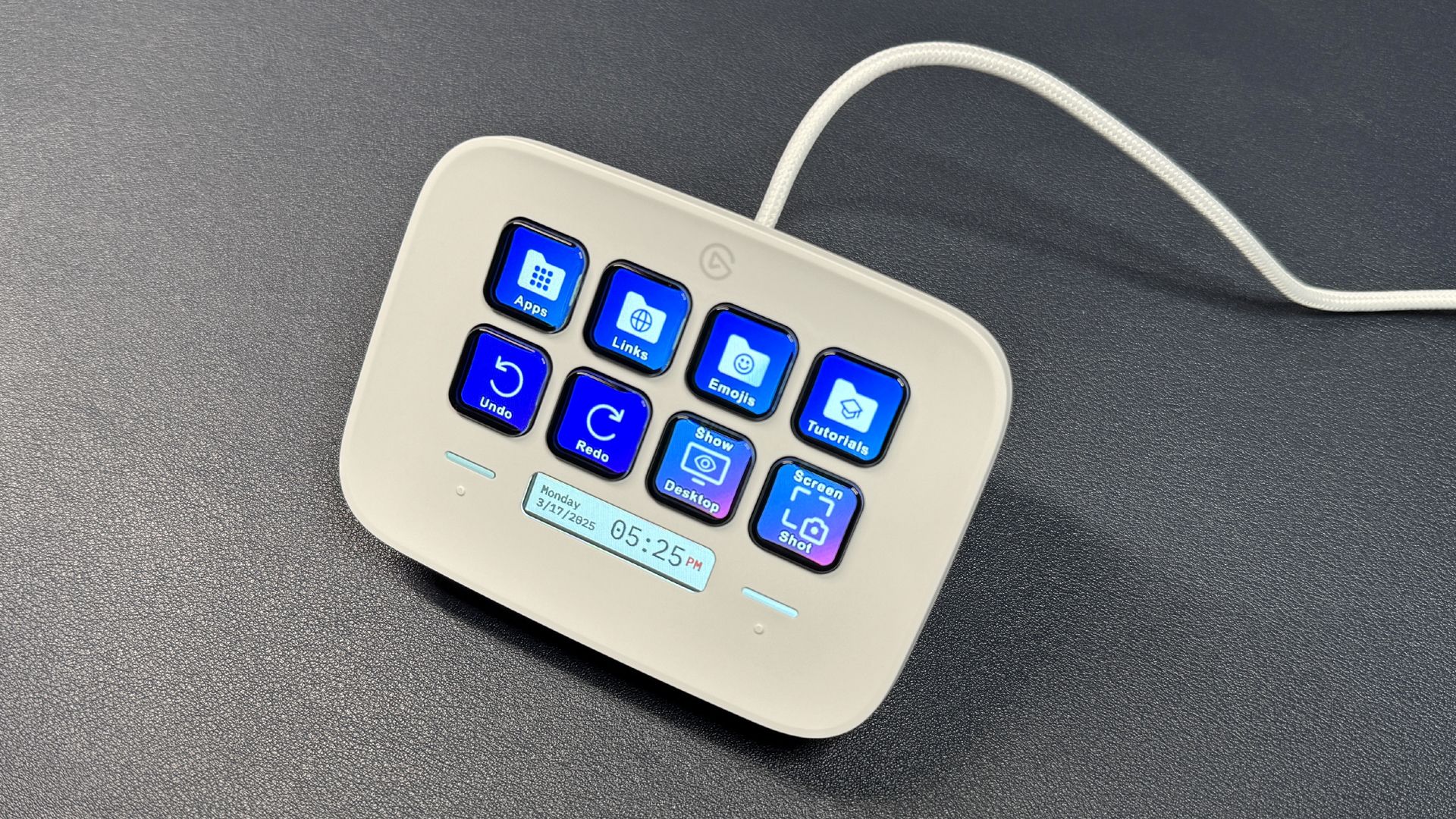
The nice thing about a streaming deck setup is that I can group things together — I can put the apps I commonly use at the same time on one "page," so everything is right there when I want to use it. I can also program a series of tasks to one button, so I can have multiple applications open at once if I always use them together.
This might be more of a "Tom's Hardware peripherals editor" thing, but I constantly find myself switching between various devices — audio devices, webcams, etc.
There admittedly aren't a ton of text strings I use so frequently that I find typing them inefficient, but there are some — for example, hashtags on social media (on the rare occasion I use social media), or 'site:tomshardware.com ' for when I need to find an article on our site.
If I'm using a keyboard that doesn't have a function row or doesn't have enough of a function row, I often just use my macro pad as the function row. This is useful in apps and games that already have function row shortcuts built in, or that have single-key programmable shortcuts .
I have four monitors, so it's easy to lose things all over my desktop. I can use plugins to automatically snap windows to certain positions or automatically organize all windows on one screen into a predetermined layout.
I do some photo and video editing, as well as some 3D modeling, but not enough that I can really justify setting up a macro pad just for that. But I'm sure everyone reading this uses at least several basic shortcuts that could definitely be programmed to a macro pad — and that doing so will make more of a difference than you think.
Sarah Jacobsson Purewal is a senior editor at Tom's Hardware covering peripherals, software, and custom builds. You can find more of her work in PCWorld, Macworld, TechHive, CNET, Gizmodo, Tom's Guide, PC Gamer, Men's Health, Men's Fitness, SHAPE, Cosmopolitan, and just about everywhere else. ","collapsible":{"enabled":true,"maxHeight":250,"readMoreText":"Read more","readLessText":"Read less"}}), "https://slice.vanilla.futurecdn.net/13-4-25/js/authorBio.js"); } else { console.error('%c FTE ','background: #9306F9; color: #ffffff','no lazy slice hydration function available'); } Sarah Jacobsson Purewal Social Links Navigation Senior Editor, Peripherals Sarah Jacobsson Purewal is a senior editor at Tom's Hardware covering peripherals, software, and custom builds. You can find more of her work in PCWorld, Macworld, TechHive, CNET, Gizmodo, Tom's Guide, PC Gamer, Men's Health, Men's Fitness, SHAPE, Cosmopolitan, and just about everywhere else.
RoLleRKoaSTeR Hmm, still have my Razor Tartarus pad. Razor has no updates for it. And it is now "legacy" – not even five years old. Reply
Key considerations
- Investor positioning can change fast
- Volatility remains possible near catalysts
- Macro rates and liquidity can dominate flows
Reference reading
- https://www.tomshardware.com/peripherals/SPONSORED_LINK_URL
- https://www.tomshardware.com/peripherals/why-you-need-a-macro-pad-even-if-you-have-a-mouse-with-19-buttons-from-usd10-mechanical-numpads-to-multi-screen-window-management#main
- https://www.tomshardware.com/membership
- Grab a great-value gaming laptop with a generous amount of memory for only $1,199 — save $100 on Gigabyte's Aero X16 gaming laptop with 32GB of DDR5 and RTX 506
- 32GB Corsair Vengeance DDR5 is $369 in this Woot sale — the lowest standalone RAM price right now, thanks to a $132 discount
- Samsung's fastest SSD is back to Prime Day pricing — only $30 difference between the much faster Gen 5 9100 Pro and Gen 4 990
- Shipping container-launched cargo rocket promises 550-pound deliveries 750 km away in 15 minutes — $1.25M Air Force contract backs 'Rook' cargo rocket that flie
- NVIDIA Harnesses Vera CPU to Speed Up Design of Next-Generation CPUs and GPUs
Informational only. No financial advice. Do your own research.