
I’m not the biggest fan of Armory Crate (or any gaming peripheral software suite, to be honest), so I like that Asus makes heavy use of its Gear Link ( https://gearlink.asus.com/ ) web app for mouse control here. With the mouse plugged into your system, you can dig pretty deep into the settings via the site.
There are sections for button assignments, SpeedShift settings, and performance. The performance section is pretty deep, with angle tuning / snapping, DPI adjustments (in four presets, or adjustable on the X and Y axis via a slider or letting you punch in specific numbers), and debouce delay.
There are also sections for lighting adjustments, power settings, and calibration for specific mouse pad surfaces (with presets for several Asus products).
A separate Zone Mode section lets you adjust the polling rate (which, like most 8K mice, defaults to 4K out of the box), as well as select the frame rate of the sensor and whether or not the transceiver runs in a dynamic power mode or max power (for the best possible connectivity). I would expect that if you leave the transceiver at max power and the mouse running at 8K, you’ll likely have to charge your mouse quite often. But I didn’t have the Harpe II Extreme Edition 20 long enough to judge battery life in different modes.
I only had about a week to use the mouse before heading to Taiwan for Computex 2026 . But in that time, I used it as my daily driver for work and gaming. And as I would expect for a mouse this expensive, I didn’t have any major complaints. Apart from the slick, glossy surface (which took some adjustment coming from the matte mice I’ve been using lately), the Harpe II Extreme Edition 20 pretty quickly felt like an extension of my mouse hand, letting me game and work mostly without thinking about it (to me at least, this is an important feature in a mouse).
Whether I was using an aluminum mousepad, a more traditional flexible mouse surface, or even the cherry wood of my desk, the sensor performed flawlessly. And the buttons were where my thumb expected them to be, with a cool metallic feel that’s subtle but appreciated (especially as temperatures get warmer).
The editor in me missed the dual-mode scroll wheel of my MX Master 4 for quickly scrolling through large documents, but this, of course, isn’t a productivity mouse. The gamer in me, though, would have liked to see a DPI button on the top of the mouse, when shifting between fast-paced FPS titles like Borderlands 4 and Doom: The Dark Ages , and RTS and casual titles that require a different level of cursor control. It’s not exactly difficult to lift the mouse up and cycle through settings via the button on the bottom, but having that button behind the scroll wheel would make things more convenient.
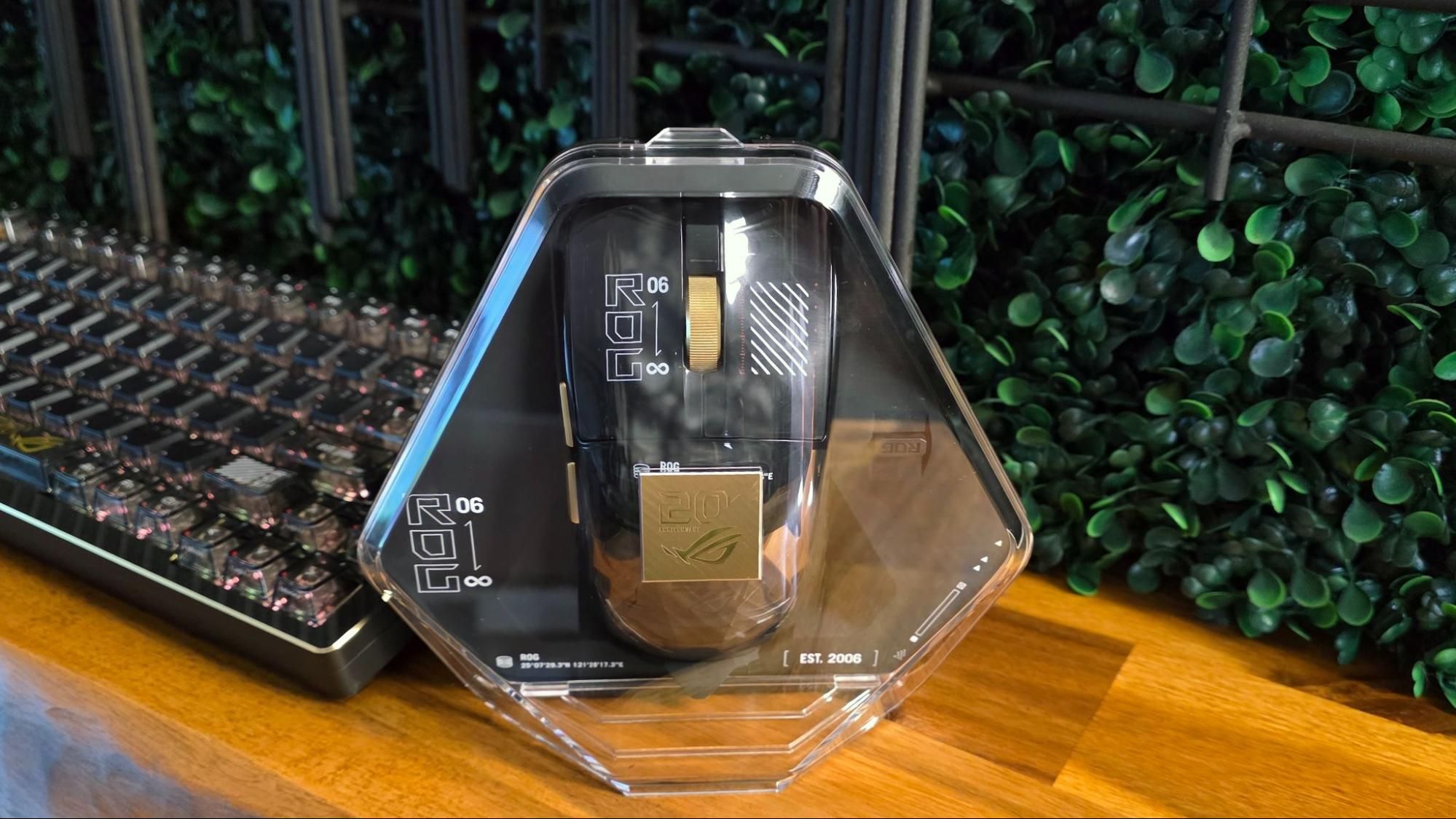
The gold-and-black design of the Harpe II Extreme Edition 20, along with its busy graphics, is something you’re likely going to love or hate. But it’s hard to fault the internal components of this mouse, with 8K polling and one of the highest-DPI sensors on the market. How many of us actually need this level of hardware to get the most from our games is debatable. But the ROG brand tends to lean toward the high-end, so no one should expect mid-range components in ROG peripherals. This is a mouse for those who know what they’re after, appreciate ROG’s legacy, and aren’t afraid to splurge when it comes to their gaming gear.
Part of me would have appreciated a slightly lighter weight and a couple more buttons, but you can find those features in other mice from Asus (and its gaming peripheral competitors, of course). As a tech-upgraded, gold-emblazoned cursor controller that both feels and looks premium, the Harpe II Extreme Edition 20 reflects back to ROG’s past (borrowing its shell design from the Harpe II Ace), while reaching toward the future (with its 65K sensor and web-based interface).
It’s also a damn fine gaming mouse for the here and now, as long as you can afford it. And don’t expect to be able to save up forever to afford it. Asus says it will be available from June 2026 through the end of the year.
Follow Tom's Hardware on Google News , or add us as a preferred source , to get our latest news, analysis, & reviews in your feeds.
After a rough start with the Mattel Aquarius as a child, Matt built his first PC in the late 1990s and ventured into mild PC modding in the early 2000s. He\u2019s spent the last 15 years covering emerging technology for Smithsonian, Popular Science, and Consumer Reports, while testing components and PCs for Computer Shopper, PCMag and Digital Trends. ","collapsible":{"enabled":true,"maxHeight":250,"readMoreText":"Read more","readLessText":"Read less"}}), "https://slice.vanilla.futurecdn.net/13-4-24/js/authorBio.js"); } else { console.error('%c FTE ','background: #9306F9; color: #ffffff','no lazy slice hydration function available'); } Matt Safford Managing Editor After a rough start with the Mattel Aquarius as a child, Matt built his first PC in the late 1990s and ventured into mild PC modding in the early 2000s. He’s spent the last 15 years covering emerging technology for Smithsonian, Popular Science, and Consumer Reports, while testing components and PCs for Computer Shopper, PCMag and Digital Trends.
Key considerations
- Investor positioning can change fast
- Volatility remains possible near catalysts
- Macro rates and liquidity can dominate flows
Reference reading
- https://www.tomshardware.com/peripherals/gaming-mice/SPONSORED_LINK_URL
- https://www.tomshardware.com/peripherals/gaming-mice/hands-on-with-asus-rog-harpe-ii-extreme-edition-20-gaming-mouse-24k-gold-and-a-65k-sensor#main
- https://www.tomshardware.com/subscription
- NVIDIA Research Advances Robotics From Simulation to the Real World
- Asus' monstrous ROG Astral GeForce RTX 5090 Edition 20 includes expansive curved AMOLED display — also debuts 3,000W power supply and striking PC case
- Intel says 'something has to give' with memory prices — company says it 'will continue to make sure that there are products which can take care of older memory
- Qualcomm aims Snapdragon C laptop chip at the budget laptop segment, as manufacturers feel the DRAM squeeze — analysts warn sub $500 laptop market may disappear
- Hands-on with Asus’ ROG Azoth Extreme Edition 20 mechanical keyboard – when carbon fiber isn’t enough, Asus goes for the gold
Informational only. No financial advice. Do your own research.