
The Slim 7x made an excellent showing in our 25GB file transfer test, averaging 1,934.78 MBps to tie the MacBook Air (1,924.84 MBps) and land ahead of the Asus (1,744.38 MBps). The XPS 14 trailed the group (1,419.76 MBps).
On Handbrake, the Slim 7x completed the 4K to 1080p video transcoding in 2 minutes and 11 seconds, just three seconds slower than the Asus and easily outgunning the others – Apple finished in 4:41 while the Slim 7i trailed at 5:56.
To stress test the CPU in laptops, we run 10 loops of Cinebench 2026. The system started with a score of 5,926 but dropped to 5,168 on the second run, where it stayed within a few points for the remaining runs. During the test, the P2 cores ran at an average of 3.34 GHz while the P1 cores ran at 3.94 GHz.
We run 3DMark Steel Nomad to gauge raw graphics horsepower. The Slim 7x’s Adreno X2-90 GPU scored 1,115 points, just behind the Asus (1,262) featuring the same silicon and bested Apple’s M5 integrated solution (1,005). The XPS 14, however, easily took the top spot with 1,446 points thanks to the potent Arc B390 graphics solution built into its Core Ultra X7 358H. The Slim 7i stood way in the back with just 513 points.
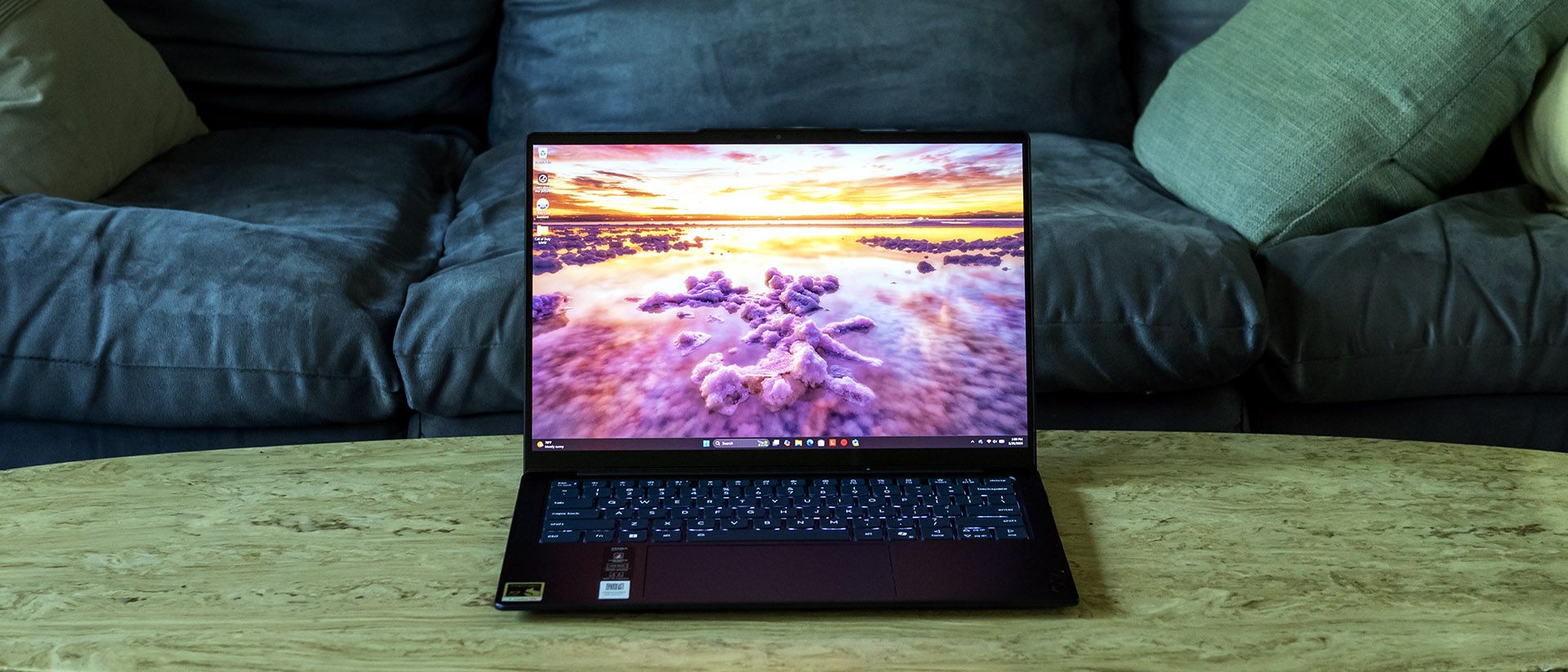
Our Yoga Slim 7x comes with a 1920 x 1200 OLED touch panel. It offers a pleasant picture overall, but isn’t a standout due to its modest brightness – an all-white screen barely makes me want to squint in a dim room. Watching Star Wars: Andor , the stormtroopers’ armor and blaster bolts didn’t pop with the intensity I expected. Colors, however, look rich, and space scenes show off OLED’s trademark inky blacks. The 60Hz refresh rate is par for the course. On the plus side, touch input feels smooth and responsive against the solid glass surface.
Lenovo offers a 2880 x 1800 OLED panel on higher-end configurations, which offers nearly twice the HDR brightness (1,100 versus 600 nits) and a 120 Hz variable refresh rate. (This panel was featured in the Yoga Slim 7i Aura Edition we reviewed.)
The OLED panel on the Slim 7x offers complete coverage of the DCI-P3 gamut, matching its stablemate, the Slim 7i. Its 321-nit peak brightness, however, isn’t impressive next to the Slim 7i’s 476 nits. Not even the IPS-equipped MacBook Air matches the latter.
Lenovo nailed the Slim 7x’s keyboard. The 1.5 mm key travel provides enough movement for your fingers to clearly tell when the key has reached the top or bottom of a stroke. The keys feel springy and snap back with a satisfying sound. Keycaps are slightly scooped with an 0.3 mm dish to help orient your fingers to the center of the key. I felt immediately comfortable on this keyboard, hitting 123 words per minute with 99% accuracy in MonkeyType on the first try. White backlighting, toggled with Fn + spacebar, provides excellent visibility.
Lenovo’s touchpad is also first-rate. Its matte surface is large relative to the 14-inch display. Physical clicks – this is a mechanical pad, not haptic – feel precise, require just the right amount of effort, and aren’t too loud.
The Slim 7x produces decent audio , with enough volume and fullness that you won’t regret forgetting your headphones. Clarity is a bit muffled by default, but enabling the Detailed equalizer in the Dolby Access app goes a long way towards addressing that, sharpening the soundstage.
Listening to William Black’s “Bleed 4 U”, I heard good separation between vocals and instruments, though the bass drop wasn’t that satisfying due to the lack of low-end response. This followed into Star Wars: Andor where explosions and footsteps didn’t quite have the impact for an immersive experience. Overall, though, two people in a quiet room can be easily entertained by this setup.
Four Torx T6 screws secure the Slim 7x’s bottom cover, with the front screws (below the palm rest) shorter than the rear ones. I used a plastic trim tool to pop the clips around the perimeter, starting in the speaker cutouts. The panel still felt stuck after I did this – it turned out a foam pad in the center had some adhesive on it. A gentle lift with my fingertips finally broke it free.
As Snapdragon laptops use nearly all soldered or integrated components, upgradeability is limited – here, just the M.2 2230 SSD and the battery can be changed out.
(Image credit: Tom's Hardware) (Image credit: Tom's Hardware) Battery Life on the Lenovo Yoga Slim 7x Our battery rundown test sets the screen brightness at 150 nits while the system runs web browsing, streaming video, and light OpenGL tests while connected to Wi-Fi. The Slim 7x was in a class of its own, lasting 19 hours and 25 minutes. The next longest-lasting units were the Slim 7i (16:38) and the MacBook Air (15:28). The Asus lasted just 10:26 despite also using the same capacity battery as the Slim 7x.
Not shown in the charts, we tested a second version of the XPS 14 without the OLED screen and with a standard Core Ultra 7 355, which ran for an even more impressive 20:41.
We measure laptop surface temperatures while running our 10-loop Cinebench 2026 stress test. Peak surface temperatures on the Slim 7x were 70 degrees Fahrenheit on the touchpad, 87 F between the G and H keys, and 100 F on the underside. The laptop felt only lukewarm to the touch. I could hear the fans running, but they weren’t loud enough to
We’re unable to report chip temperatures since the HWInfo tool we use to collect data doesn’t yet support precise enough monitoring on Qualcomm’s latest Snapdragon silicon.
Lenovo’s 9MP webcam offers excellent video quality. The 1440p video resolution shows fine details – holding my wrist next to my face a couple feet away, I could read the rather small typeface on my Apple Watch and see the links on my necklace. Noise reduction is also superb, with no noticeable grain even in the shadows below my head. The camera furthermore works well in challenging lighting situations – it managed to expose my face properly despite a bright lamp behind me, which was also exposed properly and didn’t look like a blur.
Lenovo’s software stack starts with the familiar Vantage app. In addition to software updates, diagnostics, and support access, it features a security advisor which verifies you have antivirus, a firewall, and are connected to a safe wireless network. Available system settings include a battery lifespan protector that caps the charge at 80% and power mode, with adaptive (the default), battery saver, or maximum performance toggles. The app also includes upsells for Lenovo’s Smart Lock and Smart Performance subscription services.
Some unwanted software is present, including a McAfee trial.
Key considerations
- Investor positioning can change fast
- Volatility remains possible near catalysts
- Macro rates and liquidity can dominate flows
Reference reading
- https://www.tomshardware.com/laptops/SPONSORED_LINK_URL
- https://www.tomshardware.com/laptops/lenovo-yoga-slim-7x-review#main
- https://www.tomshardware.com
- Bambu Lab Launches Big Bed Slinger: A2L — company's 'H2S Lite' is half the cost of H2S at just $469
- SoftBank to spend up to $87 billion on French AI data centers — country offers ample nuclear grid that US sites lack
- NVIDIA GTC Taipei at COMPUTEX: Live Updates on What’s Next in AI
- Computex 2026 Day Zero Wrap-Up: Nvidia launches RTX Spark Superchip assault on laptop and desktop markets, Intel readies Xeon 6+
- We went hands-on with Qualcomm's new '$300 and up' ARM laptop platform with mystery eight-core CPU — active-cooled Snapdragon C laptop surfaces in Acer Aspire G
Informational only. No financial advice. Do your own research.