
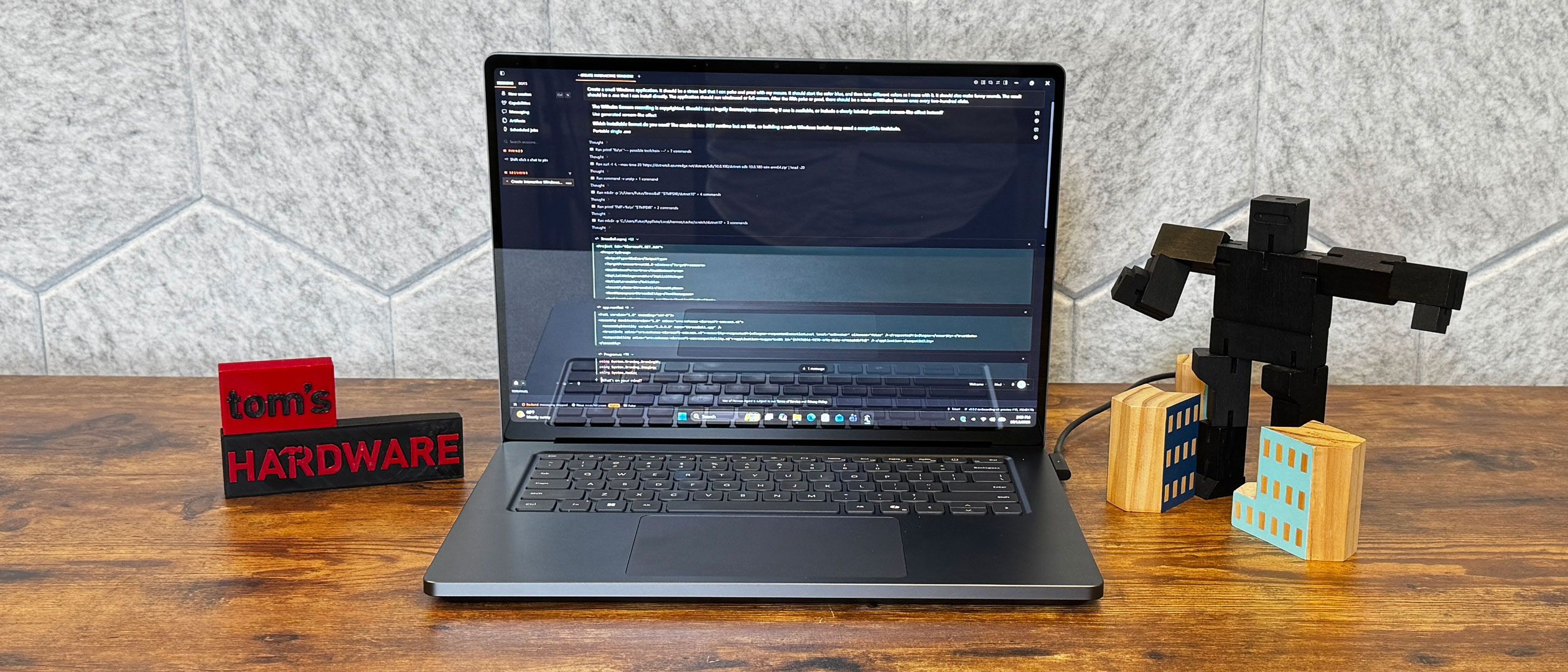
Windows on Arm has been a mixed bag for a long time. It saw massive growth between the first and second generations of Snapdragon X chips, and the RTX Spark feels like a more polished platform from all the work that has been done before. Nvidia's own expertise and influence surely added to that, as well.
But Windows on Arm is still not perfect. There are some apps that don't work exactly, and some parts of Windows even still feel laggy compared to x86.
There are far more native apps than ever before, including all of the major browsers, VLC, Spotify, Slack, Microsoft Office, LibreOffice, Blender, DaVinci Resolve, Dropbox, Visual Studio, Zoom, and more, and Nvidia has more games working than ever before.
Most of Adobe's software, including After Effects, Photoshop, Lightroom, and Premiere, are Arm-native now. But InDesign, Illustrator, and Lightroom Classic are still running via emulation, so they may not be as speedy or stable.
Windows 11 includes an emulator, Prism, that runs apps built for x86 processors and converts the instructions, which does take care of a lot of the rest. But some advanced professional tools, like AutoCAD, aren't considered officially supported, though emulation may still work.
The other issue — which will probably never be totally cleared up — is for those who are using legacy peripherals that require drivers . The same goes for old software that is no longer updated.
But what isn't here yet is glaring: anything in Windows itself to take advantage of a chip that is designed to be an AI powerhouse. There's no sign of Nvidia OpenShell running in Windows 11 (26H1 came on the review unit, which is specific to Windows on Arm). Even the new Copilot hasn't rolled out broadly yet, and the Autopilot feature for a persistent agent isn't ready in time for launch. Microsoft's recently revealed feature that uses plain language search in the taskbar isn't here yet, and while that doesn't need Spark, it would at least have been an AI-specific change to Windows in time for this AI chip to make a splash.
Some off these features can be accessed through the Windows Insider program, but they should have been ready for general availability for a launch this big. This isn't limited to the Surface laptop, but also machines from other OEMs like Dell, Asus, Lenovo, HP, and MSI.
There's nothing that RTX Spark does that makes Windows itself better yet. This is not an operating system designed for local AI, and it doesn't feel like one. If you're interested in local models and running them, Spark has plenty of power. But there's nothing new in this AI PC for regular people using Windows unless you put preview software on your PC. Microsoft built a gorgeous, capable laptop here, but if the average person (or even a power user who doesn't rely on AI models and wants the most stable version of Windows 11) bought one, they wouldn't get anything dramatically special in the Windows experience, at least for now.
The 15-inch, mini LED screen on the Surface Laptop Ultra is really, really good. The 3:2, 2370 x 2180 panel gets exceptionally bright.
I'm talking "944 nits on our light meter" bright. That's so far above everything else (the MacBook Pro hit 529.4 nits) that we had to adjust the X axis on our chart. For most things I could see people using this type of laptop for, (which for me, involves a lot of dark mode), it's probably overkill.
When I watched the trailer for Avengers: Doomsday , the many shades of emerald green were vivid, and a white light surrounding Johnny Storm and his nephew Franklin Richards was nearly blinding.
The Surface's display covers 74.1% of the DCI-P3 gamut and 104.6% of the sRGB gamut, which is slightly behind every other system in the pack.
The keys on Microsoft's chiclet keyboard are a bit on the mushy side for my taste, but the keys don't bottom out. On the MonkeyType typing test, I reached 117 words per minute and a 98% accuracy rate.
The massive haptic trackpad feels great. It's smooth and responsive to Windows gestures. I liked the default "medium" sensitivity, but you can adjust it in Windows settings.
Microsoft outfitted the Surface Laptop Ultra with quad speakers with support for Dolby Atmos.
Listening to Chvrches new single, "Roses," I was impressed with the sheer amount of volume the Surface Laptop Ultra drove, easily filling a small room with sound, though it could get a bit muddled at the highest volumes. At more reasonable levels, vocals, drums, and even synths on the low end were all clear.
I did find the EQ to be too flat to my tastes. Microsoft doesn't include any audio customization software, though Dolby's software is available from the Microsoft Store.
At first, you might think you can't upgrade this laptop, as there are no visible screws on the Surface Laptop Ultra. Those are hidden underneath the feet, which you can pry off with a guitar pick or pry tool. There's no adhesive there, which is appreciated, though it's easy to ding up the soft feet. I wish Microsoft just used exposed screws.
Below those feet are recessed Torx T5 screws. From there, a pry in the vent lifts the whole bottom off, with no clips to deal with. Instead, parts of the bottom case are aligned with magnets.
Inside, the laptop looks great. It's clean and labeled with a variety of QR codes and symbols for part labeling, as well as which screws hold parts down. The battery also has a QR code that goes to the Service Guide, though the Laptop Ultra's isn't ready yet. It's nice to see the inside receiving as much care as the outside of the laptop.
The battery and the SSD appear to be the major replaceable parts. The latter is important, as Microsoft is only offering 1TB configurations of the Ultra as of this writing. But looking closely along the sides, you can also see that most of the ports are held in by screws, too. The RAM, of course, is part of the SoC, so that's non-negotiable; get what you need when you buy it.
While Microsoft puts fine print all over the place that only authorized service technicians are supposed to make repairs, it's nice to see the company has put so much work into precisely labeling the parts so that third-party technicians and enthusiasts can make some repairs or upgrades, too. Now we're just waiting for that repair manual.
The Surface Laptop Ultra isn't a battery life champion. At 10 hours and 43 minutes on our test, which involves web browsing, video streaming, and OpenGL tests over Wi-Fi at 150 nits of brightness, it can get through a day.
It just beat the Zenbook A16 (10:26) with Snapdragon X Elite and surpassed the TUF Gaming A14 (9:07) with Strix Halo. But the XPS 16 with Intel's Panther Lake ran for 13:03, and the MacBook Pro led the pack at 17:58.
That being said, like a gaming laptop, you won't want to run AI workloads unplugged for too long. Without making battery efficiency setting changes, you can easily see the battery icon drop quickly when running demanding tasks.
We took temperature measurements while running our Cinebench stress test. The Surface Laptop Ultra can get toasty.
The center of the keyboard reached 110 degrees Fahrenheit, which you can definitely feel on the keys, though the touchpad was cooler at 88.5 F. On the bottom, the hottest point reached 110 F.
The fans have the capacity to get quite loud, especially when utilizing the GPU. Having Hermes work on some coding projects created consistent fan noise.
Internally, HWinfo hasn't been updated to be clear on which sensors are measuring what. We could make educated guesses, but we'll have more specifics when the software is updated.
The Surface Laptop Ultra features a 1080p webcam. Given the price, I would've liked to see even higher resolution. Many laptops, including several Arm-based competitors using Qualcomm chips, have nicer cameras.
Stills had some graininess to them, even in our well-lit office. But in the video I appeared crisp, with a color-accurate powder-blue shirt and some unfortunate gray hairs poking out of my brown hair.
An infrared camera adds support for Windows Hello.
Key considerations
- Investor positioning can change fast
- Volatility remains possible near catalysts
- Macro rates and liquidity can dominate flows
Reference reading
- https://www.tomshardware.com/tablets/microsoft-surface/SPONSORED_LINK_URL
- https://www.tomshardware.com/tablets/microsoft-surface/microsoft-surface-laptop-ultra-rtx-spark-review#main
- https://futureplc.com/privacy-policy/
- SpaceX limits Starlink service for Ukraine’s high-speed military drones without prior warning
- NVIDIA Announces New Investments in the UK Startup Ecosystem
- Gun-rights activist unveils world's first 'AI-made' 3D-printed firearm — .22 caliber handgun created by an 'AI that can generate guns' called GatGPT
- All Systems Go: Global PC App Ecosystem Ready for NVIDIA RTX Spark
- Why Telecom Operators Are Building Their AI Strategy on Open Models
Informational only. No financial advice. Do your own research.